If you are searching for Power BI Premium, you are probably trying to answer one of three questions: what it actually is, whether you need it instead of Pro, and how PPU, Premium capacity, and Microsoft Fabric fit together in 2026.
In simple terms, Power BI Premium is Microsoft’s higher-tier BI offering for teams that need more than basic report sharing. It is designed for organizations that want larger models, more frequent refreshes, broader content distribution, and stronger enterprise governance. For beginners, the confusion usually comes from the fact that “Premium” is no longer just one thing. In 2026, most buyers encounter three paths:
- Premium Per User (PPU) for advanced individual users or small teams
- Dedicated capacity for organization-scale deployment and broader report consumption
- Microsoft Fabric capacity as the newer, broader analytics platform that includes Power BI experiences and extends beyond traditional BI
For analysts, BI managers, and IT teams, the real task is not memorizing licensing terms. It is understanding which option matches your team’s reporting scale, sharing model, and data complexity.
What Is Power BI Premium in 2026?
Power BI Premium in 2026 refers to Microsoft’s advanced BI licensing and capacity model for organizations that need more scale and control than standard Pro usage provides.
At a beginner level, think of it this way:
- Power BI Pro helps teams create, publish, and share reports
- Power BI Premium adds higher-end capabilities for larger workloads, broader distribution, and enterprise administration
- Microsoft Fabric expands the discussion by combining Power BI with broader analytics workloads under a capacity model
Premium is typically for organizations that need one or more of the following:
- Larger semantic models
- More frequent data refreshes
- Better workload isolation through dedicated resources
- Broader report consumption across many business users
- Enterprise-grade governance and lifecycle management
- Advanced reporting scenarios such as paginated reports
In the broader Microsoft analytics ecosystem, Premium sits between everyday self-service BI and full-scale enterprise analytics operations. In 2026, however, many organizations no longer discuss Premium only in terms of classic P-SKUs. They often compare PPU with Fabric capacity, because Fabric now plays a major role in how Microsoft positions its analytics stack.
That is why beginners usually encounter these three options first:
- PPU for advanced features at the user level
- Premium capacity for dedicated organizational resources
- Fabric for a broader unified analytics environment that includes Power BI capabilities
Power BI Licensing Basics: Desktop, Pro, and Premium
Before comparing Premium choices, it helps to understand the base layers of Power BI licensing.
Power BI Desktop
Power BI Desktop is the free authoring tool used to create reports, connect data sources, transform data, and build visualizations. Many beginners start here because it is where report development happens.
Desktop is mainly for:
- Individual report creation
- Data modeling
- Local testing
- Learning Power BI basics
What it does not do well by itself is enterprise sharing. You can build reports in Desktop, but broader collaboration depends on the Power BI service and licensing.
Power BI Pro
Power BI Pro is the standard business license for cloud sharing and collaboration. It is commonly used when teams need to publish reports, share dashboards, collaborate in workspaces, and consume content within the organization.
Pro is designed for:
- Team-level report publishing
- Shared dashboards
- Workspace collaboration
- Standard cloud-based BI distribution
For many small teams, Pro is enough. But it stays primarily a per-user collaboration model rather than a dedicated enterprise capacity model.
Power BI Premium
Power BI Premium is not just a more expensive Pro subscription. That is an important distinction.
Premium changes the conversation in three ways:
- It introduces advanced features beyond standard Pro usage
- It supports higher-scale workloads
- In the dedicated capacity model, it shifts from purely per-user licensing toward organization-level resource planning
This is why beginners often misunderstand Premium. They assume it is just “Pro with more features.” In practice, Premium is also about how workloads run, who can consume content, and how an enterprise governs analytics at scale.
Creating Reports vs Sharing Content vs Running Enterprise Workloads
A simple way to think about the difference is:
- Desktop = create reports
- Pro = publish and collaborate
- Premium = scale, govern, and distribute analytics more broadly
If your main need is just building a few dashboards for a small team, Premium may be unnecessary. If your need is serving many users, supporting heavier workloads, or standardizing BI across departments, Premium becomes much more relevant.
PPU vs Capacity vs Fabric: What’s the Difference?
This is the part most beginners are really trying to understand. All three options connect to the Power BI Premium conversation, but they solve different problems.
Premium Per User (PPU)
Premium Per User (PPU) is a per-user license that gives individual users access to many Premium-level features without requiring the organization to buy dedicated capacity.
PPU usually makes sense for:
- Advanced analysts
- BI developers
- Small expert teams
- Departments that need premium features but do not yet need enterprise-wide capacity
Typical reasons teams choose PPU include:
- Access to larger model limits than standard Pro
- More advanced refresh and modeling scenarios
- Premium-only capabilities for a smaller group of users
- A lower entry point than buying full capacity
For beginners, the easiest way to think about PPU is this: it is a way to unlock many Premium features without committing to dedicated organization-wide infrastructure.
PPU is often attractive when:
- Only a limited number of people need advanced functionality
- The audience is not massive
- The organization is still testing whether Premium-level capabilities are worth broader investment
Its tradeoff is that it remains a user-based model, so it may become less efficient if many people need access.
Premium Capacity
Premium capacity is the traditional dedicated-capacity model for Power BI. Instead of paying mainly for each user’s access, the organization pays for dedicated resources that support Power BI workloads.
This matters because dedicated capacity can help with:
- Performance consistency
- Larger-scale reporting
- More demanding refresh workloads
- Wider distribution of reports to internal consumers
- Administrative control over enterprise BI environments
Organizations use Premium capacity when they want BI to operate more like a shared enterprise service rather than a tool used only by a small licensed analyst group.
In practical terms, Premium capacity is often relevant when:
- Many users need to view reports
- A central BI team supports multiple departments
- Data models are heavier
- Refresh schedules are more demanding
- Governance and workload management matter more
For beginners, the key idea is that Premium capacity is not only about extra features. It is about dedicated compute resources and a more scalable distribution model.
Microsoft Fabric and How It Connects to Premium
In 2026, Microsoft Fabric changes the Power BI Premium conversation because it expands beyond BI into a broader analytics platform.
Fabric includes Power BI experiences, but it is positioned more broadly around unified analytics workloads. For many buyers, this means the question is no longer only:
- Should I buy Pro or Premium?
It becomes:
- Do I need Power BI features only?
- Do I need dedicated capacity for BI?
- Or do I need a broader analytics platform where Power BI is one component?
Fabric overlaps with Premium because it can provide capacity-based access to Power BI workloads. But it also expands the scope beyond dashboarding and report distribution. That makes it more relevant for organizations that want a unified analytics environment, not just a BI front end.
For beginners, the simplest interpretation is:
- PPU = advanced per-user Power BI
- Premium capacity = dedicated Power BI resources
- Fabric = a broader capacity-based analytics platform that includes Power BI
That is why in 2026, people still say “Power BI Premium,” but the buying decision often points toward Fabric capacity depending on the use case.
Power BI Premium Pricing and Value for Beginners
Pricing is one of the biggest reasons people search for power bi premium, but beginners often get overwhelmed because Microsoft licensing mixes per-user pricing and capacity pricing.
A practical way to break it down:
- Pro is priced per user
- PPU is also priced per user, but higher because it includes Premium-level capabilities
- Premium capacity is typically discussed as a monthly organizational cost for dedicated resources
- Fabric capacity introduces additional capacity-based options that depend on workload level and scale
That is why some people still refer to Premium in terms of a monthly capacity price. Historically, dedicated Premium was commonly evaluated as a capacity purchase rather than a user subscription.
What Buyers Should Compare Beyond Sticker Price
The cheapest-looking option is not always the most cost-effective. A smarter evaluation includes:
- Number of report authors
- Number of report consumers
- How often data refreshes
- Model size and workload complexity
- Need for dedicated performance
- Governance and administration requirements
- Whether broader analytics workloads are also in scope
For example:
- A small analytics team may find PPU easier to justify than capacity
- A large organization with many report viewers may find capacity more aligned with distribution needs
- A company investing in a broader unified data stack may compare Fabric more seriously than legacy Premium models
Why “Premium Value” Depends on Usage Pattern
Power BI Premium creates value when it solves a real scaling or governance problem. It tends to be worth more when:
- Many users consume reports
- Datasets and semantic models are larger
- Performance matters to business operations
- BI is becoming a standardized enterprise service
- Reporting distribution extends beyond a small analyst circle
If those conditions do not apply, Pro or PPU may be enough.
Key Benefits of Power BI Premium
The biggest benefits of Power BI Premium are usually not visual design features. They are operational benefits that affect how analytics performs and scales across the business.
Performance, Scale, and Dedicated Resources
One of the main reasons organizations move to Premium capacity is dedicated resources.
In shared environments, performance can be influenced by broader service usage. With dedicated capacity, organizations get a more controlled environment for their own BI workloads. That can help with:
- Larger datasets
- Better responsiveness for complex reports
- More reliable refresh schedules
- Better support for concurrency and high usage periods
For beginners, this matters if reports are becoming business-critical. If executives, operations teams, or finance users depend on dashboards daily, performance consistency becomes a real operational concern.
Sharing, Governance, and Enterprise Features
Another major reason organizations choose Premium is broader distribution and stronger administrative control.
Premium can help enterprises with:
- Centralized BI governance
- Workspace and deployment management
- Support for advanced enterprise reporting scenarios
- Better standardization across teams
- More structured content lifecycle practices
This is often what separates a departmental reporting setup from a company-wide BI environment.
When Premium Is Worth It
Premium is usually worth considering when one or more of these scenarios apply:
- You have many business users consuming reports
- Your team needs larger-scale data models
- Dashboard performance under load matters
- You need more advanced enterprise reporting capabilities
- Governance, deployment control, and standardization are becoming priorities
Premium may not be necessary when:
- A small team only shares a limited number of reports
- Most usage is exploratory and low scale
- The organization does not yet need dedicated capacity
- Pro or PPU already covers the required features
A beginner-friendly rule of thumb is simple: buy Premium because of scale and operating model, not because it sounds more advanced.
How to Choose the Right Option in 2026
Choosing between PPU, capacity, and Fabric gets easier when you use a decision framework instead of comparing features line by line.
Start With Team Size and Audience Type
Ask:
- How many people build reports?
- How many only consume reports?
- Are viewers concentrated in one team or spread across the organization?
If only a small number of advanced users need higher-end capabilities, PPU may be enough. If many users across the organization need access to centrally managed content, capacity becomes more relevant.
Evaluate Budget Against Workload, Not Just Licenses
Do not compare only per-user price versus monthly capacity cost. Instead ask:
- How large are the datasets?
- How frequently do they refresh?
- How many reports run at the same time?
- How sensitive are users to slow performance?
A low license cost can become expensive if performance problems slow down decisions or force constant workarounds.
Decide Whether You Need BI Only or Broader Analytics
If your goal is mainly dashboards, reports, and semantic modeling, a Power BI-focused decision may be enough. If your organization is moving toward a more unified analytics platform, Fabric deserves closer evaluation.
Common Beginner Mistakes
Some of the most common mistakes include:
- Assuming Premium is always better than Pro
- Confusing PPU with dedicated capacity
- Buying based on feature checklists instead of usage patterns
- Ignoring report consumers when estimating cost
- Underestimating governance and deployment needs
- Treating Fabric as just a renamed Power BI license
Practical Checklist Before Selecting a Plan
Use this checklist before making a decision:
- Do we mainly need report creation, collaboration, or enterprise distribution?
- How many authors do we have?
- How many consumers do we have?
- Are our datasets small, moderate, or large?
- Do we need more frequent refreshes?
- Are performance issues already visible?
- Do we need dedicated resources?
- Do we need broader analytics capabilities beyond Power BI?
- Do we need tighter governance and lifecycle control?
Practical Recommendations for Beginners
If you are evaluating power bi premium for the first time, these are the most useful next steps.
-
Map authors and consumers separately
Many teams only count report builders and forget the much larger group of business users who only need to view content. -
Measure workload before upgrading
Look at refresh frequency, dataset size, concurrency, and user complaints. Premium decisions should be tied to actual usage patterns. -
Pilot PPU before capacity when the audience is small
For advanced analytics teams, PPU can be a practical stepping stone before committing to organization-wide capacity. -
Review governance needs early
If multiple departments are publishing reports, standards for ownership, deployment, and reuse become as important as license cost. -
Compare alternatives based on business-user adoption, not only Microsoft alignment
Many teams focus only on ecosystem fit. But if adoption outside the analyst group is a priority, usability for business teams matters just as much.
A Practical Alternative for Teams Evaluating Enterprise BI
Tools like Power BI are widely used in the BI market, but teams that need a more business-user-friendly, self-service BI platform may also consider FineBI.
Where Power BI Premium often enters the conversation is around scale, distribution, and governed analytics. That is also where FineBI can be relevant for organizations that want:
- Self-service BI for business users
- Interactive dashboards with drag-and-drop analysis
- Faster iteration between business questions and dashboard changes
- Drill-down exploration without relying entirely on technical teams
- Enterprise data connectivity and shared metric management
- Broader dashboard adoption across departments
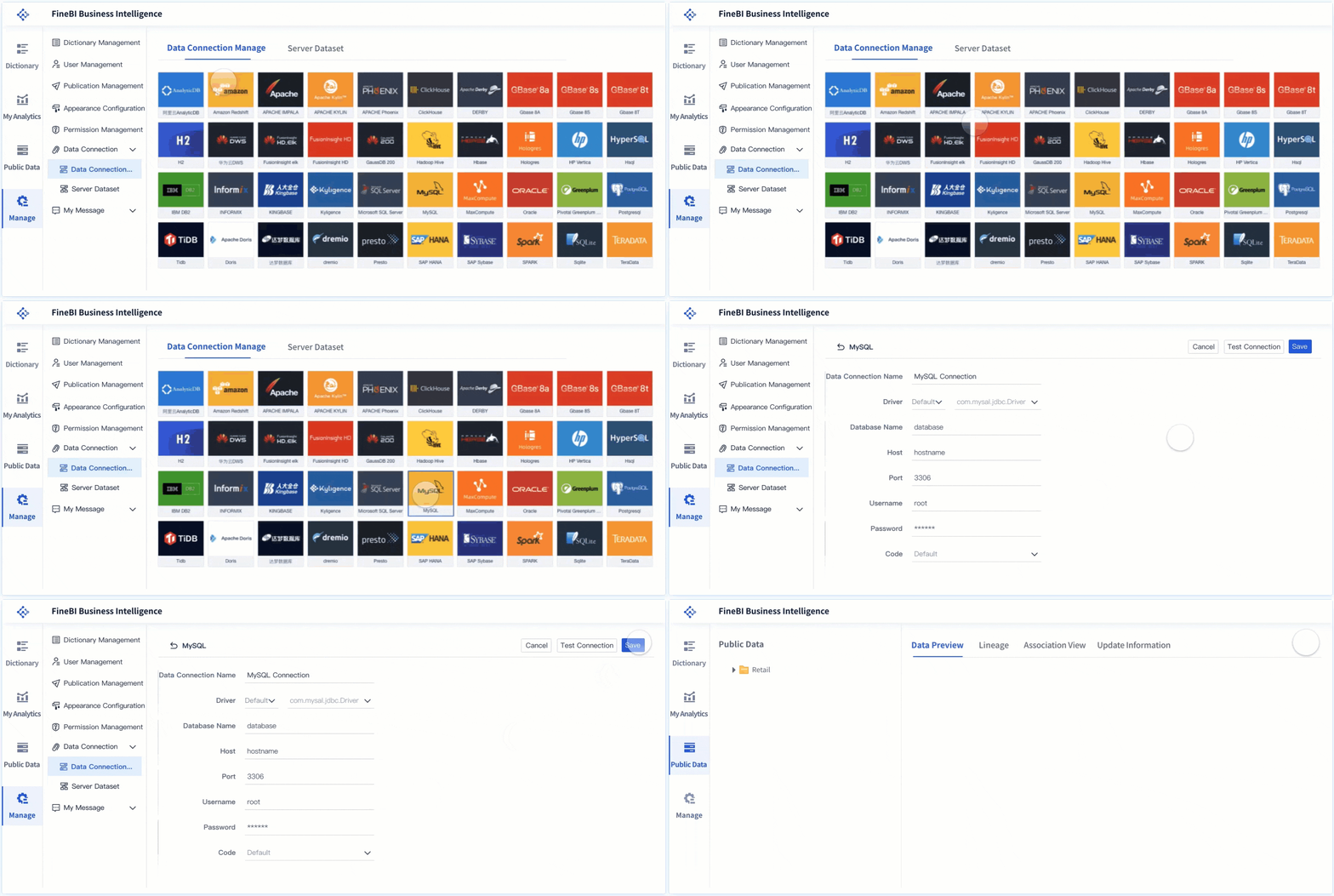 Data Connection
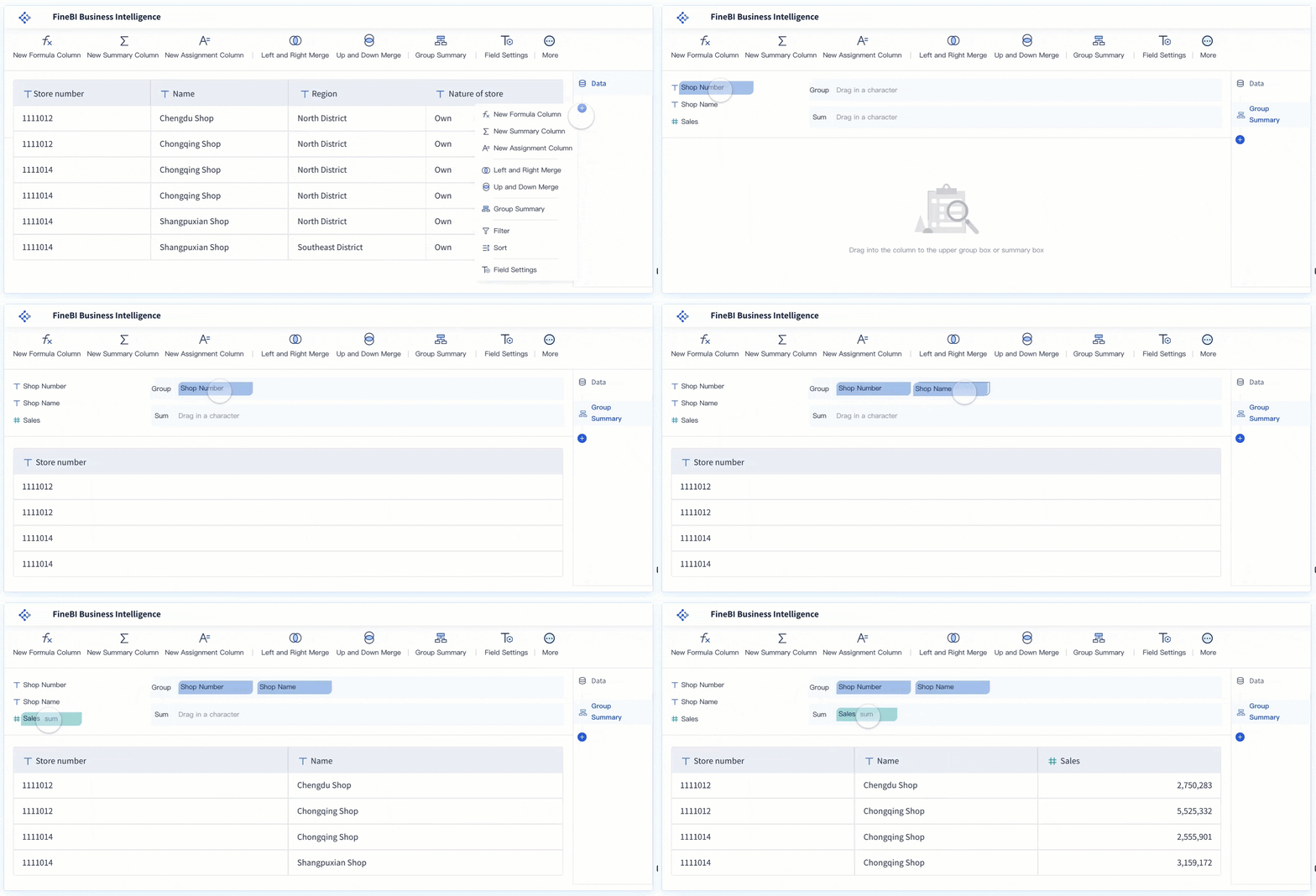 Drag-and-drop Analysis
FineBI is typically a good fit when the goal is not just to publish reports, but to make analytics easier for operational, finance, sales, and management users to use directly.
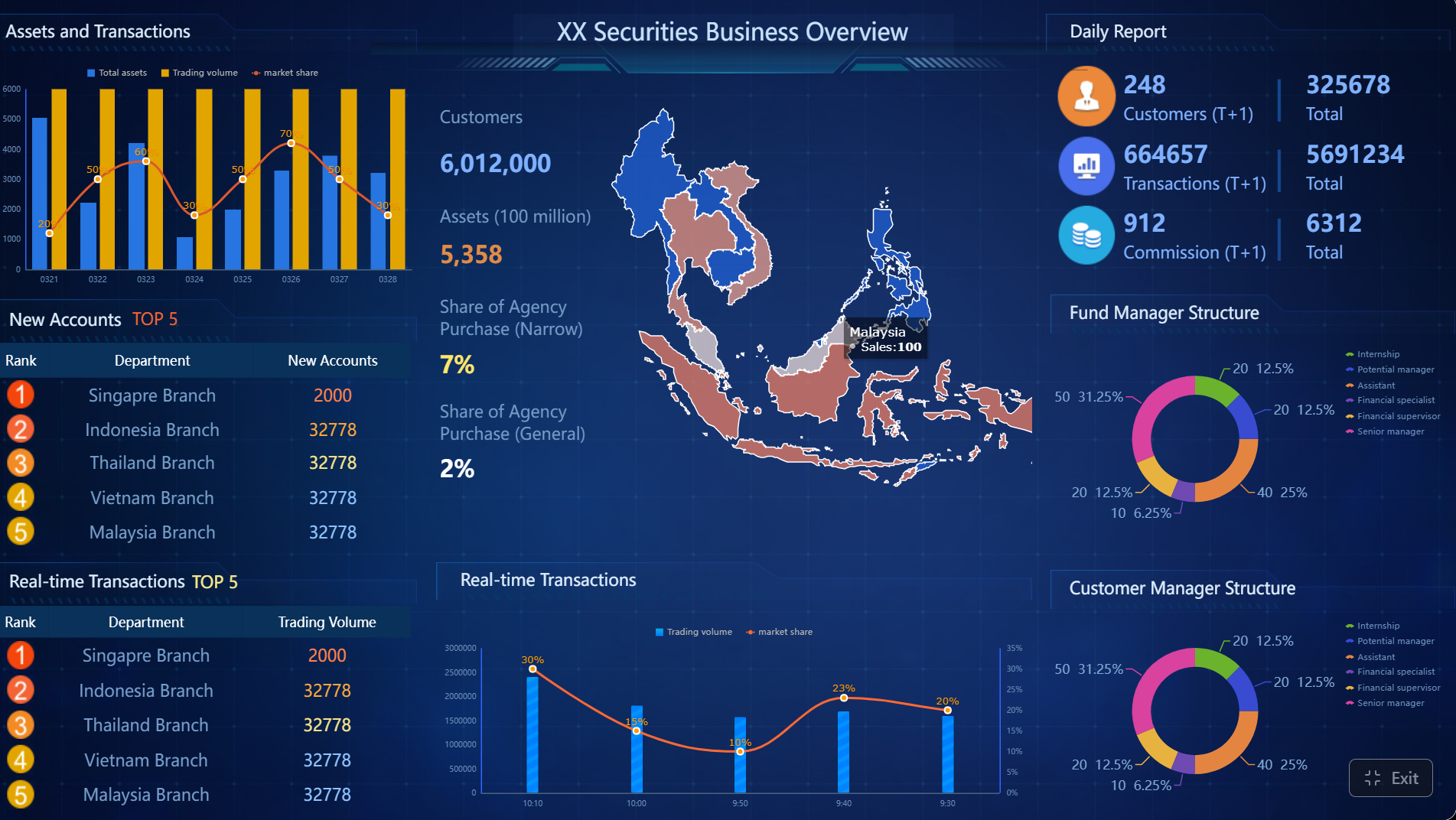
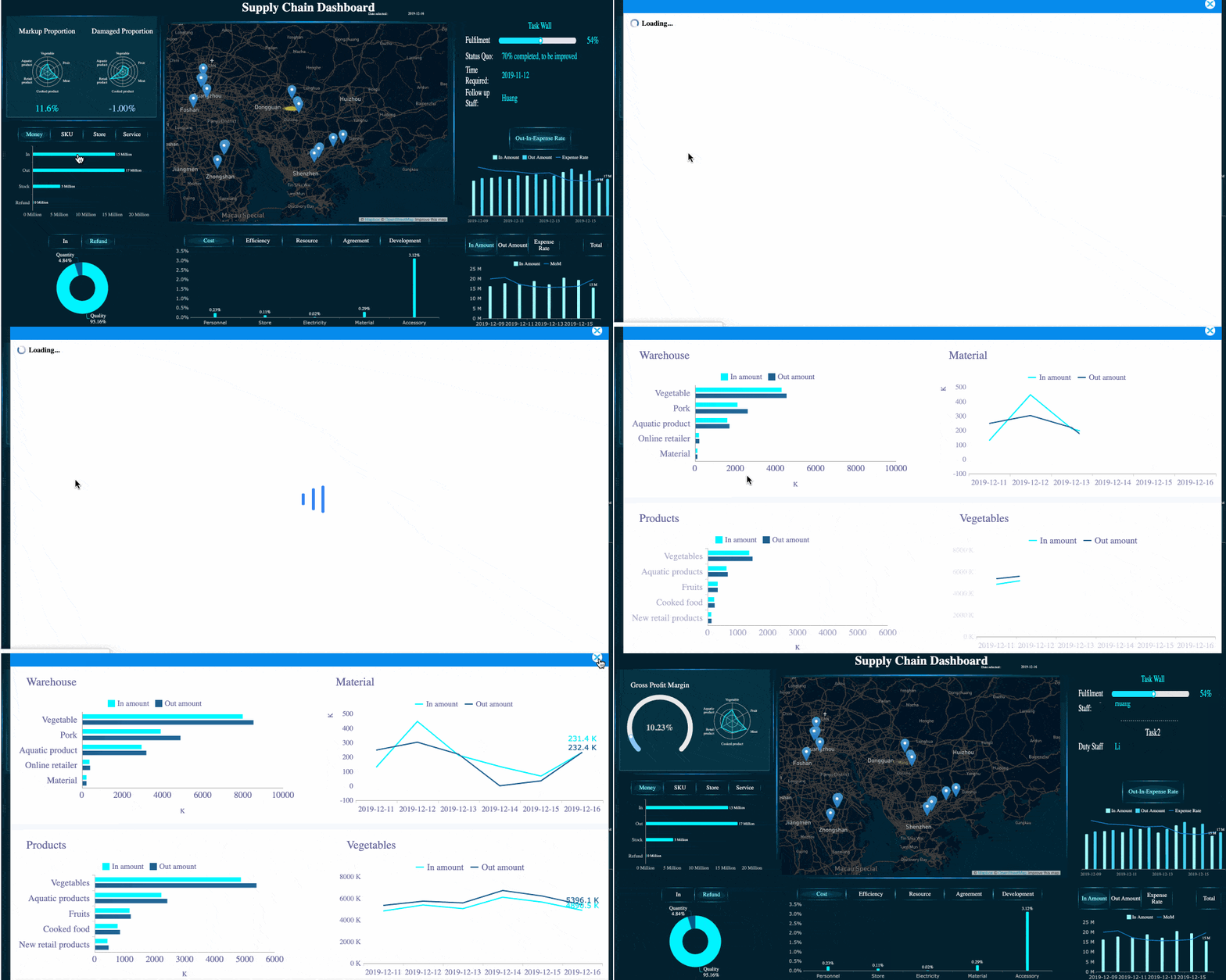 FineBI with Drill-down Capability
For organizations going a step further into AI-enabled analytics, Dora adds another layer.
Dora is FanRuan’s enterprise Data Agent platform. It works as an AI assistant or AI digital employee layer on top of FineBI and existing enterprise data assets. Rather than replacing dashboards, it extends them through Agentic BI.
That means:
- FineBI builds the trusted dashboard, metric, and semantic foundation
- Dora turns that foundation into a scenario-specific AI assistant
- Users can move from manually reading dashboards to asking, analyzing, generating, pushing, alerting, and following up through a governed AI workflow
This is especially useful for enterprises that want use cases such as:
- Data Analyst digital employee
- Report Researcher
- Daily Briefing Secretary
- Risk Alert Officer
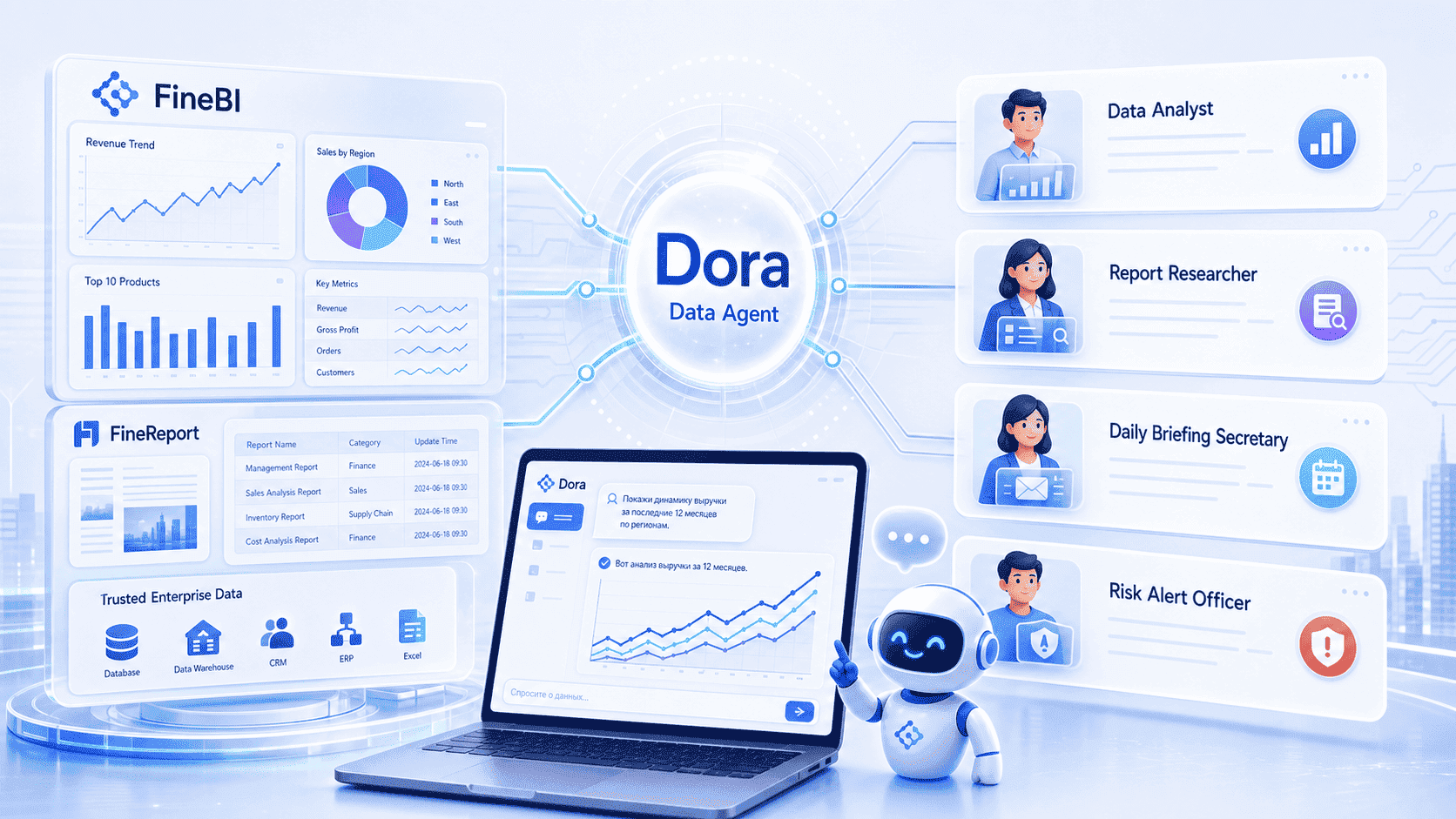
In practice, FineBI + Dora can help organizations move from passive dashboard consumption to more active, guided, and governed decision support.

Get Ready-to-Use Dashboard Templates in Fine Gallery
Final Thoughts
For beginners, the easiest way to understand Power BI Premium in 2026 is this:
- Pro is for standard team collaboration
- PPU is for advanced users who need Premium features without buying capacity
- Premium capacity is for organizations that need dedicated resources and broader content distribution
- Fabric expands the decision from BI licensing to unified analytics capacity
The right choice depends less on product labels and more on your reporting model, user count, workload complexity, and governance needs.
If your organization is also comparing BI platforms based on self-service adoption, dashboard agility, and enterprise-ready analytics with governed AI support, FineBI + Dora is worth evaluating alongside mainstream options.
FAQs
Power BI Premium is the higher-tier version of Power BI for organizations that need larger models, faster or more frequent refreshes, wider report distribution, and stronger governance than Pro alone provides.