If you are searching for Power BI alternatives, you are probably trying to answer a practical question: what BI tool fits my team better than Power BI for the way we actually work? That could mean lower total cost, easier dashboard building, better support for business users, stronger governance, more flexible deployment, or a tool that feels less dependent on advanced modeling skills.
Power BI remains a major player in business intelligence, especially for organizations already invested in Microsoft tools. But it is not the right fit for every company. Some teams want stronger visual analytics. Others need governed metrics, embedded analytics, spreadsheet-like workflows, or a simpler self-service experience for non-technical users.
This guide ranks the best Power BI alternatives in 2026 by use case, so you can quickly narrow down the tools worth evaluating based on your reporting needs, data maturity, and team structure.
Quick Comparison Table
Here is a fast, balanced view of the top Power BI alternatives covered in this guide.
| Tool | Best for | Ease of use | Dashboard design | Data preparation / modeling | Deployment | Ideal team size |
|---|---|---|---|---|---|---|
| FineBI | Self-service BI for business teams | High for business users | Strong interactive dashboards | Flexible, business-friendly analysis and reporting workflows | Cloud / on-premises | Mid-market to enterprise |
| Tableau | Advanced visual analytics | Moderate | Very strong | Capable, but often analyst-led | Cloud / server | Mid-size to enterprise |
| Looker | Governed metrics and semantic modeling | Moderate to low for non-technical users | Strong | Strong semantic layer | Cloud | Mid-size to enterprise |
| Sigma | Spreadsheet-style analytics on cloud data | High for spreadsheet-oriented teams | Good | Strong warehouse-native workflows | Cloud | Mid-size to enterprise |
| Metabase | Simple dashboards and open-source BI | High for basic use cases | Good for straightforward reporting | Basic to moderate | Self-hosted / cloud | Startup to mid-size |
| Qlik Sense | Associative analytics and deep exploration | Moderate | Strong | Strong for complex analysis | Cloud / client-managed | Mid-size to enterprise |
| Sisense | Embedded analytics in applications | Moderate | Strong for embedded use cases | Strong for product analytics workflows | Cloud / hybrid | Product teams, SaaS vendors |
| Domo | All-in-one cloud dashboards and operational visibility | Moderate to high | Strong executive dashboards | Broad connector-based workflows | Cloud | Mid-size to enterprise |
| ThoughtSpot | Search-driven analytics and AI-assisted insights | High for question-based analysis | Less dashboard-centric | Depends on data readiness | Cloud | Mid-size to enterprise |
| Zoho Analytics | Budget-friendly BI for SMBs | High | Good | Moderate | Cloud / on-premises options in broader stack | Small to mid-size |
Fast takeaways
- Choose Tableau if visual exploration is your top priority.
- Choose Looker if you need a governed semantic layer across teams.
- Choose Sigma if your users think in spreadsheets and work on cloud warehouses.
- Choose Metabase if you want a simpler or lower-cost option.
- Choose Sisense if analytics must be embedded into a product experience.
- Choose ThoughtSpot if search and AI-assisted discovery are central to adoption.
- Consider FineBI first if you need a more approachable self-service BI platform for business users, with interactive dashboards, enterprise reporting, and room to extend analytics with Dora for AI-powered analysis.
10 Best Power BI Alternatives in 2026 at a Glance
The market for Power BI competitors is no longer one-dimensional. Different platforms now win for different reasons:
- Enterprise analytics: Looker, Tableau, Qlik Sense
- Self-service reporting: FineBI, Sigma, Domo
- Embedded BI: Sisense
- Open-source dashboards: Metabase
- Search and AI-driven analytics: ThoughtSpot
- Budget-conscious SMB reporting: Zoho Analytics
What matters most is not whether a tool can build dashboards. Nearly all of them can. The real question is whether the tool fits your team’s workflow:
- Can business users answer questions without waiting on analysts?
- Can IT maintain governance without slowing everyone down?
- Can the platform scale from team dashboards to enterprise reporting?
- Does the pricing model stay reasonable as more users need access?
- Can the tool connect to your existing data environment without excessive rework?
Readers who need a quick shortlist can start here:
- FineBI — best for self-service BI and business-friendly analytics
- Tableau — best for advanced visual analytics
- Looker — best for governed metrics and semantic modeling
- Sigma — best for spreadsheet-style cloud analytics
- Metabase — best open-source option for simple dashboards
- Qlik Sense — best for associative analytics
- Sisense — best for embedded analytics
- Domo — best for cloud dashboards and operational visibility
- ThoughtSpot — best for search-driven analytics
- Zoho Analytics — best for SMB-friendly BI
How to Choose the Right Power BI Alternatives for Your Team
A good evaluation process starts with your actual reporting and analysis needs, not just a feature checklist.
Start with your primary use case
Before comparing vendors, define what your team is trying to improve.
Common buying scenarios include:
- Executive dashboards: leadership KPI visibility, trend monitoring, summaries
- Ad hoc analysis: flexible exploration by analysts and business teams
- Embedded analytics: dashboards inside a customer-facing or internal product
- Governed reporting: standardized definitions, controlled access, consistent metrics
- Startup-friendly BI: fast deployment, lower overhead, simpler maintenance
If your main problem is that business teams struggle to build or use reports without constant analyst support, prioritize tools built for self-service BI rather than only enterprise modeling depth.
Compare total cost, not just license price
Power BI alternatives are often evaluated too narrowly on per-user pricing. In reality, total cost includes:
- Creator, explorer, viewer, or consumer licenses
- Infrastructure or cloud usage
- Viewer-scale sharing costs
- Implementation and migration effort
- Training time for analysts and business users
- Ongoing dashboard maintenance and governance work
A cheaper license can still lead to a more expensive rollout if the tool requires heavy setup, specialized skills, or significant support from the data team.
Evaluate connectivity, flexibility, collaboration, and governance
At minimum, compare each platform on these dimensions:
- Data connectivity: databases, cloud warehouses, files, business apps
- Modeling flexibility: semantic layers, calculations, reusable metrics
- Dashboard creation: drag-and-drop ease, interactivity, drill-down, filters
- Collaboration: sharing, subscriptions, comments, exports, portal access
- Governance: permissions, role-based access, standardized definitions, centralized control
Consider adoption, not just capability
Many BI projects underperform because the tool is technically powerful but hard to adopt.
Ask practical questions such as:
- Will finance, operations, sales, and regional managers actually use it?
- Does the interface feel familiar enough for non-technical users?
- How much training is needed before teams can answer their own questions?
- Does the tool create dependence on a small group of technical experts?
For many organizations, this is where Power BI alternatives become attractive. They are not always replacing capability. They are often solving for usability, speed, or broader adoption.
Ranked List: 10 Best Power BI Alternatives by Use Case
1. FineBI — Best for self-service BI and business-friendly analytics
 Website: https://www.fanruan.com/en/finebi
FineBI is a practical option for organizations that want to expand analytics beyond a small BI or analyst team. It is designed around self-service analysis, interactive dashboards, and reporting workflows that are easier for business users to adopt.
Compared with Power BI, FineBI is especially relevant when teams want:
- Drag-and-drop dashboard creation
- Easier business-user participation in analysis
- Interactive exploration with drill-down and filtering
- Centralized reporting with broader organizational access
- Flexible deployment for enterprise environments
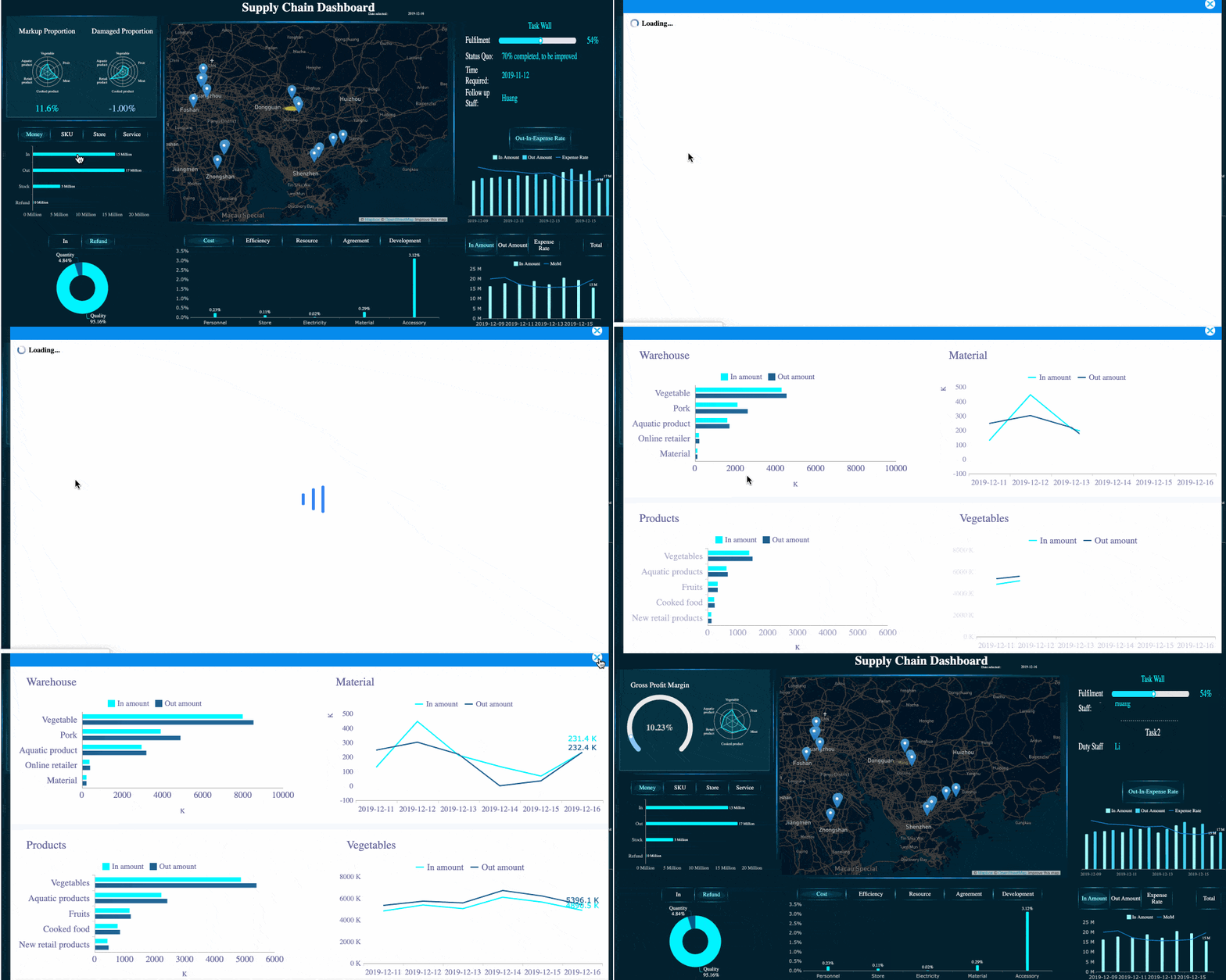 Interactive Dashboard with Drill-down and Filtering
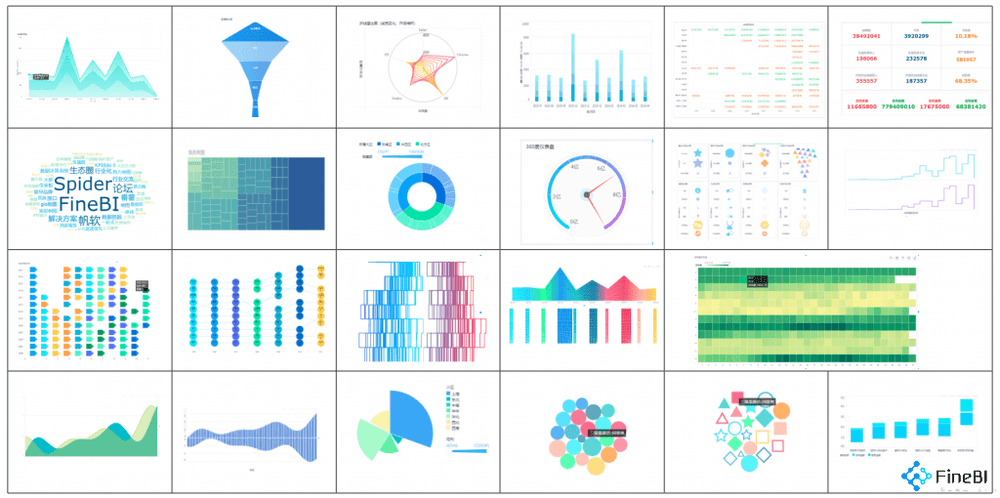 FineBI's Visual Charts
FineBI supports dashboard creation, visual analysis, data exploration, sharing, and enterprise reporting scenarios. It is often a strong fit for operations, finance, sales, management, and cross-functional reporting teams that need to move quickly without making every request dependent on technical specialists.
Where FineBI fits best
- Organizations building a self-service BI culture
- Teams that need dashboards and ad hoc exploration in one platform
- Companies standardizing reporting across departments
- Enterprises that want business adoption without losing control over reporting workflows
Tradeoffs to consider
- Buyers should still validate data modeling, governance, and deployment requirements against their own environment.
- Teams with highly specialized developer-centric analytics workflows may compare FineBI with more code-heavy platforms depending on maturity and internal skill sets.
Dora: AI-powered analysis on top of FineBI
After the core BI foundation is in place, many teams want faster answers from data without building a new report every time. This is where Dora becomes especially relevant.
Dora adds an AI-powered analysis layer that helps users explore data more naturally and accelerate insight generation. In a Power BI alternative evaluation, this matters for teams that want not just dashboards, but a faster path from question to answer.
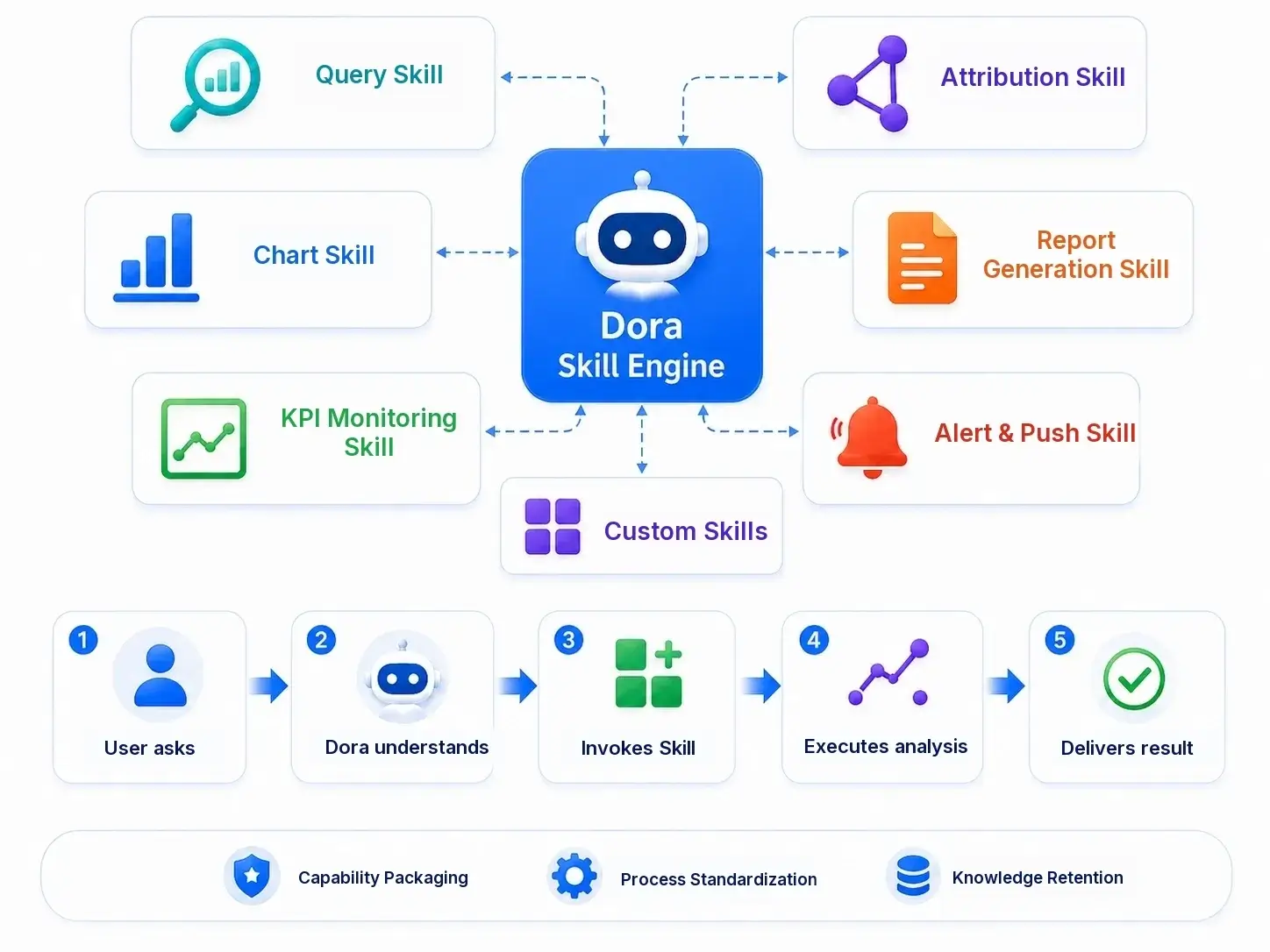 Dora is powered by skills.
A useful way to think about the combination is:
- FineBI helps teams build, share, and standardize interactive dashboards and self-service analytics
- Dora helps teams ask smarter questions, speed up exploration, and reduce friction in day-to-day analysis
That makes FineBI + Dora especially relevant for organizations trying to increase business-user adoption while also introducing AI-assisted analytics in a controlled, practical way.
2. Tableau — Best for advanced visual analytics
 Website: https://www.tableau.com/
Tableau remains one of the most recognized Power BI competitors for teams that prioritize visual analytics, dashboard interactivity, and presentation-ready storytelling.
Strengths
- Rich and flexible visualization capabilities
- Strong interactive dashboards
- Broad enterprise adoption and mature ecosystem
- Good fit for exploratory visual analysis
Tableau is commonly chosen by analyst-heavy teams, BI teams, and organizations that care deeply about how insights are presented to decision-makers.
Best suited for
- Advanced dashboard design
- Interactive data exploration
- Executive and stakeholder-facing reporting
- Large organizations with dedicated analytics resources
Tradeoffs
- Pricing can become significant as teams scale.
- Some users experience a steeper learning curve when moving beyond basic dashboard design.
- Governance and semantic consistency may require additional planning compared with platforms centered on metric definition layers.
3. Looker — Best for governed metrics and semantic modeling
 Website: https://cloud.google.com/looker
Looker is often evaluated when companies want a centralized analytics layer with consistent business definitions across teams.
Strengths
- Strong support for governed metrics
- Semantic modeling through LookML
- Good fit for organizations investing in standardized reporting logic
- Works well in modern cloud data environments
Best suited for
- Enterprise data governance
- Shared metrics across business units
- Data teams building a reusable analytics foundation
- Organizations with modern warehouse-centric stacks
Tradeoffs
- Setup can be more complex than business-user-first BI tools.
- Non-technical users may depend on data teams during early implementation.
- It is often a stronger fit for mature data organizations than for teams seeking the fastest dashboard rollout.
4. Sigma — Best for spreadsheet-style cloud analytics
 Website: https://www.sigmacomputing.com/
Sigma appeals to teams that want analytics to feel familiar, especially users comfortable with spreadsheet logic.
Strengths
- Spreadsheet-style interface
- Direct work on cloud warehouse data
- Good self-service potential for business teams
- Useful for finance, operations, and planning-oriented analysis
Best suited for
- Cloud-first organizations
- Teams using Snowflake, BigQuery, or similar warehouse environments
- Users who prefer spreadsheet-like workflows over traditional BI canvas design
Tradeoffs
- It is more dependent on a warehouse-centric stack than some alternatives.
- Feature fit may vary depending on team maturity and governance needs.
- Some organizations may still prefer more traditional dashboard-first interfaces for executive reporting.
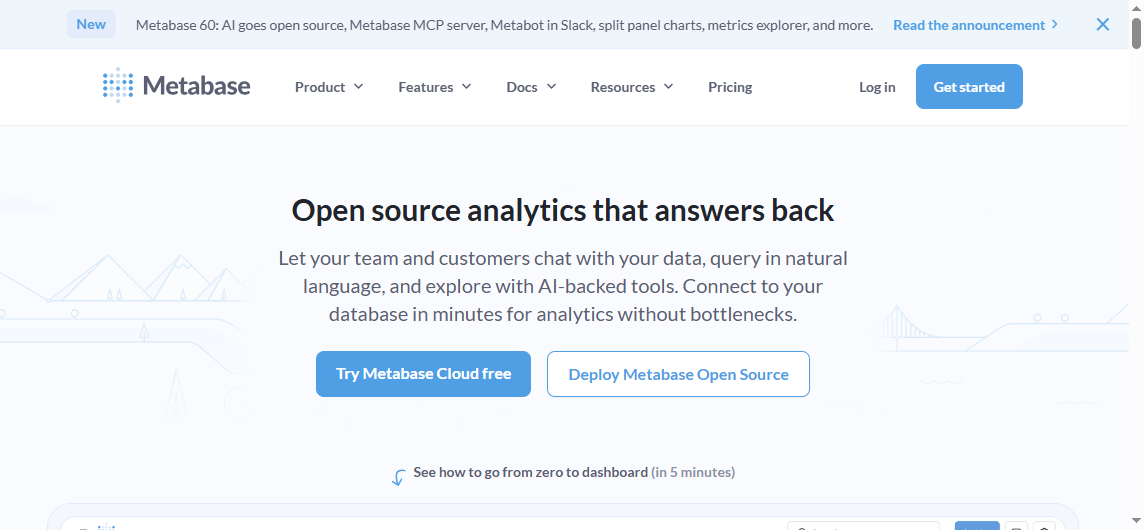
5. Metabase — Best open-source option for simple dashboards
 Website: https://www.metabase.com/
Metabase is one of the most approachable open-source BI tools for straightforward dashboards and lightweight reporting.
Strengths
- Lower barrier to entry
- Simple setup for many use cases
- Accessible for startups and technical teams
- Good for basic dashboarding and query-driven reporting
Best suited for
- Startups
- Technical teams seeking lower-cost BI
- Internal reporting with relatively simple requirements
- Teams comfortable with self-hosting or open-source tools
Tradeoffs
- Fewer advanced enterprise capabilities than larger BI platforms
- More limited fit for complex governance, scaled enterprise workflows, or highly polished dashboard programs
- Advanced business-user self-service may be less robust than in more full-featured enterprise BI tools
More Power BI Competitors Worth Considering
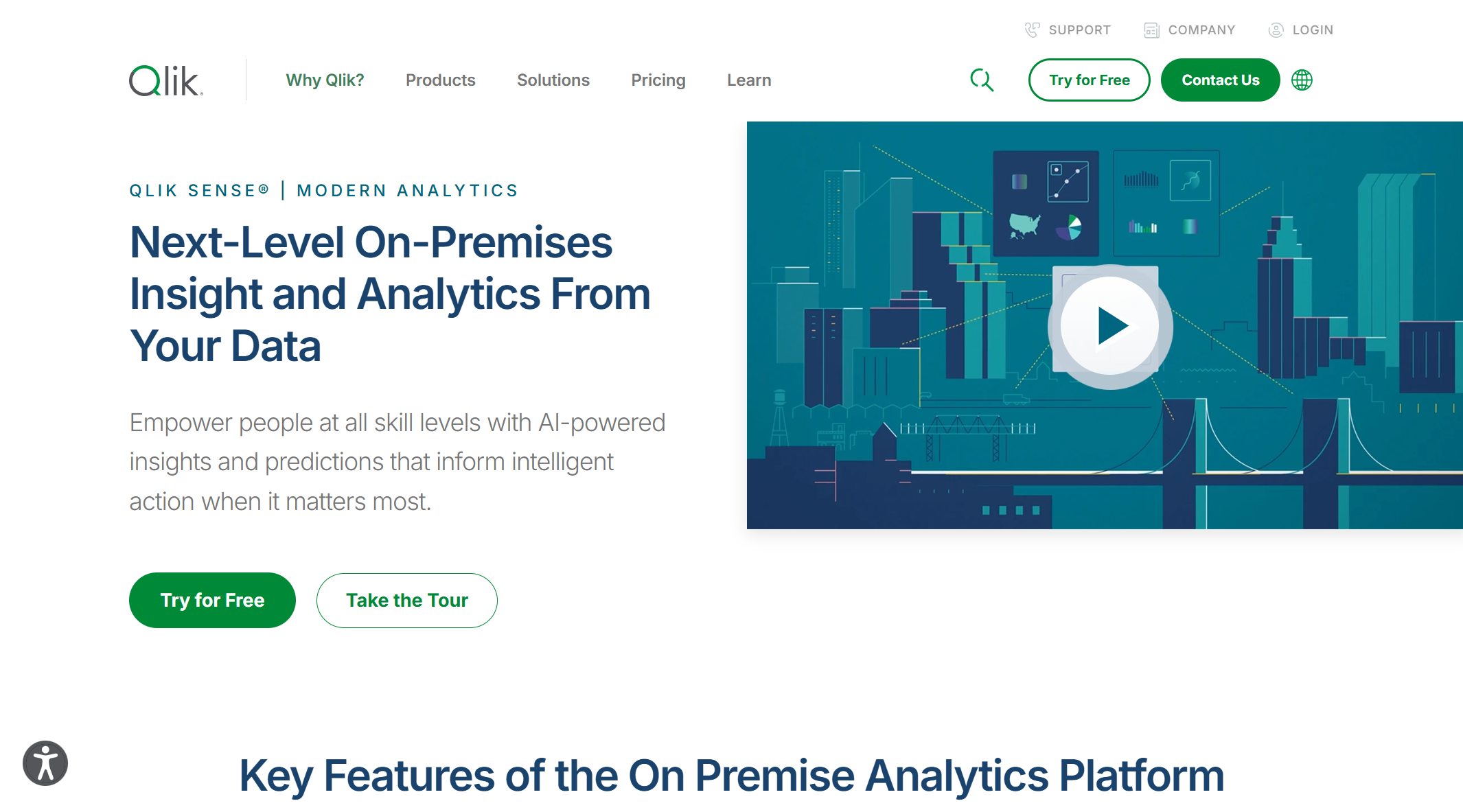
6. Qlik Sense — Best for associative analytics and complex exploration
 Website: https://www.qlik.com/us/products/qlik-sense
Qlik Sense is known for its associative analysis model, which helps users explore relationships across connected datasets in a less linear way than traditional filter-based dashboarding.
Strengths
- Deep analytical exploration
- Useful for discovering relationships across data
- Strong for complex, multi-dimensional analysis
- Enterprise-oriented analytics depth
Best suited for
- Teams with complex datasets
- Users who need discovery-oriented analytics
- Enterprises that want more than standard dashboard interaction
Tradeoffs
- The user experience differs from more conventional BI tools.
- New users may need time to adapt to the associative exploration model.
- It may be more than smaller teams need for straightforward reporting.
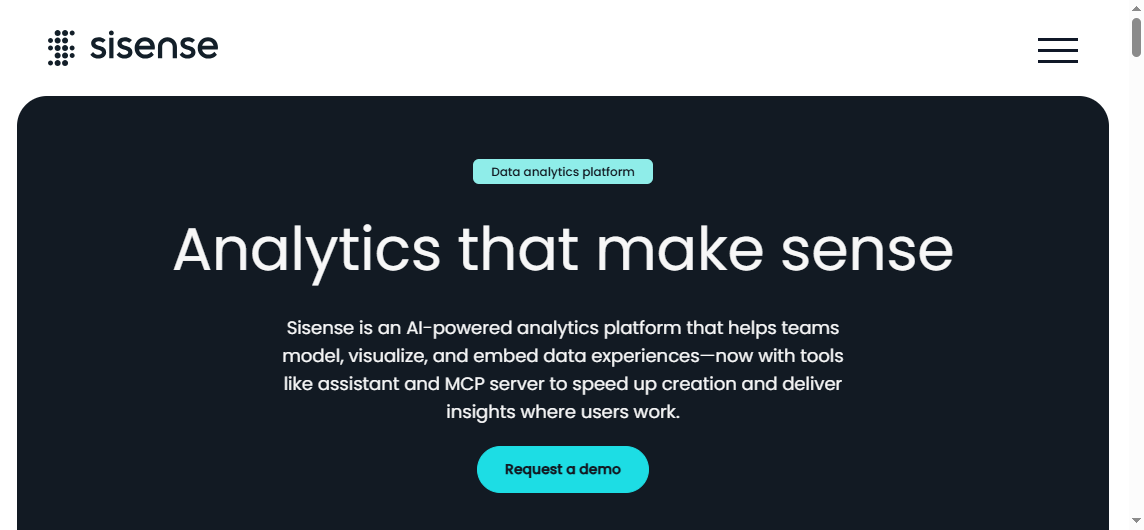
7. Sisense — Best for embedded analytics in products
 Website: https://www.sisense.com/
Sisense is frequently considered by product and engineering teams that need to deliver analytics inside software products or customer-facing applications.
Strengths
- Embedded analytics capabilities
- API-oriented and product-friendly positioning
- Good fit for SaaS products and software vendors
- Useful for custom analytics delivery scenarios
Best suited for
- Product teams
- Engineering-led analytics implementations
- SaaS companies embedding dashboards into applications
Tradeoffs
- It may be less aligned with companies mainly seeking internal self-service BI.
- Productized analytics needs differ from standard departmental dashboard use cases.
- Buyers should evaluate implementation complexity against internal engineering resources.
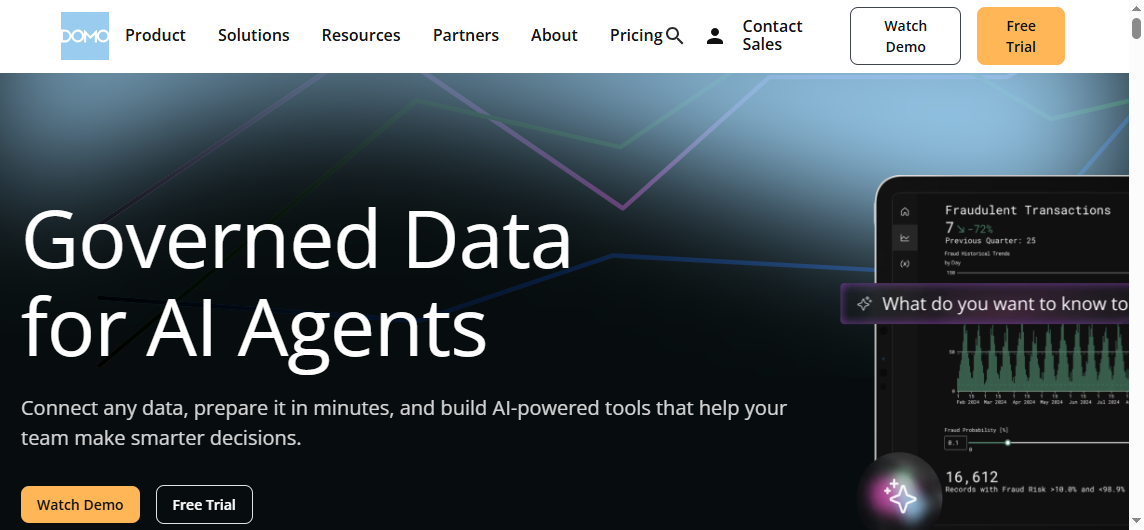
8. Domo — Best for all-in-one cloud dashboards and operational visibility
 Website: https://www.domo.com/
Domo is often considered by teams that want a broad cloud BI platform with many connectors and executive-friendly dashboarding.
Strengths
- Broad data connectivity
- Centralized cloud dashboards
- Operational visibility across departments
- Appealing interface for executive monitoring
Best suited for
- Organizations that want quick dashboard rollout
- Cross-functional operational reporting
- Leadership visibility across sales, finance, marketing, and operations
Tradeoffs
- Buyers should evaluate pricing and scalability in the context of broad organizational rollout.
- Some teams may prefer deeper modeling flexibility or different governance approaches depending on data maturity.
9. ThoughtSpot — Best for search-driven analytics and AI-assisted insights
 Website: https://www.thoughtspot.com/
ThoughtSpot is a strong option for users who prefer asking questions in natural language rather than manually building many dashboards.
Strengths
- Search-first analytics experience
- AI-assisted insight discovery
- Broad accessibility for business users
- Fast answers for question-based analysis
Best suited for
- Organizations investing in augmented analytics
- Teams that want natural-language querying
- Business users who need quick answers over deep dashboard design work
Tradeoffs
- Search-driven analytics works best when the underlying data model is well prepared.
- Some organizations still need traditional dashboarding alongside search experiences.
- It may complement, rather than fully replace, established dashboard programs in some environments.
10. Zoho Analytics — Best for budget-friendly BI for SMBs
 Website: https://www.zoho.com/analytics/
Zoho Analytics is commonly shortlisted by smaller organizations that need practical reporting without the complexity or cost of larger enterprise platforms.
Strengths
- Accessible for SMB budgets
- Familiar business reporting workflows
- Useful dashboards and scheduled reporting
- Good fit for smaller operational teams
Best suited for
- Small to mid-sized businesses
- Budget-conscious teams
- Companies already using other Zoho tools
Tradeoffs
- Large enterprise governance and advanced analytics needs may outgrow it.
- Complex embedded, semantic, or highly customized enterprise use cases may require other tools.
Side-by-Side Comparison: Features, Pricing, and Tradeoffs
Choosing among Power BI alternatives gets easier when you compare them by workflow, not just brand awareness.
| Tool | Visualization depth | Semantic / governed metrics | Embedded BI | Collaboration | AI / assisted analysis | Implementation effort | Typical tradeoff |
|---|---|---|---|---|---|---|---|
| FineBI | Strong | Moderate to strong depending on setup | Moderate | Strong | Stronger when paired with Dora | Moderate | Best for self-service adoption, not only analyst-centric workflows |
| Tableau | Very strong | Moderate | Moderate | Strong | Some assisted features | Moderate to high | Higher cost and training needs for some teams |
| Looker | Strong | Very strong | Moderate to strong | Strong | Growing AI ecosystem relevance | High | Requires modeling discipline and setup effort |
| Sigma | Good | Moderate to strong | Limited to moderate | Strong | Emerging AI relevance | Moderate | Best with warehouse-centric operating model |
| Metabase | Moderate | Basic to moderate | Limited | Moderate | Basic | Low to moderate | Simpler, but less enterprise-ready |
| Qlik Sense | Strong | Strong | Moderate | Strong | Assisted analytics available | Moderate to high | Different exploration model may require training |
| Sisense | Strong | Moderate | Very strong | Moderate | Varies by use case | High | Better for product embedding than internal BI-only needs |
| Domo | Strong | Moderate | Moderate | Strong | Some AI-assisted capabilities | Moderate | Broad platform scope can require careful cost evaluation |
| ThoughtSpot | Moderate | Strong when data is modeled well | Moderate | Strong | Very strong search-led experience | Moderate | Less dashboard-centric for some organizations |
| Zoho Analytics | Moderate | Basic to moderate | Limited | Moderate | Basic assisted features | Low to moderate | Better for SMBs than complex enterprise environments |
Pricing considerations
When comparing pricing, do not focus only on the headline entry point. Review:
- author versus viewer licensing
- cloud infrastructure or usage costs
- deployment model implications
- implementation effort
- training overhead
- the cost of maintaining governed reports over time
This is especially important when replacing Power BI in a large organization, where sharing and adoption costs often matter as much as authoring costs.
Implementation effort
Some alternatives can be deployed quickly for team-level reporting. Others require more setup because they are designed around governance, semantic layers, embedding, or enterprise scale.
As a rule:
- Low to moderate effort: Metabase, Zoho Analytics
- Moderate effort: FineBI, Sigma, Domo, Tableau
- Higher effort: Looker, Sisense, Qlik Sense in more complex environments
Final Recommendations by Use Case
The best Power BI alternative depends on what your team needs to improve first.
Best for enterprises
Prioritize governance, scalability, and standardized definitions.
Shortlist:
- Looker
- Tableau
- Qlik Sense
- FineBI
If enterprise adoption by business users is a major concern, FineBI deserves particular attention because it balances dashboarding, self-service analytics, and broader usability more directly than some governance-heavy platforms.
Best for startups and lean teams
Focus on cost, deployment speed, and fast dashboard creation.
Shortlist:
- Metabase
- Zoho Analytics
- FineBI, if you need room to scale into broader enterprise reporting later
Best for product teams
If analytics must be embedded into a software product, prioritize extensibility and embedded delivery.
Shortlist:
- Sisense
- Looker
- ThoughtSpot for some search-oriented experiences
Best for self-service business users
Favor intuitive interfaces, interactive exploration, and short time to insight.
Shortlist:
- FineBI
- Sigma
- ThoughtSpot
This is where FineBI stands out most clearly. Tools like Tableau and Power BI are widely used in the BI market, but teams that need a more business-user-friendly, self-service BI platform may also consider FineBI.
FineBI is especially relevant when you want:
- drag-and-drop dashboard creation
- interactive filtering and drill-down
- easier dashboard iteration for business teams
- centralized sharing and reporting across departments
- a smoother path from static reporting to interactive self-service analysis
And when organizations want to go beyond dashboards, Dora adds AI-powered analysis to help users move from questions to insights faster, without making AI the entire platform strategy.
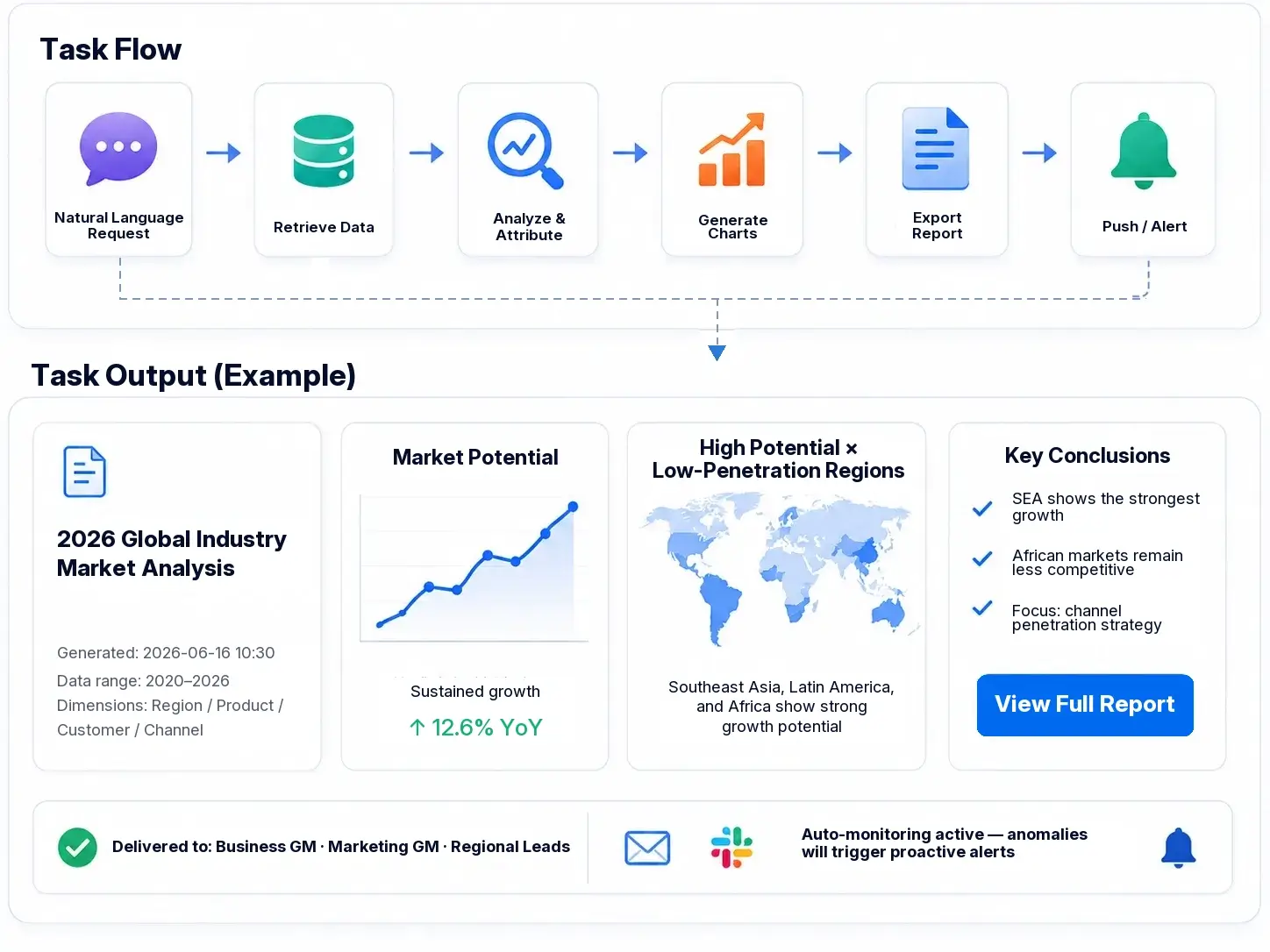

Get Ready-to-Use Dashboard Templates in Fine Gallery
Practical Recommendations Before You Switch
Here are five practical ways to evaluate Power BI alternatives more effectively.
-
Audit your current dashboards before migrating.
Identify which reports are heavily used, which are redundant, and which should be rebuilt instead of copied. -
Separate author needs from viewer needs.
Many BI cost overruns happen because the platform was selected for analysts, while the majority of users only need consumption and light interaction. -
Test one real business workflow, not just a demo dashboard.
For example, build a monthly operations review, a finance variance report, or a sales pipeline dashboard using your own data. -
Measure business-user independence.
Ask whether non-technical users can answer follow-up questions without opening a ticket for the BI team. -
Evaluate AI as an accelerator, not a substitute for BI foundations.
AI-assisted analytics is most useful when paired with trusted data, clear metrics, and a reporting layer users already understand.
Conclusion
There is no single winner among Power BI alternatives because the market has become more specialized.
- Choose Tableau for visual analytics.
- Choose Looker for governed metrics.
- Choose Sigma for spreadsheet-style analytics on warehouse data.
- Choose Metabase for open-source simplicity.
- Choose Sisense for embedded BI.
- Choose ThoughtSpot for search-driven analytics.
- Put FineBI at the top of your shortlist if your priority is self-service BI, broader business-user adoption, interactive dashboards, and a practical path to AI-powered analysis with Dora.
If your team wants to reduce dashboard dependency on technical experts while still supporting enterprise reporting and interactive analysis, FineBI is one of the most relevant Power BI alternatives to evaluate in 2026.
FAQs
Teams often switch when they want easier self-service, less dependence on DAX and data modeling, more flexible deployment, or pricing that scales better as usage grows.