An intranet dashboard is like your organization’s main center. It brings together tools and information you use each day. You can quickly see company news, project updates, and important documents.
Intranet dashboards make work easier and help people talk more.
They let you find important resources fast, so you can work with your team.
Real-time insights help cut down extra work and make things faster.
With a good intranet, you can make daily tasks simpler and keep everyone in touch.
Intranet Dashboard Overview
What Is an Intranet Dashboard
An intranet dashboard is your main work area at your job. It puts all your important tools and information together. You can talk to your team and find what you need fast. The dashboard shows updates, documents, and tasks in one spot. This helps you do your work and keeps you organized.
A modern intranet dashboard has many helpful features. You get an easy-to-use interface, strong search, and you can use it on your phone. It connects with other apps and keeps your info safe. You can share ideas and give shout-outs to coworkers. You can change your profile and handle content without tech skills. Analytics and reports show how people use the intranet and help you make it better.
Function
Description
User-Friendly Interface
Makes work more enjoyable and helps more people use it.
Advanced Search Functionality
Lets you find files and info quickly.
Mobile Accessibility
Keeps you working from anywhere.
Seamless Integration With Other Tools
Makes sharing and talking with others simple.
Robust Security
Keeps company info safe.
Social and Collaborative Features
Gets people involved with fun features.
Customizable Personal Profiles
Lets you make your profile your own.
Content Management System (CMS)
Makes it easy to create and manage content.
Analytics and Reporting
Shows how people use the intranet and helps you improve it.
Employee Recognition and Feedback Systems
Helps people feel noticed and get feedback.
How It Centralizes Resources
A modern intranet puts all your tools in one place. You do not have to look in many systems. You use one dashboard for everything. This helps you work faster and keeps things neat. You can work with your team, edit documents together, and manage projects. The dashboard helps teams work well and makes things easier. Old intranets just listed apps and did not connect them. Now, you get one smooth experience that helps you work better.
You might have some problems with an intranet dashboard. Sometimes, you do not know what you want or need. Teams may not talk well to each other. If the design is hard to use, you can get annoyed. People may not like new systems if they do not see why they are good.
Challenge Type
Description
Lack of specific requirements
Not knowing what you want can cause trouble.
Insufficient communication
Teams not talking can make things confusing.
Design problems
Hard-to-use dashboards can upset people.
Employee resistance
People may not use new systems if they do not see the point.
Less than 30% of people use new intranets in the first year.
Digital workplace tools get used more because they help people work together.
Intranets can be boring and not fit hybrid work, so people do not use them much.
You get the most out of your intranet dashboard when it has the right features, helps you work with others, and gives you one easy place to do your job. This keeps you working well and in touch with your team every day.
Key Features of Intranet Dashboards
When you use an intranet dashboard, you get helpful tools. These features make your daily work easier. They help you talk to your team and work together. Let’s look at how these features shape your employee portal and help you get more done.
Communication Tools
You need good tools to keep everyone connected. A modern intranet dashboard gives you ways to share news and stay updated. Here are some common tools you will see:
Video conferencing lets you meet your team face-to-face, even if you are not in the same place.
Workplace analytics show how people use the dashboard and help you improve how you talk to each other.
Customizable dashboards let you see what matters most to you.
Mobile apps keep you in touch wherever you are.
Employee directories help you find coworkers fast.
Announcements and alerts make sure you do not miss important news.
Feedback tools let you share your ideas and thoughts.
Feature
Benefit
Centralized communication
Important updates reach every employee without delay.
Real-time updates
Instant messaging and video calls help you make quick decisions.
Organized channels
You find relevant information easily and avoid overload.
Employee engagement tools
Feedback and suggestions help your organization improve.
Video conferencing helps you work with your team and share ideas. Workplace analytics show how people use the dashboard, so you can make better choices. Customizable dashboards let you set up your workspace for your needs. Mobile apps connect desk and frontline workers, keeping everyone together.
Collaboration Features
Collaboration is a key feature of an intranet. You can work with your team in real time. You share documents and manage projects together. The dashboard gives you spaces to brainstorm, track progress, and celebrate wins.
Feature
Description
Video conferencing
Meet and work together without being in the same room.
Workplace analytics
See how your team works and find ways to improve.
Customizable dashboards
Personalize your workspace for better productivity.
Team collaboration spaces
Work on projects and share ideas no matter where you are.
Frequent updates in project tools show your team uses intranet features.
High task completion rates mean your collaboration tools help finish projects faster.
If you see low completion rates, you can spot problems and fix them quickly.
Productivity Enhancements
A modern intranet helps you get more done by making your work easier. You can manage tasks, share files, and automate simple jobs. The dashboard keeps everything in one place, so you spend less time looking for information.
Feature
Benefit
Increased productivity
You can get more done, with up to 25 percent improvement for interaction workers.
Task management
Create, assign, and track tasks easily.
Centralized file sharing
Find documents fast and work together without confusion.
Workflow automation
Save time by automating repetitive tasks.
Shared calendars
Schedule meetings without double-booking.
Mobile accessibility
Access company information from anywhere.
Intranets help you talk and work with your team.
You manage tasks well and keep files neat.
Central access means you do not need many apps.
Evidence
Explanation
Intranet chat platforms reduce email clutter
You focus on your work instead of sorting through emails.
Centralized information access reduces search time
You find what you need quickly and finish tasks faster.
Streamlined onboarding processes
HR directs new employees to documents, saving time.
Calendar visibility for scheduling
You see when your coworkers are available and set meetings easily.
Central repository for HR documents
HR spends less time answering questions, so they can focus on other tasks.
Access to organized information reduces errors
You make fewer mistakes and spend less time fixing them.
Customization Options with FineReport
Customization is important for any employee portal. FineReport gives you ways to change your dashboard and reports. You can make documents, dashboards, and charts with easy drag-and-drop tools.
FineReport lets you:
Change your dashboard layout with grid designs and floating buttons.
Use big search bars to find forms, manuals, or contacts fast.
Get mobile designs, so your intranet works on any device.
Add gamification to boost participation and make work more fun.
FanRuan’s solutions work with other systems, making your intranet dashboard stronger. You can build a workspace that fits your role and needs. With FineReport, you get the most from your intranet features and improve productivity, communication, and teamwork.
You see how the key features of an intranet dashboard—communication tools, collaboration features, productivity enhancements, and customization—work together to create a modern intranet. These features help you stay connected, work efficiently, and make your employee portal a central hub for success.
Security and Integration of Intranet Dashboards
Data Protection and Access Controls
You need your intranet to keep company information safe. Security tools help protect your data and make sure only the right people see private details. A modern intranet uses strong tools to keep information safe and help people talk inside the company. You notice these safety steps when you log in or share files.
Security Measure
Description
GDPR Compliance
Makes sure companies follow strict rules for handling data and keeping personal information safe.
Enterprise-level Encryption
Keeps data safe while moving and when stored, so no one can see it without permission.
Identity and Access Management (IAM)
Controls who can see what, so only the right people get to private information.
Adds extra checks to make sure only you can get into your account.
Security Monitoring and Incident Response
Watches for strange actions and warns if something bad might happen.
You use access controls every time you use your employee portal. Role-based access control lets you see only what you need for your job. Multi-factor authentication asks for more than just a password, so your account is safer. Session management logs you out if you are not active, so others cannot see your stuff.
Access Control Mechanism
Description
Role-Based Access Control (RBAC)
Lets people see only what they need for their job, so others cannot get to things they should not.
Multi-Factor Authentication (MFA)
Makes your account safer by asking for more than one way to prove who you are.
Session Management
Logs you out if you are not using your device, so no one else can get in.
Integration Capabilities with FanRuan Solutions
You want your intranet to work with other tools you use. Integration features help you connect everything and save time. FanRuan’s FineReport makes this easy. You can link your dashboards to databases, HR systems, and project apps. This means you do not have to do things by hand.
Good integration does more than just show data. It helps you do things faster and keeps your information up to date. You get intranet portals with panels and widgets for quick access. Automated ticket creation sends requests to systems like Jira or Asana. Project status pages update by themselves, so everyone knows what is happening.
Intranet portals give you fast ways to start tasks.
Automated ticket creation means you do not have to fill out forms.
Project status pages update on their own, so everyone sees the newest info.
FineReport connects to over 500 data sources. You can make dashboards that show real-time data from many places. You see all your important numbers in one spot. This makes your employee portal a strong tool for talking inside the company and getting work done.
Analytics and Intranet Features of Intranet Dashboards
Real-Time Analytics with FineReport
It is important to know what is happening on your intranet right now. Real-time analytics help you see changes as they happen. FineReport lets you watch data the moment it updates. You always have the newest information. You can see how people use intranet features and notice trends quickly.
Real-time monitoring keeps your data new and current.
You can see what users do and which content is popular.
You can react fast to new trends or problems.
Up-to-date data helps you make quick choices.
FineReport connects to many data sources at once. You can make dashboards that show live numbers from your whole company. This helps you see what is working and what needs fixing. For example, Kintetsu used FineReport to track customer visits and cargo in real time. Their teams now decide faster and handle information better.
Tracking KPIs and Employee Engagement
You want to know if your intranet helps your team do well. Tracking key performance indicators (KPIs) shows how your intranet features are working. You can measure things like how often people log in, how long they stay, and what pages they visit. You also see how many tasks get finished and how much people talk in forums.
KPI Type
Description
Importance
Collaboration Metrics
Counts posts, replies, and project updates.
Shows teamwork and tool use.
Technical Performance
Checks page load time, uptime, and error rates.
Keeps users happy and systems running.
User Feedback
Collects satisfaction scores and NPS.
Finds what users like or want to change.
Adoption and Training
Counts onboarding and training session attendance.
Shows how well new users learn the intranet.
You can also check engagement by looking at likes, comments, and downloads. Surveys and polls help you learn what people think about your intranet. When you see high scores, you know your intranet features help your team. If scores go down, you can fix problems quickly.
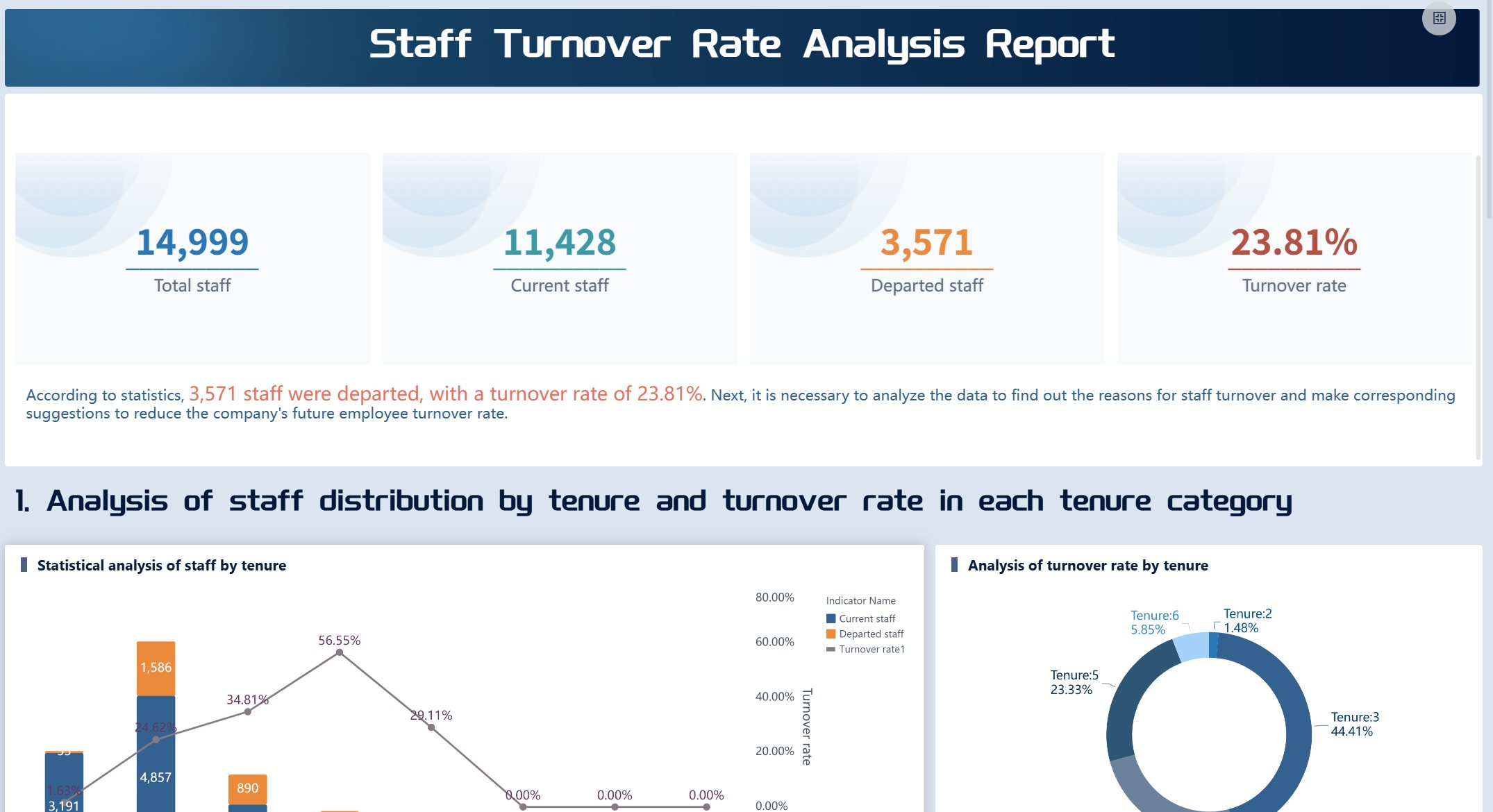
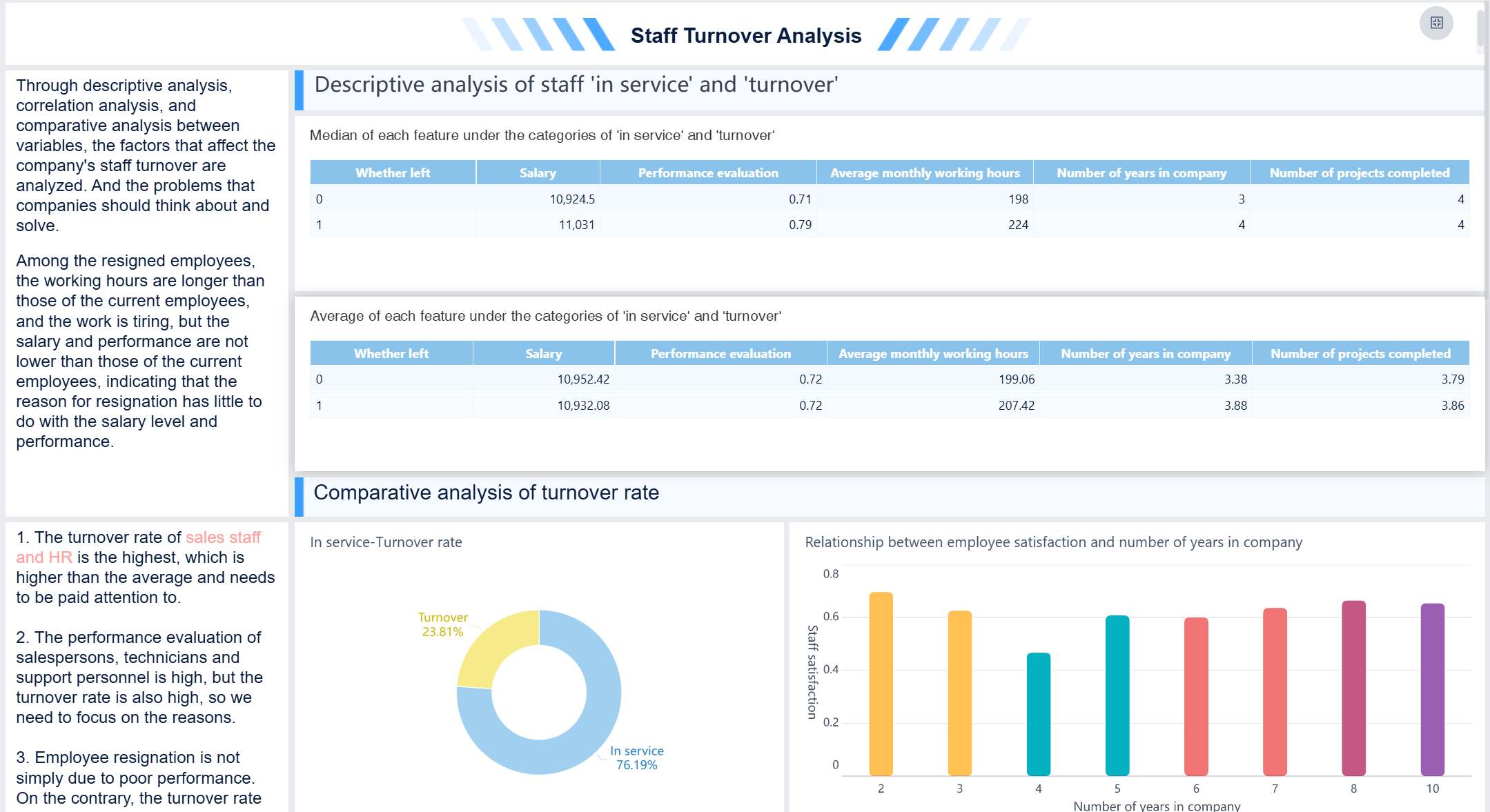
FineReport makes it simple to collect and show these numbers. You can set up dashboards that track KPIs and show results in easy charts. This helps you see the real effect of your modern intranet.
You can see that an intranet dashboard helps you do your job better. It gives you tools to make your workspace your own. You can use it on your phone or computer. You also get ways to learn about company goals and share your thoughts. FineReport from FanRuan lets you change your dashboard, check data, and link with other apps. If you pick features like mobile access, security, and teamwork, you make a workspace that works for you. Companies that use their intranet well keep workers interested and help them do better.
Product Trial
FineReport
Pixel-perfect reports · Interactive dashboards · Easy data entry · Digital twins
Access a wealth of case studies, industry insights, and solution guides to accelerate digital transformation.
FAQ
What is an intranet dashboard?
An intranet dashboard is where you do your work. You can see company news, tools, and documents all together. It helps you talk to your team and finish tasks faster.
How does FineReport help customize my intranet dashboard?
FineReport lets you build dashboards with easy drag-and-drop tools. You can change how things look, add charts, and link to lots of data. You make a dashboard that works best for you.
Can I access my intranet dashboard on my phone?
Yes! You can use your intranet dashboard on your phone or tablet. FineReport lets you check updates and stay in touch from anywhere.
Why is security important for intranet dashboards?
Security keeps your company’s information safe from others. You use things like role-based access and multi-factor authentication. These tools make sure only the right people can see private data.