If you are searching for Power BI gateway, you are probably trying to answer one practical question: why won’t Power BI connect to or refresh certain data sources unless a gateway is involved? For beginners, this can feel confusing because some reports work instantly in the Power BI Service, while others need extra setup.
In simple terms, a Power BI gateway is software that helps Power BI cloud services securely access data that stays inside a private network, such as your office server, internal file share, or on-premises database. It exists because Power BI in the cloud cannot always directly reach data that sits behind your company firewall or inside a restricted network.
That means the gateway is not something every Power BI user needs. If your data already lives in the cloud, you may be able to skip it entirely. But if your reports depend on internal business systems, the gateway often becomes part of the architecture.
| Scenario | Is a Power BI gateway usually needed? | Why |
|---|---|---|
| SQL Server hosted on a company server | Yes | The data is inside a private network |
| Excel file on an internal shared drive | Yes | Power BI cloud service cannot directly access local network storage |
| Internal ERP or business app only reachable in the office network | Yes | The source is network-restricted |
| SaaS app like Salesforce or Google Analytics | Usually no | The connector can often reach the source directly over the internet |
| Cloud database hosted in Azure or another cloud platform | Often no | The source is already internet-accessible to the service |
| Web-based API or online service | Usually no | No private network bridge is required |
This is the rule most beginners need: if Power BI can already reach the data source over the internet, a gateway may not be necessary. If the data is behind your organization’s network, a gateway is more likely required.
What a Power BI Gateway Is and Why It Exists
A Power BI gateway is software installed on a machine inside your organization’s network. Its job is to act as a secure bridge between the Power BI Service in the cloud and private data sources that are not publicly reachable.
Without that bridge, Power BI may be able to publish reports, but it may not be able to refresh them, query them live, or run certain automated workflows against private data.
The problem it solves
Power BI has two very different data access situations:
-
Cloud-accessible data
- Data is already online
- Power BI can often connect directly
- No gateway is usually required
-
Private or on-premises data
- Data sits on a company server, internal file system, or restricted application
- Power BI cloud service cannot directly reach it
- A gateway is often required
This is why two dashboards can behave differently even when they are built by the same analyst. One may connect to a cloud CRM with no issues, while the other depends on a finance database hosted on a local SQL Server and needs a gateway to refresh.
Secure bridge between cloud and private data
A useful way to think about the gateway is as a trusted relay. When the Power BI Service needs data, it communicates with the gateway running inside the organization’s environment. The gateway then accesses the internal source and returns the requested data securely.
This lets companies keep sensitive systems where they are instead of moving everything to the cloud just to support reporting.
Cloud data vs on-premises or network-restricted data
Beginners often assume every Power BI dataset needs a gateway. That is not true.
If your source is already in a cloud application or cloud database, Power BI often connects using its built-in connectors. But if your source lives in places like:
- company-hosted SQL Server
- internal Oracle or MySQL databases
- local file shares
- internal applications only available through the company network
then a gateway is much more likely to be part of the solution.
When You Need a Power BI Gateway
You typically need a Power BI gateway when your reports depend on data sources that Power BI cloud services cannot access directly.
Common cases include:
- SQL Server databases hosted on company servers
- Excel or CSV files stored on shared network drives
- Internal ERP, HR, or finance applications
- Private data warehouses inside a corporate network
- Systems only accessible through internal DNS, VPN, or private routing
In these cases, the gateway helps Power BI refresh data or query it without exposing those systems directly to the internet.
Common situations where a gateway is required
The most common beginner use cases involve scheduled refresh, live access, or automation.
Scheduled refresh
If you publish a report to the Power BI Service and want it to update automatically from an internal data source, the service usually needs a gateway connection. Otherwise, your published report may remain stale unless you refresh manually through other means.
Live connections and DirectQuery-style scenarios
When reports need to query private data sources more directly instead of just loading imported data on a schedule, gateway access often becomes even more important.
Automated workflows
Power BI is often part of a broader Microsoft cloud workflow. In environments where dashboards, dataflows, and business processes depend on private systems, the gateway can become shared infrastructure rather than just a reporting add-on.
Beginner-friendly examples
A few everyday examples make this easier to understand:
- Finance team: Monthly profitability dashboard pulls from an internal SQL Server used by accounting
- Operations team: Daily inventory dashboard reads CSV exports stored on a network file share
- Sales operations team: Regional performance report combines CRM data with an internal order management system only accessible on the company network
- HR team: Workforce analytics report connects to an on-premises HR application database
In each of these examples, the dashboard may be viewed in the cloud, but the data source itself is still private.
Common Data Sources That Usually Require One
Local databases hosted on company servers
If your organization runs SQL Server, Oracle, PostgreSQL, MySQL, or another database on infrastructure inside the company network, a gateway is often required for cloud-based Power BI refresh and access.
Excel or CSV files stored on internal network drives
This catches many beginners by surprise. A file on a shared drive may feel simple, but from the Power BI Service perspective, that file is still in a private network location.
Enterprise applications that are only reachable from inside the organization
Many legacy or security-sensitive business systems are not exposed publicly. If Power BI needs data from those systems, the gateway is often the path that makes the connection possible.
When You Can Skip It
You can often skip a Power BI gateway when your data sources are already fully hosted in the cloud and Power BI can connect to them directly.
This is important because many beginners overcomplicate their setup by installing a gateway before checking whether they actually need one.
Common no-gateway examples include:
- SaaS platforms
- cloud-hosted databases
- web connectors
- online APIs
- services already designed for direct Power BI cloud access
Examples where no gateway is usually needed
You may not need a gateway for sources such as:
- cloud CRM systems
- marketing and analytics platforms
- cloud storage services
- Azure-hosted databases that are directly reachable
- other web-based applications with supported online connectors
The exact behavior still depends on the connector and architecture, but the broad principle holds: cloud-to-cloud connections are more likely to work without a gateway.
False assumptions beginners often make
Here are a few common misunderstandings:
-
“I published a report, so refresh should just work.”
Publishing the report does not mean Power BI can reach the private source behind it. -
“The file is digital, so it must be cloud-accessible.”
A file on an internal network drive is still private infrastructure. -
“A gateway improves all Power BI performance issues.”
It does not. A gateway solves connectivity and access problems, not bad modeling, inefficient queries, or weak report design. -
“Every enterprise setup needs one.”
Not necessarily. Some organizations run mostly cloud-native data stacks and may need few or no gateways.
Quick Rule of Thumb for Beginners
- If Power BI can reach the data source directly over the internet, a gateway may not be necessary.
- If the data is protected behind a company network, a gateway is more likely needed.
That one rule will help you avoid a lot of unnecessary setup.
Types of Power BI Gateways and How They Work
Power BI commonly presents gateway choices based on usage scenario. For most beginners, the key distinction is between personal mode and standard mode.
There are also more advanced enterprise network patterns in Microsoft environments, but for most new users, these two are the practical starting point.

Personal Mode vs Standard Mode
| Gateway mode | Best for | Sharing | Administration | Typical use case |
|---|---|---|---|---|
| Personal mode | Individual report creators | Limited | Light | One person refreshing their own Power BI content |
| Standard mode | Teams and organizations | Shared | Centralized | Departmental or enterprise reporting using common data sources |
Who personal mode is meant for
Personal mode is generally for one person working on their own datasets and refresh needs in Power BI. It is simpler, but it is also more limited.
This can work for:
- solo analysts
- proof-of-concept reporting
- personal dashboards
- learning environments
Who standard mode is meant for
Standard mode is more appropriate when:
- multiple users rely on the same gateway
- data source access needs to be administered centrally
- reports are shared across teams
- refresh reliability matters
- the gateway is part of production BI operations
If you are supporting business users rather than only your own reports, standard mode is usually the more realistic choice.
Key differences in sharing, administration, and supported scenarios
Personal mode is narrower and more individual. Standard mode supports broader organizational governance and shared access. In real business environments, that difference matters because gateway ownership, credentials, permissions, and uptime quickly become team responsibilities rather than personal tasks.
How the Gateway Connects Securely
At a high level, the gateway works by using authenticated, encrypted communication between Microsoft cloud services and the gateway software running within the private environment.
Beginners do not need to memorize the architecture, but these ideas matter:
- the gateway uses secure communication
- credentials for data source access are managed and protected
- the gateway enables cloud services to work with internal data without directly exposing the source publicly
Why inbound firewall changes are usually not the main issue
A common point of confusion is firewall setup. In many standard gateway scenarios, the communication pattern relies on outbound connectivity from the gateway environment rather than requiring organizations to open broad inbound access from the internet into the network.
That is one reason the gateway is commonly seen as a safer bridge pattern than directly exposing internal systems.
How to Set Up and Manage a Power BI Gateway Without Overcomplicating It
For beginners, the best mindset is this: installing a gateway is not usually hard, but managing it responsibly is more than a one-time click-through.
A basic setup usually includes:
- Downloading and installing the gateway software
- Signing in with the correct account
- Registering the gateway
- Defining data sources
- Testing connectivity
- Mapping datasets or reports to the gateway
- Configuring refresh or usage behavior
The technical steps are manageable. The bigger issue is often operational ownership.
What ongoing management really involves
Even a small Power BI gateway setup needs some attention over time:
- software updates
- credential maintenance
- monitoring connection failures
- handling server or machine outages
- clarifying who owns the gateway
- ensuring the host machine stays available
This is why a gateway may start as a report setup task but gradually become an admin responsibility.
Basic Setup Checklist
Choose the right machine and keep it reliably online
Do not install a production gateway on an unreliable personal desktop if the business expects scheduled refreshes every day. The machine should be stable, connected, and available when refreshes need to run.
Install the gateway software and sign in with the correct account
Use the account and environment that align with how the Power BI tenant and workspaces are managed. Poor account choice early on often creates maintenance problems later.
Register data sources and test connections
After installation, data sources need to be defined and verified. Testing matters because many “gateway problems” are actually path, credential, or driver issues.
Map reports, datasets, or dataflows to the gateway
The gateway itself does not automatically fix your report. The relevant content in Power BI still needs to be associated with the correct gateway and data source connection.
Common Mistakes to Avoid
Installing it on an unreliable desktop computer
If the machine is shut down, disconnected, or restarted unpredictably, refresh jobs may fail.
Using the wrong account or unclear ownership
If one employee installs and controls everything with a personal setup, the organization can run into trouble when that person changes roles or leaves.
Forgetting credential updates after password changes
Credential-related failures are common and easy to miss until a refresh breaks.
Assuming a gateway will fix unrelated data modeling or performance issues
A gateway does not clean bad joins, rewrite inefficient queries, or simplify a bloated semantic model. It is a connectivity layer, not a modeling cure-all.
Beginner FAQs and Final Decision Guide
If you are still unsure whether you need a Power BI gateway, these simple answers can help.
Do I need a gateway just to build reports in Power BI Desktop?
No. You can build reports locally in Power BI Desktop without a gateway.
Do I need a gateway to refresh data in the Power BI Service from an internal SQL Server?
Usually yes. If the SQL Server is inside a private network, the Power BI Service typically needs a gateway.
Do I need a gateway for cloud apps?
Usually no. If the app is already cloud-hosted and supported by Power BI’s online connectors, a gateway may not be necessary.
Will a gateway make my dashboard faster?
Not by itself. It helps with connectivity to private data. Performance still depends on data modeling, query design, refresh strategy, report design, and infrastructure.
Is personal mode enough for a team?
Usually no. Teams typically need shared administration and broader support, which is why standard mode is more common in collaborative environments.
Questions to Ask Before Installing
Before you install anything, ask these four questions:
- Where does the data actually live?
- Who will maintain the gateway over time?
- Does the business need refresh, sharing, or always-on connectivity?
- Is there a cloud-native option that removes the need for a gateway?
If you cannot answer those clearly, pause before setup. Many gateway headaches come from unclear architecture rather than technical complexity.
Practical Recommendations Before You Decide
Here are five practical recommendations I would give as a BI consultant evaluating whether a Power BI gateway is the right next step:
-
Map every data source before you install anything.
List which sources are cloud-based and which are network-restricted. This avoids unnecessary gateway deployment. -
Treat gateway ownership as an operations issue, not just a report issue.
Someone should be responsible for uptime, credentials, and updates. -
Use standard mode for shared business reporting environments.
If multiple teams depend on the same data access path, central management matters. -
Do not confuse connectivity with analytics quality.
A gateway can enable refresh, but it will not fix poor data models, unclear KPI logic, or weak dashboard design. -
Consider whether a cloud-first or self-service BI architecture could reduce dependency on fragile manual setups.
Sometimes the better long-term decision is not just “install the gateway,” but “simplify the reporting stack.”
When to Look Beyond Power BI Gateway Setup
For many organizations, the real challenge is not just whether a Power BI gateway is needed. It is whether the overall BI workflow is becoming too dependent on technical maintenance, scattered data ownership, and bottlenecks between business teams and IT.
That is where it helps to step back and ask broader questions:
- Can business users explore data without waiting for technical teams?
- Can dashboards be built and iterated quickly?
- Is there a trusted semantic and metric layer behind reporting?
- Can analytics move from static consumption to guided action?
In those situations, it can make sense to evaluate a more business-friendly BI operating model.
Where FineBI Fits for Self-Service BI and Enterprise Reporting
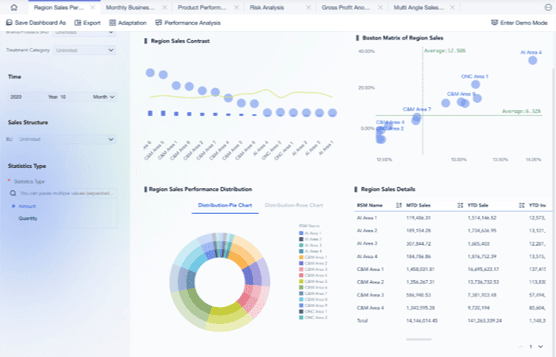
FineBI is a self-service BI platform designed to help organizations build interactive dashboards, support business-user analysis, and connect enterprise data for broader reporting and exploration. For teams comparing BI workflows, the relevant question is not whether FineBI “replaces” every Power BI scenario, but whether it better fits the organization’s needs for usability, dashboard iteration, and governed self-service analytics.
FineBI is especially relevant when teams want:
- self-service dashboard creation for business users
- drag-and-drop analysis
- interactive filtering and drill-down
- shared analytics across departments
- more consistent dashboard delivery on top of enterprise data assets
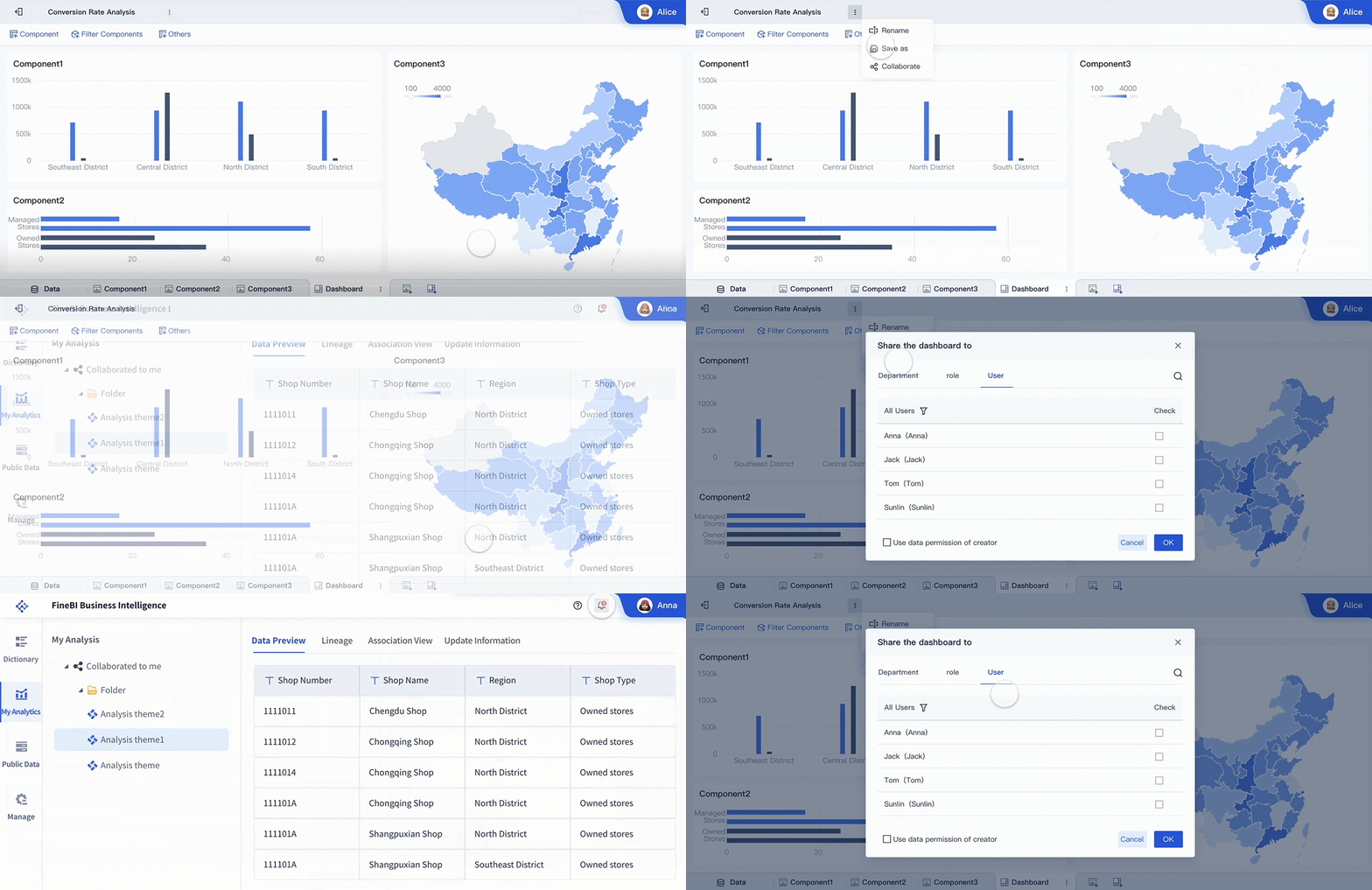 Shared Analysis
If your current reporting process feels too dependent on specialist setup, fragmented handoffs, or hard-to-maintain reporting operations, FineBI is worth evaluating as part of a broader BI strategy rather than as a narrow point-tool comparison.
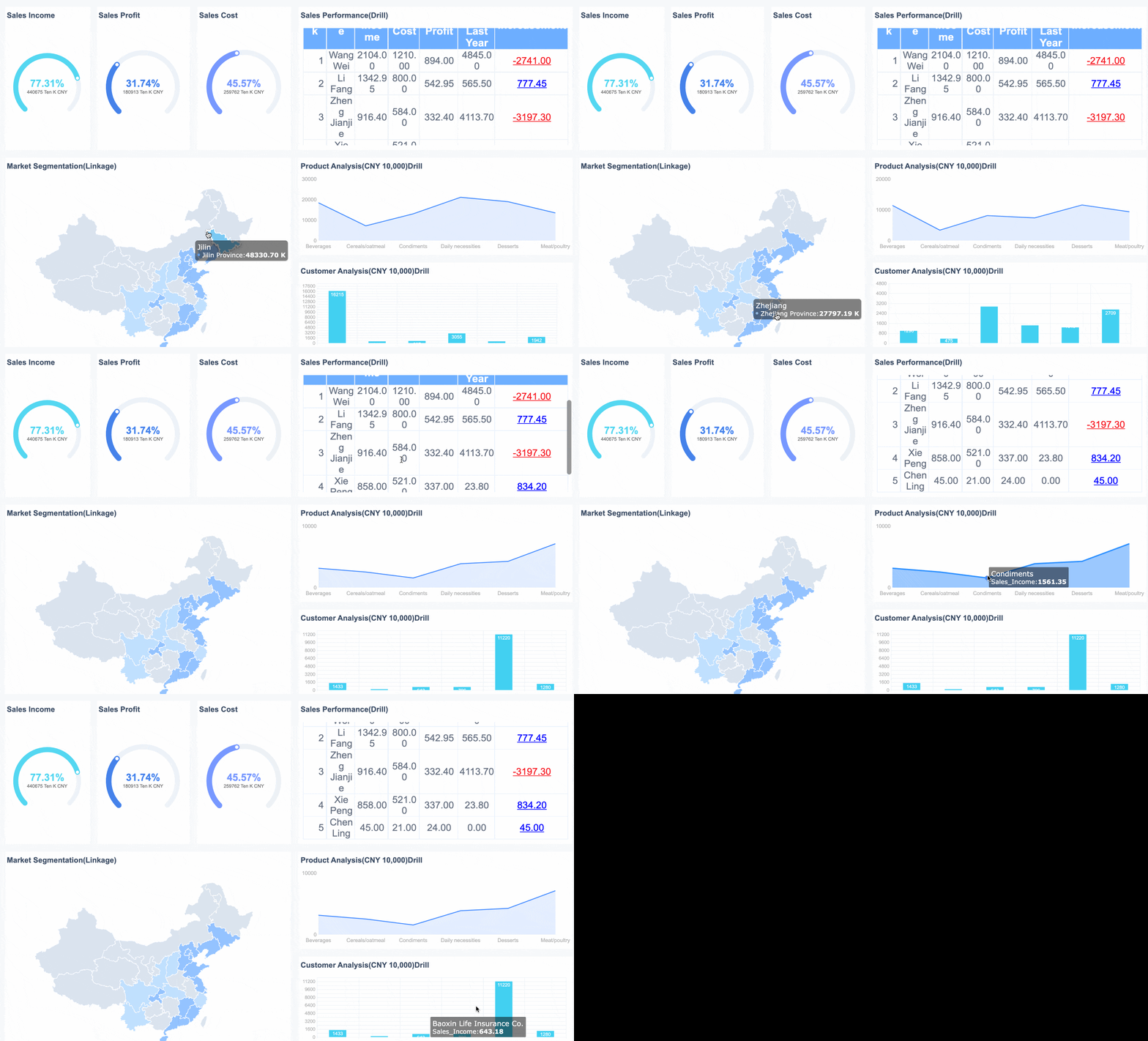 FineBI's Interactive Filtering and Drill-down
Why FineBI + Dora Is a Useful Next Step for Modern BI Teams
As BI programs mature, many enterprises want more than dashboards. They want users to ask questions in natural language, receive governed answers, generate summaries, trigger follow-up actions, and reduce the time between insight and response.
That is where FineBI + Dora becomes a meaningful combination.
FineBI provides the trusted dashboard, metric, and semantic foundation.
Dora is FanRuan’s enterprise Data Agent platform that acts as an AI assistant or AI digital employee layer on top of FineBI and existing enterprise data assets.
Together, FineBI + Dora helps organizations move from:
- people manually checking dashboards
to:
- AI helping people ask, analyze, generate, push, alert, and follow up
This is best understood as Agentic BI, not as a generic chatbot layer.
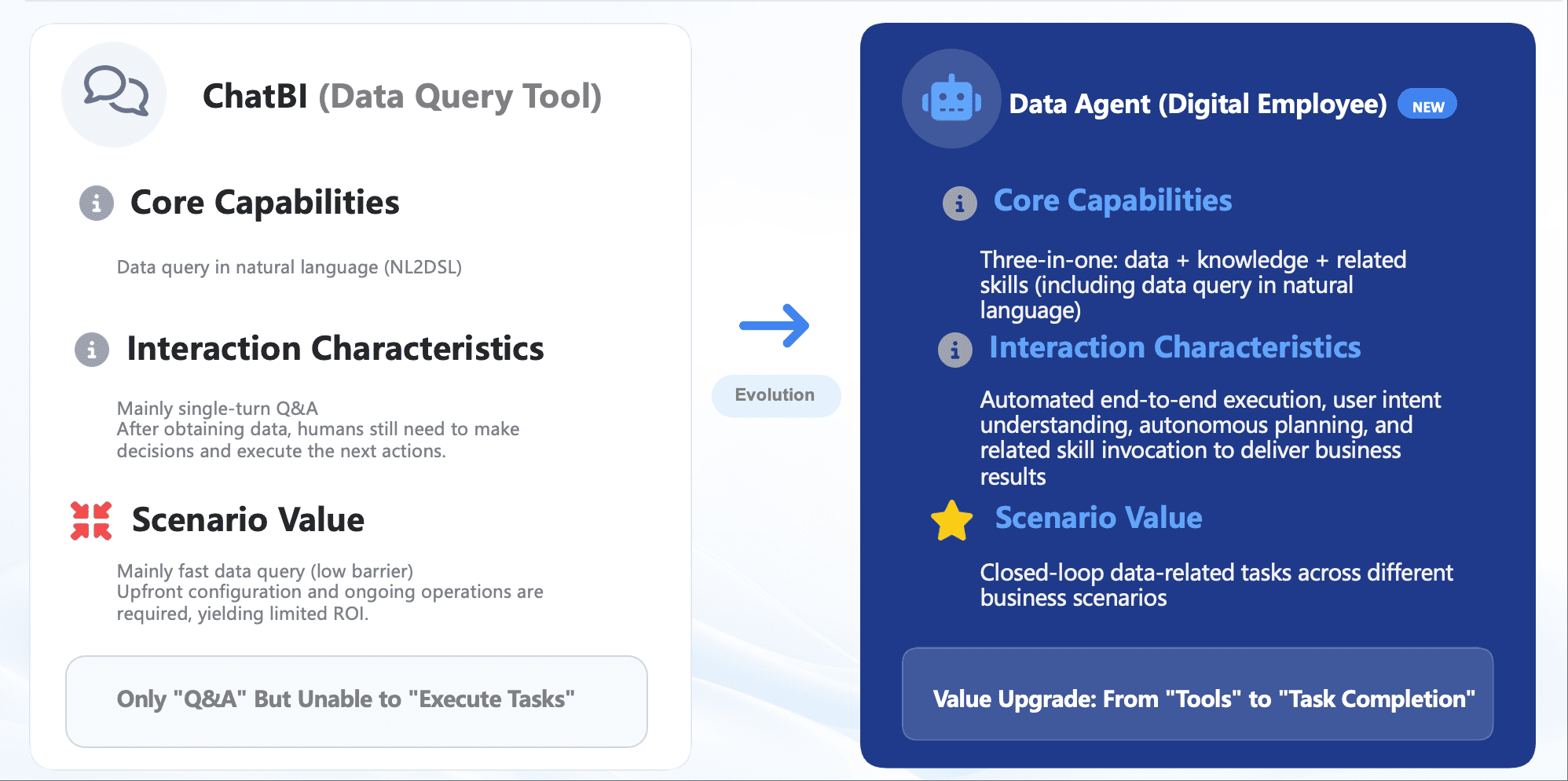
What Dora adds on top of a trusted BI foundation
Dora can support governed AI workflows built around:
- natural-language requests
- trusted semantic understanding
- governed query or skill execution
- answers, charts, summaries, actions, and follow-up
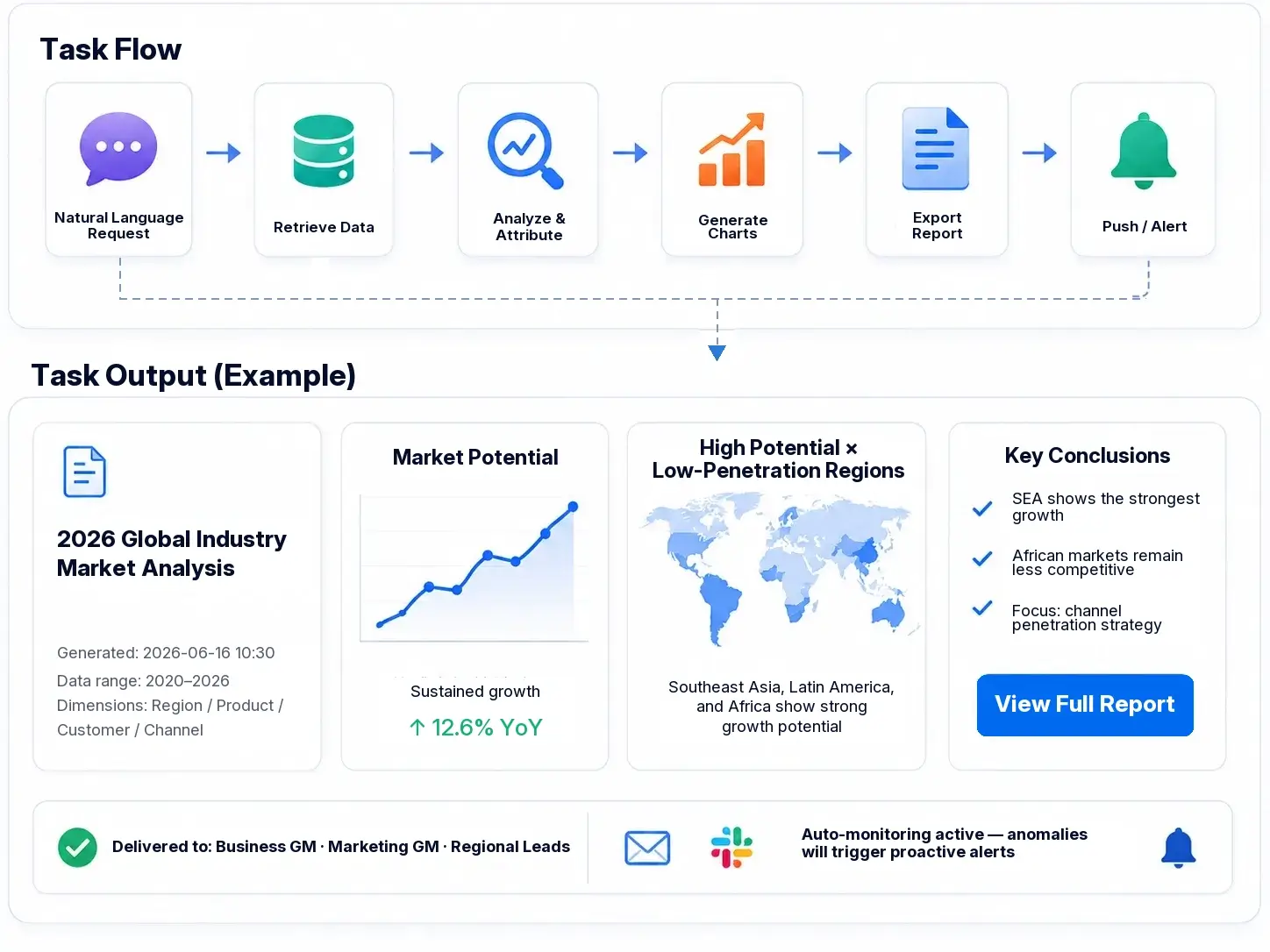
Depending on the scenario, Dora can be positioned as an:
- enterprise Data Agent
- AI assistant
- AI digital employee
- Data Analyst digital employee
- Report Researcher
- Daily Briefing Secretary
- Risk Alert Officer
For organizations already investing in dashboard infrastructure, this matters because the next stage of BI is often not more static reporting. It is giving users faster, safer, scenario-specific ways to interact with enterprise data.

Get Ready-to-Use Dashboard Templates in Fine Gallery
Final Take: Do You Need a Power BI Gateway?
For most beginners, the decision is simple:
- Yes, you probably need a Power BI gateway if your data lives on company servers, internal file shares, or private business systems.
- No, you may not need one if your data sources are already fully cloud-hosted and directly accessible to Power BI.
The gateway is useful, but it is not universal. Its real purpose is to bridge the gap between cloud reporting and private data access securely.
If your team is also thinking beyond gateway setup toward easier self-service analytics, better dashboard operations, and AI-assisted decision support, it may be time to look at a broader BI approach with FineBI + Dora.
FAQs
A Power BI gateway is software installed inside your organization’s network that lets Power BI cloud services securely access private data sources. It acts as a bridge between on-premises systems and the Power BI Service.