If you are searching for power bi pro vs premium, you are probably trying to answer a practical buying question: which Power BI license gives your team the right mix of sharing, performance, governance, and cost in 2026?
That question matters because Microsoft’s licensing is not just about one upgrade path. In real decisions, teams often compare Free, Pro, Premium Per User (PPU), and Premium capacity or Fabric capacity together. A small analytics team may only need Pro. A department with advanced feature requirements may lean toward PPU. A large enterprise distributing reports broadly may need capacity-based licensing.
In 2026, buyers should recheck assumptions before renewing because Power BI licensing continues to sit within the broader Microsoft Fabric model, and the difference between per-user access and capacity-based distribution has become even more important for budgeting, administration, and rollout planning.
Quick Comparison Table
| License | Best for | Billing model | Sharing and collaboration | Advanced features | Scale and performance | Typical fit |
|---|---|---|---|---|---|---|
| Free | Individual learning and personal analysis | No cost per user | No normal team sharing from shared workspaces | Basic self-use only | Limited for personal use | One analyst exploring Power BI |
| Pro | Team collaboration | Per user, per month | Users can publish, share, and collaborate with other licensed users | Standard cloud BI features | Shared capacity | Small to mid-sized teams |
| Premium Per User (PPU) | Advanced capabilities for a limited group of power users | Higher per-user monthly cost | Collaboration generally requires other PPU users unless content sits in eligible capacity | Includes most Premium-level features per user | More advanced than Pro, but still per-user scoped | Specialist analytics teams |
| Premium capacity / Fabric capacity | Broad enterprise distribution and dedicated resources | Capacity-based subscription | Pro or PPU authors publish; large audiences can consume from eligible capacity without each viewer needing a paid per-user license in supported scenarios | Enterprise-scale features, governance, and resource control | Dedicated capacity, better concurrency and scale | Enterprise BI, executive reporting, large viewer bases |
Power BI Pro vs Premium in 2026 at a glance
 Power BI Pro
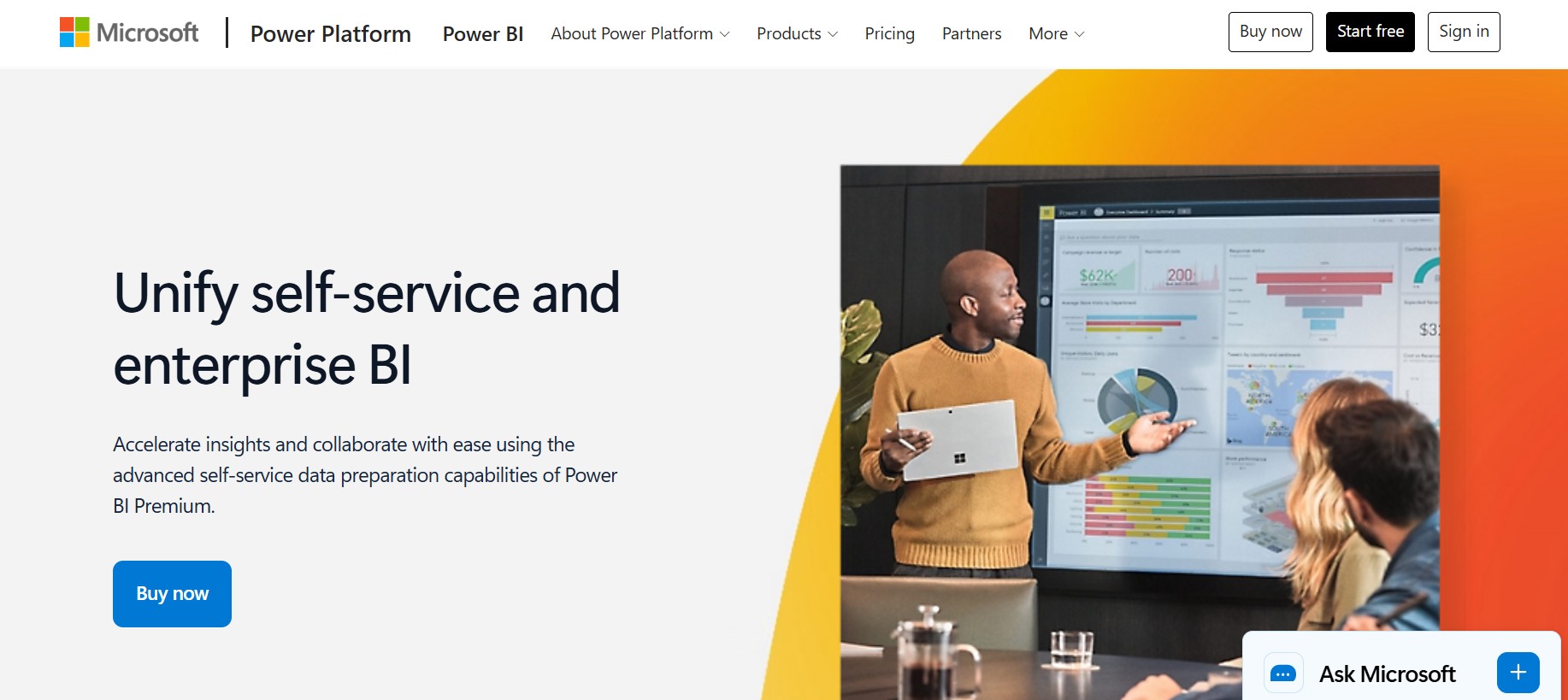 Power BI Premium
At a high level, Power BI Pro is designed for teams that need to create, publish, share, and collaborate on reports with a manageable number of users. It is the standard license when multiple people need to work together in the Power BI service.
Power BI Premium is not one single thing. In practice, buyers usually mean one of two options:
- Premium Per User (PPU): a per-user upgrade for people who need more advanced capabilities than Pro
- Premium capacity or Fabric capacity: a capacity-based model for organizations that need dedicated resources, wider report distribution, and stronger administrative control
The core tradeoff looks like this:
- Pro keeps costs simple and predictable for smaller groups
- PPU adds higher-tier features for specific users
- Premium capacity makes more sense when you need broader report consumption, dedicated performance, and enterprise governance
It also helps to know where each license enters the decision:
- Free matters when someone only wants to build for personal use or test the tool
- Pro matters when users need to share and collaborate
- PPU matters when a subset of users needs Premium-only capabilities without buying full capacity
- Premium capacity matters when many people need to consume content, or when IT needs tighter control over performance and workloads
A common mistake in 2026 is assuming Premium automatically means “better for everyone.” It does not. Many organizations still get the best value from Pro for collaborative team BI. Premium becomes easier to justify when audience size, concurrency, governance, or advanced feature demand grows beyond what per-user licensing handles cleanly.
Power BI Pro vs Premium: Pricing and licensing models explained
How each plan is billed
The easiest way to understand Power BI licensing is to split it into user-based and capacity-based pricing.
User-based licensing
With Pro and PPU, you pay per user per month.
What you are really paying for includes:
- the right to publish and share content
- collaboration in workspaces
- access to cloud service capabilities
- in the case of PPU, access to more advanced functions
This model is straightforward when the number of report creators and consumers is relatively contained.
Capacity-based licensing
With Premium capacity or Fabric capacity, you pay for dedicated compute resources, not just named users.
What you are paying for here is different:
- dedicated capacity rather than shared service resources
- support for broader report consumption
- higher scale and concurrency
- stronger administrative control over workloads
- enterprise deployment flexibility
This model becomes attractive when your organization has many consumers, not just many authors.
What is included in each Power BI pricing plan
Here is the practical view of each plan.
Free
Free is mainly for:
- individual learning
- report building for personal use
- limited use of the service for self-consumption
Free is usually not enough once a team needs formal collaboration or content sharing.
Pro
Pro is the standard collaboration license. It is typically the right starting point when teams need to:
- publish reports to workspaces
- share dashboards and reports
- collaborate across analysts and business users
- distribute apps within normal team-scale use
Microsoft commonly lists Pro as a per-user plan and includes it in some higher Microsoft 365 bundles, so procurement teams should verify whether some users already have access through existing enterprise agreements.
Premium Per User
PPU includes Pro capabilities and adds access to many advanced Premium-related features on a per-user basis.
This is useful when:
- a limited number of data professionals need higher-end features
- the organization is not ready to buy full capacity
- advanced modeling, refresh, or enterprise BI features are needed by a specialized group
A practical caution: PPU is not the same as capacity-based Premium. It is still a per-user licensing model, and collaboration around PPU content typically depends on other users also having the right access.
Premium capacity or Fabric capacity
Capacity-based licensing is for organizations that want:
- dedicated resources
- larger-scale report consumption
- more predictable performance
- enterprise monitoring and governance
- broader access for report viewers in supported scenarios
This is where licensing conversations often move from BI teams to IT, architecture, procurement, and platform governance leaders.
Hidden budget considerations procurement teams should ask about
Beyond list price, ask:
- How many users create content versus only consume it?
- Are some users already covered under Microsoft 365 or Office 365 bundles?
- Will a PPU rollout eventually create fragmented access rules?
- Does the organization expect a large viewer audience within 12 months?
- Will capacity be needed for performance and administration, even before it looks cheaper on paper?
- Are there extra governance, gateway, support, or implementation costs around enterprise rollout?
Cost scenarios by team size
A useful way to compare Power BI Pro vs Premium is to model likely adoption stages.
Small team scenario
For a small analytics team, Pro is often the most sensible choice.
Why:
- everyone who creates and consumes shared content can be licensed directly
- administration stays simple
- you avoid buying more capacity than you need
Premium is usually excessive at this stage unless there is a very specific requirement for advanced features or dedicated resources.
Department rollout scenario
A department may start with Pro, then run into one of three pressure points:
- more users need access to reports
- a small expert team needs advanced features
- performance expectations increase during wider usage
At that point:
- PPU can make sense for a small advanced group
- capacity may start to make sense if the audience becomes much larger than the author pool
Enterprise-wide distribution scenario
This is where Premium capacity becomes easier to justify.
If you have:
- relatively few report authors
- many report consumers
- executive or company-wide dashboards
- stricter uptime and performance expectations
- stronger governance demands
then buying dedicated capacity can be more practical than assigning advanced per-user licenses broadly.
The exact break-even point varies by contract structure and user mix, so the right question is not “when does Premium cost less?” but rather:
When does capacity reduce enough per-user licensing, administration, and performance risk to justify the platform spend?
Power BI Pro vs Premium Feature comparison: what you can and cannot do with each license
Sharing, collaboration, and app distribution
This is where most license requests begin.
With Pro, users can generally:
- publish content
- share reports and dashboards
- collaborate in workspaces
- distribute apps to other appropriately licensed users
With PPU, users get similar collaboration capabilities plus access to advanced features, but PPU content typically requires other users to also have PPU access unless the content is stored in an eligible Premium capacity environment.
With Premium capacity, the model changes:
- authors still usually need Pro or PPU rights for creation and publishing activities
- larger groups of consumers can access content from capacity-hosted workspaces in supported scenarios without each person needing the same per-user paid license level
That leads to one of the most common approval questions:
Does the requester need Pro or Premium?
Ask these questions:
- Will this person create or publish content? If yes, Pro is usually the minimum starting point.
- Will this person only view reports? If yes, the answer depends on where the content is hosted.
- Is the workspace on dedicated capacity? If yes, viewer licensing requirements may be lower in supported consumption scenarios.
- Does the content use PPU-only capabilities? If yes, matching PPU access may be needed.
In plain language: Pro is usually about collaboration rights; Premium capacity is usually about broader distribution and resource control.
Capacity, performance, and scale
Pro mainly uses shared capacity. For many teams, this is fine. But as usage expands, shared environments can become less predictable under heavier demand.
Premium capacity introduces dedicated resources, which matters for:
- larger audiences
- higher concurrency
- more complex workloads
- more predictable report responsiveness
- enterprise-scale refresh and semantic model management
This does not mean every Pro deployment will suffer from performance issues. It means Premium starts to matter when BI becomes a platform used at scale, not just a reporting tool used by a few analysts.
A practical signal that it may be time to move beyond Pro:
- more executives depend on daily dashboards
- refresh windows become harder to manage
- many users access content at the same time
- larger models and heavier workloads become normal
- IT wants predictable service performance for business-critical reporting
Security, governance, and administration
For business users, licensing is often framed around viewing and sharing. For IT teams, the more important issue is usually control.
Premium capacity can matter because it supports a more enterprise-oriented operating model, including:
- workload management
- monitoring and capacity oversight
- stricter deployment planning
- broader platform governance
- better alignment with enterprise BI operating standards
That is why IT and data platform teams may support Premium even when end users only talk about dashboards. The value is not just a feature list. It is the ability to run BI as a more governed service.
Pro still supports useful governance and administration for many organizations, but Premium becomes more attractive when the BI environment is no longer a departmental tool and starts functioning as shared enterprise infrastructure.
Advanced analytics and AI-related capabilities
This is where the Pro vs Premium discussion often gets muddy.
Some advanced capabilities depend on:
- PPU
- Premium capacity
- broader Microsoft Fabric setup
- organizational configuration rather than license alone
So instead of assuming “Premium equals all AI,” buyers should separate:
Must-have capabilities
These are requirements that directly affect whether the team can deliver the use case, such as:
- advanced model size support
- higher refresh frequency
- certain XMLA or enterprise modeling needs
- premium-only administrative or workload features
- advanced reporting or lifecycle management features
Nice-to-have capabilities
These are features that sound attractive but may not justify the license by themselves, such as:
- occasional access to advanced capabilities that only a few users would actually use
- future AI ambitions without a current governed data foundation
- premium-scale infrastructure before the audience exists
In many organizations, PPU is the bridge for advanced analytics specialists, while capacity is the step for enterprise distribution and controlled scale.
Power BI Free vs Pro vs Premium: key differences for real buying decisions
Best fit for individuals and early-stage teams
Free is enough when someone wants to:
- learn Power BI
- build personal reports
- prototype dashboards
- explore data alone
Pro becomes necessary when:
- reports need to be shared
- people need to collaborate in workspaces
- dashboard distribution becomes part of normal team operations
Premium is usually too much for an early-stage team unless there is a very specific need for advanced capabilities or broader distribution to many viewers.
Best fit for growing organizations
Growing organizations often move through a predictable pattern:
- Start with Free for experimentation
- Move to Pro when collaboration starts
- Add PPU for specialists if advanced features are needed
- Move to capacity when report consumption becomes broad and business-critical
This is why power bi pro vs premium is rarely just a binary choice. The real decision is often about what stage of BI maturity your organization is in.
Best fit for enterprise and broad report consumption
Premium makes the most sense when you need:
- organization-wide report distribution
- stricter governance
- dedicated resources
- reliable performance for many users
- a centralized BI operating model
If hundreds or thousands of people consume dashboards while only a smaller group authors them, capacity-based licensing often aligns better with enterprise rollout strategy than simply adding more individual licenses.
Power BI Pro vs Premium: Which license makes sense in 2026
Choose Pro if your team needs these outcomes
Choose Power BI Pro if your main goals are:
- routine report sharing across a team
- standard self-service analytics
- collaboration in workspaces
- manageable audience size
- simpler per-user budgeting
- no urgent requirement for dedicated capacity or Premium-only administration
This is the right fit for many business teams, especially when the BI program is still team-oriented rather than enterprise-wide.
Choose Premium if your organization needs these outcomes
Choose Premium when your needs go beyond normal collaboration and move into platform-scale BI, including:
- large-scale report consumption
- dedicated capacity and stronger performance isolation
- advanced administration and workload management
- broader enterprise deployment
- more demanding governance and operational control
- Premium-only or higher-tier features that materially affect delivery
If only a limited expert group needs advanced features, PPU may be enough. If the business needs organization-wide consumption and dedicated infrastructure, capacity is the more relevant Premium path.
Questions to ask before you request a license
Before approving Pro, PPU, or Premium, ask:
-
Who creates content, and who only views it?
This is the single most important licensing question. -
How widely will reports be distributed?
A team dashboard and a company-wide executive dashboard are different licensing scenarios. -
Is budget constrained by per-user cost or by platform cost?
Some organizations hit user-count cost pressure first. Others hit performance and governance pressure first. -
How important are reliability and scalability over the next 12 to 24 months?
If BI adoption is accelerating, buying only for today can create a renewal problem later. -
Are advanced capabilities genuinely required now, or just interesting?
This helps separate PPU needs from capacity needs.
Final recommendation framework and next steps
Here is a simple checklist to match business need to the right license path.
A practical checklist
- Use Free if the work is personal, exploratory, or educational
- Use Pro if users need standard sharing, publishing, and team collaboration
- Use PPU if a limited group needs advanced Premium-level capabilities
- Use Premium capacity if you need broad distribution, dedicated resources, and stronger governance
A smart buying process should also validate assumptions with:
- a pilot rollout
- actual usage metrics
- workspace activity patterns
- refresh and concurrency behavior
- stakeholder input from BI, IT, procurement, and business owners
Short decision tree
- Only one person building for themselves? Start with Free.
- Multiple people need to share and collaborate? Start with Pro.
- A specialized group needs higher-tier features? Evaluate PPU.
- Many people need to consume reports across the business? Evaluate Premium capacity.
- Performance, governance, and scale are now strategic concerns? Capacity becomes more defensible than pure per-user expansion.
4 practical recommendations before you choose
-
Count creators and consumers separately.
Too many licensing decisions treat all users the same. They are not. Authors, editors, and viewers create very different cost structures. -
Model the next 12 months, not just today.
If adoption is growing, a Pro-only decision can become expensive or hard to govern faster than expected. -
Test actual performance under realistic demand.
Do not upgrade to capacity based only on fear. But do not assume shared capacity will remain fine once executive and enterprise usage scales. -
Tie advanced licensing to real use cases.
If nobody is using higher-tier capabilities, PPU or Premium may be premature. -
Include IT and procurement early.
Business teams focus on dashboards. IT focuses on scale and control. Procurement focuses on total contract impact. Good license decisions need all three views.
When teams should also consider FineBI + Dora
Tools like Power BI are widely used in the BI market, but teams that need a more business-user-friendly, self-service BI platform may also consider FineBI.
FineBI is positioned for organizations that want:
- self-service BI for business users
- drag-and-drop dashboard creation
- interactive analysis and drill-down
- governed access to enterprise data
- easier dashboard adoption beyond technical analyst teams
- faster iteration between business questions and visual analysis
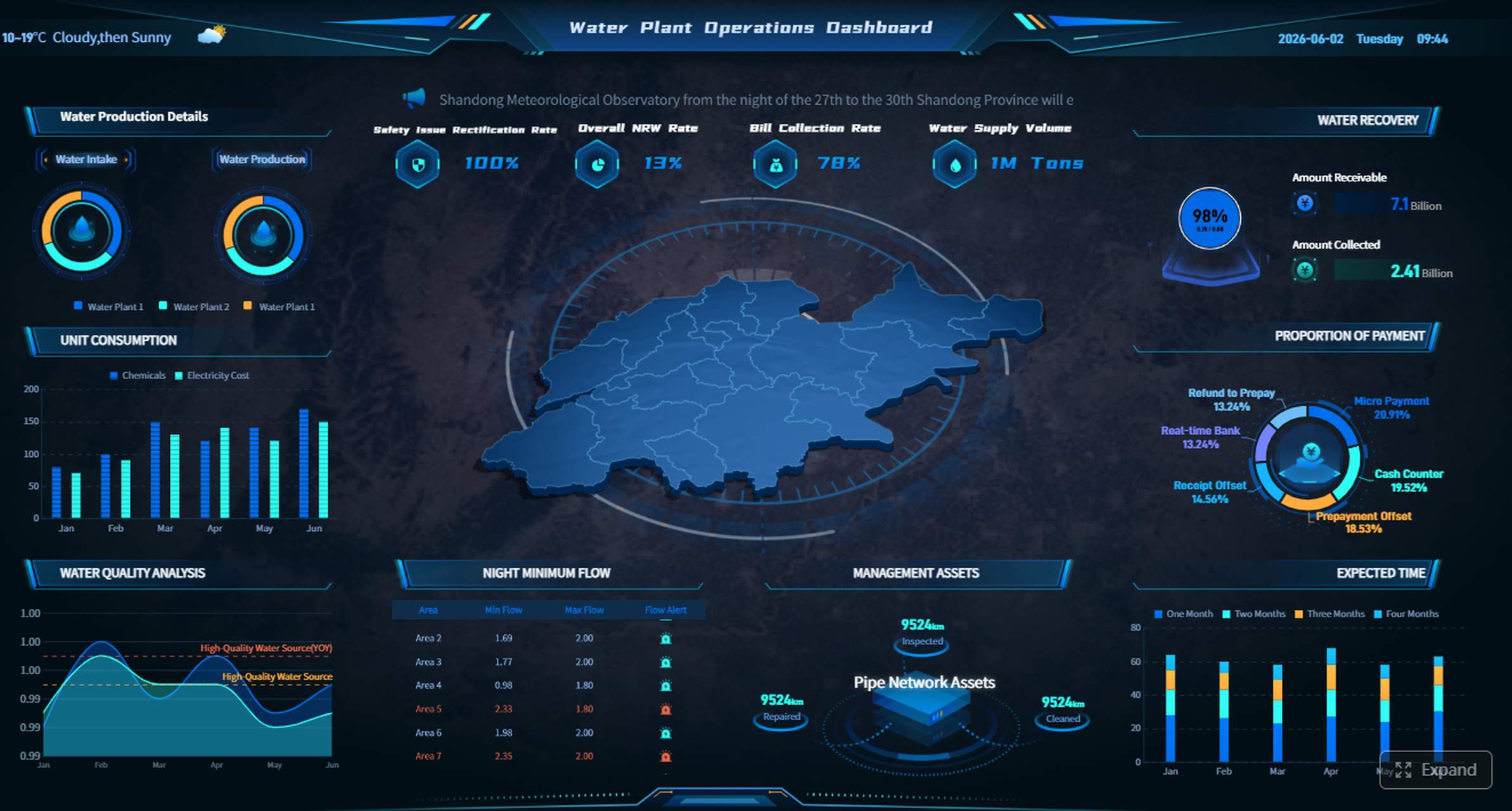
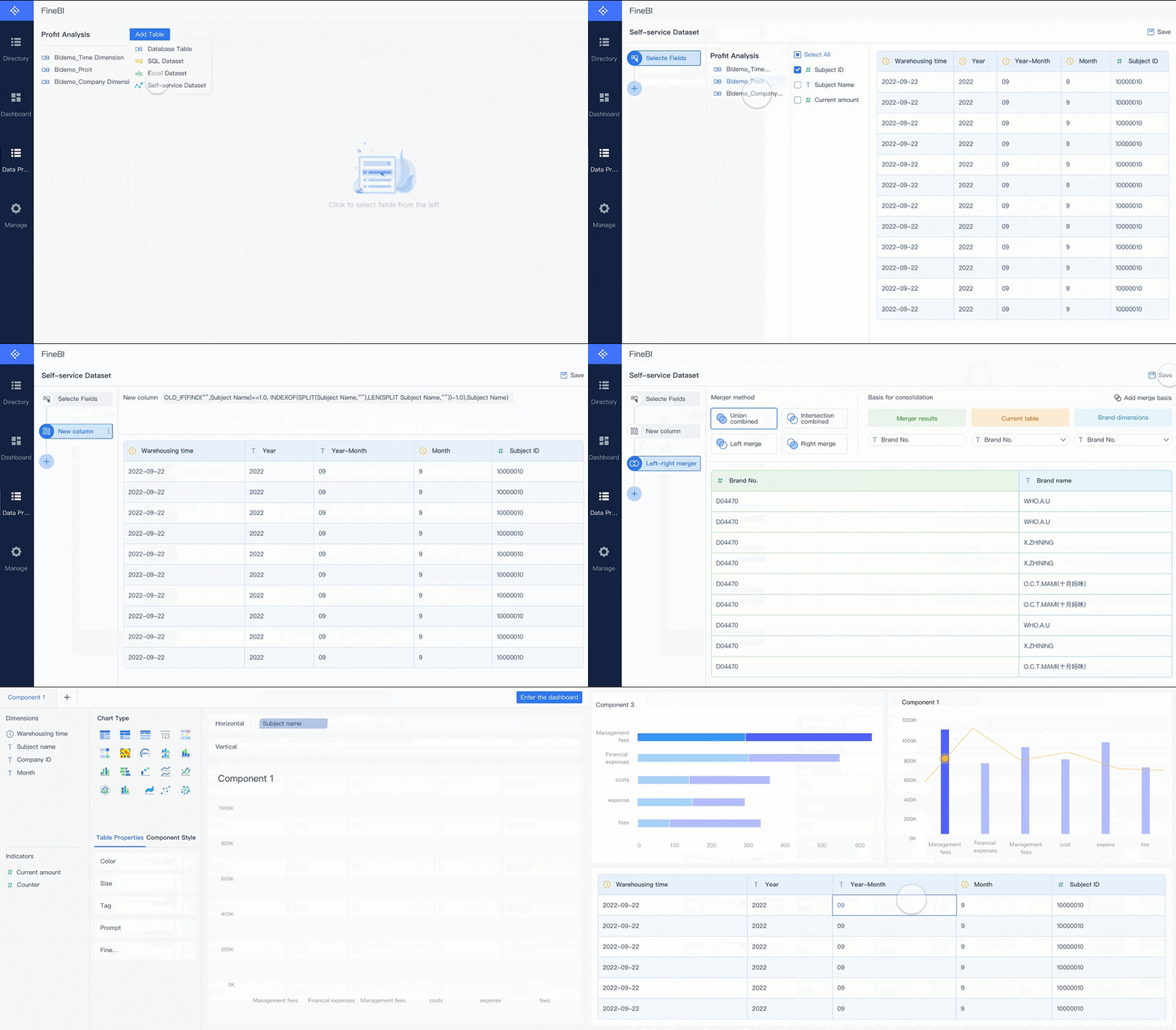 Drag-and-drop Creation
For buyers comparing licensing complexity, this matters because the real goal is not just choosing a Microsoft SKU. The real goal is enabling more people to use trusted data confidently without turning every dashboard request into an IT queue.
Dora extends that value further. Dora is FanRuan’s enterprise Data Agent platform. Rather than replacing BI, it works on top of trusted data assets and the semantic foundation created in FineBI or other enterprise data environments.
Together, FineBI + Dora supports a more advanced Agentic BI model:
- users make a natural-language request
- the request works through a trusted semantic layer
- governed queries or Skills are executed
- the system can return an answer, chart, summary, action, alert, or follow-up
That is useful for organizations that want to move beyond static dashboard consumption toward scenario-based AI assistance, such as:
- Data Analyst digital employee
- Report Researcher
- Daily Briefing Secretary
- Risk Alert Officer
This is especially relevant when your licensing review exposes a deeper issue: not just who can view reports, but how fast business users can ask better questions, explore governed data, and act on what they find.

Ask Dora in Natural Language →

Get Ready-to-Use Dashboard Templates in Fine Gallery
Final takeaway
For most organizations in 2026, the answer to power bi pro vs premium is simple once you frame it correctly:
- choose Pro for team collaboration
- choose PPU for advanced capabilities needed by a smaller expert group
- choose Premium capacity when you need broad distribution, dedicated resources, and enterprise governance
If your broader goal is to make BI more accessible to business teams while building toward governed AI-assisted analytics, it is also worth evaluating FineBI + Dora as part of that longer-term strategy.
FAQs
Power BI Pro is a per-user license built for sharing and collaboration in shared cloud capacity. Power BI Premium usually refers to either Premium Per User for advanced individual capabilities or capacity-based licensing for dedicated performance and broader report distribution.