Enterprise sales leaders do not struggle because they lack CRM data. They struggle because too much of that data is fragmented, inconsistent, delayed, or disconnected from the customer decisions that matter most. Pipeline reviews become debates over definitions. Forecast calls turn into manual reconciliation exercises. Key account meetings rely on scattered spreadsheets instead of a trusted customer view.
That is why crm data management matters far beyond system hygiene. In large B2B organizations, it is the foundation for reliable pipeline visibility, account health monitoring, renewal planning, and executive decision-making. And now, with FineBI + Dora, teams can go one step further: not only build trusted dashboards, but also upgrade them into AI-powered briefings and follow-up workflows.
With FineBI + Dora, business users can ask for analysis in chat, generate chart-based answers or dashboard-style views from trusted BI assets, and receive scheduled summaries before the next meeting.
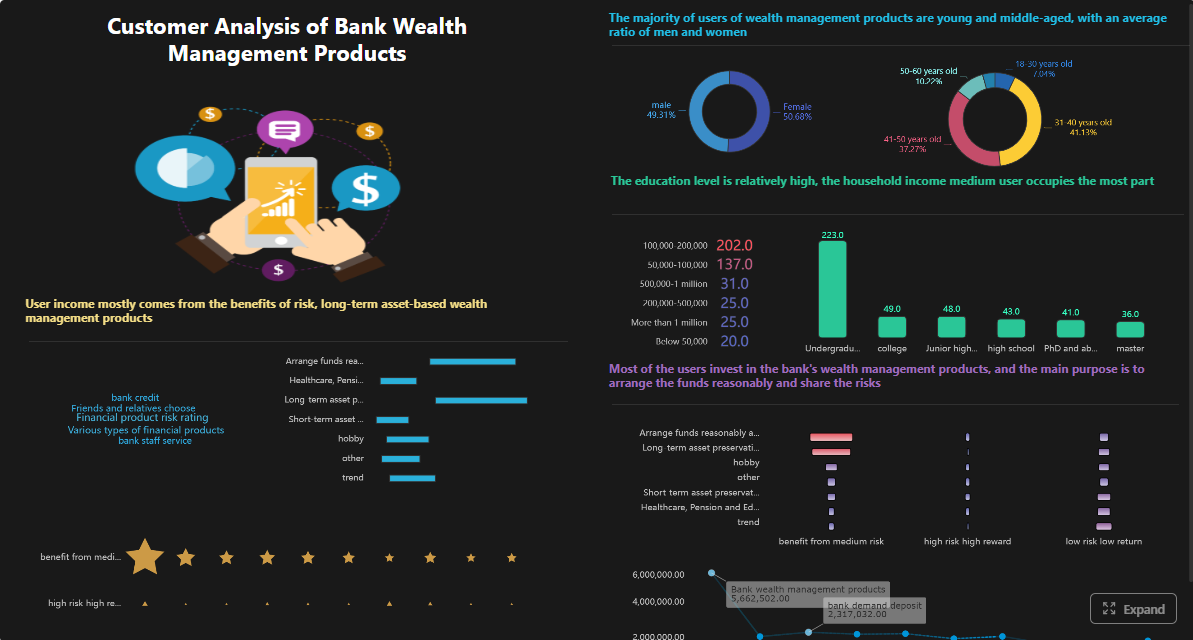 Click To Try The Dashboard
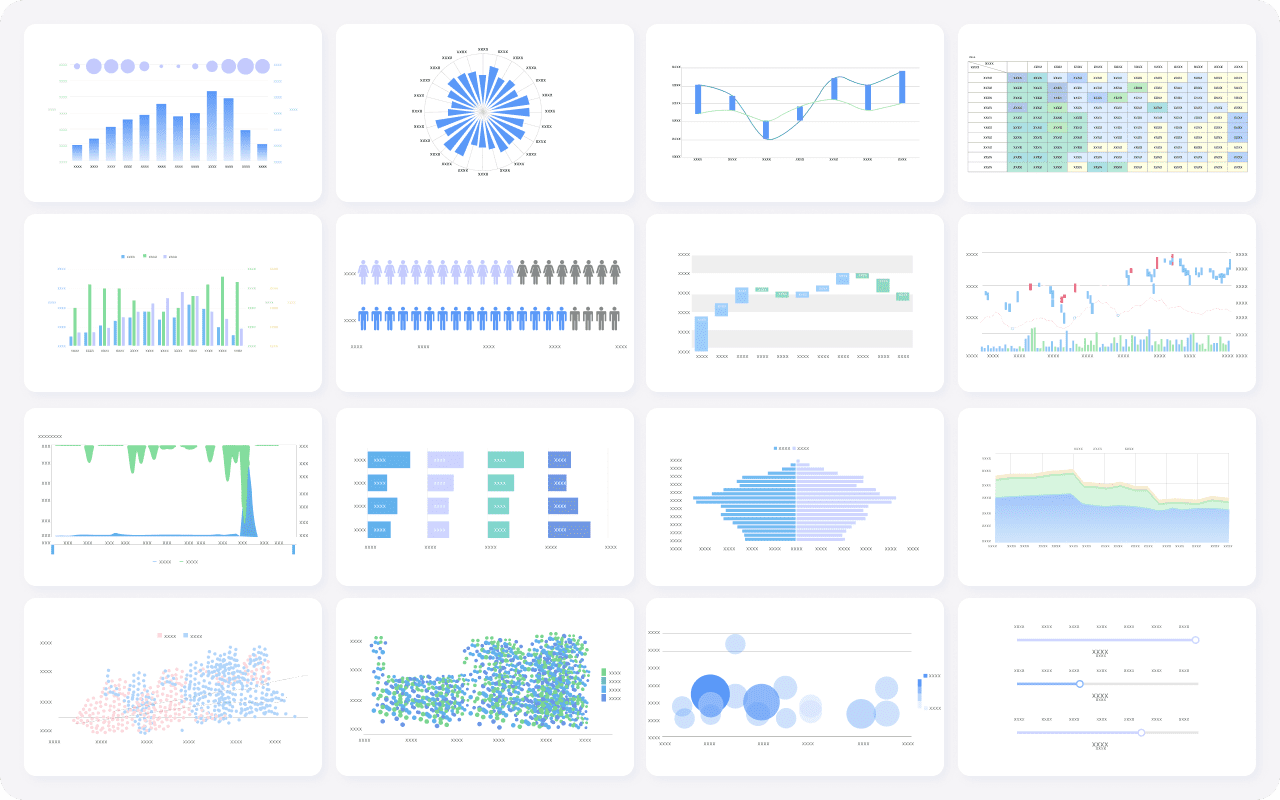
All dashboards in this article are built with FineBI
CRM data management explained for enterprise sales leaders
For enterprise sales leaders, crm data management is not simply storing customer records in a CRM platform. It is the ongoing discipline of structuring, validating, governing, and connecting customer data so it can support high-stakes sales decisions across regions, business units, and account teams.
In complex B2B environments, customer relationships rarely follow a simple one-account, one-contact, one-opportunity path. Sales teams often manage:
- global parent accounts with multiple subsidiaries
- multiple buying centers and stakeholders
- multi-product cross-sell and upsell motions
- long sales cycles with many touches
- renewals, expansions, and service dependencies
- channel, direct, and partner-influenced deals
In this context, crm data management must support not just transactional recordkeeping, but a usable and trusted analytical view of the customer journey.
A practical enterprise definition looks like this:
- CRM systems capture operational sales activity, account records, contacts, opportunities, stages, owners, and logged interactions.
- Customer records define who the enterprise is selling to, including account hierarchy, location, segment, industry, and account ownership.
- Activities show coverage and engagement, such as calls, meetings, emails, demos, and executive touchpoints.
- Pipeline data reflects sales motion status, value, probability, expected close timing, and stage progression.
- External business data may include firmographics, financial health, intent signals, product usage, support history, or marketing engagement.
The key distinction enterprise leaders need to understand is this:
Operational CRM usage vs. analytics-ready crm data management
Operational CRM usage helps reps and managers run day-to-day sales work. It focuses on entering records, updating opportunities, logging meetings, assigning owners, and moving deals through the process.
Analytics-ready crm data management goes further. It prepares the data for:
- reliable reporting
- forecast analysis
- executive pipeline reviews
- territory planning
- customer coverage analysis
- churn and renewal monitoring
- expansion opportunity identification
This requires governed metric logic, standardized dimensions, historical tracking, and data quality controls. Without that layer, the CRM may still function operationally, but leadership dashboards will remain contested and underused.
This is where FineBI becomes essential as the BI foundation. It helps enterprises unify CRM and related business data into trusted semantic assets, dashboards, and metric models. Then Dora, FanRuan’s enterprise Data Agent platform, turns those trusted assets into an AI assistant layer that helps leaders ask questions in natural language, retrieve chart-based answers, receive scheduled briefings, and follow up on risks faster.

What a CRM database includes and why data quality shapes revenue decisions
A CRM database is more than a list of accounts and contacts. In enterprise selling, it is a structured record of customer entities, deal progression, ownership, engagement, and commercial context. If that structure is weak, every dashboard, review deck, and forecast built on top of it becomes less reliable.
Core components of a CRM database
An enterprise CRM database commonly includes the following components:
- Accounts: Companies, divisions, subsidiaries, and customer entities the business sells to.
- Contacts: Individual stakeholders, influencers, decision-makers, users, and procurement contacts.
- Opportunities: Active deals, renewals, expansions, and pipeline records tied to products, stages, values, and expected close dates.
- Activities: Calls, meetings, emails, tasks, demos, visits, and other engagement logs.
- Products or solutions: Items, bundles, subscriptions, or service categories attached to sales motions.
- Ownership fields: Account owner, opportunity owner, regional manager, overlay team, customer success owner, and territory assignments.
- Stage and status fields: Sales stage, forecast category, renewal phase, risk level, and approval status.
- Dates and history fields: Created date, stage change date, close date, renewal date, and lifecycle timestamps.
- Hierarchy fields: Parent account, child account, global account mapping, and territory rollups.
These elements sound straightforward, but their usefulness depends on consistency and completeness.
Why poor CRM data quality weakens leadership decisions
When duplicate records, missing fields, outdated ownership, or inconsistent stage definitions accumulate, leaders lose confidence in what they see. The result is not just messy data. It is slower execution and weaker revenue management.
Common business consequences include:
- unreliable pipeline coverage calculations
- overstated or understated forecast positions
- weak visibility into true account penetration
- missed renewal risk signals
- poor territory balance decisions
- inconsistent manager coaching
- wasted time reconciling reports before meetings
For example, a regional leader may believe pipeline coverage is healthy based on raw opportunity totals. But if duplicates inflate account counts, stale opportunities remain open, and stage definitions vary by region, the dashboard provides false confidence instead of actionable insight.
The link between clean CRM data and better revenue operations
Clean and governed CRM data directly improves:
- Territory planning: Trusted account segmentation, whitespace visibility, and fair ownership alignment.
- Customer coverage: Better visibility into stakeholder penetration, activity depth, and account engagement.
- Pipeline reviews: More consistent stage progression logic and clearer risk identification.
- Renewal visibility: Stronger monitoring of upcoming contract events and account health indicators.
- Executive forecasting: Higher trust in rollups and trend analysis.
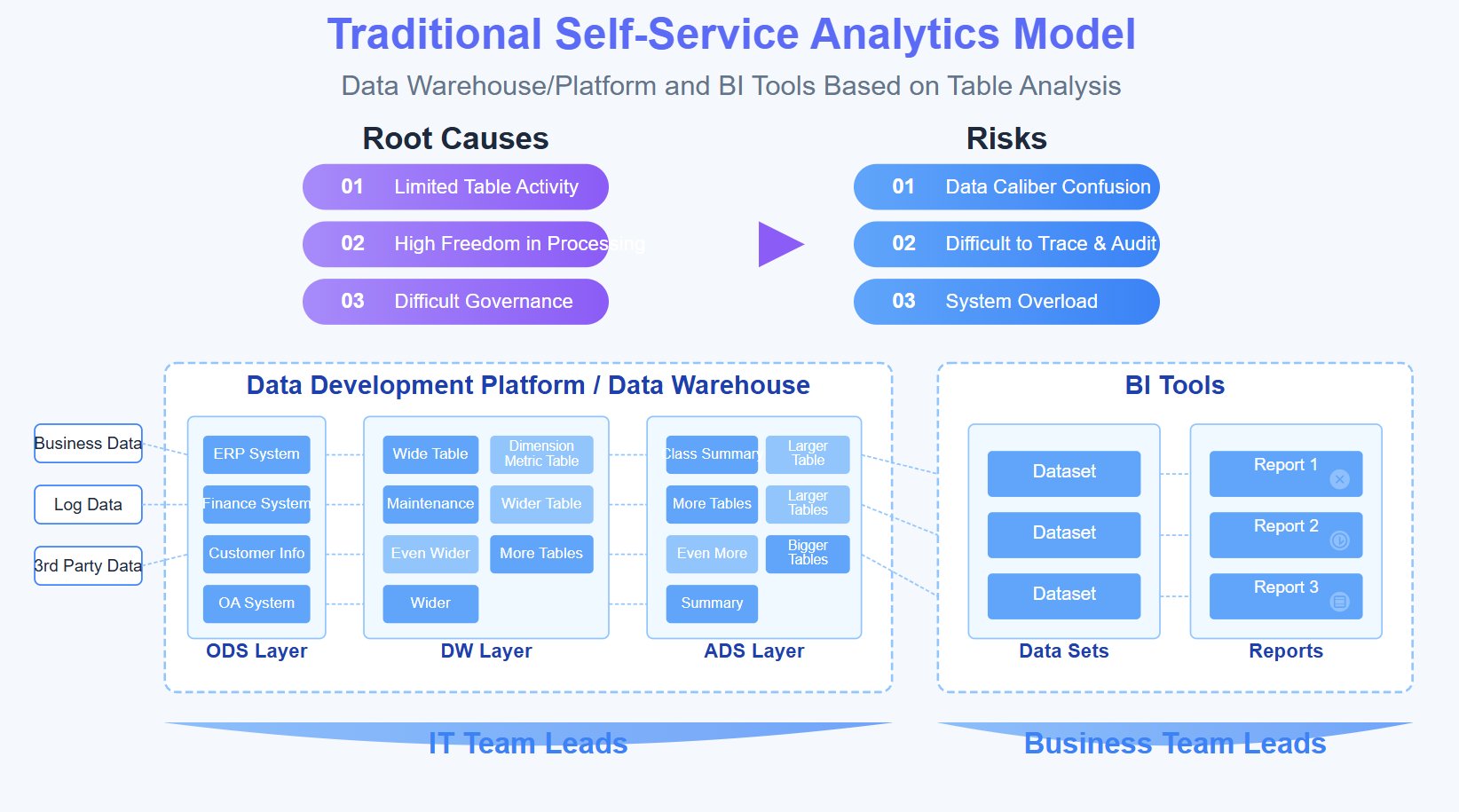
Common CRM data problems in enterprise sales teams
Siloed regional data and inconsistent stage definitions
Enterprise teams often inherit regional process variations. One region may treat a proposal as late-stage pipeline, while another requires procurement confirmation first. These differences distort comparisons, conversion analysis, and executive rollups.
Duplicate accounts across subsidiaries and business units
The same global customer may appear under multiple names across countries, subsidiaries, or business lines. Without strong account matching and hierarchy rules, leaders cannot assess true account value, strategic exposure, or expansion opportunity.
Incomplete activity logging and weak account relationship mapping
Many sales teams log enough data to keep the CRM moving but not enough to understand account coverage. As a result, leaders cannot answer critical questions such as:
- Are we engaged with the right buying roles?
- Which strategic accounts have gone quiet?
- Are late-stage deals supported by executive-level contact?
- Which accounts rely on a single relationship and carry coverage risk?
How to build trusted customer metrics from CRM data
The purpose of crm data management is not to create more fields. It is to build trusted customer metrics that support action. For enterprise sales leaders, the most valuable metrics are the ones that connect customer data to revenue decisions, resource allocation, and risk management.
The customer metrics sales leaders actually need
Below are core metrics that should sit at the center of executive reporting.
-
Pipeline coverage: Total qualified pipeline compared with quota or target for a period.
Business value: Shows whether the team has enough pipeline to support plan attainment.
AI use: Dora can retrieve current coverage by region, segment, or manager in chat, compare it with threshold rules, and include it in scheduled pipeline briefings. -
Win rate: Percentage of closed opportunities won within a defined period or segment.
Business value: Measures sales effectiveness and helps identify performance gaps by motion, product, or region.
AI use: Dora can summarize win rate shifts, highlight where conversion dropped, and generate a chart-based answer for leadership review. -
Sales cycle length: Average time from opportunity creation to close.
Business value: Helps leaders identify process bottlenecks, qualification issues, and execution delays.
AI use: Dora can compare current cycle length against prior periods and flag where deal progression is slowing. -
Account engagement: A structured measure of customer touchpoints, stakeholder coverage, and recent activity quality.
Business value: Helps distinguish truly active strategic accounts from accounts that only appear healthy on paper.
AI use: Dora can retrieve engagement summaries for key accounts and push account review briefings before QBRs or renewal meetings. -
Expansion potential: An estimate of whitespace or cross-sell opportunity based on current products, account profile, and usage or service signals.
Business value: Supports account planning and more proactive revenue growth strategies.
AI use: Dora can combine FineBI metric views with account context to produce strategic account growth summaries. -
Rep activity quality: A metric set focused on meaningful engagement, not just activity volume.
Business value: Helps managers coach based on effective selling behavior rather than raw task counts.
AI use: Dora can generate manager summaries that connect activity quality to pipeline movement and risk patterns.
Build shared definitions before publishing dashboards
Even the best visualization layer cannot repair undefined business logic. Before dashboards go live, sales operations, finance, and business leadership should align on:
- metric definitions
- record inclusion rules
- ownership logic
- refresh cadence
- historical restatement rules
- exception handling
- validation checks
Examples of questions that need clear answers include:
- What counts as qualified pipeline?
- When is a renewal included in forecast coverage?
- How is global account value rolled up across subsidiaries?
- What defines an engaged account?
- How do we handle ownership changes mid-quarter?
- Which date field determines period attribution?
If these rules are not standardized, the dashboard becomes a visual layer over unresolved disagreement.
Connect CRM data with surrounding business signals
CRM records alone rarely provide a complete customer picture. Strong crm data management usually connects CRM data with adjacent systems such as:
- finance for bookings, billings, and collections
- product usage for adoption and expansion signals
- support systems for case volume and issue severity
- marketing platforms for campaign engagement and lead influence
- customer success tools for health scoring and renewal milestones
This broader model improves customer analysis in ways that raw CRM reporting cannot. A deal may look healthy in pipeline, for example, but support escalations or declining product usage may tell a different story. By unifying those signals in FineBI, enterprises create trusted executive views instead of isolated system reports.
A practical data model for executive reporting
To make metrics stable and reusable, leaders need a practical reporting model rather than one-off dashboards.
Standardize dimensions such as region, segment, industry, parent account, product line, and sales stage
These dimensions should be governed consistently across datasets so that leaders can filter and compare performance without manual cleanup.
Common standard dimensions include:
- region and sub-region
- segment or customer tier
- industry
- parent account and subsidiary
- product line or solution family
- seller, manager, and team
- sales stage and forecast category
- channel or direct motion
Create logic for rollups across global accounts, subsidiaries, and territories
A global account should not appear as unrelated fragments in executive analysis. Build rollup logic that supports:
- parent-child account views
- regional and global overlays
- shared ownership visibility
- territory aggregation
- strategic account program reporting
This is especially important for multinational sales organizations where local opportunity management and global account strategy must coexist.
Set rules for historical tracking so trend analysis remains stable over time
If dimensions and ownership structures change without historical rules, trend lines become misleading. Historical tracking should define how the organization handles:
- stage changes over time
- owner changes
- territory realignments
- account mergers
- product portfolio changes
- pipeline snapshot logic
FineBI is well-suited here because it helps teams model governed metrics and semantic assets rather than relying on ad hoc spreadsheet logic. That foundation is what allows Dora to answer questions accurately from trusted business definitions instead of unstructured prompts alone.
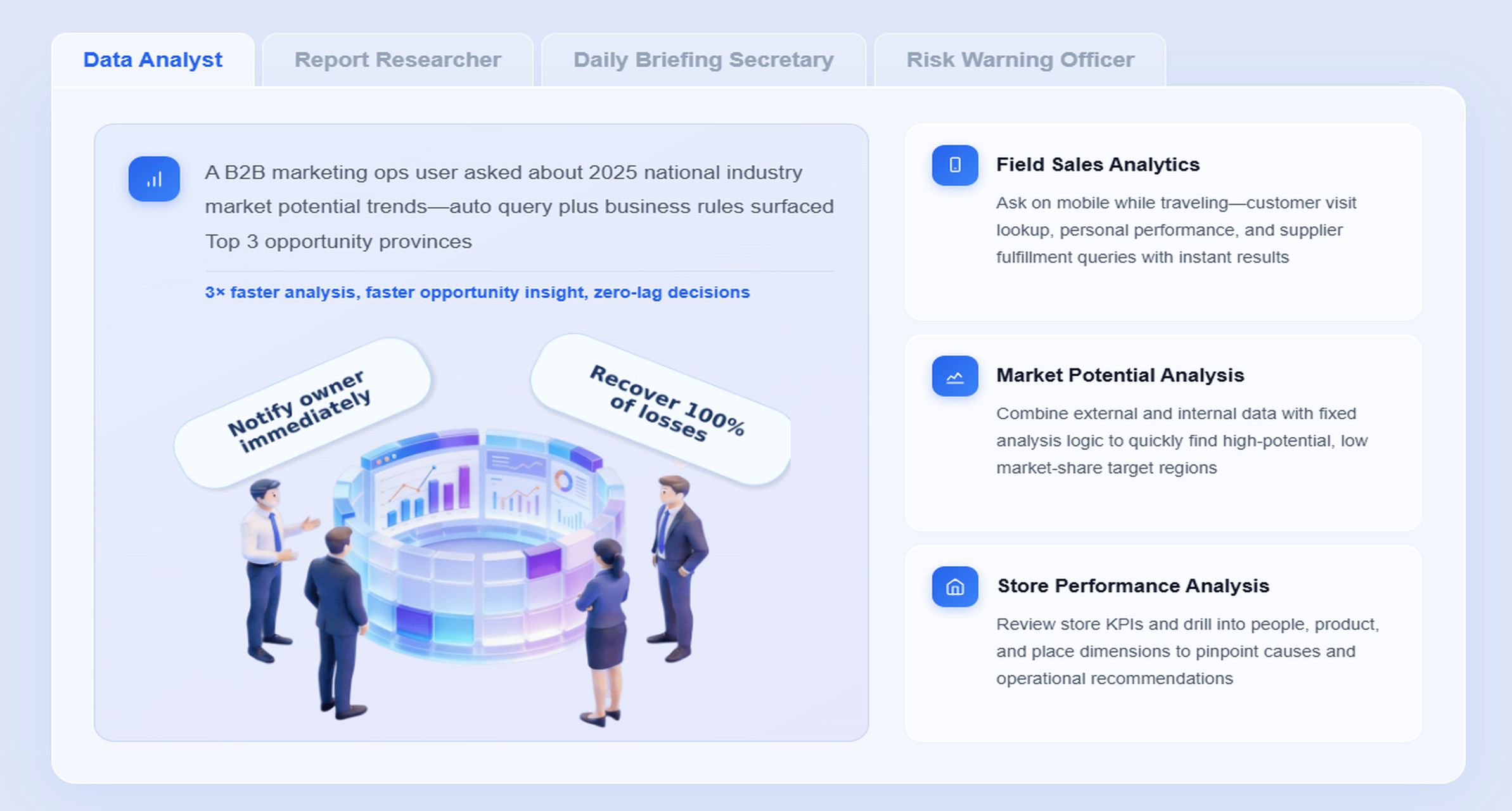
CRM data management best practices that improve business outcomes
Strong crm data management is an operating discipline. It depends on governance, process design, user behavior, and analytic readiness. The goal is not perfection. The goal is reliable decision support.
Prioritize governance, field standards, stewardship roles, and accountability
Enterprise sales data needs named ownership. Without stewardship, data quality slowly degrades as priorities shift and sales motions evolve.
Best practices include:
- assign business owners for critical fields and metrics
- define field standards by object and stage
- separate optional convenience fields from mandatory decision fields
- establish data stewardship roles in sales operations or RevOps
- make frontline managers accountable for inspection and coaching
When data ownership is vague, no one fixes issues fast enough to preserve trust.
Use automated checks for completeness, consistency, enrichment, deduplication, and anomaly detection
Manual cleanup alone will not scale in enterprise environments. Teams should implement automated checks for:
- missing mandatory fields
- invalid or inconsistent formats
- duplicate account and contact detection
- stale opportunity updates
- unexpected stage jumps
- ownership gaps
- abnormal pipeline spikes or drops
This is also where AI-enabled workflows become practical. Dora should not be used as a substitute for governance, but it can support governed AI workflows that surface anomalies, summarize exceptions, and push follow-up tasks to the right owners based on trusted FineBI metrics.
Balance data capture requirements with seller adoption
Over-engineered CRM processes often produce the opposite of clean data. If sellers face excessive field requirements, they delay updates, enter low-quality values, or work outside the system.
A better approach is to:
- define only the fields needed for real decisions
- vary mandatory fields by motion and stage
- reduce duplicate entry across tools
- align data policies with manager coaching habits
- show users how better data improves forecast and account review quality
Good crm data management supports selling. It should not become administrative friction without business value.
A 2026-ready operating checklist
Define mandatory fields by sales stage and motion
Different sales motions require different controls. New business, renewal, channel, and strategic account programs should not all rely on the same field assumptions.
Audit data health regularly with visible scorecards
Create scorecards for completeness, freshness, duplicate rate, hierarchy quality, and ownership consistency. Visible scorecards help drive accountability across regions and teams.
Review metric definitions quarterly as the business evolves
Definitions that worked last year may no longer fit new routes to market, new products, or updated forecast processes. Quarterly review keeps the semantic layer aligned with business reality.
Train managers to coach from data, not just inspect it
Managers should use dashboards and briefings to ask better questions:
- Which accounts show weak stakeholder coverage?
- Where is cycle time stretching unexpectedly?
- Which late-stage deals have low recent engagement?
- Which regions rely on inflated early-stage pipeline?
When leaders use data for coaching, teams take data quality more seriously.
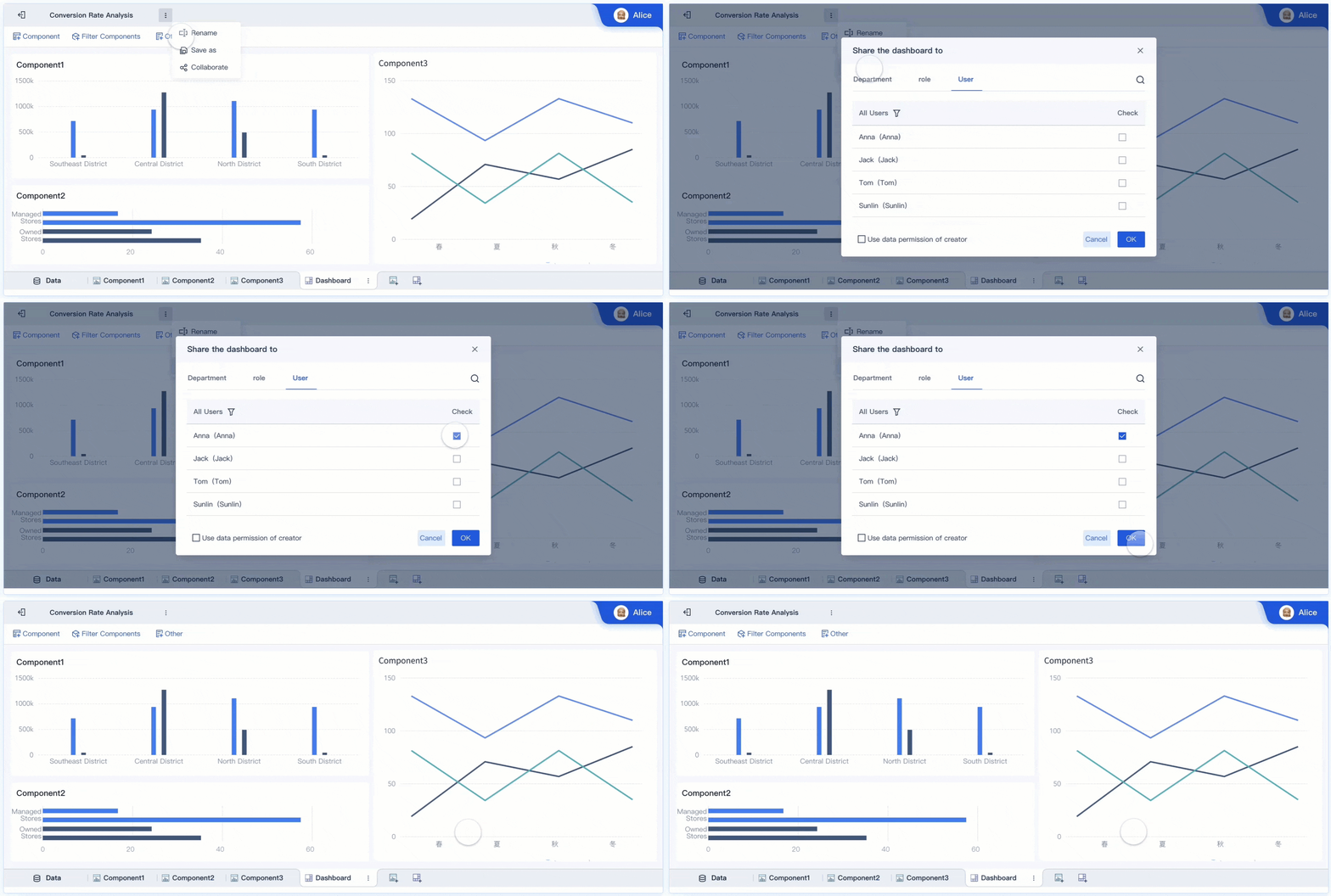
How an AI Data Agent Handles This Scenario
Once CRM data is standardized and turned into trusted metrics, the next opportunity is execution speed. Sales leaders do not just need dashboards. They need help preparing for reviews, identifying risk, and communicating next steps quickly. This is where Dora, FanRuan’s enterprise Data Agent platform, adds a practical AI layer on top of FineBI.
For this scenario, the most relevant Dora digital employees are:
- Daily Briefing Secretary for scheduled pipeline and performance briefings
- Risk Alert Officer for threshold monitoring and exception follow-up
- Data Analyst digital employee for natural-language query and quick drill analysis
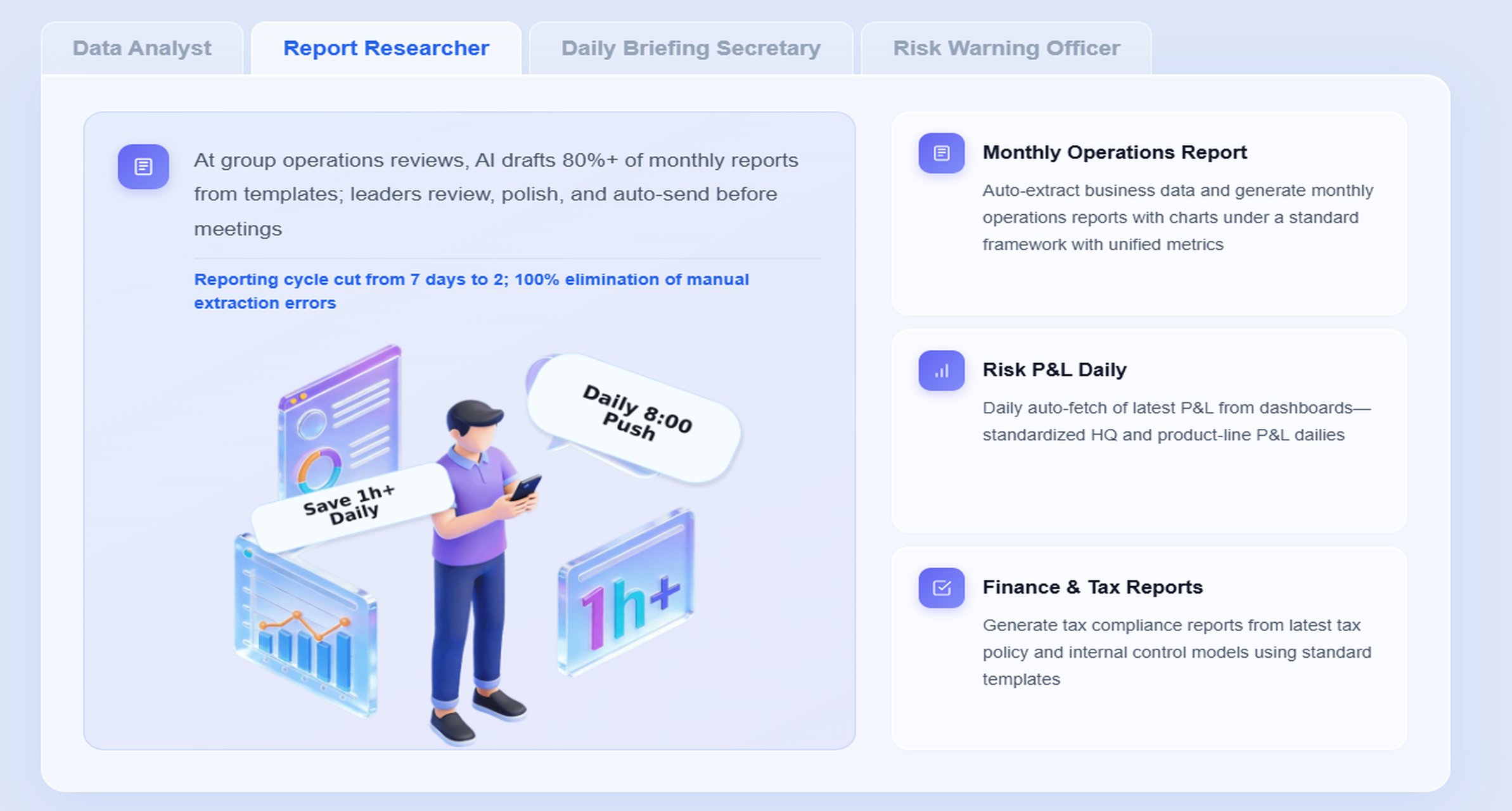
- Report Researcher for structured executive summaries and account review preparation
Dora is best understood as an enterprise Data Agent for governed BI scenarios. It does not replace FineBI. Instead, it uses FineBI’s trusted dashboards, metric logic, and semantic assets as the foundation for AI-assisted retrieval, explanation, alerts, summaries, and follow-up.
A scenario-specific chat example
A regional sales vice president might ask:
“Show me this quarter’s pipeline coverage by region, highlight deals over $250K with low recent account engagement, and summarize the top forecast risks for next week’s review.”
Dora can respond with a chart-based answer or dashboard-style analysis view grounded in FineBI assets, rather than relying on ungoverned free-text reasoning.
How the AI workflow works in practice
-
Retrieve trusted FineBI dashboard or metric subject data
Dora first accesses the relevant FineBI dashboards, semantic models, or analysis subjects for pipeline coverage, forecast status, engagement, and deal risk. -
Understand KPI definitions, filters, and business terms
Dora maps user language such as “coverage,” “low engagement,” “strategic deals,” or “next week’s review” to governed metric definitions, field logic, and permission-aware filters. -
Generate a chart-based answer or dashboard-style analysis view through chat
Instead of returning raw text only, Dora can provide tables, trends, regional comparisons, and risk breakdowns in a format leaders can use immediately. -
Detect abnormal changes or threshold breaches
If pipeline coverage in one region drops below target, or if large late-stage deals show weak recent engagement, Dora can flag the issue based on configured business rules. -
Push summaries, alerts, or suggested follow-up to responsible users
Dora can support scheduled weekly briefings, manager notifications, or exception-based pushes so leaders do not need to search manually before every meeting. -
Produce follow-up summaries for pipeline meetings or executive review
After analysis, Dora can help generate concise narrative summaries for management review, including key risks, regional deltas, and suggested next actions.
Why FineBI matters to AI accuracy and enterprise fit
This scenario only lands in a real enterprise when AI is grounded in a trusted BI foundation. FineBI provides:
- governed metric definitions
- dashboard and analysis asset retrieval
- semantic consistency for terms and filters
- role-based permissions
- reusable analytical subjects
- stronger control over KPI logic and business context
Without that foundation, AI answers may sound plausible but fail leadership scrutiny. FineBI gives Dora the governed semantic layer it needs to support more reliable enterprise workflows.
How Dora improves execution beyond dashboards
Dora improves enterprise sales execution in concrete ways:
- Natural-language data query over trusted BI assets: Leaders and managers can ask for analysis in plain language without hunting through dashboards.
- Dashboard and metric retrieval from FineBI assets: Dora references existing governed dashboards and metrics instead of inventing answers from scratch.
- Generation of chart-based answers and dashboard-style analysis views: Users get visual and structured outputs they can use in reviews.
- Scheduled summaries and periodic briefings: Weekly pipeline risk briefings or executive snapshots can be delivered proactively.
- Anomaly alerts and push notifications: Dora can support timely visibility when important thresholds are breached.
- Digital employees for repeatable data work: Daily Briefing Secretary, Report Researcher, and Risk Alert Officer help reduce repetitive analyst and manager effort.
- Skills-based execution for controllable AI workflows: Dora is better suited for enterprise landing than feature-only agent comparisons because workflows can be governed, auditable, and aligned to business rules.
- Stronger enterprise fit: Permission governance, semantic rules, KPI governance, and data quality controls make Dora more practical than raw prompt-only agents.
For IT and RevOps teams, this is also an important role shift. Instead of manually serving every briefing request, they can focus on improving data connections, semantic setup, permission governance, reusable Skills, and data quality. That is a more scalable way to support the AI era.
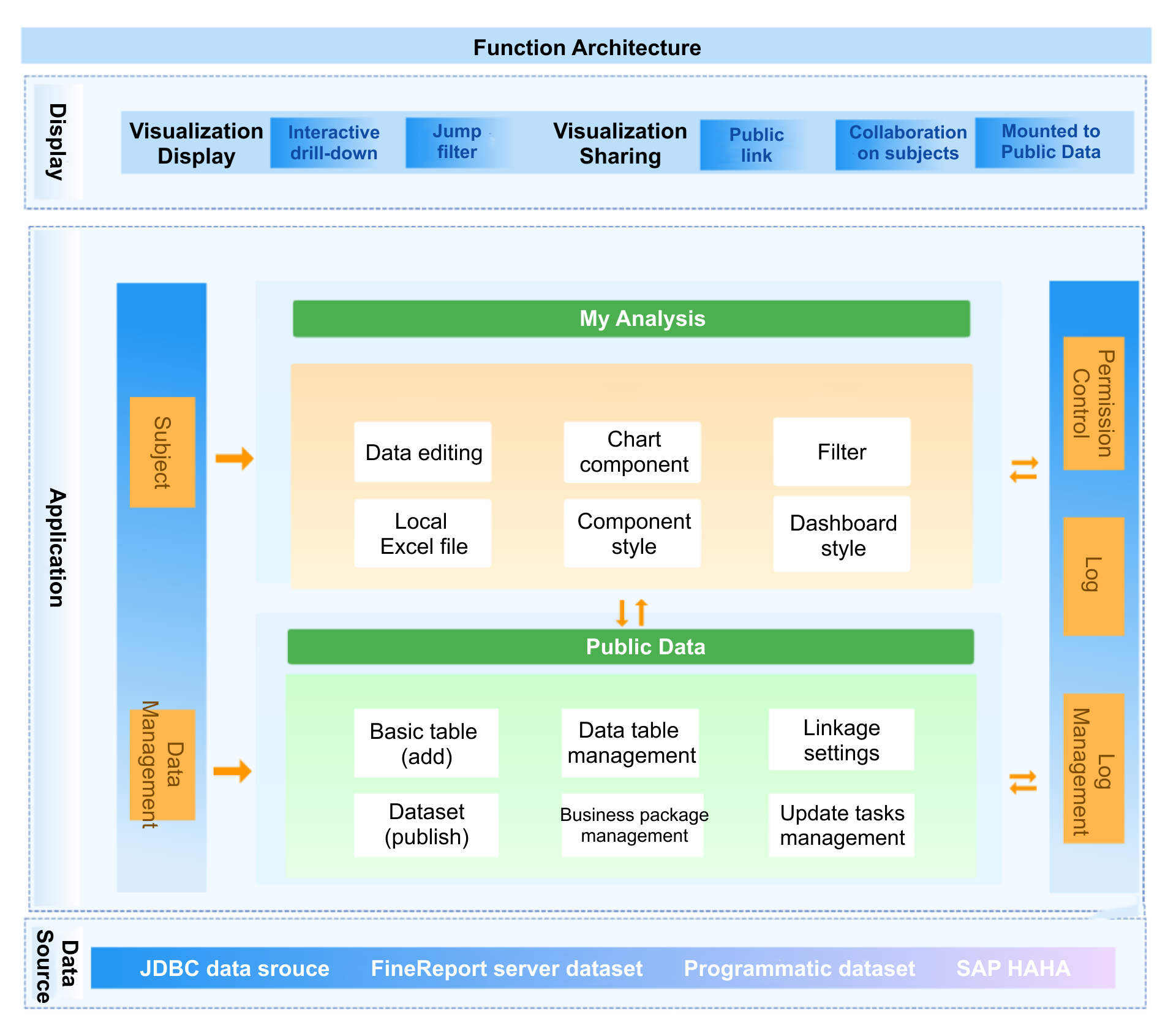
Using FineBI and Dora to turn CRM data into AI-ready briefings
The real value of crm data management appears when leaders can move from raw records to governed metrics to timely narrative action. That transition is difficult to achieve with CRM screens alone.
FineBI as the trusted BI foundation
FineBI helps enterprises unify CRM data and related business signals into trusted dashboards and customer performance views. In this scenario, that means:
- consolidating CRM opportunity, account, activity, and ownership data
- connecting finance, product, support, and marketing data where needed
- building semantic metric models for pipeline, conversion, engagement, and account health
- creating reusable dashboards for executives, regions, managers, and account teams
- preserving permission and governance controls
This turns CRM data into a reliable analytical layer rather than a collection of operational records.
Dora as the AI assistant layer for sales scenarios
Dora then activates that foundation as an AI assistant for recurring sales workflows such as:
- pipeline review preparation
- account planning summaries
- forecast risk monitoring
- executive update generation
- renewal and expansion risk briefings
Because Dora is working over governed FineBI assets, it can answer in chat, retrieve trusted charts, summarize issues, push alerts, and support follow-up actions with greater control than prompt-only approaches.
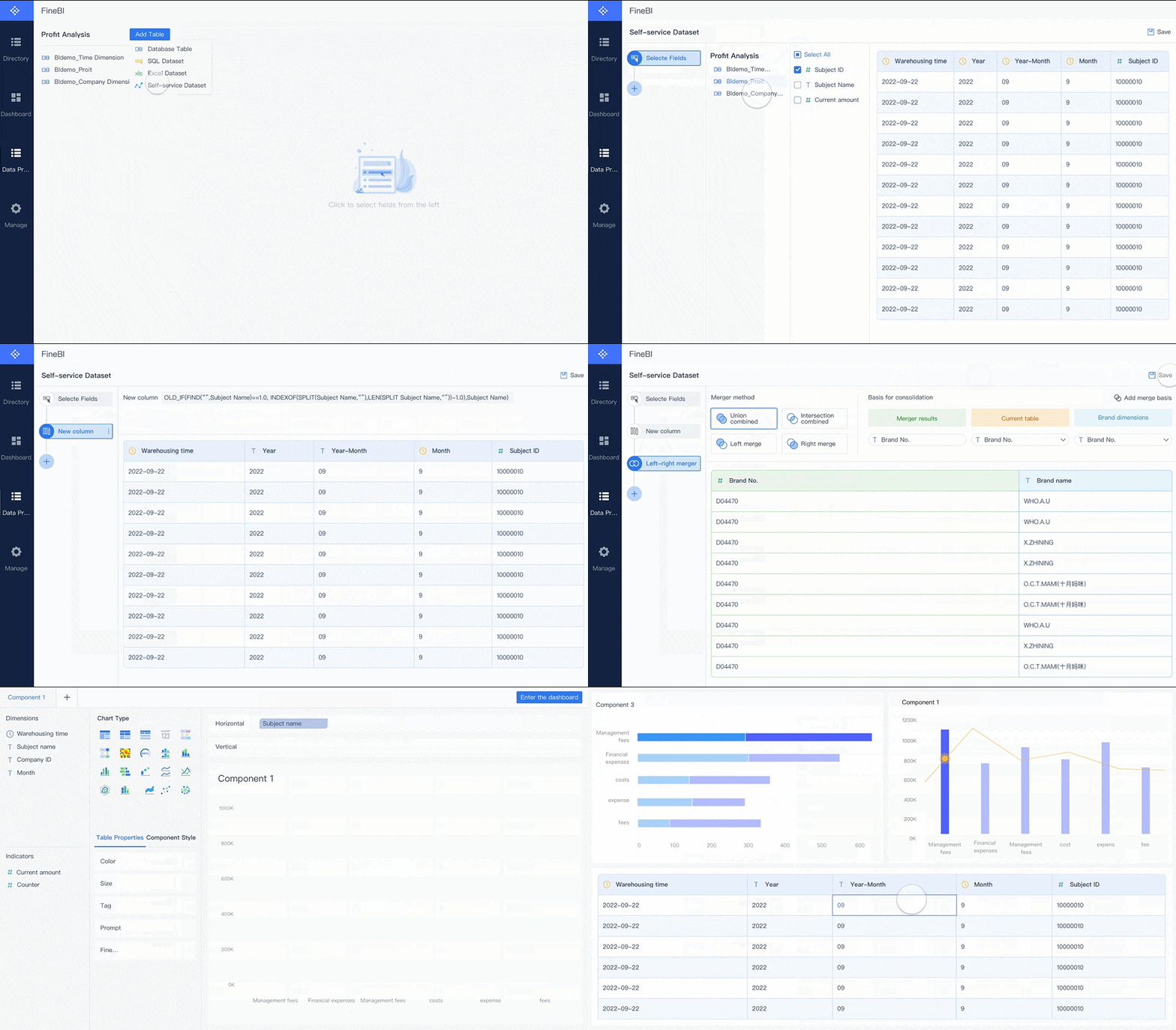
From raw records to narrative recommendations
A practical workflow looks like this:
- CRM and surrounding systems feed structured customer, pipeline, and engagement data into FineBI.
- FineBI standardizes metrics, dimensions, hierarchy logic, and dashboard assets.
- Dora uses those governed BI assets to answer natural-language business questions.
- Dora generates chart-based answers or dashboard-style analysis views for leadership use.
- Dora pushes scheduled briefings, risk alerts, and follow-up summaries to the right stakeholders.
- Managers use those outputs to coach teams and drive action in recurring business rhythms.
Example briefing scenarios for enterprise teams
Weekly pipeline risk briefing for regional leaders
The Daily Briefing Secretary can assemble a weekly summary of:
- pipeline coverage by region
- late-stage deal concentration
- aging opportunities
- engagement gaps in large deals
- stage conversion shifts
- forecast exceptions requiring review
Strategic account health summary for key account reviews
The Report Researcher can pull together a briefing that combines:
- account hierarchy rollup
- opportunity status
- stakeholder coverage
- recent activity quality
- product adoption or support indicators
- expansion and renewal signals
Executive snapshot of customer growth, churn risk, and expansion signals
The Risk Alert Officer and Daily Briefing Secretary can help prepare management-ready summaries covering:
- customer growth concentration
- renewal exposure
- churn risk trends
- expansion whitespace by segment
- priority accounts needing leadership attention
A step-by-step roadmap to strengthen CRM data management
Enterprise sales leaders should not try to solve everything at once. The most successful crm data management programs start with a focused business use case, build trust in the metrics, and then expand into AI-supported workflows.
1. Assess current CRM data quality, reporting gaps, and decision pain points
Start with the decisions that are currently slowed down or disputed:
- forecast calls
- pipeline reviews
- account planning
- renewal visibility
- executive reporting
Then assess where the underlying CRM data fails those decisions:
- missing fields
- stale records
- duplicate accounts
- inconsistent stages
- broken hierarchies
- weak activity capture
- poor cross-system alignment
2. Align stakeholders on definitions, ownership, tools, and success measures
Sales leadership, RevOps, finance, IT, and analytics teams should align on:
- target metrics
- business definitions
- field ownership
- dashboard priorities
- governance controls
- success measures for adoption and accuracy
This is also where enterprises decide what should live in CRM operations, what should be modeled in FineBI, and which repeatable workflows Dora should support later.
3. Start with a high-value use case
A focused entry point delivers credibility faster than a broad transformation program. Good starting scenarios include:
- forecast accuracy improvement
- pipeline coverage visibility
- strategic account health scoring
- renewal risk monitoring
- executive weekly sales briefing
These use cases naturally combine BI value and AI assistant value.
4. Build governed dashboards and semantic assets in FineBI
Before scaling AI briefings, create the trusted foundation:
- unified data model
- standardized dimensions
- hierarchy logic
- metric definitions
- validation rules
- role-based access
- executive and manager dashboards
This is the step many teams skip when they rush into AI.
5. Layer Dora on top for high-frequency recurring work
Once the dashboards and metrics are trusted, deploy Dora for recurring workflows such as:
- weekly regional briefings
- executive snapshots
- forecast risk alerts
- account review preparation
- guided natural-language analysis for business leaders
This phased path usually lands better than starting with a generic AI assistant disconnected from governed BI assets.
Actionable Best Practices
1. Standardize KPI definitions, synonyms, filters, and metric ownership
If users say “pipeline,” “qualified pipeline,” and “commit forecast” interchangeably, AI and dashboard adoption will both suffer. Define approved terms, business synonyms, and ownership rules inside the BI workflow.
2. Build a semantic layer inside the BI workflow
FineBI should serve as the governed semantic foundation for customer metrics, account hierarchy logic, and reporting dimensions. This is what makes Dora’s natural-language analysis practical and trustworthy.
3. Treat data quality as part of the AI implementation
Do not separate AI from data discipline. Dora performs best when mandatory fields, hierarchy rules, stage logic, and validation checks are already governed in FineBI-supported workflows.
4. Start with high-value recurring workflows instead of automating everything
The best AI Data Agent scenarios are repeatable and business-critical, such as weekly pipeline briefings, strategic account reviews, and risk alerts for forecast exceptions.
5. Preserve permission governance and use human review for AI-generated summaries
AI outputs should respect FineBI access boundaries and enterprise permissions. For executive briefings and formal reports, keep human review in place at the early stages, then expand Dora Skills gradually as confidence grows.
FineBI + Dora solution pitch
Building this manually is complex. FineBI helps teams build trusted dashboards, metrics, and semantic assets. Dora turns those assets into an AI assistant that can answer questions in chat, generate dashboard-style analysis views, push scheduled summaries, monitor anomalies, and follow up with responsible owners.
For enterprise sales leaders, this matters because crm data management is no longer just about keeping records clean. It is about turning customer data into a governed decision system. FineBI establishes the trusted BI foundation. Dora makes that foundation easier to use in daily sales leadership workflows.
FineBI + Dora is not only a BI upgrade; it is a practical fourth-generation Agentic BI path. FineBI provides governed metrics and visual analysis. Dora provides the AI assistant layer for scenario execution, with more controlled Skills, lower token waste, faster execution paths, and more stable workflows than prompt-only agents.
This combination supports a stronger landing path than feature-only agent comparisons because the value is tied to real enterprise scenarios:
- weekly pipeline briefing
- strategic account health review
- forecast risk alert
- executive customer growth snapshot
- guided natural-language analysis for managers and leaders
For executives, the ROI is concrete: less time preparing for recurring data work, better visibility into revenue risk, and faster follow-up on customer priorities.
For IT and data teams, the role becomes more strategic: build reusable data connections, semantic layers, permission governance, and Skills rather than answering every ad hoc report request manually.
For business users, the experience becomes simpler: ask questions in chat, retrieve trusted metrics, receive timely summaries, and act faster without searching through layers of reports.

Get Ready-to-Use Dashboard Templates in Fine Gallery
The strongest Dora pitch is scenario + product + service: FineBI provides the trusted BI foundation, Dora provides the AI digital employee, and implementation service connects data, governance, semantic setup, Skills, and rollout.
FAQs
It is the process of organizing, validating, governing, and connecting customer and pipeline data so leaders can trust reports, forecasts, and account insights. In enterprise B2B sales, it goes beyond recordkeeping to support decision-making across teams, regions, and account hierarchies.