For operations directors, AI in supply chain management becomes useful when it helps teams see risk earlier, prioritize action faster, and improve service without adding reporting chaos. The fastest path is not starting with a massive AI transformation program. It is starting with a trusted KPI dashboard, then upgrading that dashboard with an AI assistant that can explain changes, surface exceptions, and push follow-up.
With FineBI + Dora, business users can ask for analysis in chat, generate chart-based answers or dashboard-style views from trusted BI assets, and receive scheduled summaries before the next meeting. That matters in supply chain operations, where planners, warehouse leaders, procurement teams, and logistics managers often lose time switching between ERP reports, spreadsheets, exception emails, and siloed dashboards.
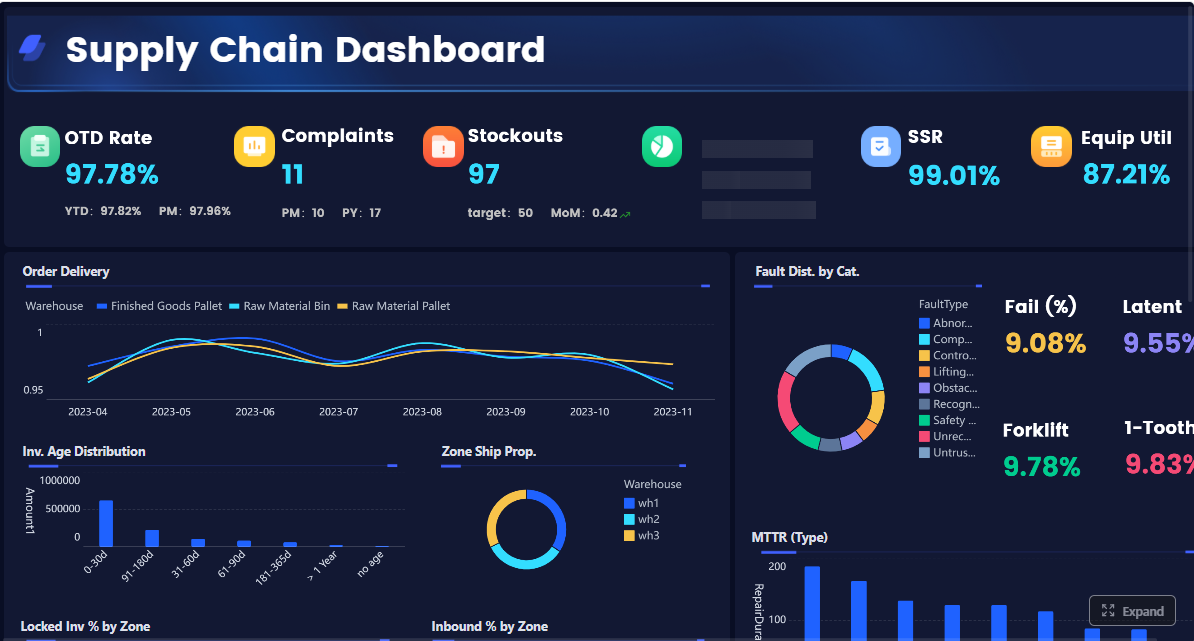 Click To Try The Dashboard
All dashboards in this article are built with FineBI
Why AI in Supply Chain Management Matters for Operations Directors
Operations directors are judged on outcomes that cut across functions: service level, inventory efficiency, supplier reliability, fulfillment speed, and cost control. The problem is that these outcomes are driven by signals scattered across procurement, production, warehousing, transportation, and customer order systems.
Practical AI in supply chain management helps solve problems such as:
- late shipment risk that appears too late for intervention
- stockout exposure hidden behind aggregate inventory totals
- supplier delays that are visible in one system but not connected to service impact
- forecast swings that planners notice only after service levels drop
- exception overload, where teams receive too many alerts and stop acting on them
For most operations directors, KPI dashboards are the best starting point because they create a shared operating view before AI is layered on top. A dashboard gives leadership the baseline: what is happening, where performance is off target, and which team owns the response. Once that foundation exists, an enterprise Data Agent can turn static reporting into governed, scenario-based action.
The first improvements to expect are usually clear:
- Visibility: unified views across sites, regions, suppliers, and product lines
- Speed: faster review cycles and less manual report chasing
- Forecast quality: better interpretation of trend shifts and exception patterns
- Cross-functional alignment: procurement, planning, logistics, and service teams working from the same KPI definitions
This is where FineBI + Dora fits. FineBI provides the trusted dashboard, metric modeling, self-service analysis, and semantic assets. Dora adds the AI assistant layer so users can ask questions in natural language, retrieve the right metrics, receive timely summaries, and follow up on exceptions through governed AI workflows.
What AI in Supply Chain Management Actually Means in Daily Operations
Many teams hear “AI” and imagine full automation. In real operations, the better model is more practical: AI supports routine analysis, exception prioritization, and repeatable decision workflows while people keep control of business-critical actions.
Core capabilities behind practical AI adoption
Forecasting and demand sensing
AI can help identify likely demand changes earlier by combining historical orders, seasonality, customer behavior, and external signals where available. For operations directors, the value is not abstract forecasting sophistication. It is knowing which products, plants, or regions may need attention before service levels suffer.
Inventory optimization and replenishment support
AI can help teams evaluate stock health, reorder pressure, safety stock exposure, and imbalance across sites. In practice, this means less time manually reviewing inventory tables and more time focusing on SKUs and locations with true business impact.
Risk detection, anomaly identification, and alert prioritization
Not every variance matters. A useful AI layer distinguishes normal fluctuation from meaningful exceptions such as supplier lead time deterioration, rising backorders, or lane-level delivery slippage. This is especially important for operations directors who need fewer but higher-quality alerts.
Workflow automation and decision support for planners and managers
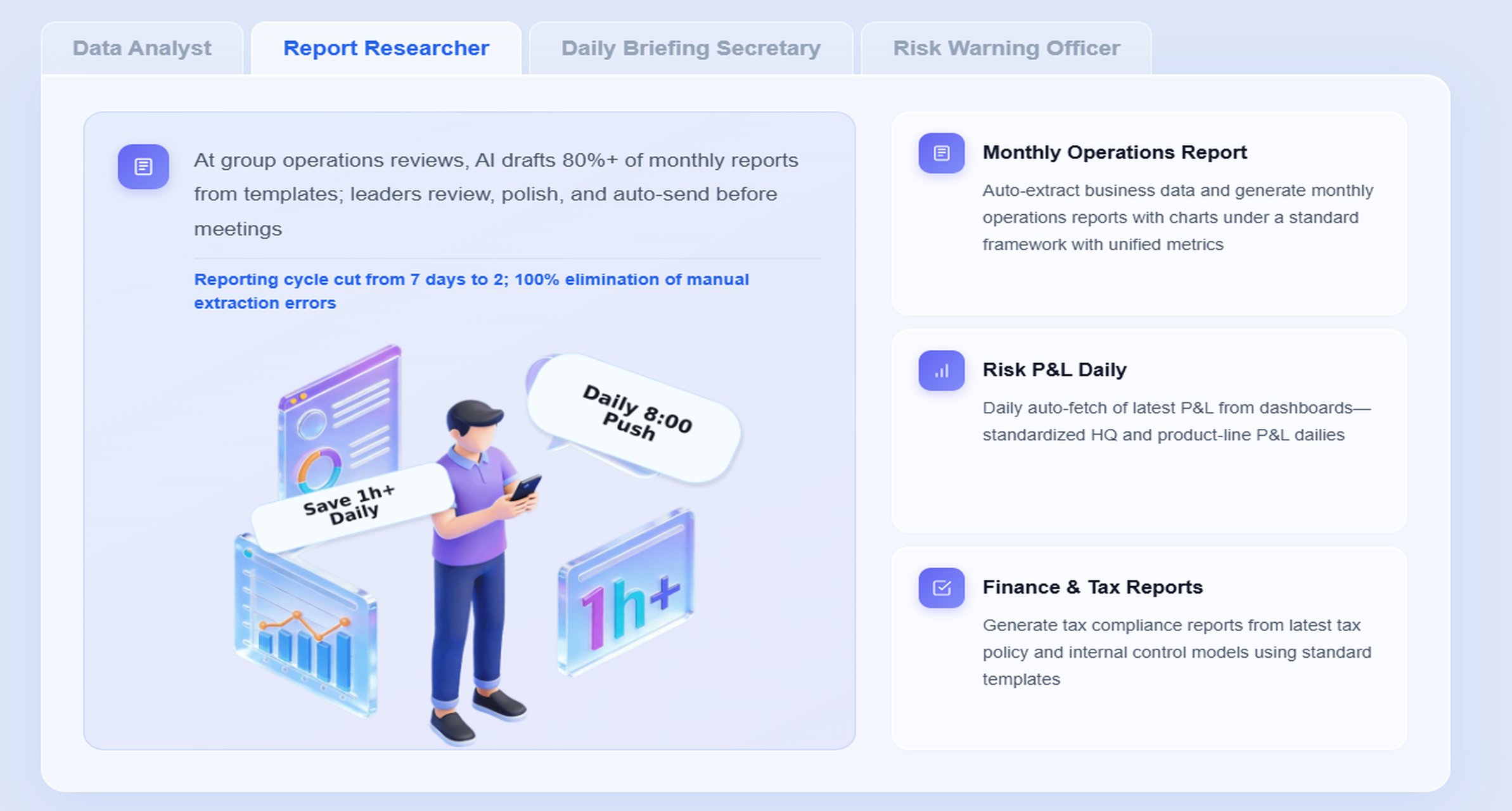
AI should support recurring work such as morning KPI review, weekly service-level briefing, delayed order follow-up, and monthly inventory analysis. This is where an AI digital employee becomes practical: it reduces repetitive analysis work, prepares summaries, and routes exceptions to the right owners.
Where AI fits in the supply chain workflow
AI can support nearly every stage of the workflow:
- Procurement: supplier performance tracking, lead time risk, PO delay monitoring
- Production: schedule adherence, material availability risk, line-level exception follow-up
- Warehousing: inventory aging, stock accuracy, picking or fulfillment bottlenecks
- Transportation: on-time shipment tracking, route or carrier exception analysis
- Customer fulfillment: order fill rate, backorder trends, service-risk prioritization
The right operating model still includes human oversight. AI can recommend, summarize, prioritize, and route. Leaders and functional owners still approve high-risk actions, especially when supplier changes, inventory reallocation, or service commitments are involved.
Reliable dashboard insights usually depend on connected data from:
- ERP
- WMS
- TMS
- demand planning systems
- supplier scorecards
- customer order systems
- production or MES data where relevant
- manually governed business rules such as promised date logic, service target definitions, and inventory segmentation
Step 1: Define the KPIs That Drive Decisions
Start with a focused scorecard
A supply chain dashboard fails when it tries to show everything. Operations directors should begin with a focused scorecard tied to actual operating decisions. The goal is to connect metrics to ownership, review cadence, and action.
A practical KPI set usually spans four areas:
- service
- cost
- inventory
- supplier performance
Below is a structured KPI framework for this scenario.
Core supply chain KPI framework
-
On-Time In-Full (OTIF): Percentage of orders delivered on time and in full according to customer commitment.
Business value: Measures service reliability and customer fulfillment performance.
AI use: Dora can retrieve OTIF by customer, plant, lane, or supplier-linked root cause, compare trends, and include it in scheduled weekly briefings. -
Order Fill Rate: Percentage of demand fulfilled immediately from available stock or planned supply.
Business value: Shows whether inventory positioning supports customer service.
AI use: Dora can answer chat-based questions about declining fill rate, generate a chart-based answer by SKU group or warehouse, and flag service-risk areas. -
Inventory Turns: Ratio showing how efficiently inventory is consumed and replenished over time.
Business value: Helps balance capital efficiency with service support.
AI use: Dora can compare inventory turns across business units, detect slow-moving stock patterns, and summarize where excess inventory is rising. -
Days of Inventory on Hand (DOH): Estimated number of days current inventory can support demand.
Business value: Indicates stock coverage and overstock or stockout exposure.
AI use: Dora can retrieve DOH by category or site, explain abnormal movement, and push alerts when coverage breaches defined thresholds. -
Stockout Rate: Percentage of SKUs, orders, or demand lines affected by insufficient inventory.
Business value: Directly impacts revenue, customer experience, and planning credibility.
AI use: Dora can monitor risk thresholds, detect stockout hotspots, and notify planners or buyers with suggested follow-up. -
Forecast Accuracy: Degree to which forecasted demand matches actual demand over a defined period.
Business value: Affects production planning, replenishment, and working capital.
AI use: Dora can retrieve forecast accuracy by region, family, or planner and highlight where demand swings are creating service or inventory pressure. -
Supplier On-Time Delivery: Percentage of supplier deliveries arriving as scheduled.
Business value: Shows upstream reliability and supports procurement and production planning.
AI use: Dora can analyze late-supplier patterns, summarize top risk suppliers, and support recurring procurement review with scheduled reports. -
Lead Time Variability: Measure of how much actual supplier or logistics lead times fluctuate.
Business value: Helps identify hidden instability even when average lead time appears acceptable.
AI use: Dora can detect abnormal lead time spread and route higher-risk exceptions to the right owner. -
Transportation On-Time Performance: Percentage of shipments delivered within target transit windows.
Business value: Tracks logistics execution and customer promise reliability.
AI use: Dora can generate dashboard-style analysis views by carrier, lane, or region and prioritize delayed shipments by business impact. -
Backorder Rate: Share of open demand delayed because supply is unavailable.
Business value: Reveals service pressure building inside the order pipeline.
AI use: Dora can monitor trends, identify top affected customers or SKUs, and push exception summaries ahead of operating reviews.
Executive KPIs should stay limited and outcome-oriented. Operational diagnostics can sit underneath them for drill-down. For example, an executive may review OTIF, inventory turns, forecast accuracy, and supplier on-time delivery, while planners and managers drill into SKU-level stockout rate, lane delay causes, and supplier lead time variability.
Each KPI should also have:
- a business definition
- a system-of-record or calculation logic
- a decision owner
- a review cadence
- threshold rules for escalation
Avoid dashboard clutter from the start
Vanity metrics create noise. If a metric does not trigger a decision, it likely does not belong on the main operating dashboard.
To avoid clutter:
- remove metrics with no clear owner
- separate summary KPIs from diagnostic detail
- use consistent filters across region, site, SKU, and time
- define business terms clearly so teams trust the numbers
This is a strong reason to use FineBI as the BI foundation. It helps teams build trusted semantic assets and governed metric definitions before AI is introduced. Dora then uses that same foundation to answer business questions consistently rather than inventing interpretations from raw tables.
Step 2: Build the Data Foundation for a Reliable Dashboard
Connect the right operational systems
No supply chain dashboard is trustworthy if data remains fragmented across tools and regions. The core data foundation typically includes:
- ERP for orders, POs, inventory balances, and financial logic
- WMS for warehouse movement, stock status, and fulfillment activity
- TMS for shipment milestones, carrier performance, and lane execution
- demand planning systems for forecasts and plan-versus-actual comparison
- supplier data for delivery performance, quality, and lead times
- customer order systems for fill rate, backorder, and service-level analysis
Operations directors should insist on standardization across sites and business units. A late shipment should mean the same thing in every region. Inventory coverage should use the same baseline assumptions. Supplier scorecards should not change by plant unless there is a documented reason.
FineBI is valuable here because it supports metric modeling, dashboard construction, and self-service exploration on top of governed data assets. Instead of creating isolated reports for each functional team, organizations can build a shared BI layer that operations, procurement, logistics, and leadership all trust.
Improve data quality before scaling AI
AI does not fix weak operating data. In fact, it can amplify confusion if missing, delayed, or duplicated records are not addressed first.
Common data issues include:
- duplicate shipment events
- inconsistent supplier naming
- delayed inventory updates
- missing promised delivery dates
- incorrect status mapping across systems
- local spreadsheet adjustments that are not governed centrally
Before scaling AI use cases, establish:
- data validation ownership by function
- exception handling processes for bad records
- documented business rules behind KPI calculations
- permission governance so users only see approved data scopes
This is especially important for Dora. Dora works best when it can retrieve trusted FineBI dashboard assets, recognized KPI definitions, filters, and semantic rules. That is what makes it an enterprise Data Agent rather than a prompt-only tool. The answer is grounded in governed BI logic, not just generated text.
Step 3: Use AI to Generate Insights, Predictions, and Priorities
Turn historical reporting into forward-looking guidance
A standard dashboard tells teams what happened. A stronger AI-enabled workflow helps them understand what is changing, why it matters, and who should act next.
In supply chain operations, that can include:
- predicting stockout risk before customer service is affected
- highlighting late shipment trends before OTIF deteriorates materially
- surfacing demand swings that may require replenishment or production attention
- narrowing likely causes behind KPI movement so teams do less manual hunting
For operations directors, the biggest value often comes from AI-assisted prioritization. Instead of opening ten reports to investigate a service-level drop, leaders can ask for a summary and receive a chart-based answer grounded in FineBI metrics.
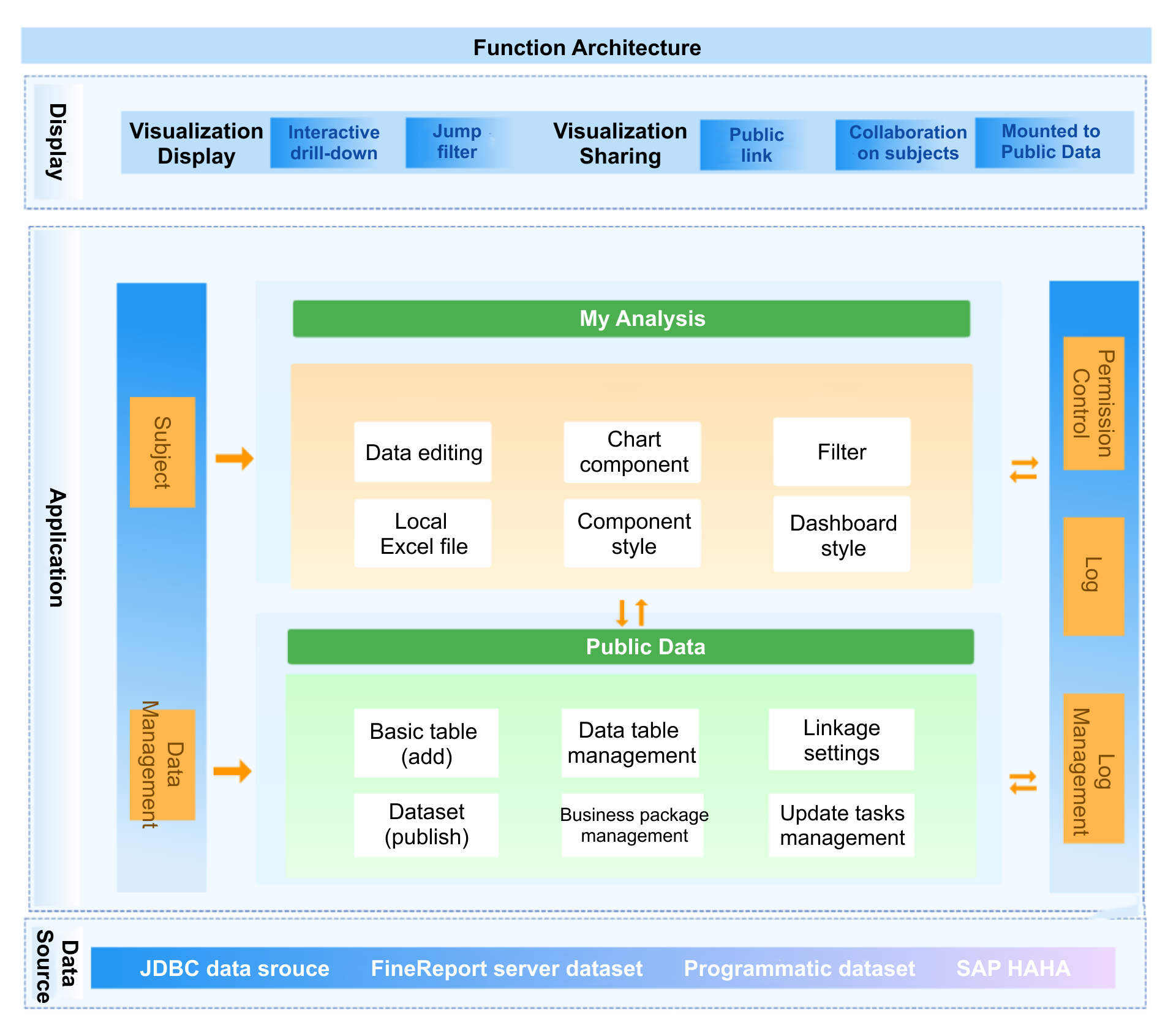
Introduce AI agents and smart alerts carefully
This is where AI in supply chain management becomes more actionable. Rather than just displaying dashboards, Dora can serve as an AI assistant or AI digital employee for recurring data work.
Useful alerting patterns include:
- route late-shipment risk to logistics leads by region and severity
- send stockout risk summaries to planners based on item family and site
- notify procurement owners when supplier performance falls below threshold
- prepare a daily service-risk briefing before the operations review meeting
The key is controlled rollout. Alerts should be tied to business impact, ownership, and escalation rules. Human approval should remain in place for high-risk decisions such as changing supply plans, reallocating scarce inventory, or changing customer commitments.
How an AI Data Agent Handles This Scenario
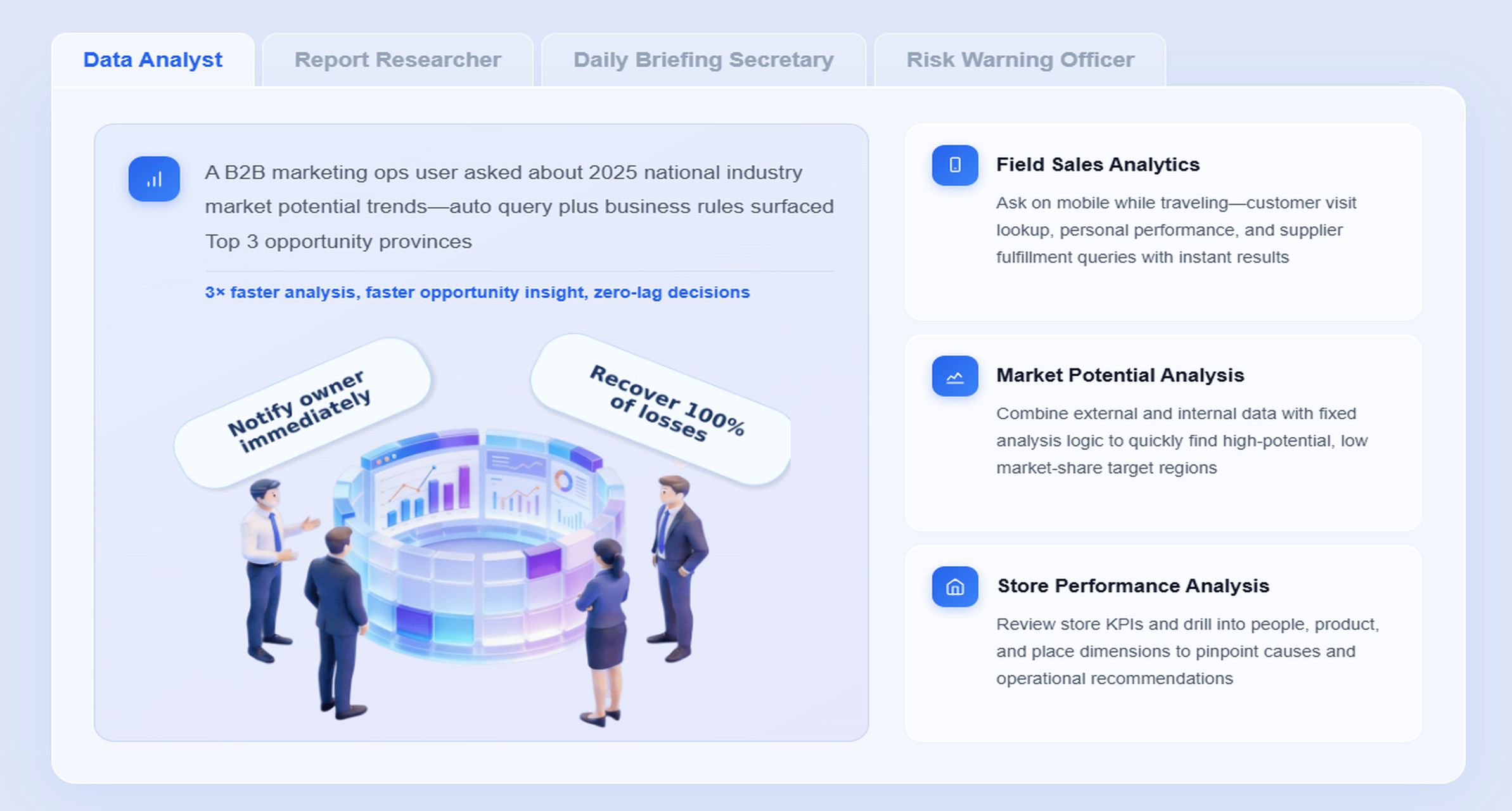
For operations directors, the most relevant Dora digital employees are usually the Daily Briefing Secretary, Risk Alert Officer, and Data Analyst digital employee. Together, they help convert dashboard review into timely action.
A scenario-specific chat request might look like this:
“Show me this week’s OTIF, backorder rate, and stockout risk by region. Highlight the top suppliers linked to service decline and summarize what needs action before tomorrow’s operations review.”
Here is how a governed Dora workflow can handle that request:
-
Retrieve trusted FineBI assets
Dora accesses the relevant FineBI dashboard, analysis subject, or governed metric model for OTIF, backorder rate, stockout risk, and supplier performance. -
Understand KPI definitions and business semantics
Dora uses the FineBI semantic foundation to interpret business terms such as “this week,” “region,” “service decline,” and “top suppliers” according to approved definitions, permissions, and filters. -
Generate a chart-based answer or dashboard-style analysis view
Dora returns a structured response in chat with tables, trend comparisons, and visual breakdowns by region, supplier, or product family rather than only plain text. -
Detect abnormal changes and prioritize exceptions
If OTIF falls below threshold or backorders spike in one region, Dora can identify the exception, rank it by impact, and attach preliminary attribution such as supplier delay concentration or inventory shortage pattern. -
Push alerts and summaries to responsible owners
The Risk Alert Officer can notify the right planner, procurement manager, or logistics owner with a timely summary, while the Daily Briefing Secretary prepares a pre-meeting digest for leadership. -
Support follow-up and review
Dora can produce a post-meeting summary, keep a record of the analysis path, and help teams ask follow-up questions such as which SKUs, lanes, or plants require immediate action.
Why this lands well in enterprises is simple: Dora is not working from thin air. FineBI provides the trusted dashboard, semantic layer, and governed metrics. Dora adds natural-language query, analysis retrieval, chart-based answers, scheduled summaries, anomaly alerts, push notifications, and follow-up support.
This is a better enterprise fit than relying on raw prompt-only agents because the workflow is more controllable and auditable. Skills-based execution helps reduce token waste, improve response speed, and increase workflow stability compared with open-ended prompting against ungoverned data.
For operations directors, that means Dora is not an AI experiment. It is a landed digital employee for recurring data work such as daily service-level briefing, supplier risk follow-up, inventory exception review, and delayed order escalation.
For IT teams, the value is also clear. IT no longer has to manually build every one-off report request. Instead, IT can focus on data connection quality, semantic modeling, permissions, and reusable agent Skills that support multiple supply chain scenarios.
For business users, the benefit is lower operating friction. They get timely metrics, chat-based answers, scheduled summaries, and exception pushes without waiting for analysts to rebuild views every time conditions change.
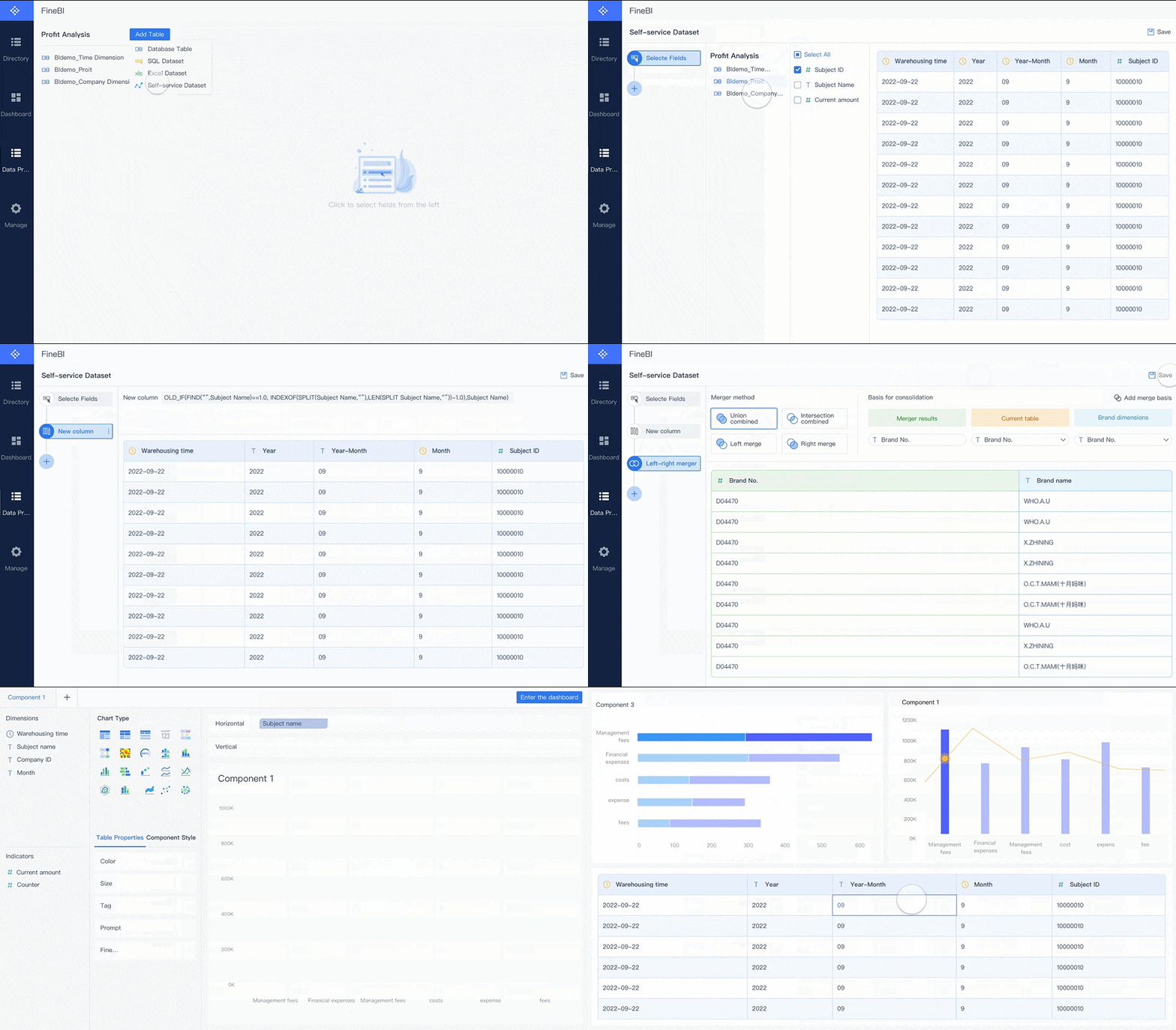
Step 4: Design a Dashboard Teams Will Actually Use
Make the dashboard useful at executive and frontline levels
A supply chain dashboard should support two levels at once:
- Executive view: headline KPIs, trend status, major risk areas, and business-unit comparison
- Frontline or manager view: drill-down into plant, lane, warehouse, SKU, supplier, and customer detail
A practical structure often looks like this:
- top-row KPI scorecard
- trend charts over time
- regional or site comparison
- exception and risk panel
- drill-down path to root-cause analysis
FineBI is well suited for this because it combines dashboarding with self-service analytics and visual exploration. Teams can start from a shared operating dashboard and then drill into filters or dimensions without creating dozens of separate static reports.
Use thresholds and contextual benchmarks to speed decisions:
- red, amber, green status for target compliance
- trend direction indicators
- baseline versus prior period comparison
- plan versus actual variance
- benchmark by region, lane, or supplier class
Build for action, not just visibility
The dashboard should tell teams not only what changed, but what to do next.
For each major KPI, define:
- trigger condition
- decision owner
- expected response
- escalation path if unresolved
Examples:
- OTIF below threshold for two review periods triggers logistics and customer service review
- stockout risk above defined exposure triggers planner and buyer follow-up
- supplier on-time delivery decline triggers procurement escalation and alternate supply review
This action orientation becomes stronger when Dora is layered on top. Users can move from “I see a problem” to “summarize the likely drivers, show the impacted SKUs, and prepare a briefing for the owner.” That is a meaningful step from BI to Agentic BI.
Keep the interface simple enough for weekly operating reviews and daily follow-up. If users need a tutorial to find the main issues, the design is too complex.
Step 5: Launch, Govern, and Improve Over Time
Roll out in phases
The safest and fastest way to operationalize AI in supply chain management is phased rollout.
Start with one of these scopes:
- one region
- one product family
- one business unit
- one supply chain process such as service-level monitoring or inventory risk review
Then measure:
- dashboard adoption
- alert quality
- time to identify root cause
- decision speed
- stakeholder satisfaction with the operating review process
A phased rollout also helps refine Dora Skills and AI workflows before broader expansion. For example, a company may first deploy the Daily Briefing Secretary for service-level reviews, then add the Risk Alert Officer for supplier or stockout exceptions, then expand chat-based analysis to broader operations teams.
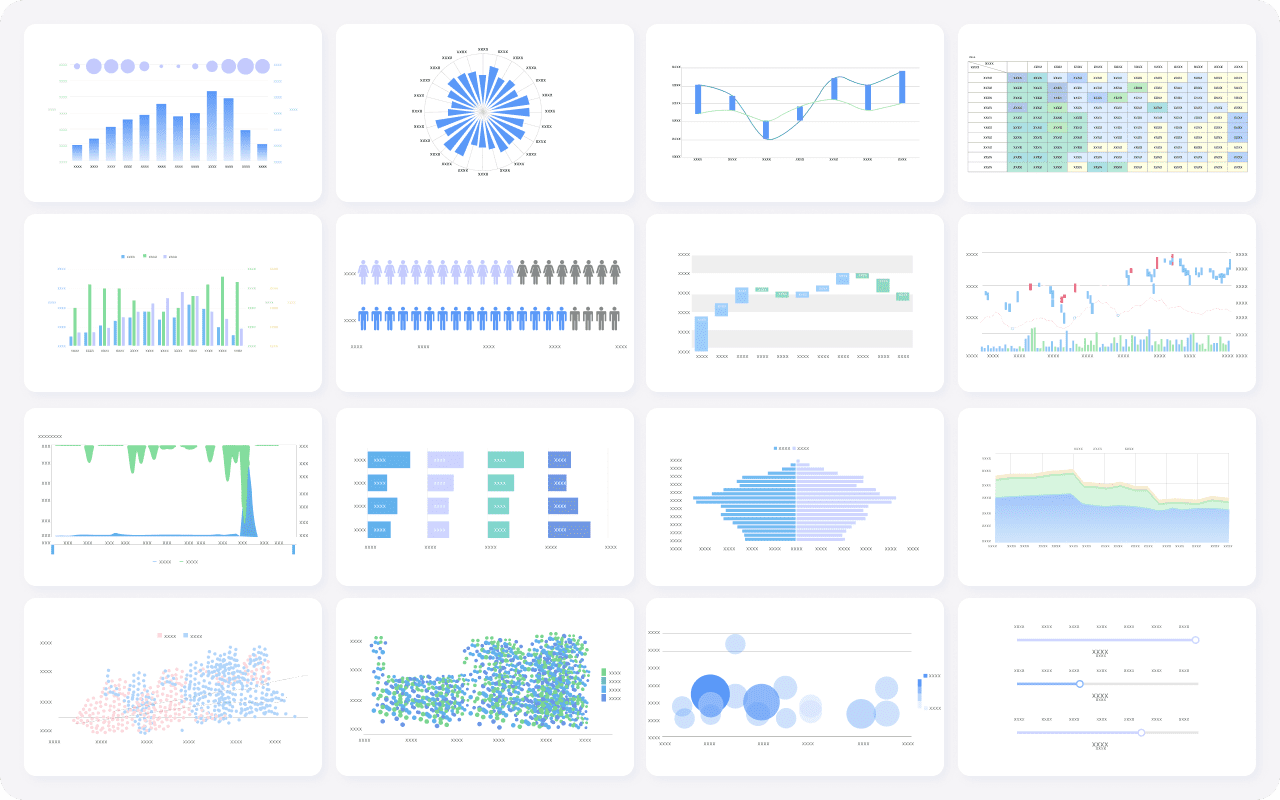
Build the skills and governance needed to sustain results
Operations leaders need to learn how to challenge AI outputs, not just consume them. Good governance includes:
- periodic KPI definition review
- model and business-rule update process
- threshold calibration for alerts
- escalation ownership
- human review for AI-generated reports and recommendations
Dora should be introduced as a governed AI workflow layer, not a free-form answer engine. That means preserving FineBI access boundaries, using enterprise semantic rules, and gradually expanding Skills based on proven business value.
Common Pitfalls and How to Avoid Them
The most common failure points in supply chain dashboard and AI programs are operational, not technical.
-
Starting with too many KPIs and no decision process
Fix this by narrowing the scorecard to metrics with clear action paths and accountable owners. -
Trusting AI output without validating data quality and context
Fix this by establishing metric governance, semantic definitions, and human review for high-impact decisions. -
Ignoring change management, training, and ownership
Fix this by training operations leaders, planners, and managers on both dashboard usage and AI-assisted interpretation. -
Over-automating alerts until teams stop responding
Fix this by prioritizing severity, business impact, and owner relevance instead of sending every deviation. -
Treating AI as a replacement for BI discipline
Fix this by building trusted dashboards and semantic assets first with FineBI, then layering Dora for execution support.
Actionable Best Practices
1. Standardize KPI definitions, synonyms, filters, and metric ownership
This is essential for both dashboards and AI. If “late shipment,” “service level,” or “backorder” means different things across regions, users will not trust either the dashboard or the AI assistant. FineBI should hold the governed metric and semantic foundation Dora relies on.
2. Build a semantic layer inside the BI workflow
Do not send users directly from raw tables to AI interaction. Define trusted dimensions, KPI logic, business terms, and filter behavior inside FineBI first. Dora performs far better when it can retrieve governed dashboard and metric assets.
3. Treat data quality as part of the AI implementation
A supply chain AI assistant is only as useful as the operating data beneath it. Make data validation, exception handling, and ownership part of the program design, not an afterthought.
4. Start with high-value recurring workflows
The best early Dora use cases are repeatable workflows such as daily service briefing, weekly supplier risk summary, stockout risk alerting, and monthly inventory review. These have clear owners, measurable value, and better landing capability than broad feature-only AI comparisons.
5. Preserve governance and expand Skills gradually
Use permissions, thresholds, responsibility rules, and escalation paths so AI outputs stay aligned with FineBI access boundaries. Keep human review in place for AI-generated reports and recommendations, then expand Dora Skills as confidence and governance maturity grow.
FineBI + Dora Solution Pitch
Building this manually is complex. FineBI helps teams build trusted dashboards, metrics, and semantic assets. Dora turns those assets into an AI assistant that can answer questions in chat, generate dashboard-style analysis views, push scheduled summaries, monitor anomalies, and follow up with responsible owners.
For supply chain operations, this means:
- FineBI provides KPI dashboards for OTIF, inventory, supplier performance, logistics execution, and fulfillment risk
- Dora lets users query those trusted BI assets in natural language
- Dora can generate chart-based answers and structured summaries for operations reviews
- Dora can support scheduled daily or weekly briefings, anomaly alerts, and push notifications
- Dora digital employees help handle repeatable data work with more controllable and auditable AI workflows
FineBI + Dora is not only a BI upgrade; it is a practical fourth-generation Agentic BI path. FineBI provides governed metrics and visual analysis. Dora provides the AI assistant layer for scenario execution, with more controlled Skills, lower token waste, faster execution paths, and more stable workflows than prompt-only agents.

Get Ready-to-Use Dashboard Templates in Fine Gallery
For executives, the ROI discussion should stay concrete: less manual reporting, faster exception response, better meeting preparation, and stronger cross-functional execution around service and inventory outcomes.
For IT teams, the role shift is equally practical: less time spent answering one-off report requests, more time spent improving enterprise data connections, semantic layers, data quality, permission governance, and reusable agent Skills.
For business users, the value is immediate: timely metrics, chat-based answers, dashboard retrieval, scheduled summaries, and exception follow-up without digging through multiple systems.
The strongest Dora pitch is scenario + product + service: FineBI provides the trusted BI foundation, Dora provides the AI digital employee, and implementation service connects data, governance, semantic setup, Skills, and rollout.
FAQs
It helps operations directors spot risks earlier, understand KPI changes faster, and prioritize action across procurement, inventory, warehousing, and logistics. In practice, the biggest value comes from better visibility, faster decisions, and fewer missed exceptions.