

Expense report forms are the operational backbone of reimbursement control. They help finance teams document employee spending, enforce policy, route approvals, and reimburse valid expenses without losing visibility or creating audit risk. For IT managers, finance leaders, and operations directors, the real value is simple: standardized expense report forms reduce processing delays, prevent duplicate claims, improve coding accuracy, and give the business a cleaner record of where money is going.
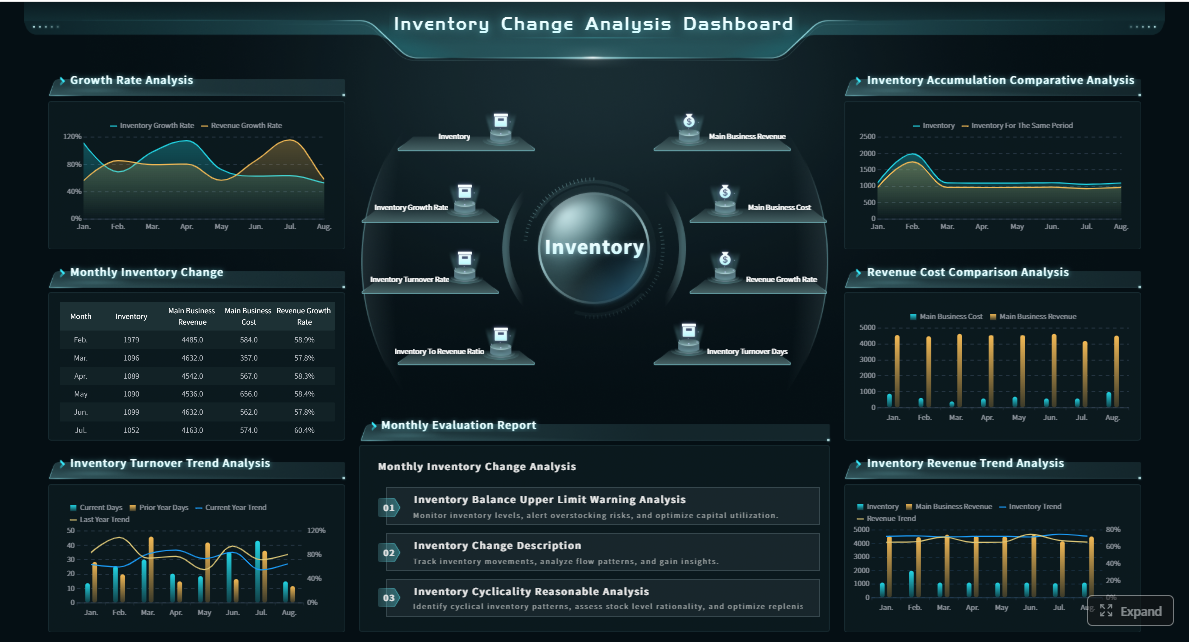 Click To Try The Dashboard
All reports in this article are built with FineReport
Expense Report Forms at a Glance
Expense report forms are structured documents used to record business-related spending so it can be reviewed, approved, posted correctly, and reimbursed when appropriate. They are commonly used for travel, meals, mileage, office purchases, project costs, and other employee-incurred expenses.
In most organizations, employees or department staff complete the form, managers approve it based on business purpose and budget, and finance or accounts payable verifies policy compliance before payment. That makes the form more than a recordkeeping tool. It is a control point within the broader finance workflow.
It is also important to distinguish three related but different concepts:
- Simple expense list: A basic log of purchases, often informal and used for tracking only.
- Reimbursement request: A request to repay an employee for out-of-pocket business expenses.
- Formal expense reporting process: A governed workflow that includes submission, receipt validation, approval routing, policy checks, coding, reimbursement, and audit trail retention.
For growing companies, this difference matters. A spreadsheet may work when there are ten submissions a month. It breaks down quickly when you need multi-level approvals, policy checks, and real-time visibility across departments.
What to Include in an Expense Report Form
A strong expense report form should capture enough detail to support reimbursement, accounting, and compliance without making submission overly difficult. If the form is too loose, finance spends time correcting errors. If it is too rigid, employees delay or avoid submitting expenses on time.
At minimum, most expense report forms should include:
- Employee name and ID: Identifies who incurred the expense.
- Department or cost center: Supports budgeting and proper allocation.
- Submission date: Tracks timeliness and reporting period.
- Expense date: Confirms when the transaction occurred.
- Vendor or merchant: Shows who was paid.
- Payment method: Indicates whether the expense was paid personally or with a corporate card.
- Expense category: Classifies the cost for policy and accounting purposes.
- Amount and currency: Captures the reimbursable value accurately.
- Receipt attachment field: Confirms supporting documentation is included.
- Business purpose: Explains why the expense was necessary.
- Totals and subtotals: Reduces calculation errors and simplifies review.
- Approval fields: Records manager and finance signoff.
- Reimbursement status: Shows whether the claim is pending, approved, rejected, or paid.
Required Fields for Accuracy and Compliance
Some fields are essential if you want your expense report forms to hold up under internal review, tax scrutiny, or external audit.
Key Metrics (KPIs)
- Submission volume: Number of expense reports submitted in a period. Measures process demand.
- Approval cycle time: Time from submission to approval. Indicates workflow efficiency.
- Reimbursement cycle time: Time from submission to payment. Reflects employee experience and AP responsiveness.
- Receipt compliance rate: Percentage of expenses with valid receipts attached. Shows documentation quality.
- Policy violation rate: Percentage of claims that breach category, amount, or timing rules. Highlights control gaps.
- Exception rate: Share of reports returned for correction. Signals form design or training issues.
- Duplicate claim rate: Percentage of repeated or overlapping submissions. Helps detect leakage.
- Outstanding claims value: Total amount still pending approval or reimbursement. Improves cash flow visibility.
- Average claim amount: Average value per report. Useful for staffing and threshold rules.
- Category spend by department: Total spend by category and department. Supports budgeting and policy review.
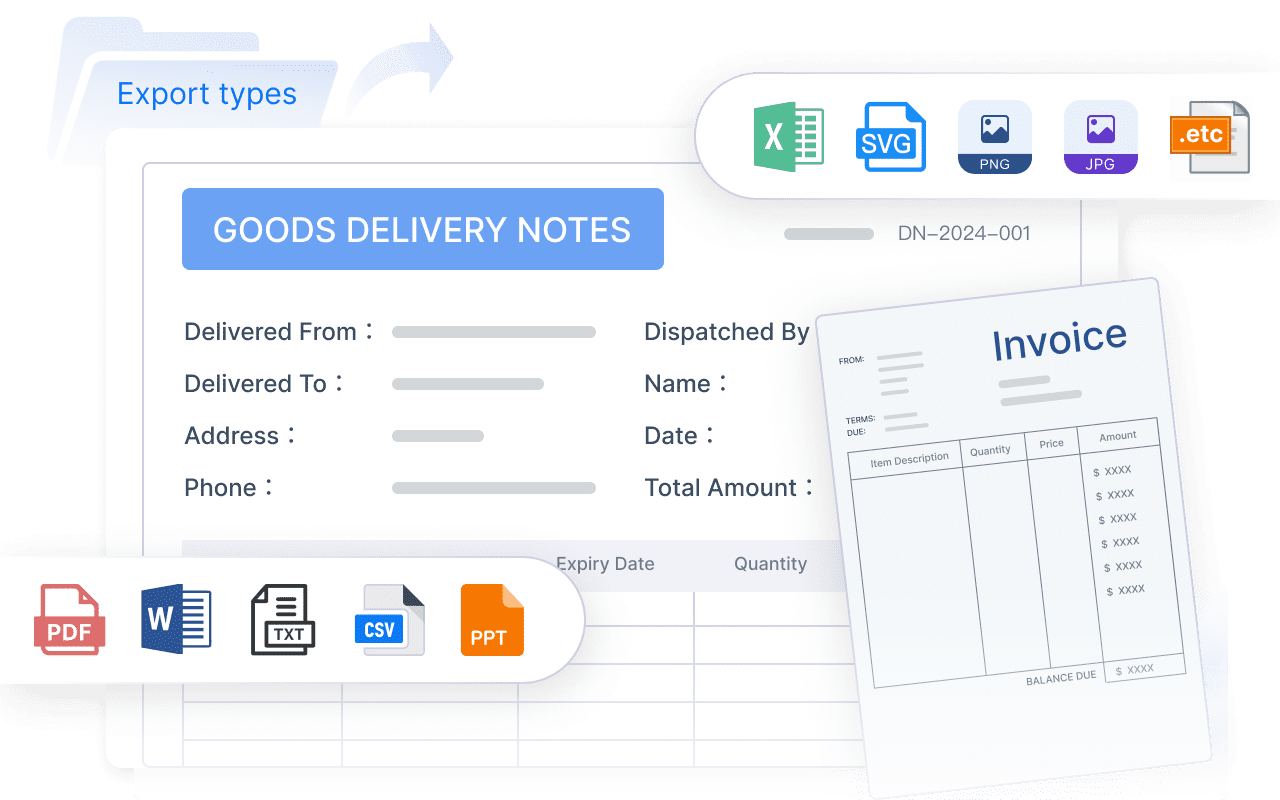
Required fields often include:
- Business purpose for each expense: Not just "client meeting," but enough context to justify the spend.
- Tax-related details when needed: VAT, GST, tax code, or deductible classification depending on jurisdiction.
- Travel-specific details: Currency conversion, mileage distance, reimbursement rate, per diem amount, destination, and trip dates.
These fields are what transform a basic reimbursement sheet into a usable finance record. Without them, finance teams end up chasing employees for clarification after submission.
Common Mistakes That Cause Delays
Most reimbursement delays come from avoidable form issues rather than approval bottlenecks alone. Common problems include:
- Missing receipts or unreadable attachments
- Incomplete descriptions that do not explain business purpose
- Duplicate claims across multiple reports
- Incorrect or vague expense categories
- Math errors in totals or subtotals
- Missing manager approvals
- Late submissions outside policy windows
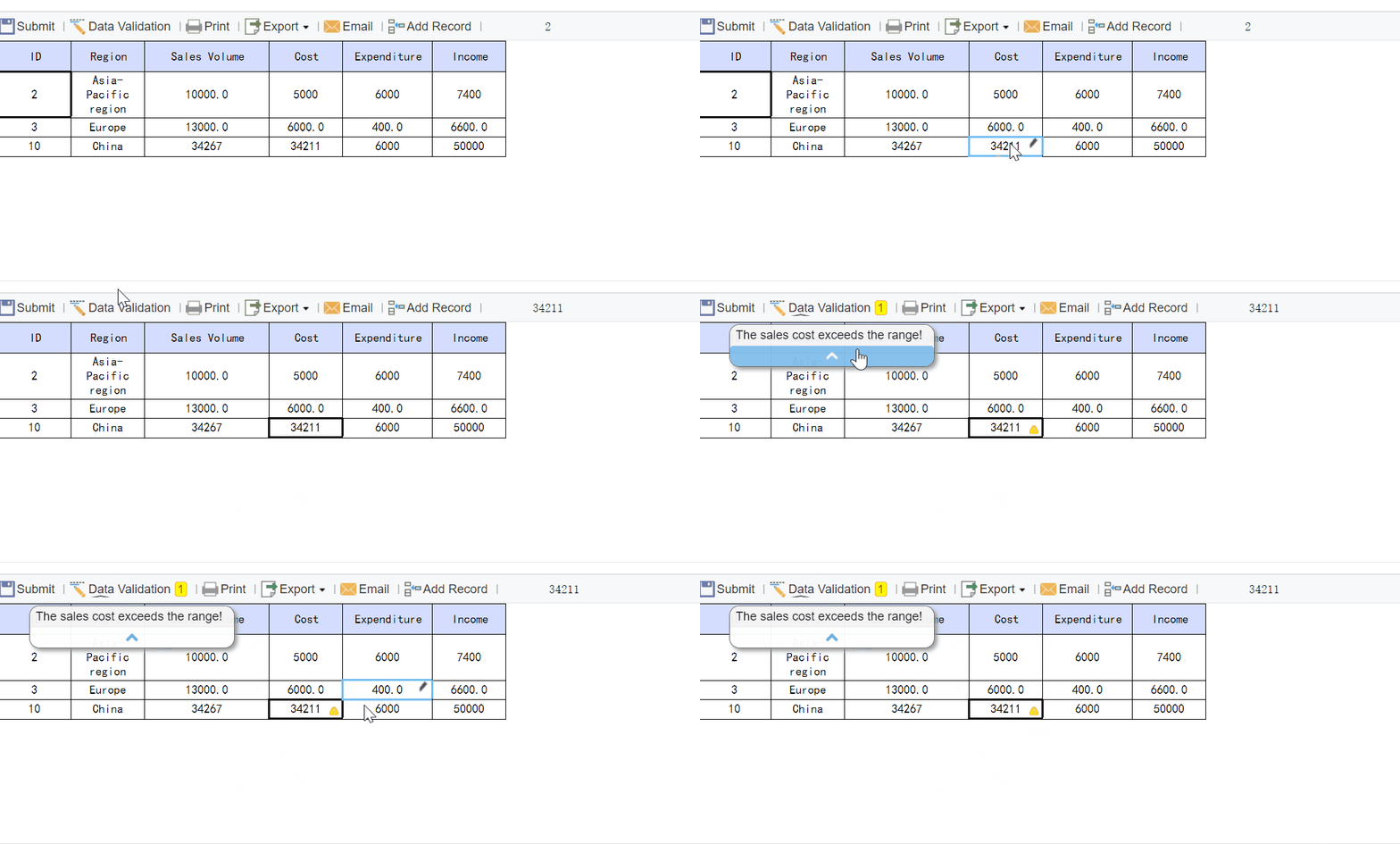
From a consultant's perspective, these mistakes usually indicate one of two issues: poor form design or weak process training. If employees routinely submit incomplete reports, the system should guide better inputs instead of relying on finance to clean up the data later.
How Expense Report Forms Work from Submission to Reimbursement
Expense report forms support a repeatable workflow that starts when an expense is incurred and ends when reimbursement is issued or the transaction is reconciled. A mature process typically follows these steps:
-
Capture the expense and receipt
The employee records the transaction details and attaches proof of purchase. -
Submit the expense report form
The report is sent to the designated approver, often a manager or department head. -
Review for policy compliance and coding
Finance checks category selection, account coding, tax treatment, duplicate risk, and receipt completeness. -
Approve, reject, or return for corrections
The reviewer either clears the report, declines it, or sends it back with comments. -
Reimburse or reconcile
Approved out-of-pocket expenses are reimbursed, while corporate card expenses are matched and posted.
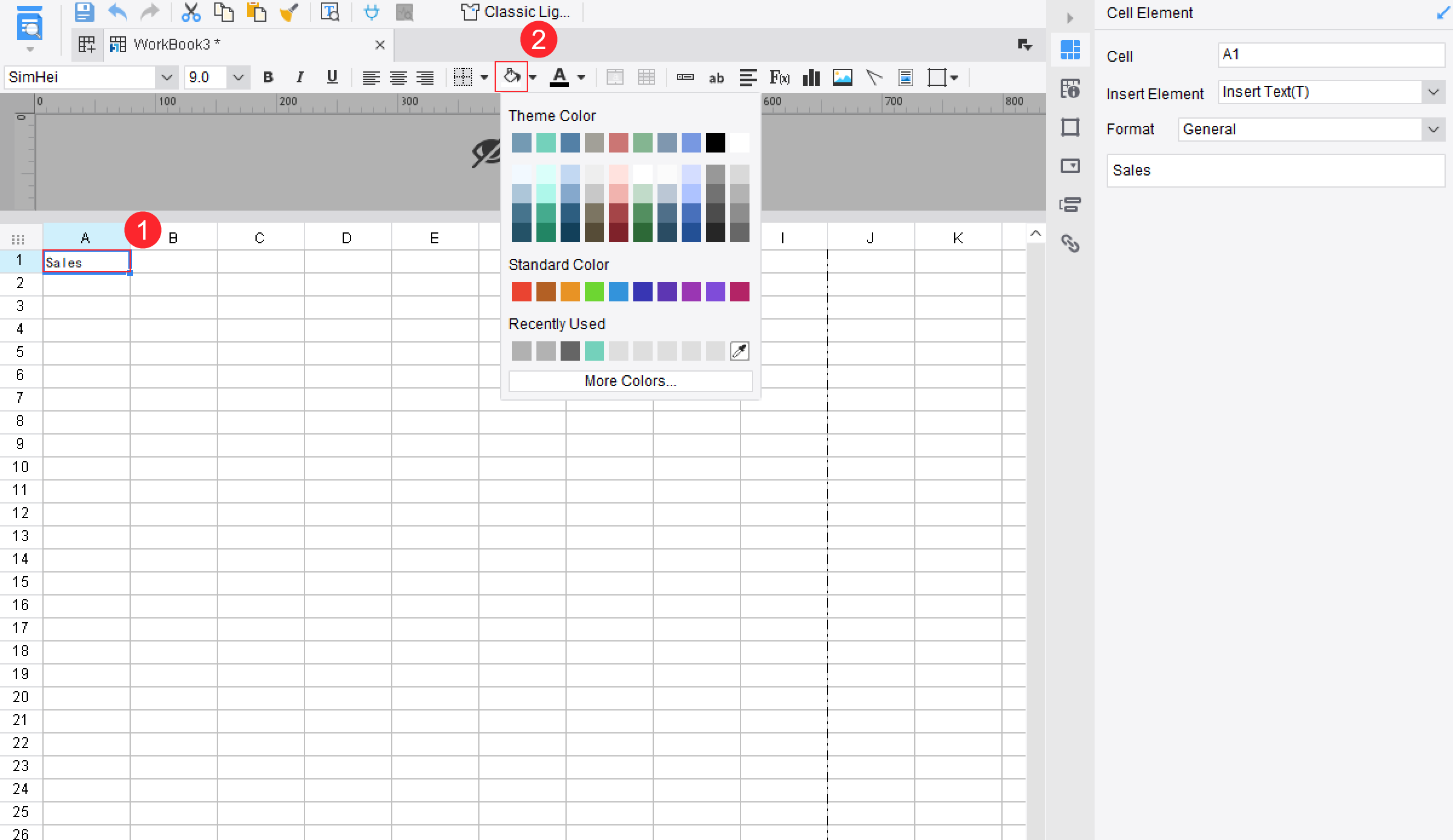
This workflow matters because expense report forms are not just about repayment. They also support budgeting, AP controls, tax documentation, and period-end close accuracy.
Manual vs. Automated Expense Reporting
Organizations usually handle expense reporting in one of four ways: paper forms, spreadsheets, shared-drive files, or dedicated software workflows. Each has tradeoffs.
Paper forms
Paper is simple but slow. It creates visibility gaps, manual filing work, and a higher risk of lost receipts.
Spreadsheet-based forms
Spreadsheets are flexible and low cost. But version control, approval tracking, and receipt management become painful as volume increases.
Shared-drive or Google Drive templates
A shared expense report template in Google Drive can improve collaboration for small teams. It offers easier access, simple formulas, and fewer handoff issues than paper. But it still depends heavily on manual reviews and consistent user behavior.
Software-based processes
Automated systems standardize data capture, enforce required fields, route approvals automatically, and create a full audit trail. They are better suited for scaling businesses and enterprises with multiple departments or entities.
Automation improves:
- Tracking of submission and approval status
- Approval speed through routing rules
- Audit readiness through centralized records
- Reporting accuracy through validation rules
- Reimbursement visibility across teams and periods
How Automated Expense Reporting Reduces AP Costs
Accounts payable and finance teams often underestimate the hidden cost of manual expense administration. The labor is not limited to reimbursements. It includes exception handling, receipt chasing, policy review, duplicate detection, coding corrections, and reporting clean-up.
Automation reduces AP costs by:
- Eliminating repetitive data entry through form logic and digital capture
- Reducing processing errors with validation rules and standardized categories
- Accelerating approvals using workflow routing and escalation rules
- Improving visibility into pending claims and reimbursement liabilities
- Strengthening controls that catch duplicates or noncompliant claims before payment
For finance leaders, the payoff is not just lower admin effort. It is better control over spend timing, policy enforcement, and close-cycle readiness.
Types of Expense Report Forms and When to Use Each One
Not every business needs one generic form. Different expense types require different levels of detail and approval logic. Choosing the right type of expense report form reduces confusion and increases compliance.
Employee reimbursement forms for routine out-of-pocket expenses
These are the most common expense report forms. They are used when employees pay for approved business costs personally and need reimbursement.
Typical use cases include:
- Office supplies
- Client meals
- Small operational purchases
- Training fees
- Local transportation
Best for businesses with recurring employee-paid expenses and straightforward approval chains.
Travel and mileage forms for trips, client visits, and vehicle use
Travel-related forms need more structure because they involve multiple categories and possible tax or policy rules. They often include:
- Departure and return dates
- Destination
- Lodging and meal costs
- Mileage tracking
- Per diem fields
- Currency conversion details
These forms are essential if employees travel regularly or use personal vehicles for business.
Corporate card reconciliation forms for card-based spending
When employees use corporate cards, reimbursement may not be required, but documentation and reconciliation still are. These forms help finance verify:
- Card transaction details
- Matching receipts
- Proper expense categories
- Non-business spend flags
- Statement reconciliation status
This type is especially useful for organizations that want tighter card controls and more timely month-end close.
Department or project-based forms for team budgets and billable work
Some companies need expense report forms that align directly to departments, projects, jobs, or clients. These forms make sense when costs must be allocated with precision.
Typical examples include:
- Construction or field operations
- Client-billable consulting work
- Marketing campaign budgets
- Project-based manufacturing costs
These forms often need project codes, billing status, and budget owner approvals.
Choosing the Right Form for Your Business
Selecting the right structure depends on your reporting environment, not just your template preferences. Consider:
- Spending volume: Higher volume needs stronger validation and automation.
- Approval complexity: Multi-level or cross-functional approvals require workflow support.
- Recordkeeping needs: Audit-heavy environments need standardized documentation.
- Business size: Small teams can often start with simpler forms.
- Travel frequency: Frequent travel demands mileage, per diem, and currency fields.
- Accounting integration needs: If data must feed ERP or accounting systems, form standardization becomes critical.
As a rule, a basic template is enough when spending is low, policy is simple, and reviewers are close to the submitters. A standardized workflow is necessary when scale, control, speed, and auditability become priorities.
Expense Report Templates and Practical Options
Many businesses begin with templates before moving to a more formal system. That is a sensible approach, but only if the template is designed around your actual approval and accounting needs.
When evaluating expense report templates, look for:
- Clear required fields
- Locked formulas for totals
- Standard expense categories
- Space for business purpose
- Receipt reference or attachment instructions
- Approval and status fields
- Travel-specific sections when applicable
A free downloadable expense report template is useful when you are validating your policy, testing categories, or equipping a very small team quickly. It can also help businesses document spending more consistently before investing in process automation.
Shared spreadsheet options such as an expense report template in Google Drive can support collaboration, especially when managers and employees need browser-based access. They work best for lean teams that can tolerate some manual tracking and follow consistent naming and file management rules.
Free Expense Report Template for Small Businesses
A free expense report template for small businesses should focus on simplicity without sacrificing basic controls. Useful features include:
- Predefined categories
- Automatic totals
- Receipt checklist
- Approval signature fields
- Reimbursement amount due
- Space for notes and exceptions
For lean teams with simple approval chains, this is often enough to reduce confusion and standardize submissions.
The tradeoff is scalability. Templates do not solve approval routing, exception management, duplicate detection, or dashboard visibility at scale. What works for one office manager and fifteen employees often fails for multi-department operations.
Expense Report: Free Templates and How-To Guide
If you start with a template, customize it around your actual expense policy instead of using a generic sheet as-is.
Recommended steps:
-
Map your reimbursement policy into fields
Add only the categories, receipt thresholds, and approval fields your business actually uses. -
Create clear instructions on the form
Tell employees what counts as a valid business purpose, when receipts are required, and how fast they must submit. -
Set validation rules where possible
Use dropdowns, locked cells, and formulas to reduce user error. -
Train employees with sample submissions
Show what a complete and accurate report looks like. -
Review form quality after the first month
Track where errors happen and refine the template.
Good form design is iterative. If one field keeps being completed incorrectly, the process needs better guidance or better automation.
Best Practices for Creating a Consistent Expense Reporting Process
A consistent expense reporting process depends on policy design, form structure, approval governance, and operational follow-through. The following best practices come from what works in real finance operations.
1. Set clear submission deadlines and receipt rules
Require employees to submit expenses within a fixed window, such as weekly or monthly, and define exactly when receipts are mandatory. This reduces stale claims and improves period-end accuracy.
2. Standardize categories, approval steps, and reimbursement timelines
Do not let every department invent its own labels and routing logic. Standardization improves coding consistency and makes analytics meaningful.
3. Build the process around exceptions, not manual correction
Use required fields, dropdown lists, and rule-based checks to prevent bad submissions up front. Finance should review exceptions, not re-enter missing data all day.
4. Review reports regularly to spot policy issues and spending trends
Recurring violations often reveal unclear policy, weak manager oversight, or categories that need revision. Use reporting to identify where the process breaks down.
5. Update forms and instructions as the business grows
A form that worked for one office may not work for regional teams, project-based billing, or international travel. Revisit fields, workflows, and approval thresholds as complexity increases.
These practices turn expense report forms from administrative paperwork into a reliable control system.
Build a Scalable Expense Reporting Workflow with FineReport
Building this manually is complex; use FineReport to utilize ready-made templates and automate this entire workflow.
When expense report forms live across spreadsheets, emails, and shared folders, finance loses time and leadership loses visibility. FineReport helps organizations standardize forms, centralize reporting, automate approval workflows, and monitor reimbursement performance with dashboards that decision-makers can actually use.
With FineReport, you can:
- Build standardized expense report forms for different use cases
- Validate required fields before submission
- Route reports by manager, amount, department, or project
- Track reimbursement status in real time
- Monitor KPIs such as approval cycle time, compliance rate, and outstanding claims
- Create audit-ready dashboards for finance and operations teams

Get Ready-to-Use Dashboard Templates in Fine Gallery
For enterprise teams, that means less manual follow-up, stronger financial controls, faster reimbursements, and better decision support. For smaller businesses, it means you can start with structured templates today without rebuilding the process later from scratch.
FAQs
A standard expense report form should capture employee details, expense date, vendor, category, amount, payment method, business purpose, receipts, totals, and approval status. If the expense involves travel or tax reporting, it should also include mileage, trip details, currency, or tax fields.




