

FineReport is a Java-compatible reporting and BI platform that helps teams build dashboards, pixel-perfect reports, scheduled distributions, and interactive analytics with a visual designer and enterprise governance features.
5 Java report generator tools compared at a glance
Below is a practical comparison of eight options if you are evaluating a java report generator for reporting, document output, embedded analytics, or PDF-centric workflows.
1. FineReport
- One-sentence overview: FineReport is a visual reporting and dashboard platform for Java environments that reduces development effort for enterprise reporting, scheduling, permissions, and self-service analysis.
- Key Features:
- Drag-and-drop report designer
- Pixel-perfect reporting and dashboard creation
- Broad data source connectivity
- Scheduling, burst distribution, and permissions management
- Interactive drill-down and parameterized reports
- Embedding support for enterprise applications
- Pros & Cons:
- Pros: Lower template-building overhead, strong enterprise controls, combines reporting and dashboards in one platform
- Cons: Commercial licensing may be a constraint for smaller teams or strict open-source policies
- Best For (Target user/scenario): Enterprises and internal application teams that need fast delivery of operational reports, dashboards, and governed reporting workflows without building everything in code
2. JasperReports

- One-sentence overview: JasperReports is one of the most recognized Java reporting engines, widely used for pixel-perfect reports and embedded reporting scenarios.
- Key Features:
- Mature Java reporting engine
- Strong export support for PDF, HTML, Excel, and more
- Template-based design workflow
- Large community and ecosystem
- Good fit for embedded reporting in Java apps
- Pros & Cons:
- Pros: Mature engine, broad adoption, flexible output options
- Cons: More technical setup, report maintenance can become developer-heavy, less friendly for business users
- Best For (Target user/scenario): Developer-led teams that want a proven reporting library and are comfortable managing templates and integration details
3. BIRT
- One-sentence overview: BIRT is a longstanding Eclipse-based reporting framework for Java applications, often used for embedded reporting and data-driven document generation.
- Key Features:
- Eclipse-oriented report design tooling
- Open-source heritage
- Data integration and embeddable report capabilities
- Support for formatted reports and charts
- Pros & Cons:
- Pros: Familiar to some Java/Eclipse teams, flexible for embedded reporting
- Cons: Aging ecosystem, less modern user experience, can require more effort to deliver polished outcomes
- Best For (Target user/scenario): Organizations already invested in Eclipse-based tooling or maintaining existing BIRT implementations
4. Pentaho Reporting
- One-sentence overview: Pentaho Reporting is a reporting option tied to a broader BI and analytics ecosystem, suitable when reporting is part of a wider data platform strategy.
- Key Features:
- Reporting plus BI platform alignment
- Data integration potential
- Support for formatted reports and analytics use cases
- Enterprise-oriented deployment possibilities
- Pros & Cons:
- Pros: Strong BI lineage, useful if analytics and reporting are evaluated together
- Cons: Can feel heavier than needed if you only want a standalone java report generator
- Best For (Target user/scenario): Teams assessing reporting together with analytics, ETL, and broader BI requirements
5. DynamicReports
- One-sentence overview: DynamicReports is a code-first reporting library built for developers who prefer defining reports directly in Java rather than relying primarily on a visual designer.
- Key Features:
- Fluent Java API
- Reusable programmatic report definitions
- Better alignment with source control and code review workflows
- Suitable for structured internal report generation
- Pros & Cons:
- Pros: Developer-friendly, version-control friendly, good for reusable coded report components
- Cons: Not ideal for non-technical report designers, less visual for business-led iteration
- Best For (Target user/scenario): Engineering teams that want report logic treated like application code
What to look for in a Java report generator
Choosing the right java report generator starts with understanding what kind of reporting problem you are actually solving. Some teams need invoices and account statements. Others need interactive dashboards, scheduled management packs, or embedded reporting inside a Java web application. The best tool for one use case can be a poor fit for another.
Define the report types you need
Start by listing the outputs your users expect:
- Dashboards with filters and drill-down
- Pixel-perfect PDFs
- Invoices and financial statements
- Excel exports
- Ad hoc or self-service reports
- Embedded reports inside customer-facing applications
This matters because many Java tools are excellent at one category but weaker in another. For example, document-oriented generators may handle PDFs very well but offer little for interactive analysis. By contrast, a platform like FineReport is stronger when you need both formatted reports and dashboard-style analytics in the same environment.
Compare setup effort and learning curve
A reporting engine may look powerful on paper, but the real test is how quickly your team can produce and maintain templates.
Evaluate:
- Initial installation and configuration effort
- Whether templates require XML, Java code, or a visual designer
- How easy it is for non-developers to update layouts
- Whether report logic becomes hard to maintain over time
Developer-centric tools often offer excellent flexibility but increase dependency on engineering resources. Visual platforms usually reduce report backlog and business dependency on developers.
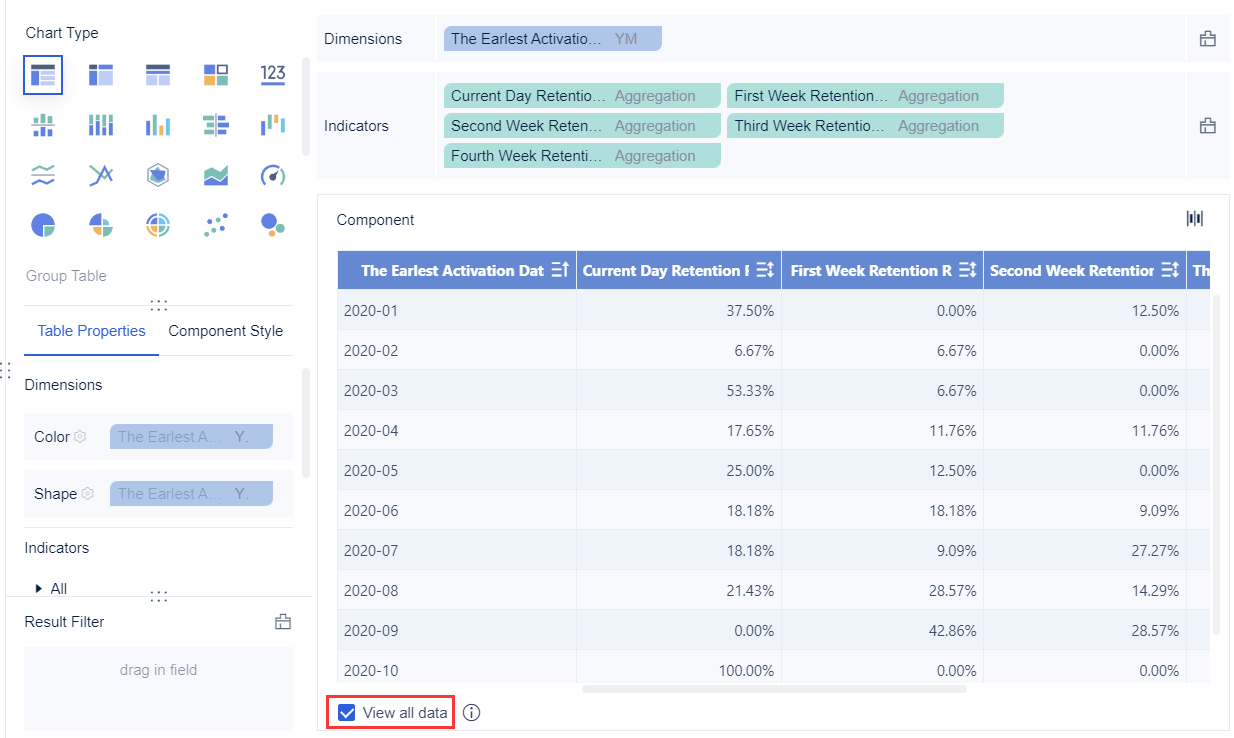
Review integration with your Java application stack
A java report generator should fit your existing architecture, not force a complete redesign.
Check for:
- Java API quality
- Spring or servlet compatibility
- Embedding options
- Authentication and SSO support
- Ability to connect to your existing databases and services
For internal enterprise systems, integration often means more than just calling a reporting API. It also includes permissions, tenant separation, export control, and report distribution.
Check output formats, data sources, scheduling, and security
Core reporting requirements usually include more than PDF export.
Look at:
- PDF, Excel, HTML, CSV, Word, and image export support
- Relational database support
- API, XML, JSON, and data warehouse connectivity
- Scheduling and burst delivery
- Role-based access control
- Auditability and caching
- High-volume generation capacity
These features are where enterprise-ready platforms often separate themselves from basic libraries.
Weigh total cost and long-term maintenance
License price alone does not tell the whole story. You also need to consider:
- Engineering time to implement missing features
- Community activity
- Documentation quality
- Commercial support availability
- Release cadence
- Risk of adopting a stagnant project
A free tool may cost more in the long run if your team must build design tooling, security controls, scheduling, and report management around it.
FineReport vs JasperReports vs BIRT vs Pentaho
If your shortlist already includes the four best-known names in Java reporting discussions, here is how they compare in practical terms.
FineReport
- One-sentence overview: FineReport is a strong choice for organizations that want a visual reporting platform with dashboards, scheduling, permissions, and enterprise management built in.
- Key Features:
- Drag-and-drop template design
- Dashboard and report creation in one platform
- Rich data source connectivity
- Scheduling and automated report delivery
- Permissions, governance, and role-based access
- Interactive analysis and drill-down
- Pros & Cons:
- Pros: Lower development overhead, strong enterprise reporting features, suitable for mixed technical and business teams, good balance between formatted reporting and analytics
- Cons: Commercial licensing may not suit every budget or open-source-first policy
- Best For (Target user/scenario): Teams that need a scalable reporting layer for operational reporting, management dashboards, and governed enterprise distribution
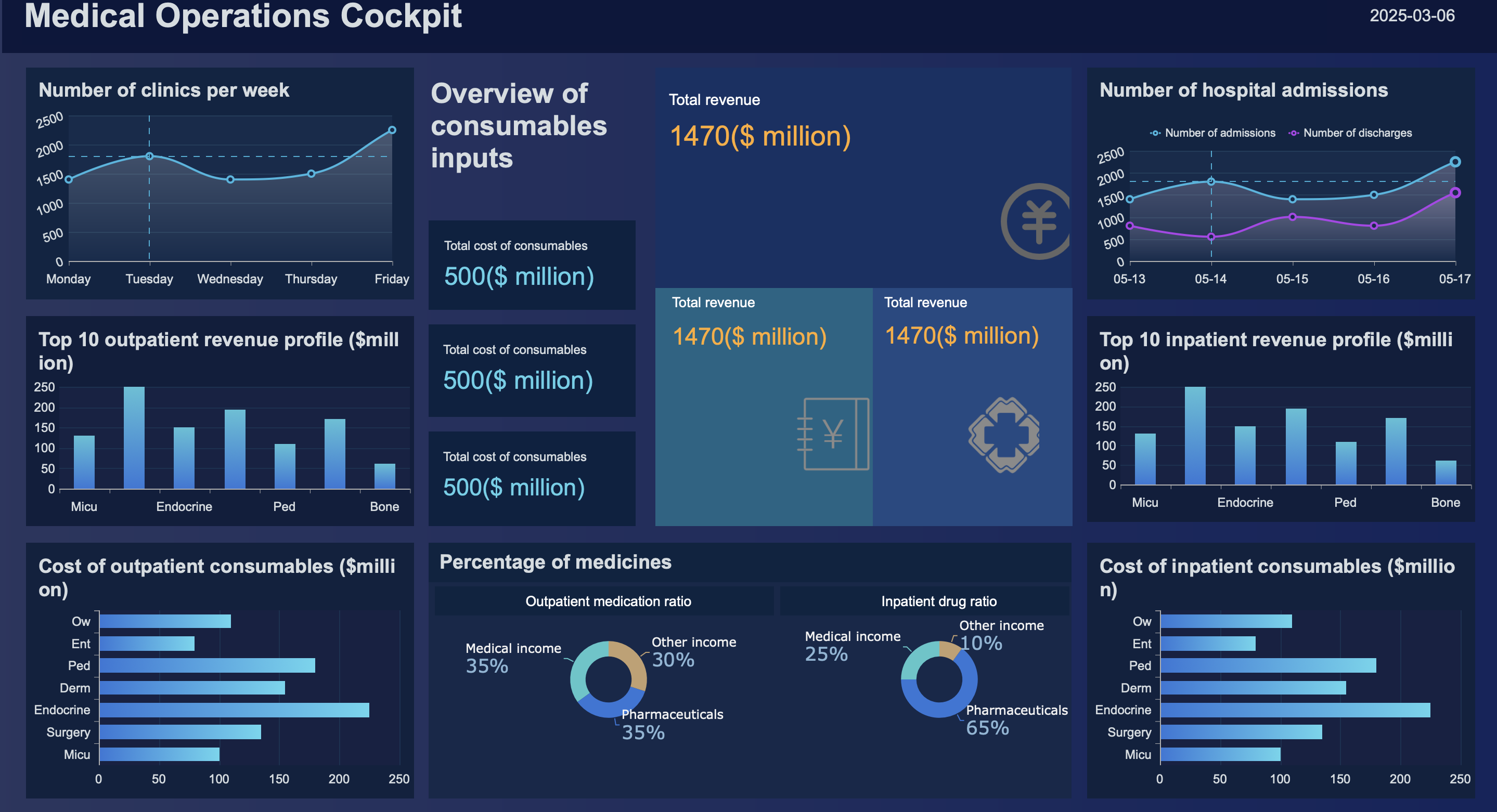
FineReport stands out because it is not just a reporting engine. It is closer to a complete reporting platform. For teams that do not want every new report request to become a development task, that matters. The visual designer shortens delivery cycles, while governance features such as permissions and scheduling help move reporting from ad hoc output to production-grade operations.
Another practical advantage is that FineReport supports both traditional reports and modern dashboard requirements. That is useful when a business wants printable statements for finance but also interactive KPI views for managers. Instead of stitching together several tools, teams can often centralize those needs in one environment.
For organizations comparing total cost of ownership rather than license cost alone, FineReport can be especially attractive. If it helps reduce template maintenance, business-user dependency on developers, and custom engineering around scheduling or access control, it often pays back through operational efficiency.
JasperReports
- One-sentence overview: JasperReports is a mature and widely adopted Java reporting engine with strong recognition among developers and a broad export ecosystem.
- Key Features:
- Mature Java library
- Pixel-perfect report generation
- Broad export support
- Strong ecosystem and community familiarity
- Embeddable into Java applications
- Pros & Cons:
- Pros: Flexible, proven, widely known, suitable for many embedded reporting scenarios
- Cons: More technical to implement and maintain, non-developer editing can be limited, template lifecycle may require disciplined engineering practices
- Best For (Target user/scenario): Java development teams that want a powerful engine and are comfortable owning report development and maintenance
JasperReports remains a default option in many Java reporting conversations for good reason. It is established, well known, and capable. If your team wants a report engine rather than a broader reporting platform, JasperReports can fit well.
Its main trade-off is operational complexity. Teams often find that while the engine is capable, template changes, lifecycle management, deployment coordination, and non-technical collaboration require more process. That is manageable in engineering-heavy environments, but less ideal where business teams need to move quickly.
BIRT
- One-sentence overview: BIRT is a classic Java reporting framework with strong embedded-reporting roots and historical popularity in Eclipse-centered environments.
- Key Features:
- Eclipse-based tooling
- Data integration support
- Embedded reporting options
- Open-source origins
- Charting and formatted output
- Pros & Cons:
- Pros: Familiar to some legacy Java teams, capable in embedded scenarios, open-source appeal
- Cons: Aging ecosystem, slower fit for modern self-service expectations, may require more customization to meet current UX standards
- Best For (Target user/scenario): Teams maintaining legacy deployments or working in environments already aligned with BIRT conventions
BIRT can still make sense where the organization already has experience with it or where long-lived applications rely on it. However, new evaluations should look carefully at ecosystem vitality and the amount of work needed to create a modern reporting experience around it.
If your users expect polished dashboards, easy design iteration, and strong administration features, BIRT may feel dated compared with newer or more integrated platforms.
Pentaho Reporting
- One-sentence overview: Pentaho Reporting is most relevant when reporting is part of a larger BI, analytics, and data integration initiative.
- Key Features:
- Reporting capabilities within a broader BI ecosystem
- Analytics integration potential
- Support for enterprise data workflows
- Useful alignment with wider data platform strategy
- Pros & Cons:
- Pros: Good fit for BI-oriented organizations, stronger when paired with broader analytics goals
- Cons: Heavier platform footprint if your need is simple standalone reporting
- Best For (Target user/scenario): Teams that want reporting as one component of a wider analytics stack
Pentaho Reporting is less about a lightweight embedded library decision and more about platform direction. If your organization is evaluating reporting alongside BI, ETL, and analytics workflows, Pentaho can deserve a place on the shortlist. If all you need is a straightforward java report generator, it may be more than necessary.
Other Java reporting tools worth considering
Not every team needs a full reporting platform. Some need a narrow tool for PDF generation or a code-first framework that fits tightly into a Java development workflow.
DynamicReports and code-first options
- One-sentence overview: Code-first reporting libraries suit developers who want reports defined and versioned in Java code rather than maintained in visual templates.
- Key Features:
- Fluent Java APIs
- Reusable report components
- Better compatibility with code review and CI/CD
- Strong control over generated structures
- Pros & Cons:
- Pros: Developer-centric, maintainable in source control, suitable for reusable reporting modules
- Cons: Slower for business-led template iteration, less accessible to non-technical users
- Best For (Target user/scenario): Product teams that treat report generation as part of application code
These tools are especially useful when reports are tightly coupled to product logic and must evolve through normal engineering workflows. They also work well where consistency, testability, and code reuse matter more than design-time convenience.
XML-to-PDF and document-focused generators
- One-sentence overview: XML-to-PDF tools are best for structured, print-oriented documents where layout precision and PDF rendering matter more than interactive reporting.
- Key Features:
- Structured template definitions
- Pagination control
- Font and Unicode handling
- Header, footer, and form layout support
- Good fit for statement and policy documents
- Pros & Cons:
- Pros: Strong print control, reliable for form-like outputs, suitable for regulated documentation
- Cons: Limited dashboarding and interactivity, more document-centric than analytics-centric
- Best For (Target user/scenario): Organizations generating invoices, account statements, contracts, or policy documents
If the user never logs into a dashboard and only receives a formatted PDF, these tools may be more appropriate than a full BI-style reporting platform.
Open-source libraries for custom pipelines
- One-sentence overview: Lightweight open-source libraries can support custom report pipelines when your team wants full control over extraction, transformation, templating, and export.
- Key Features:
- Modular building blocks
- Flexible orchestration
- Lower upfront license cost
- Freedom to tailor the stack to your domain
- Pros & Cons:
- Pros: Flexible, cost-conscious, adaptable to niche requirements
- Cons: More engineering effort, missing enterprise admin features, support burden falls on your team
- Best For (Target user/scenario): Strong engineering teams building specialized document services or internal generators
This route is often attractive to open-source-first organizations, but it only works well when the team is prepared to own the surrounding infrastructure.
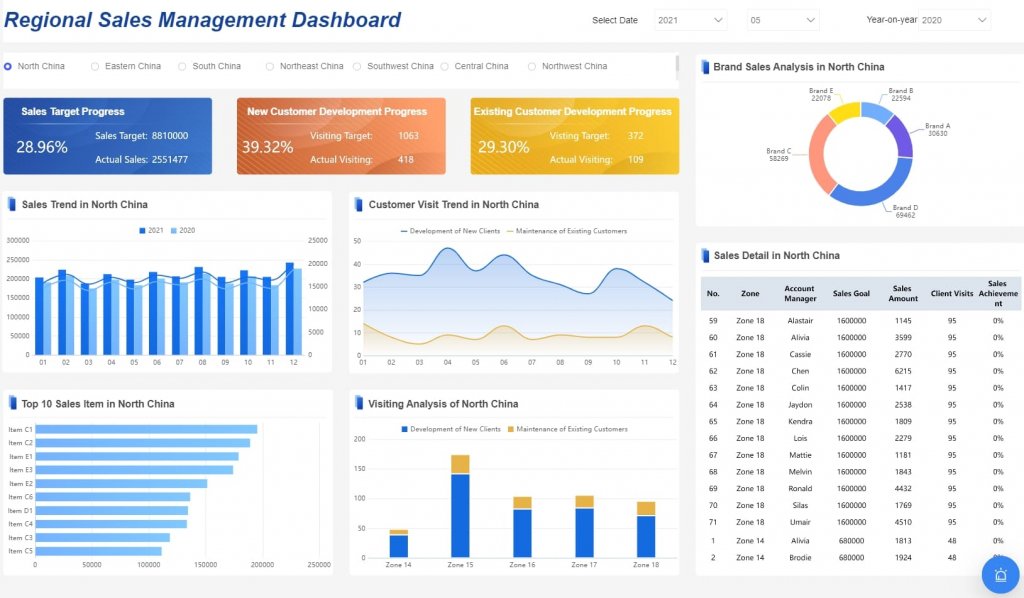
Pros, cons, and ideal use cases by team type
Different teams evaluate a java report generator through different lenses. The right choice depends as much on operating model as on feature lists.
For enterprise reporting teams
- One-sentence overview: Enterprise reporting teams should favor platforms that support governance, scheduling, permissions, scale, and operational control.
- Key Features:
- Centralized report management
- Role-based permissions
- Scheduling and burst distribution
- Caching and performance controls
- Auditability and multi-user administration
- Pros & Cons:
- Pros: Better reliability, reduced manual effort, easier compliance and governance
- Cons: Often involves commercial tooling and broader platform evaluation
- Best For (Target user/scenario): Large organizations distributing recurring reports across departments or customer groups
For this team type, FineReport is usually one of the strongest options because it combines report creation with the governance features enterprises actually need in production.
For developer-led product teams
- One-sentence overview: Developer-led teams usually prioritize embeddability, API quality, automation, and compatibility with modern software delivery workflows.
- Key Features:
- Java APIs and embedding support
- CI/CD friendliness
- Programmatic control
- Flexible deployment in web applications and services
- Pros & Cons:
- Pros: Strong application integration, easier automation, better fit with product engineering practices
- Cons: Business users may need developer help for report changes
- Best For (Target user/scenario): SaaS teams, internal product teams, and engineering groups embedding reporting into applications
JasperReports and code-first tools often appeal here. FineReport can also fit if the team wants to reduce the engineering load of report development while still supporting embedded and enterprise use cases.
For budget-conscious or open-source-first teams
- One-sentence overview: Open-source-first teams should compare not only license costs but also engineering cost, documentation quality, support paths, and maintenance risk.
- Key Features:
- Lower upfront licensing
- Community-driven usage
- Flexibility to customize
- Modular adoption options
- Pros & Cons:
- Pros: Lower entry cost, fewer procurement barriers, greater control
- Cons: Support and missing features often become internal responsibilities
- Best For (Target user/scenario): Startups, smaller technical teams, and organizations with strict open-source preferences
This group often starts with JasperReports, BIRT, or lightweight libraries. Still, it is worth comparing those options against FineReport if rapid development, business-user productivity, and enterprise management features are important enough to justify commercial investment.
How to choose the best fit for your project
A good selection process is less about popularity and more about fit. Here is a simple approach for choosing the right java report generator.
Start with the primary use case
Ask what you are really solving:
- Operational reporting
- Customer-facing documents
- Embedded analytics
- Self-service BI
- High-volume PDF generation
A dashboard-heavy requirement points toward a platform like FineReport. A PDF-only requirement may point toward XML-to-PDF or lightweight document libraries. A code-centric embedded requirement may favor JasperReports or DynamicReports.
Build a shortlist around real constraints
Shortlist tools based on:
- Reporting complexity
- Need for a visual designer
- Deployment model
- Data source diversity
- Security requirements
- Team skill set
- Budget
This prevents overbuying and underbuying. A team that only needs document generation should not choose a heavyweight BI platform by default. Likewise, a large enterprise should not choose a bare library if it will later need scheduling, governance, and report administration.
Run a proof of concept
A proof of concept should use real conditions:
- Actual report templates
- Realistic data volumes
- Required export formats
- User roles and permissions
- Performance expectations
- Embedding needs
This is where differences become obvious. A tool that looked easy in a demo may become difficult under real template complexity. Another tool may justify its license cost by dramatically reducing implementation time.
Choose for long-term balance, not just short-term convenience
The best java report generator is the one that balances:
- Usability
- Extensibility
- Performance
- Governance
- Total cost over time
For many enterprises, FineReport is the best balance because it supports visual design, dashboards, scheduled reporting, permissions, and enterprise administration without forcing every requirement into custom Java development. For developer-heavy teams that prefer full control, JasperReports or code-first approaches may still be the better fit. For print-centric document workflows, XML-to-PDF solutions remain highly relevant.
Final verdict
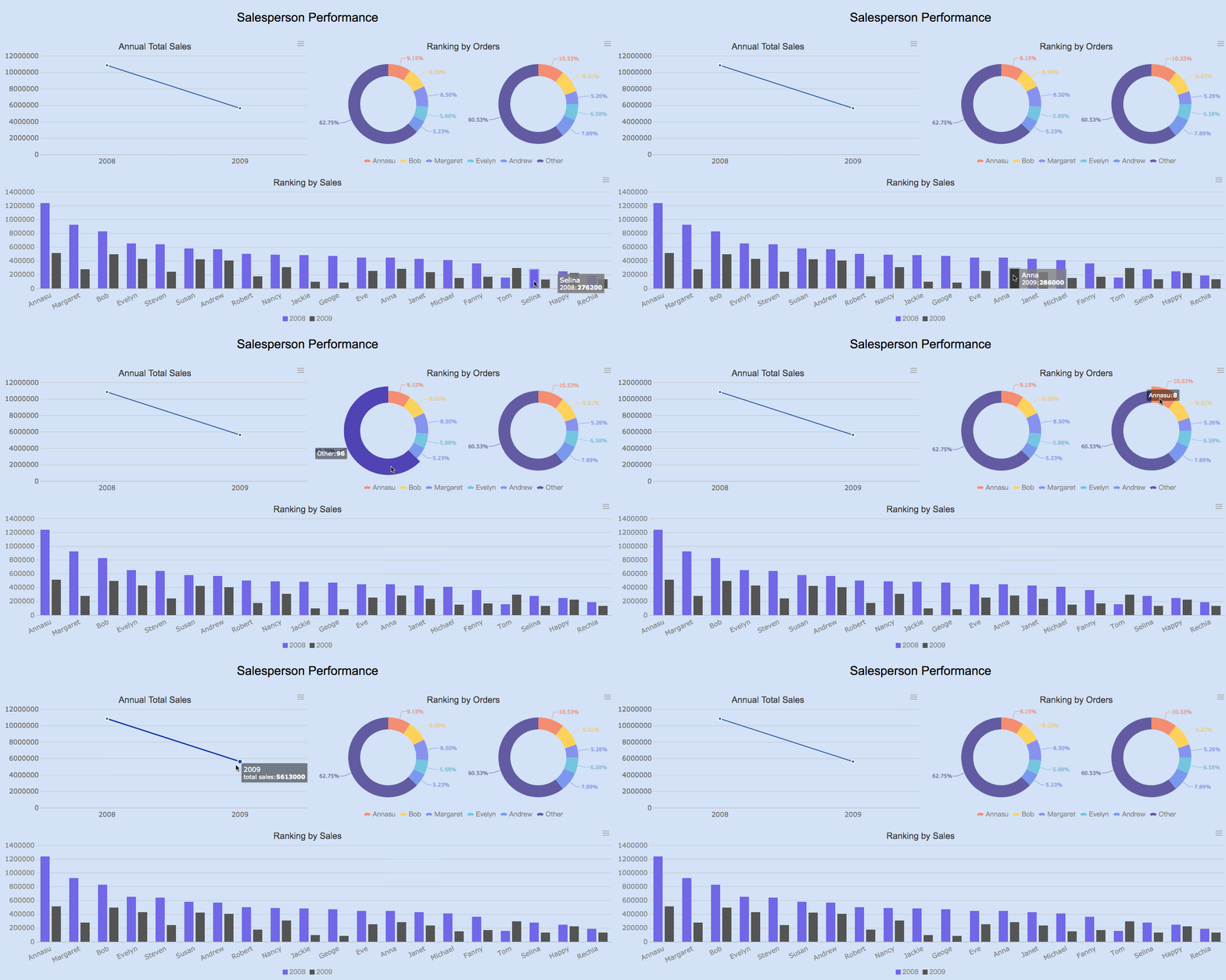
If you need a modern java report generator for enterprise reporting, dashboarding, and lower-overhead template development, FineReport is one of the strongest options in this comparison. If your priority is a mature developer-oriented engine with broad recognition, JasperReports remains a solid contender. BIRT and Pentaho are more situational today, while DynamicReports, OpenPDF-based approaches, and XML-to-PDF tools make sense for narrower technical workflows.
The right choice depends on whether your project is primarily about reports, documents, dashboards, or embedded product features. Start from that use case, validate with a proof of concept, and choose the tool that your team can maintain successfully over the long term.
FAQs
It depends on your priorities. FineReport is a strong fit for enterprises that want visual design, scheduling, permissions, dashboards, and governed reporting in one platform, while JasperReports is often preferred by developer-led teams that want a mature Java reporting engine.




