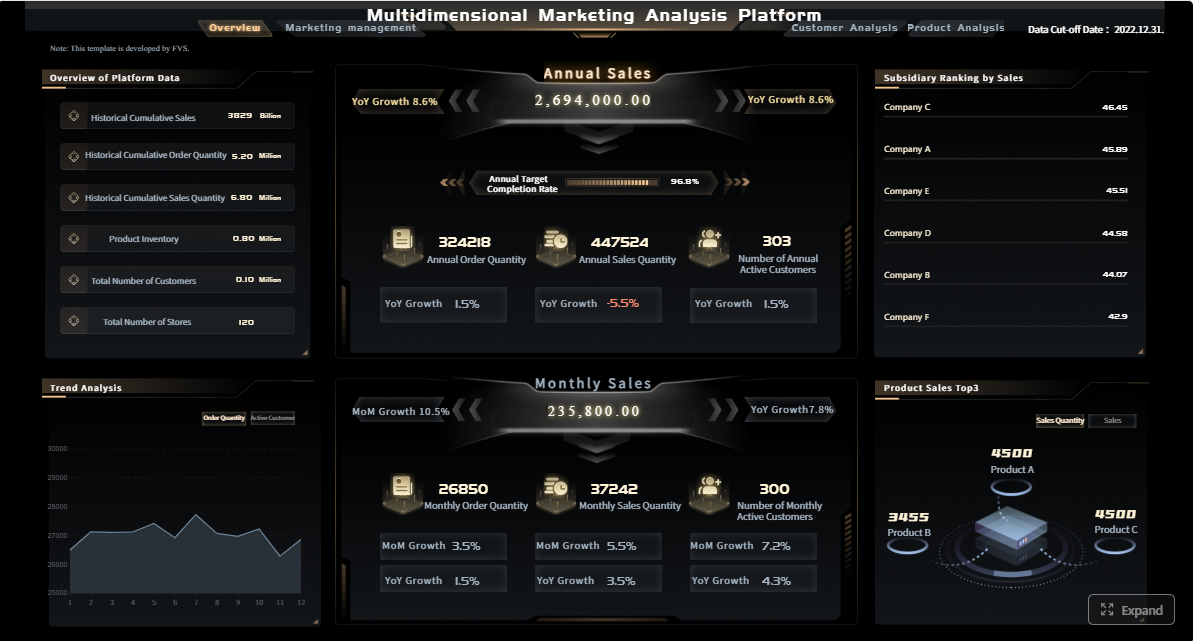
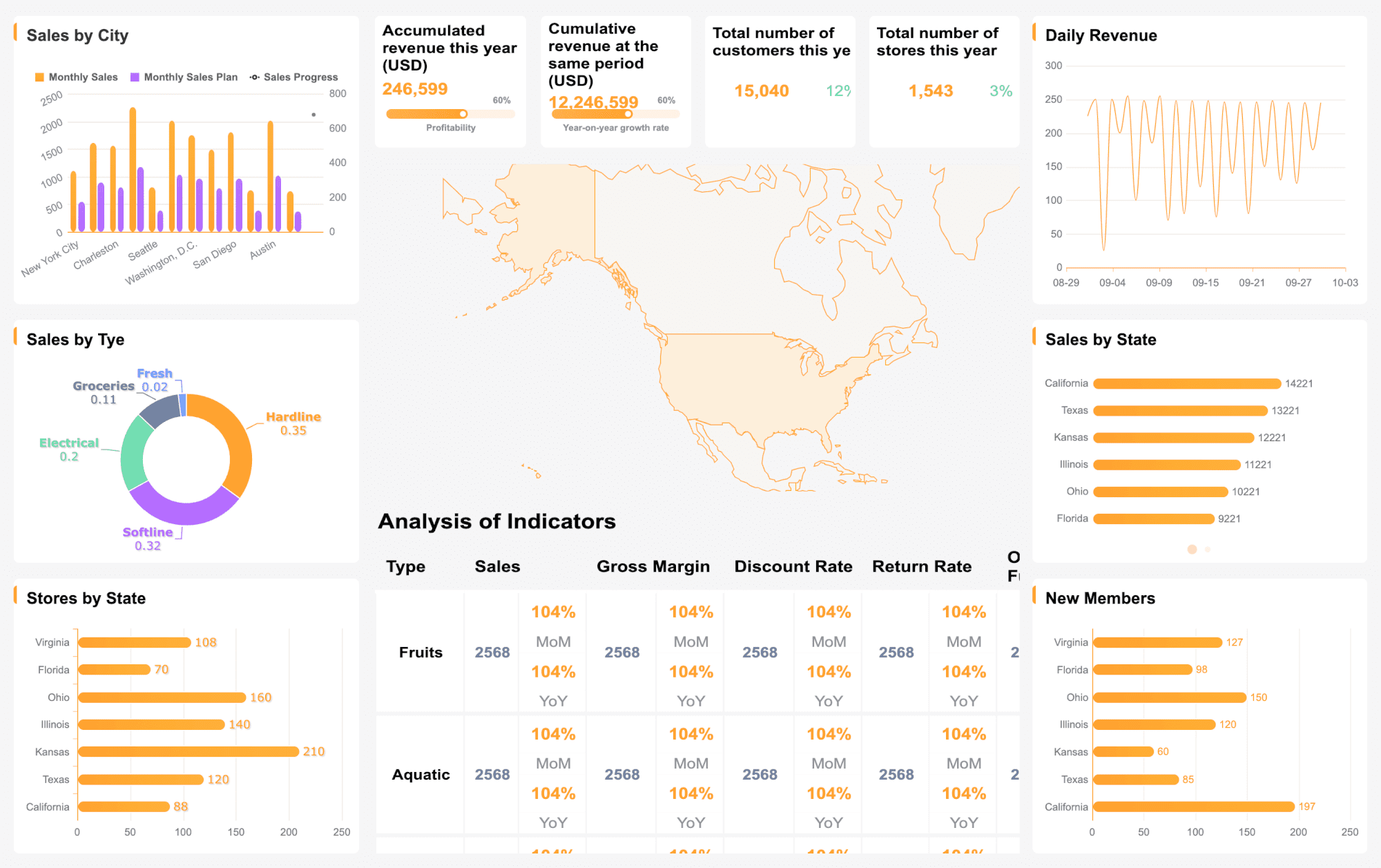
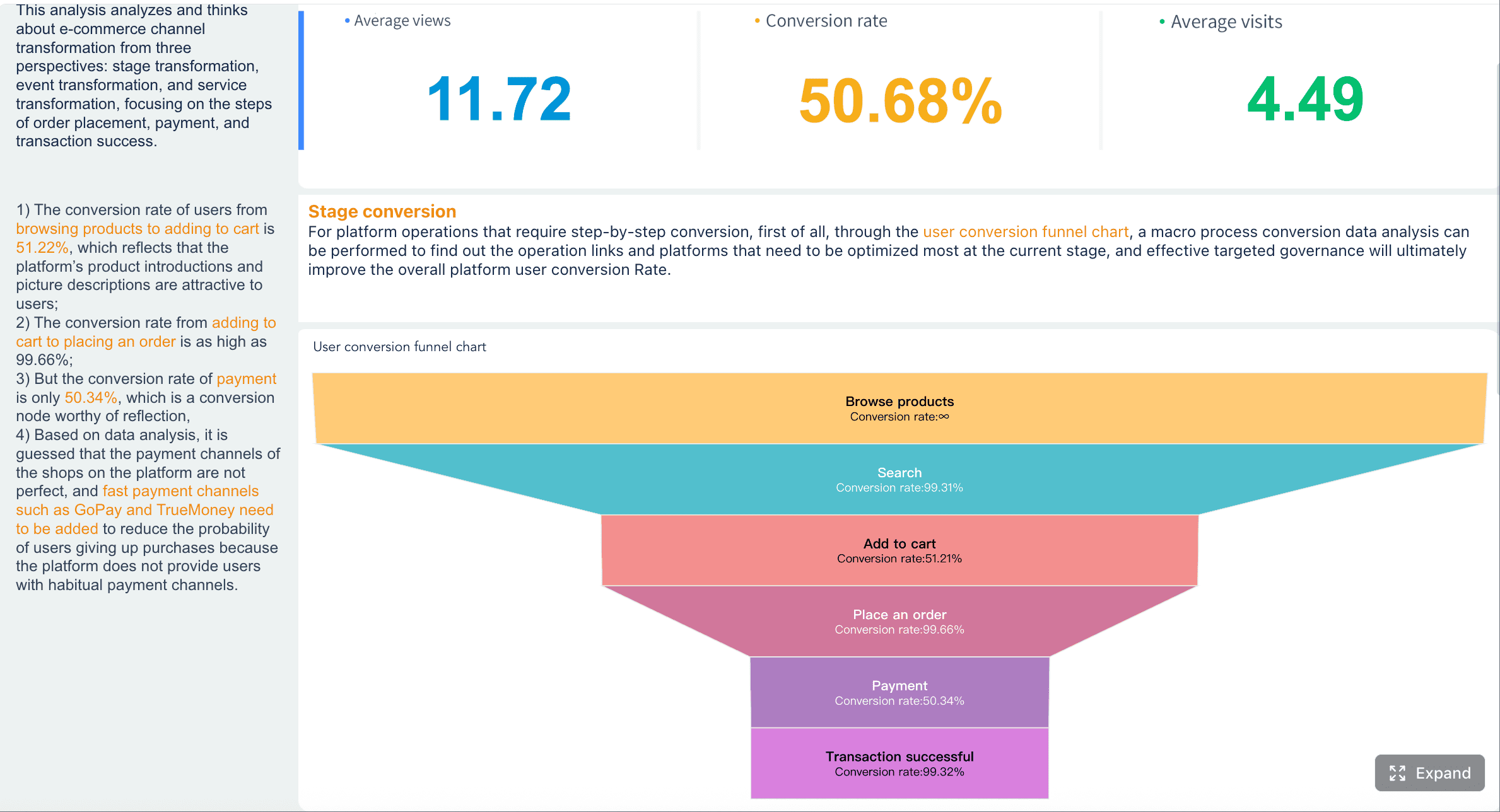
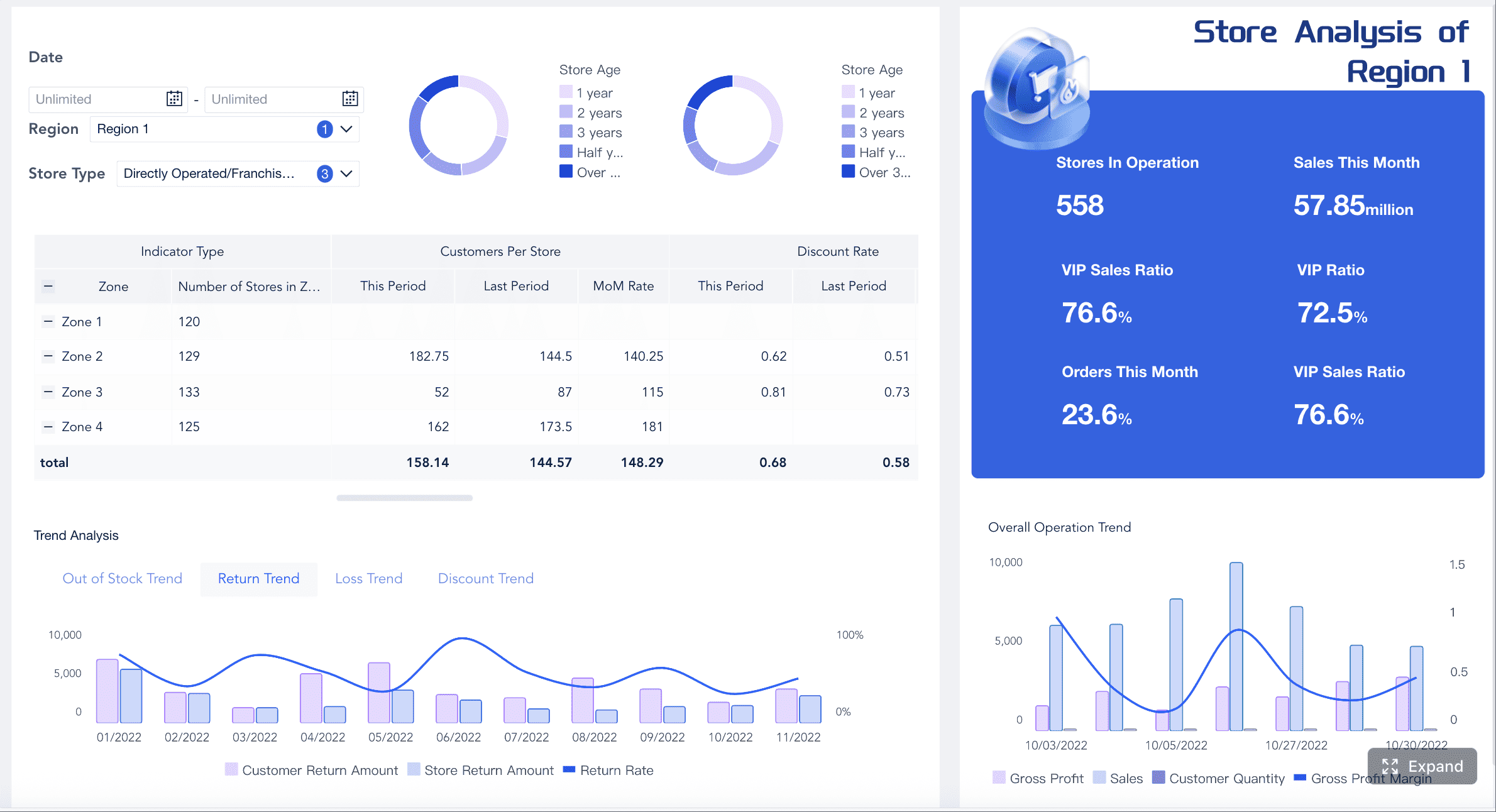
A monthly marketing report template is the operating system for turning scattered campaign data into business decisions. If you are a marketing manager, operations director, agency lead, or revenue-focused executive, the real challenge is not collecting metrics. It is proving how marketing contributes to leads, ecommerce revenue, and brand growth without wasting days in spreadsheets. A strong monthly report gives stakeholders one clear view of performance, explains what changed, and shows what to do next.
All reports in this article are built with FineReport.
What a Monthly Marketing Report Template Should Achieve
A monthly marketing report should do more than summarize numbers. It should connect marketing activity to business outcomes in a way that executives can scan in minutes and managers can use to optimize the next month’s plan. The best templates create a repeatable reporting rhythm while leaving enough flexibility to reflect different goals.
At a practical level, your template should help teams answer four questions:
What happened this month?
Why did performance change?
Did marketing move the business toward its goals?
What actions should happen next?
A single report structure works well when your organization wants consistency across business units, agencies, or regional teams. This is especially useful for executive reviews, because stakeholders can compare results across channels and departments without relearning the format each month.
However, not every team should use the exact same report depth. A demand generation team needs more detail on MQLs, CPL, and pipeline influence. An ecommerce team needs tighter visibility into revenue, AOV, and ROAS. A brand team needs broader visibility metrics such as reach, impressions, and share of voice. The smartest approach is to standardize the core report and customize the KPI section by objective.
Key Metrics (KPIs) every monthly marketing report should consider
Leads: Total captured prospects from forms, calls, demos, or sign-ups.
MQLs: Leads that meet marketing qualification criteria.
SQLs: Leads accepted or qualified by sales.
Conversion Rate: Percentage of users who completed a desired action.
Cost per Lead (CPL): Total spend divided by total leads generated.
Pipeline Influence: Value of opportunities impacted by marketing.
Revenue: Total ecommerce or attributed sales generated.
Average Order Value (AOV): Average revenue per order.
Cart Abandonment Rate: Percentage of carts created but not purchased.
Return on Ad Spend (ROAS): Revenue generated for each ad dollar spent.
Reach: Unique users exposed to marketing content.
Impressions: Total times content or ads were displayed.
Branded Search Growth: Change in searches for your brand terms over time.
Engagement Rate: Relative volume of interactions with content.
Share of Voice: Your brand’s visibility compared with competitors.
Spend Variance: Difference between planned budget and actual spend.
These KPIs help stakeholders track performance over time, identify trends early, and make budget decisions with more confidence.
The 11 Components Every Monthly Marketing Report Template Should Include
A high-performing monthly marketing report template should balance summary, detail, and interpretation. Below are the 11 components that should appear in nearly every version.
1. Executive summary
This is the first section leadership reads, and often the only section they read in full. It should capture the month’s most important outcomes, major changes, and top priorities in plain business language.
Include:
Top wins
Major declines or risks
Most important KPI changes
Immediate action priorities
A strong executive summary does not repeat every metric. It isolates what matters most.
2. Goals and reporting period
Define the reporting scope before interpreting the data. This section should state the objective, date range, benchmark, and comparison model.
Include:
Reporting period
Primary business objective
Target KPIs
Comparison basis such as MoM, YoY, or target vs actual
Without this context, performance can be misleading. A 10% drop may be acceptable if spend was intentionally reduced, while a 5% gain may underperform against target.
3. Channel performance overview
This section gives stakeholders a cross-channel snapshot of how major acquisition and engagement sources performed.
Common channels include:
Organic search
Paid search
Paid social
Organic social
Email
Referral
Direct
Affiliate or partner traffic
The goal is to show where outcomes came from and where budget or effort is working best.
4. Lead and conversion metrics
For lead generation teams, this is the commercial core of the report. It should show both quantity and quality.
This section is especially important when marketing and sales alignment is a priority.
5. Ecommerce revenue metrics
If the business sells online, revenue reporting must go beyond traffic and clicks. Stakeholders need to see what truly drove sales efficiency.
Track:
Total revenue
Transactions
Conversion rate
Average order value
Revenue by channel
ROAS
Customer acquisition cost
Cart abandonment rate
Top-selling products or categories
6. Brand awareness indicators
Brand reporting often gets underdeveloped because teams focus too heavily on direct-response metrics. That is a mistake. Awareness indicators provide early signals of future demand.
Useful brand KPIs include:
Reach
Impressions
Video views
Branded search volume
Social follower growth
Mentions
Engagement rate
Share of voice
Sentiment trends
This section helps explain whether visibility is improving even before lower-funnel conversion catches up.
7. Campaign performance breakdown
This section compares the initiatives that actually ran during the month. It should answer which campaigns, audiences, creatives, offers, and messages contributed most.
Break down by:
Campaign objective
Audience segment
Creative format
Offer or CTA
Landing page or destination
Conversion and revenue contribution
When done well, this section gives teams a roadmap for what to scale, pause, or revise.
8. Budget and spend analysis
Marketing leaders need visibility into how budget was used, whether it stayed on plan, and whether increased spend produced efficient returns.
Include:
Planned vs actual spend
Spend by channel
Spend by campaign
Cost trend changes
Efficiency trend such as CPL, CPA, or ROAS
Notes on anomalies or platform changes
This section is critical for budget accountability and reallocation decisions.
9. Insights and interpretation
This is where reporting becomes management. Numbers alone do not create value. Interpretation does.
Your analysis should explain:
What changed
Why it changed
Whether the shift is temporary or structural
What the business should do about it
For example, if leads fell but SQL rate improved, the real story may be stronger lead quality rather than weaker performance. If ecommerce revenue rose while traffic fell, conversion optimization may be outperforming acquisition.
10. Recommendations and next steps
Every report should end with action. If there are no recommendations, the report is only an archive.
Good recommendations are:
Specific
Prioritized
Tied to evidence
Owned by a team or function
Time-bound where possible
Examples:
Shift 15% of paid social budget to branded search campaigns with lower CPA
Test shorter lead-gen forms on high-intent landing pages
Increase remarketing frequency for abandoned cart segments
Build a branded content push around top-performing awareness topics
11. Appendix, data sources, and methodology
This section protects credibility. It documents where data came from, how metrics were calculated, and what limitations exist.
Include:
Platforms used
Attribution model
Reporting definitions
Currency and timezone
Data refresh timing
Exclusions or tracking gaps
For enterprise stakeholders, this section builds trust by reducing disputes over numbers.
Monthly Marketing Reporting Template by Business Goal
Not every monthly marketing report template should look identical. The most effective version depends on the outcome the business cares about most.
Lead generation report example
A lead generation report should focus on pipeline contribution, conversion efficiency, and sales alignment. Traffic volume matters, but only if it produces qualified opportunities.
Core sections should emphasize:
Sessions by source
Landing page conversion rates
Form fills
MQLs and SQLs
Cost per lead
Lead source quality
Sales feedback or acceptance rate
Pipeline influenced
This format works well for B2B teams, SaaS companies, and service-based organizations.
A typical insight might be: paid search produced fewer total leads than paid social, but generated 2.4x more SQLs at a lower cost per qualified lead. That changes budget decisions.
Ecommerce revenue report example
An ecommerce report should center on sales efficiency, purchase behavior, and product performance. The focus is revenue quality, not just campaign activity.
Core sections should emphasize:
Revenue and transactions
Conversion rate
AOV
New vs returning customer revenue
Product or category performance
Cart abandonment
Acquisition cost
ROAS by channel
Promotional performance
This format is ideal for retail, DTC, marketplace sellers, and omnichannel commerce teams.
A good ecommerce report also explains what changed in buyer behavior. For example, a rise in AOV may reflect stronger bundling or discount thresholds rather than higher traffic quality.
Brand awareness report example
A brand awareness report should show whether visibility, recognition, and audience attention are expanding in a measurable way.
Core sections should emphasize:
Reach and impressions
Audience growth
Engagement quality
Video completion or content interaction
Branded search trends
Share of voice
Media mentions
Sentiment or brand lift signals
This is most useful for category builders, consumer brands, PR-driven campaigns, and businesses investing in top-of-funnel growth.
A strong brand report should avoid vanity-only storytelling. Rising impressions are useful only when paired with audience relevance, engagement quality, or downstream demand signals.
How to Build a Monthly Marketing Report Template Step by Step
The fastest way to improve reporting is to build a repeatable framework that aligns metrics, visuals, and commentary around business questions.
Start with the business goal and audience
Begin by identifying who will read the report and what decisions they need to make.
Different audiences need different views:
Executives: concise summary, business impact, risk, forecast
If the audience is mixed, design the report in layers: executive summary first, operational detail later.
Choose the right KPIs and comparisons
Good reporting relies on useful comparisons, not isolated numbers.
Use:
Month-over-month for recent shifts
Year-over-year for seasonality context
Target vs actual for accountability
Channel-level views for allocation decisions
Campaign-level views for optimization decisions
Avoid metric overload. Select KPIs that tie directly to decision-making.
Organize visuals and narrative
A report should be easy to scan. The best monthly reports pair charts with short commentary so readers can understand the story behind the graph immediately.
Best practice layout:
KPI summary cards
Trend charts
Channel or campaign tables
Insight callouts
Recommendations
Use visuals to reduce interpretation time, not to decorate the report.
Standardize the reporting workflow
Manual reporting creates delays, version-control issues, and inconsistent definitions. Standardizing the workflow improves speed and trust.
Recommended process:
Connect data sources from ad, analytics, CRM, ecommerce, and social platforms.
Map KPIs and definitions so teams use the same formulas every month.
Automate data refreshes to reduce manual collection.
Review insights with owners before publishing the report.
Present actions and follow-up tasks with clear accountability.
Actionable best practices from a reporting consultant
Here are four practical ways to improve implementation immediately:
Build one master template with goal-specific modules
Keep your executive summary, spend review, and methodology consistent. Swap in lead-gen, ecommerce, or brand KPI modules based on objective.
Create threshold-based alerts for exceptions
Flag major swings automatically, such as CPL up 20%, conversion rate down 15%, or ROAS below target. This helps teams focus on material issues fast.
Separate diagnostic metrics from executive KPIs
Executives need business outcomes. Specialists need underlying drivers. Keep both in the report, but do not mix them on the first page.
Add written interpretation before every stakeholder review
Never send raw dashboards without commentary. Explain what happened, why it matters, and what the team recommends next.
Free Monthly Marketing Report Template Options and Customization Tips
Many teams start with a basic template format and evolve from there. The right format depends on audience, reporting frequency, and analytical depth.
Compare common template formats
Format
Best For
Strengths
Limits
Slide deck
Executive reviews, client presentations
Clear narrative, polished presentation
Manual updates can be slow
Spreadsheet
Analysts, finance-heavy reviews
Flexible calculations, easy export
Harder to scan, prone to errors
Dashboard
Ongoing monitoring, multi-stakeholder reporting
Automated, interactive, scalable
Needs setup and governance
Printable report
Formal meetings, offline review
Structured and easy to archive
Less interactive
For most enterprise teams, dashboards deliver the strongest long-term ROI because they reduce manual work and make recurring reporting scalable.
How editable templates save time
Editable templates speed up reporting because they standardize layout, calculations, and KPI logic. Instead of rebuilding reports each month, teams simply refresh data and update commentary.
This is especially valuable when:
Multiple business units need the same reporting logic
Agencies manage many client accounts
Executives expect recurring monthly reviews
Teams need consistent benchmark tracking over time
Customization tips for agencies and in-house teams
If you manage multiple stakeholders, use these practical rules:
Keep the first page standard across all accounts or departments
Use objective-based KPI sections for customization
Create channel tabs or drill-down pages for specialists
Add client-specific benchmarks or executive targets
Include comments on attribution and data limitations where needed
The goal is not to create dozens of unique templates. It is to create one scalable reporting system with configurable views.
Common Mistakes to Avoid in a Monthly Marketing Report Template
Even experienced teams weaken reporting with avoidable structural errors. These mistakes reduce trust and make reports harder to act on.
Reporting too many metrics without tying them to decisions
A long list of KPIs is not a strategy. If a metric does not influence a decision, it probably does not belong in the main report.
Mixing vanity metrics with business KPIs without context
Impressions, likes, and clicks are not useless, but they must be connected to a broader objective. Otherwise, stakeholders may confuse activity with impact.
Ignoring data definitions, attribution differences, or incomplete tracking
This is one of the fastest ways to lose confidence in reporting. If platforms define conversions differently, explain it. If CRM attribution lags by a week, note it. If tracking is incomplete, say so clearly.
Ending the report without clear recommendations or next actions
A report that stops at data forces leadership to do the interpretation. That is inefficient and risky. Every report should conclude with decisions, recommendations, and priorities.
Build a monthly marketing report template faster with FineReport
At scale, building a reliable monthly marketing report template manually becomes expensive and fragile. Teams end up copying data from multiple platforms, reconciling definitions, rebuilding charts, and checking formulas every month. That approach does not scale across channels, markets, clients, or leadership teams.
FineReport solves this by giving teams a faster way to build professional monthly marketing reports with ready-made templates, automated data integration, and flexible dashboard design. Instead of spending reporting cycles on formatting and manual consolidation, teams can focus on interpretation and action.
Centralize data from marketing, CRM, ecommerce, and analytics systems
Build reusable templates for lead generation, ecommerce revenue, and brand awareness
Automate refreshes and scheduled reporting
Create executive dashboards and detailed drill-down views
Standardize KPI definitions across teams
Deliver more consistent, presentation-ready reports with less manual effort
Get Ready-to-Use Dashboard Templates in Fine Gallery
If your reporting process still depends on spreadsheets and repetitive slide updates, the opportunity cost is already high. Building this manually is complex; use FineReport to utilize ready-made templates and automate this entire workflow.
A strong monthly marketing report template should include an executive summary, reporting goals, KPI performance, channel results, lead or revenue metrics, budget context, and next-step recommendations. The goal is to show what happened, why it changed, and what to do next.
Keep it concise and focused on business outcomes such as leads, revenue, efficiency, and major risks or wins. Executives usually need a quick summary with clear trends, comparisons, and action items rather than channel-level detail.
The right KPIs depend on your goal, but common ones include leads, MQLs, SQLs, conversion rate, CPL, revenue, ROAS, AOV, reach, and branded search growth. Choose metrics that connect marketing activity to business results instead of reporting every available number.
Most teams review a full marketing report monthly because it gives enough time to spot trends and measure impact. High-spend or fast-moving campaigns may also need weekly dashboard checks between formal monthly reports.
Yes, if the template uses a shared structure and customizable KPI sections. The core format can stay consistent while the metrics change based on whether the focus is pipeline, ecommerce revenue, or brand visibility.
Product Trial
FineReport
Pixel-perfect reports · Interactive dashboards · Easy data entry · Digital twins