A customer data management system helps organizations collect, unify, govern, and use customer data across systems without relying on fragmented spreadsheets, disconnected applications, or one-off integrations. For IT and data leaders, the goal is not just storing more records. It is creating a trusted customer view that supports operations, analytics, governance, and increasingly, AI-assisted decision-making.
With FineBI + Dora, business users can ask for analysis in chat, generate chart-based answers or dashboard-style views from trusted BI assets, and receive scheduled summaries before the next meeting. That matters when customer data is spread across CRM, ERP, service platforms, e-commerce tools, marketing systems, and data warehouses.
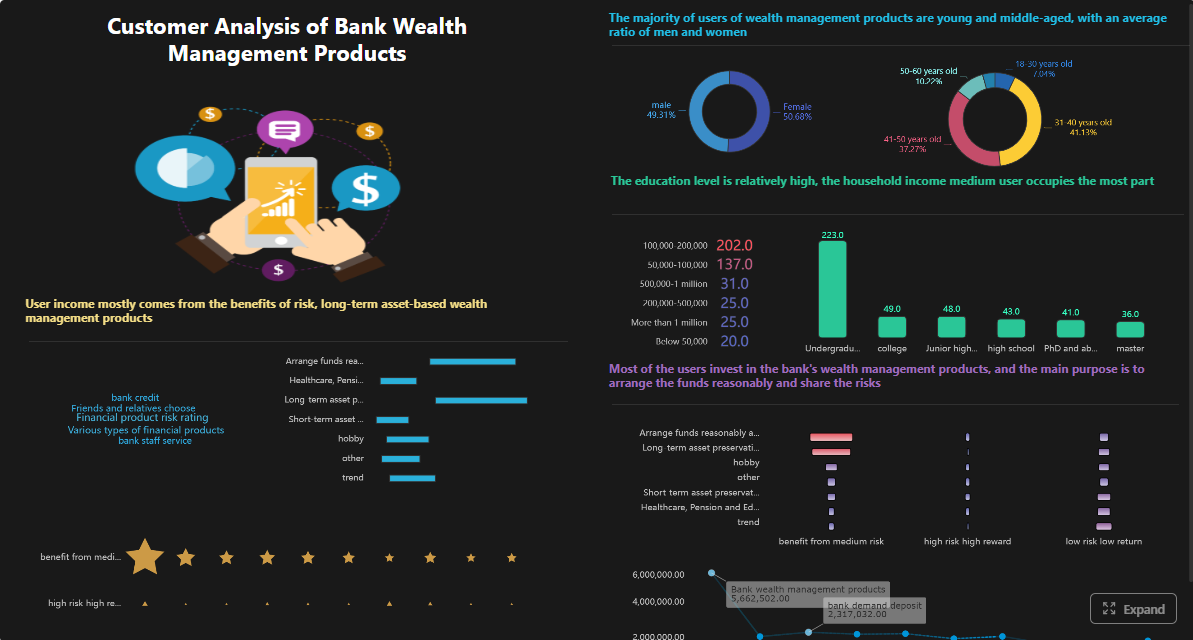 Click To Try The Dashboard
All dashboards in this article are built with FineBI
What a customer data management system is and how it works
A customer data management system is a set of technologies, rules, and workflows used to collect, organize, reconcile, govern, and activate customer information across the enterprise. In plain language, it helps your team answer a simple but difficult question:
Who is this customer, what do we know about them, and can the business trust that answer?
For IT and data leaders, the system is valuable because customer data rarely lives in one place. It may exist in:
- CRM platforms
- marketing automation tools
- customer service systems
- billing and order systems
- mobile apps and websites
- loyalty platforms
- spreadsheets and departmental databases
- data lakes and warehouses
A customer data management system brings those sources together into a more usable, trusted view. That does not always mean one massive physical database. In some organizations, it may be a centralized architecture. In others, it may be a federated model with governed synchronization, identity resolution, and semantic consistency across systems.
How a customer data management system creates a trusted customer view
The main job is turning fragmented records into usable business data. That usually includes:
- Collecting data from multiple operational and analytical sources
- Matching identities across systems when names, emails, IDs, or account references differ
- Cleansing and standardizing customer attributes such as address, phone, company, and status
- Applying governance rules for ownership, access, lineage, and compliance
- Activating the data for marketing, service, sales, analytics, and operational workflows
- Reporting on quality and outcomes so teams can trust and improve the system over time
The result is not just a database. It is a governed customer data capability.
How it differs from CRM, CDP, data warehouse, and MDM
This is where many teams get confused.
CRM
A CRM manages customer-facing interactions, pipeline activity, service cases, and account records. It is essential, but it usually reflects the needs of specific teams, especially sales and service. It is not automatically the enterprise-wide source of truth for all customer data.
CDP
A customer data platform is often focused on profile unification and activation, especially for marketing and customer experience use cases. Some CDPs are strong at audience building and campaign orchestration. But not every CDP covers broader enterprise governance, stewardship, or cross-domain quality processes in the way IT leaders may require.
Data warehouse
A data warehouse stores integrated data for reporting and analytics. It is a critical analytical foundation, but by itself it does not guarantee identity resolution, stewardship workflows, consent handling, or customer-specific governance policies.
MDM
Master data management focuses on creating consistent, governed core business entities such as customer, supplier, product, or location. In many enterprises, customer data management overlaps heavily with MDM. The difference is that customer data management often extends further into customer lifecycle use cases, activation, analytics, and downstream business consumption.
Core customer data management workflows
A practical customer data management system typically includes the following workflows:
- Data collection: ingest customer data from internal and external systems
- Identity matching: determine whether two or more records refer to the same customer
- Cleansing: standardize fields, fix errors, and remove duplicates
- Governance: define ownership, rules, access, lineage, and compliance controls
- Activation: sync trusted customer data to business applications and workflows
- Reporting: monitor data quality, completeness, exceptions, and business performance
For enterprise teams, success depends on whether these workflows are repeatable, auditable, and aligned with business operations.
Why customer data management matters for modern organizations
Fragmented customer data creates more than reporting inconvenience. It directly affects revenue, service quality, compliance, and operational efficiency.
If one team sees a customer as active, another sees them as churned, and a third has duplicate records under different identifiers, the organization cannot act consistently. That inconsistency shows up in bad handoffs, poor personalization, failed outreach, inaccurate forecasts, and compliance risk.
The real business problems caused by fragmented customer data
When customer data is split across silos, organizations often face:
- duplicate customer outreach
- inaccurate segmentation
- inconsistent account ownership
- low-confidence reporting
- slow service resolution
- poor cross-sell visibility
- broken customer journey analysis
- manual reconciliation work for analysts
- privacy and consent tracking gaps
For IT leaders, this also increases integration overhead, support complexity, and governance exposure.
Why better customer data management improves business outcomes
A strong customer data management system helps teams:
- create more consistent customer profiles
- improve campaign and service targeting
- support better personalization
- reduce duplicate records and manual cleanup
- enable more reliable reporting and KPI tracking
- improve consent and access governance
- align marketing, sales, service, and analytics teams on shared definitions
- support AI use cases with cleaner, governed data inputs
Main benefits leaders should expect
The expected benefits are both technical and business-facing.
Business benefits
- More relevant customer engagement
- Better service continuity across channels
- More accurate segmentation and audience building
- Stronger decision-making with shared KPIs
- Faster access to customer insights
Technical and governance benefits
- Reduced data duplication across systems
- Clearer ownership and stewardship processes
- Better data quality monitoring
- Improved lineage and auditability
- Stronger support for security and regulatory requirements
Common risks of poor data quality and siloed ownership
Poor customer data quality tends to create compounding problems. Common risks include:
- the same customer appearing multiple times across systems
- conflicting values for key fields like region, account owner, or lifecycle status
- incomplete profiles that weaken analytics and automation
- local business teams maintaining shadow data outside governed systems
- AI tools generating low-trust outputs because source data is incomplete or inconsistent
This last point matters more than ever. Many organizations want AI-driven reporting, summaries, or alerting. But if the customer data foundation is weak, AI only surfaces the confusion faster.
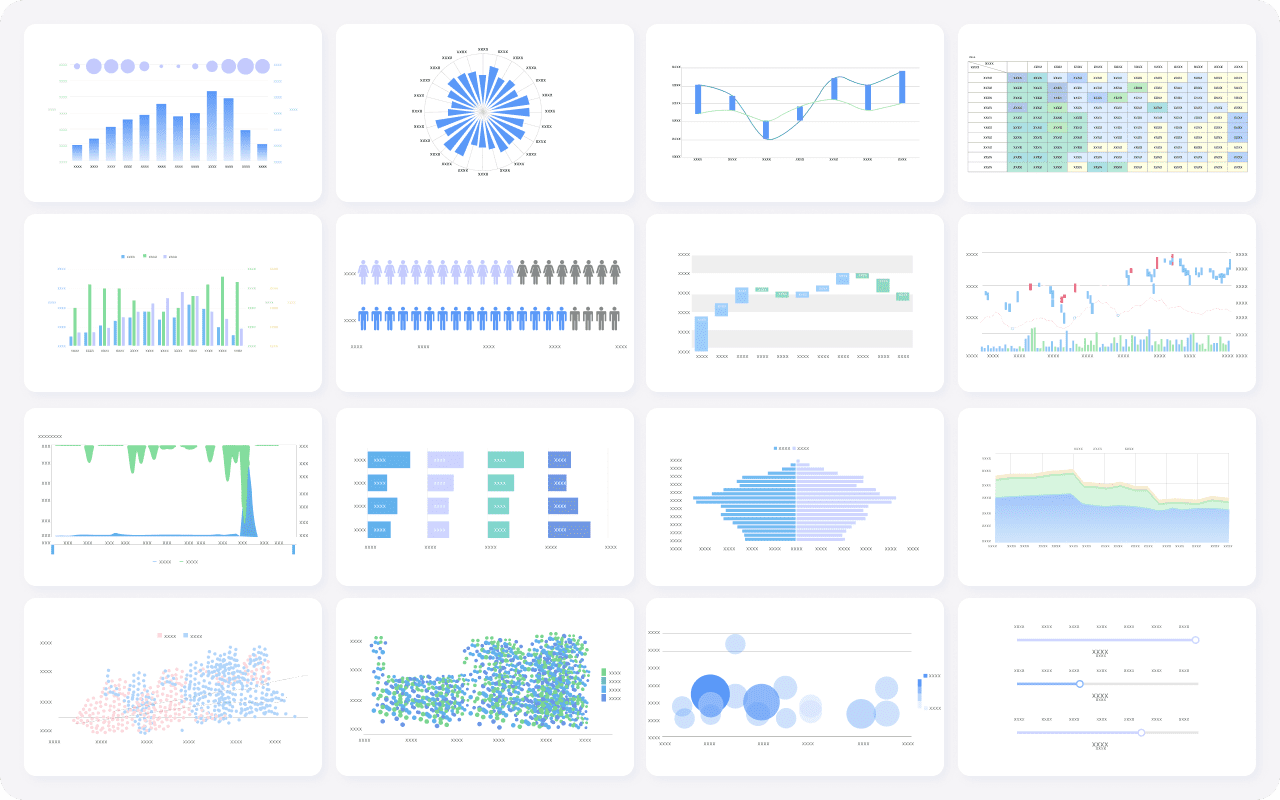
Core capabilities to evaluate in a customer data management system
A good customer data management system should not be evaluated on ingestion alone. IT and data leaders need to assess whether it can support trusted, governed, and usable customer data across business scenarios.
Data integration and unification
Data integration is the entry point, not the whole solution.
A useful platform should support:
- structured and semi-structured source data
- batch and scheduled ingestion
- event or near real-time ingestion where required
- API-based connectivity
- standard connectors for enterprise systems
- extensible data mapping and transformation logic
Just as important is unification. Collecting data is easy compared with deciding what belongs together.
Key capabilities include:
- Identity resolution: matching customer records across systems
- Profile stitching: combining interactions, attributes, and reference data into usable profiles
- Deduplication: reducing repeated or conflicting records
- Golden record or trusted profile logic: defining which values win when sources disagree
For enterprise environments, identity policy should be explicit. Matching based only on email address or phone number is often too fragile for B2B, multi-entity, or multi-channel scenarios.
Data quality, governance, and security
Customer data is only as useful as it is trustworthy.
Core data quality capabilities should include:
- standardization of names, addresses, and other fields
- validation rules for mandatory and format-sensitive attributes
- enrichment from trusted reference sources where applicable
- quality scoring or exception monitoring
- lineage tracking from source to downstream consumption
- stewardship workflows for review and correction
Security and governance requirements should include:
- role-based access controls
- data masking where needed
- auditability of changes and access
- consent and preference management support
- retention and deletion policy alignment
- regulatory support for privacy obligations
Analytics, activation, and interoperability
A customer data management system must help the business use the data, not just store it.
Important capabilities include:
- segmentation and audience building
- downstream synchronization to business applications
- reporting and KPI tracking
- integration with CRM, service, marketing, and operational tools
- compatibility with warehouse and lakehouse architecture
- performance and scalability for growing data volumes
- extensibility for evolving use cases
This is also where BI and AI become highly relevant. Once customer data is trusted and governed, teams need a practical way to analyze it, distribute insights, and support business action. That is where FineBI + Dora fits especially well.
KPI framework for evaluating customer data management performance
Below is a practical KPI structure IT and data leaders can use.
-
Customer Profile Completeness: Percentage of required customer attributes populated across trusted records.
Business value: Increases the usability of profiles for service, analytics, and activation.
AI use: Dora can retrieve completeness trends by business unit, summarize weak areas, and include them in scheduled data governance briefings. -
Duplicate Record Rate: Share of customer records identified as likely duplicates.
Business value: Reduces wasted outreach, reporting distortion, and service confusion.
AI use: Dora can compare duplicate rate against governance thresholds and flag rising exception patterns. -
Identity Match Rate: Percentage of records successfully matched across target systems.
Business value: Indicates how well the organization can unify customer activity into one view.
AI use: Dora can answer chat-based questions such as which region or source system has the lowest match rate and generate chart-based analysis views. -
Consent Coverage: Percentage of customer profiles with valid, usable consent or preference status.
Business value: Supports compliant activation and reduces privacy risk.
AI use: Dora can monitor consent-related KPIs, push exception summaries, and highlight business areas at risk. -
Data Freshness: Time lag between source updates and trusted analytical availability.
Business value: Improves timeliness for service, campaign, and management decisions.
AI use: Dora can produce daily briefing summaries that compare freshness by source or domain. -
Stewardship Resolution Time: Average time to resolve quality or matching exceptions.
Business value: Shows whether governance workflows are operationally effective.
AI use: Dora can summarize unresolved issues for owners and generate periodic follow-up reminders.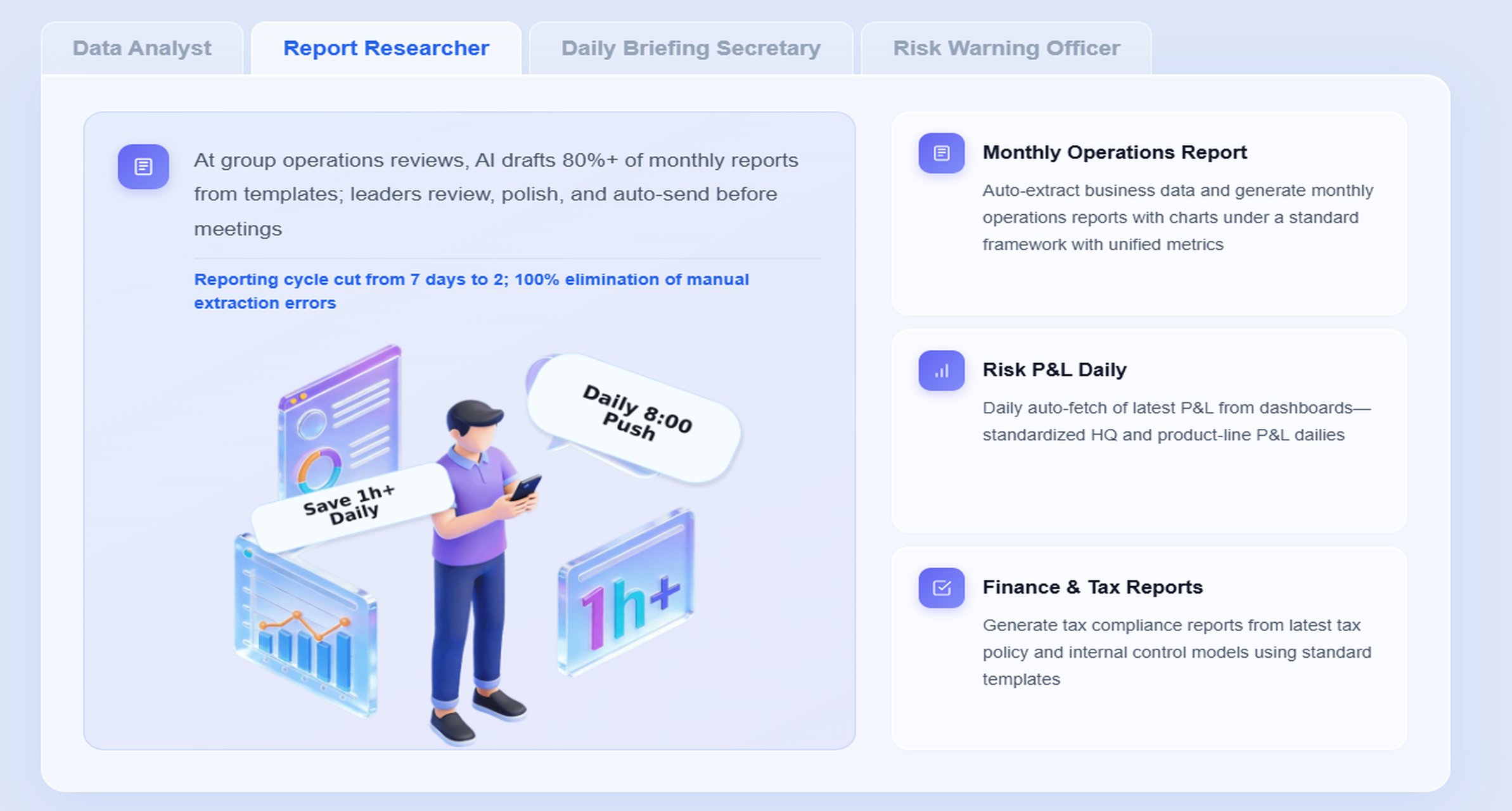
How to choose the right approach for your organization
There is no universal architecture for customer data management. The right choice depends on business outcomes, current systems, team maturity, and governance expectations.
Start with business outcomes and use cases
Do not start with tool categories alone. Start with the business problems that need fixing.
For example:
- sales teams lack a trusted account and contact view
- service teams cannot see complete cross-channel interaction history
- marketing segments are inconsistent across regions
- leadership reporting on customer growth, churn, or retention is disputed
- data teams spend too much time reconciling records instead of delivering insight
Prioritize use cases where trusted customer data materially improves outcomes. Then define success metrics across teams.
Useful success measures may include:
- reduction in duplicate records
- improved match rates
- better customer profile completeness
- shorter reporting cycle times
- improved service resolution rates
- stronger campaign targeting accuracy
- fewer compliance exceptions
Assess architecture and operating model fit
Next, evaluate whether your organization should centralize, federate, or phase the implementation.
Centralized approach
Best when the enterprise wants a stronger shared data foundation, consistent governance, and reusable customer assets across regions or functions.
Federated approach
Best when business units need some autonomy, but still require shared identity, rules, and governance standards.
Phased approach
Best when current systems are fragmented and maturity is uneven. This reduces risk and helps teams prove value before expanding.
Also review:
- who owns the customer entity
- who resolves data quality issues
- where semantic definitions live
- what integration effort is realistic
- how permissions and privacy controls will be enforced
- total cost of adoption, not just license cost
Build a practical vendor evaluation checklist
Your checklist should cover business fit, technical depth, governance maturity, and long-term operability.
A practical evaluation framework includes:
- source integration coverage
- identity resolution flexibility
- data quality and stewardship tooling
- lineage and auditability
- consent and access governance support
- warehouse and application interoperability
- reporting and monitoring capabilities
- implementation complexity
- service and rollout support
- scalability and extensibility
- fit with your current architecture and operating model
It should also include proof-of-value criteria. For example:
- Can the solution unify priority customer sources within the pilot scope?
- Can it produce a trusted KPI view with agreed definitions?
- Can stewards review and resolve exceptions clearly?
- Can business users access governed analysis without relying on raw tables?
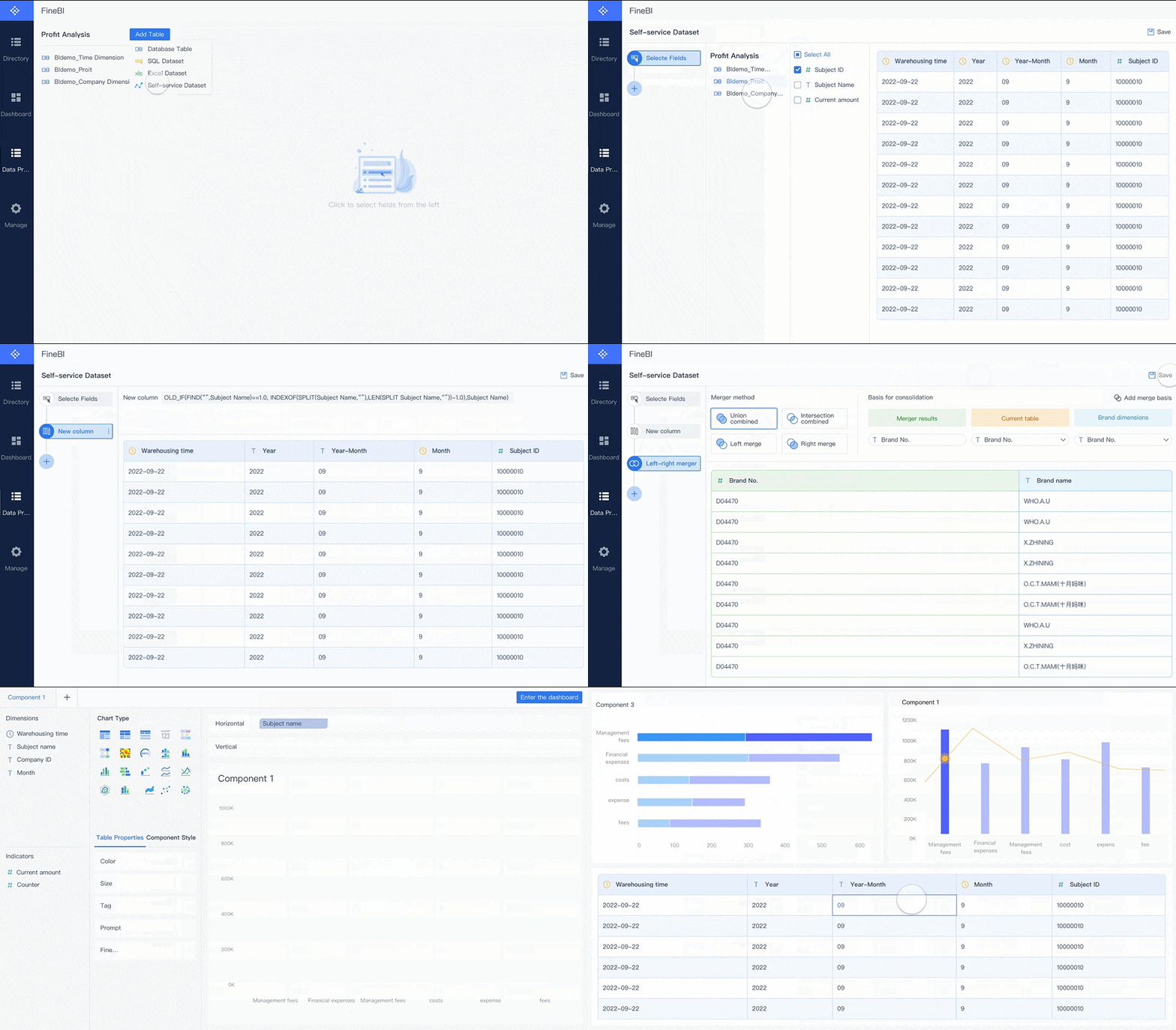
This is where FineBI often becomes important in the stack. Even when customer data is stored elsewhere, leaders still need governed, business-friendly reporting and visual analysis on top of that foundation.
How an AI Data Agent Handles This Scenario
Once a customer data management system creates trusted, governed customer information, the next challenge is operationalizing it. Business users do not want to navigate multiple dashboards, analysts do not want to answer the same customer-quality questions every week, and executives do not want to wait for manually compiled summaries.
This is where Dora, FanRuan’s enterprise Data Agent platform, adds value on top of FineBI.
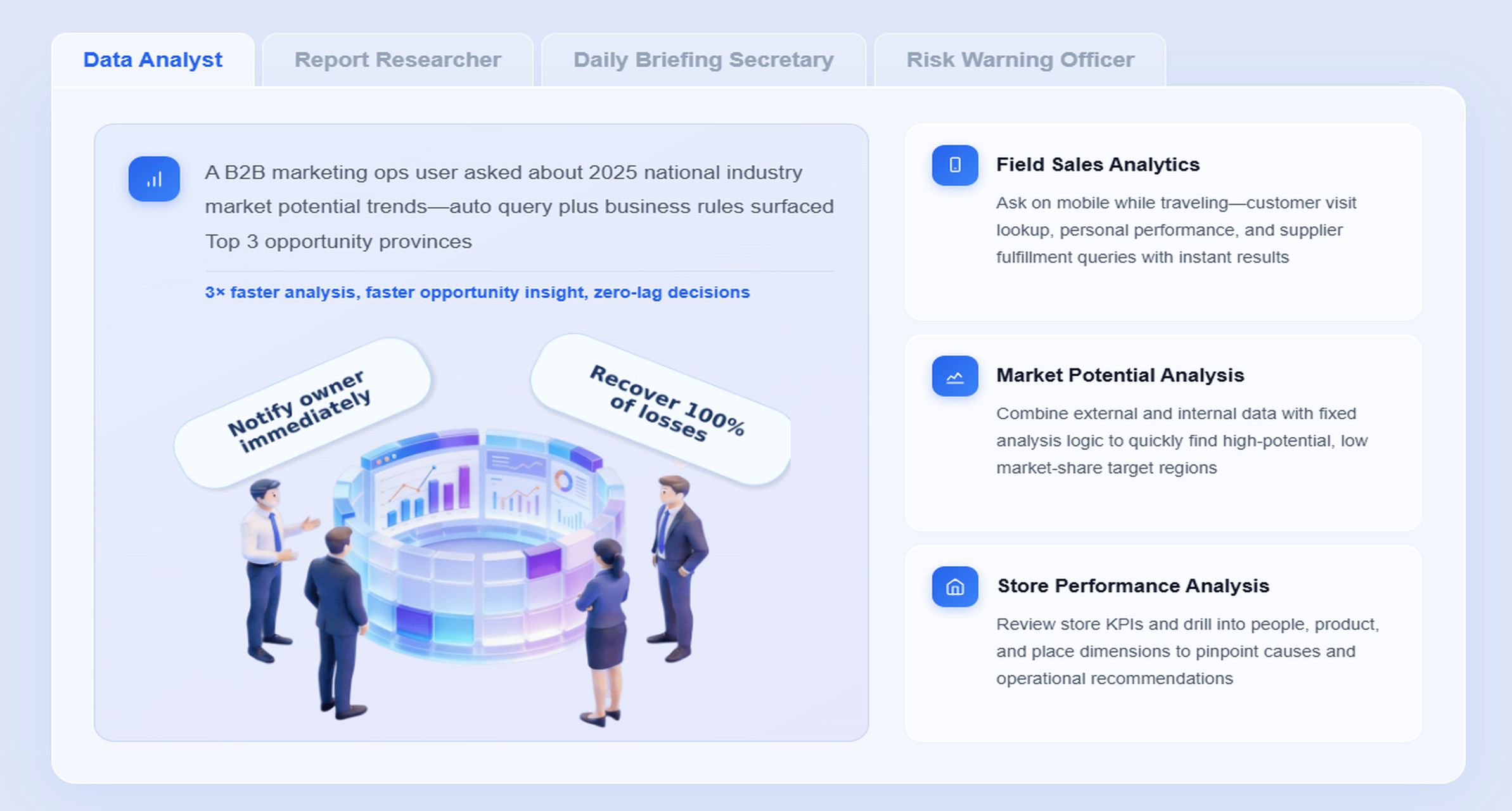
For this scenario, the most relevant digital employees are:
- Data Analyst digital employee for natural-language query and follow-up analysis
- Daily Briefing Secretary for scheduled customer data quality and KPI summaries
- Risk Alert Officer for threshold-based exception monitoring and owner notification
FineBI remains the BI foundation. It provides governed dashboards, metric modeling, visual exploration, and trusted semantic assets. Dora turns that trusted layer into a scenario-specific AI assistant that helps teams ask, analyze, summarize, alert, and follow up.
Scenario-specific chat example
A data leader or operations manager could ask:
“Show me this week’s customer duplicate rate, profile completeness by region, and the top source systems causing identity match failures. Summarize the main risks and prepare a briefing for tomorrow’s governance meeting.”
Dora can respond with a chart-based answer or dashboard-style analysis view based on governed FineBI assets, rather than relying on unstructured guessing.
How Dora works in a governed AI workflow
Here is a practical 6-step workflow for this scenario:
-
Retrieve trusted FineBI assets
Dora accesses the relevant FineBI customer data quality dashboard, analysis subject, or governed dataset. -
Understand KPI definitions and semantic rules
It interprets definitions such as duplicate rate, completeness, match success, ownership, filters, and dimensional logic using the trusted semantic layer. -
Generate chart-based answers in chat
Dora returns a chart, table, or dashboard-style analysis view with a concise explanation instead of forcing users to search manually. -
Detect abnormal changes or threshold breaches
If duplicate rate rises above a defined threshold or a region’s completeness falls sharply, Dora can identify the exception pattern. -
Push summaries and alerts to responsible users
The Risk Alert Officer can send timely notifications to data stewards or domain owners for review and action. -
Prepare follow-up material for meetings or reviews
The Daily Briefing Secretary can generate a scheduled summary for leadership or governance meetings, including the latest KPI status and unresolved issues.
Why this works in real enterprises
Many AI demos fail because they start with prompts instead of governed business data. Dora is designed for a more practical Agentic BI approach:
- natural-language request
- trusted semantic layer
- governed query or Skill execution
- answer, chart, summary, action, and follow-up
That matters for customer data management because the scenario depends on shared metric definitions, data quality rules, permission boundaries, and trusted source logic.
How FineBI provides the trusted foundation
FineBI supports this AI workflow by giving enterprises:
- governed customer dashboards and scorecards
- metric definitions and reusable semantic assets
- self-service exploration with permission control
- trusted analysis subjects for repeatable reporting
- visual tracking of completeness, duplication, match rate, and exception trends
Without that foundation, AI answers can become inconsistent or unauditable. With FineBI in place, Dora can work as an enterprise AI assistant on top of trusted BI assets.
How Dora improves execution beyond dashboards
The value is not only in answering questions. Dora also helps teams operationalize customer data management through:
- chat-based KPI retrieval for business users
- chart-based answers from trusted BI assets
- scheduled daily or weekly governance briefings
- anomaly alerts for rising duplicates or falling completeness
- push notifications to responsible owners
- meeting-ready summaries and follow-up reporting
- skills-based execution for more controllable and auditable AI workflows
Compared with raw prompt-only agents, this approach has better enterprise landing potential because it is grounded in governed metrics, permissions, semantic rules, and reusable Skills. It is designed to reduce token waste, improve response speed, and increase workflow stability without overclaiming fully autonomous decision-making.
Customer data management best practices for implementation
A successful customer data management system is usually built in phases, with governance and operational discipline from the start.
Establish governance early
Do not wait until after integration to define ownership and policy.
Set up:
- data owners for key customer domains
- stewardship responsibilities
- quality rules for critical attributes
- identity resolution policies
- naming and standardization standards
- escalation paths for unresolved issues
This prevents the system from becoming another contested repository.
Improve data quality before scaling activation
Activation amplifies whatever quality exists. If source systems are inconsistent, downstream syncs and analytics will spread the problem.
Focus first on:
- fixing critical source issues
- normalizing key identifiers and attributes
- validating mandatory fields
- reducing duplicate creation at source
- creating repeatable quality monitoring processes
Build a semantic layer inside the BI workflow
This is especially important for analytics and AI readiness.
A semantic layer helps standardize:
- KPI definitions
- business terms and synonyms
- filter logic
- ownership rules
- cross-team reporting consistency
With FineBI, teams can build governed semantic assets that make customer data reporting more reliable and make Dora’s AI responses more trustworthy.
Start with high-value recurring workflows
Do not try to automate every customer data process immediately.
Start with recurring, high-friction workflows such as:
- weekly customer data quality review
- duplicate record monitoring
- consent exception tracking
- regional profile completeness reporting
- executive briefing on customer growth and retention KPIs
These are ideal scenarios for Dora digital employees because they combine structured metrics, repeated analysis, and clear owner follow-up.
Preserve permission governance in AI workflows
AI adoption should not weaken your data controls.
Make sure:
- AI outputs respect FineBI access boundaries
- sensitive customer data is masked or restricted appropriately
- summaries reflect user permissions
- Skills are auditable and aligned to governance policy
Use human review for AI-generated reporting
Even with governed data, early rollout should include human review of AI-generated reports, summaries, and exception narratives. Expand Skills gradually as confidence grows.
Common challenges and next steps for IT and data leaders
Customer data management is valuable, but it is rarely simple. Most organizations face trade-offs between speed, control, flexibility, and governance.
Common implementation challenges
Typical obstacles include:
- integration complexity across legacy and cloud systems
- inconsistent customer identifiers
- poor source data quality
- privacy and consent requirements
- siloed team ownership
- resistance to shared definitions
- limited stewardship capacity
- pressure to deliver fast business value before governance is mature
These problems are normal. The key is sequencing the work properly.
Understand the trade-offs clearly
A faster rollout may reduce initial governance depth. A stricter centralized model may improve consistency but slow local adoption. A flexible federated model may speed business participation but require stronger semantic and policy controls.
IT and data leaders should make these trade-offs explicit rather than accidental.
A phased roadmap to get started
A practical roadmap often looks like this:
-
Assess current-state maturity
Map customer data sources, ownership, quality issues, and reporting gaps. -
Define the first business milestone
Choose one high-value use case such as duplicate reduction, service profile unification, or customer KPI reporting. -
Establish core governance
Set ownership, critical data rules, match logic, and access policies. -
Build the trusted reporting layer
Use FineBI to create governed dashboards, KPI logic, and semantic assets. -
Add AI-assisted execution
Use Dora to support chat-based analysis, scheduled briefings, alerts, and follow-up workflows. -
Expand by phase
Add more sources, more domains, and more digital employee Skills once trust and operating rhythm are established.
Practical checklist for evaluation and planning
Use this checklist to begin:
- Do we know which systems contain critical customer data?
- Can we define a trusted customer profile for the first use case?
- Have we identified duplicate, completeness, and match-rate problems?
- Are data ownership and stewardship roles assigned?
- Do we have agreed KPI definitions for customer data quality and business outcomes?
- Can our reporting layer expose those KPIs in a governed way?
- Are permission and privacy controls built into the design?
- Which recurring workflow would benefit most from AI summaries, alerts, or follow-up?
- What proof-of-value milestone can we deliver in the first phase?
FineBI + Dora solution pitch
Building this manually is complex. FineBI helps teams build trusted dashboards, metrics, and semantic assets. Dora turns those assets into an AI assistant that can answer questions in chat, generate dashboard-style analysis views, push scheduled summaries, monitor anomalies, and follow up with responsible owners.
In customer data management scenarios, this combination is practical because the enterprise already needs a governed reporting layer. FineBI provides that foundation for customer profile KPIs, duplicate trends, match-rate analysis, completeness tracking, and stewardship reporting. Dora adds the AI digital employee layer so business and data teams can interact with those trusted assets faster and with less friction.
FineBI + Dora is not only a BI upgrade; it is a practical fourth-generation Agentic BI path. FineBI provides governed metrics and visual analysis. Dora provides the AI assistant layer for scenario execution, with more controlled Skills, lower token waste, faster execution paths, and more stable workflows than prompt-only agents.
For executives, the value is concrete: Dora is not an AI experiment. It is a landed digital employee for recurring data work such as weekly customer quality briefing, duplicate-risk follow-up, KPI summary generation, and owner notification.
For IT teams, the role shifts in the AI era. IT no longer has to manually fulfill every analysis request. Instead, teams can focus on enterprise data connections, semantic layers, data quality, permission governance, and reusable agent Skills.
For business users, the benefit is lower operating friction. They can get timely metrics, chat-based answers, scheduled summaries, and exception pushes without searching through dashboards or waiting on analysts for every follow-up.

Get Ready-to-Use Dashboard Templates in Fine Gallery
The strongest Dora pitch is scenario + product + service: FineBI provides the trusted BI foundation, Dora provides the AI digital employee, and implementation service connects data, governance, semantic setup, Skills, and rollout.
If your organization is evaluating a customer data management system, the most practical path is to combine a trusted data foundation with a governed analytics and AI execution layer. That is how customer data becomes not just stored, but actually usable.
FAQs
It collects customer data from multiple systems, matches records that belong to the same person or account, improves data quality, and makes trusted data available for operations, analytics, and business workflows.