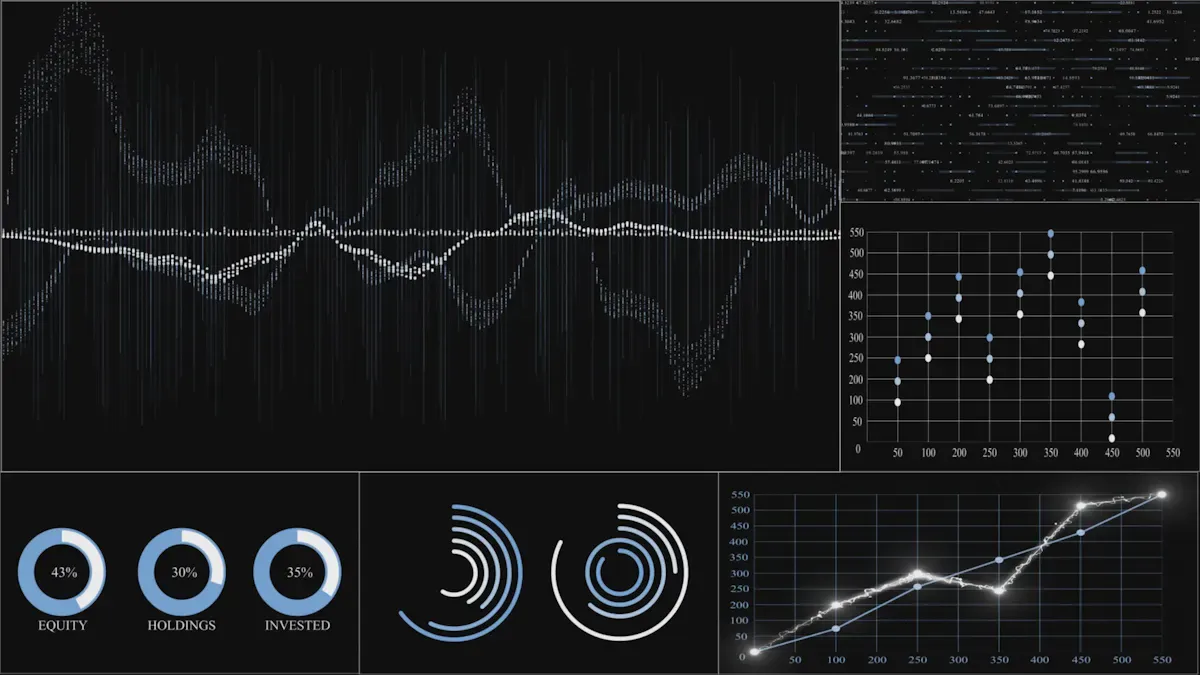
You use an application performance monitoring dashboard to keep things working well. This dashboard shows you how healthy your application is. It tracks important numbers in real time. It helps you find problems before users notice them. Monitoring helps you give users a great experience. It also keeps customers happy. Studies show these dashboards help you fix problems faster. They also make your system more stable and use resources better:
Benefit
Description
Reduced time to recovery
The dashboard helps you fix problems faster and spot them quickly.
Accelerated defect diagnosis
You find issues fast with clear data and helpful insights.
Improved application stability
Monitoring keeps your dashboard working and easy to use.
Optimized resource utilization
These tools help you use resources wisely and save money.
Enhanced end-user experience
You watch performance and make sure users have a good time.
Increased customer satisfaction
Stable apps keep your customers happy and coming back.
FineBI from FanRuan makes these dashboards easy for everyone. You can use these tools to see, understand, and use data without needing special skills. With the right dashboard, you work better and give users a nicer experience.
What Is an Application Performance Monitoring Dashboard
Core Purpose and Value
You use an application performance monitoring dashboard to check how your apps work. The dashboard shows important numbers and trends. You can find problems early and fix them fast. This helps your apps run well and keeps users happy.
APM dashboards help you watch how your apps perform. You get real-time data and alerts. You can see if something slows down or stops working. You can also see how changes affect your app. This makes your job easier and helps your team act quickly.
Here is a table that shows the main goals and results of using APM dashboards:
Objective/Outcome
Description
Visibility into application performance
You see how your apps work, which helps your team do better.
Rapid issue diagnosis
You find and fix problems fast, which helps you get more done.
Improved user experience
You make sure your app meets user needs, so users stay happy.
Accelerated application deployment
You launch new apps faster, which helps your business grow.
Enhanced cross-team collaboration
You share dashboards with your team, so everyone works together.
Financial impact assessment of performance issues
You know which problems cost the most, so you can focus on what matters.
APM dashboards give you tools to make your apps and business better.
Who Uses APM Dashboards
Many teams use APM dashboards to monitor apps. You might work in CloudOps, DevOps, or as an application developer. Operations teams also use these dashboards to keep things running well.
CloudOps teams check app performance.
DevOps teams use APM dashboards with CI/CD pipelines for real-time feedback.
Application developers make apps work better and fix problems faster.
Operations teams use resources wisely and make sure users have a good experience.
You use APM dashboards to track, study, and improve your apps. Monitoring helps you work smarter and keeps your apps reliable.
How Application Performance Monitoring Dashboards Work
When you know how apm dashboards work, you can use them better. There are three main steps. First, you collect and connect data. Next, you look at important numbers in charts. Last, you set up alerts to warn you about problems. Each step helps you see and control your apps.
Data Collection and Integration
You start by getting data from your apps. This data shows how your apps work every second. Most apm dashboards use agents on your servers. These agents send real-time data to a main system. You can watch many types of metrics, like:
Response time: How long your app takes to answer.
Error rate: How often your app has errors.
Resource usage: How much CPU and memory your app uses.
Throughput: How many requests your app handles.
Latency: How long data takes to move to and from your server.
User experience: How happy users are with your app.
You need to link your dashboard to different data sources. FineBI makes this simple. You can connect to big data platforms, SQL databases, Excel files, and program datasets. FineDataLink, a tool from FanRuan, helps you bring all your data together. This gives you a full view of your systems.
Data Source Type
Description
Big Data Platforms
Connects with over 30 big data platforms.
SQL Data Sources
Integrates with many SQL databases.
Excel File Datasets
Uses Excel files as data sources.
Multi-dimensional Databases
Accesses diverse sources through FineReport Designer
Program Datasets
Supports integration with program datasets.
Visualization and Metrics
After you collect data, you need to see it clearly. Visualization changes numbers into charts and graphs. This helps you find trends and problems fast. In apm dashboards, you often see these key metrics:
Metric
Description
Impact on Decision-Making
Apdex and SLA Scores
Measures user satisfaction and service levels.
Helps you focus on user needs.
Average Response Time
Shows how fast your app answers requests.
Finds slow spots and helps you plan ahead.
CPU Usage
Shows how much processing power your app uses.
Keeps your app running smoothly.
Error Rates
Counts how often your app fails.
Helps you fix bugs quickly.
Application Instances
Counts how many copies of your app are running.
Helps you manage resources.
Garbage Collection
Shows how well your app manages memory.
Keeps your app efficient.
Request Rates
Counts how many requests your app gets.
Helps you prepare for busy times.
Application Availability
Shows how often your app is up and running.
Helps you reduce downtime.
Memory Usage
Shows how much memory your app uses.
Helps you find and fix memory leaks.
You want your dashboard to be easy to read. Use simple charts and not too many colors. Add labels and titles so you know what each chart means. FineBI lets you drag and drop charts, add filters, and make dashboards interactive. You can put the most important data where it is easy to find. This makes your monitoring better and gives you a full view.
You do not want to watch your dashboard all day. Alerts and notifications tell you when something is wrong. You set limits for your key metrics. If a metric goes above or below your limit, you get an alert. This helps you act before users see problems.
Mechanism
Description
Define thresholds
Set limits for important metrics.
Trigger alerts
Get alerts when metrics cross your set limits.
Automate notifications
Receive messages by email or other tools automatically.
A good apm dashboard uses smart alerts. You can set different alert levels for small or big problems. The system groups similar alerts so you do not get too many. It can change alert levels based on old data, so you only get alerts that matter. FineBI supports these features, so you can focus on real problems and act fast.
Multi-level alert thresholds help you react to different problems.
Alert correlation and deduplication keep your inbox from filling up.
Dynamic baselining changes alert levels as your app grows.
Automated incident response helps you fix problems quickly.
With these steps, you use apm dashboards to collect data, see performance, and set up alerts. FineBI by FanRuan gives you tools to make monitoring easy and strong. You get the full view you need to keep your apps healthy and your users happy.
Key Features of Application Performance Monitoring Dashboards
Real-Time Metrics and User Experience
You need to see what your app does right now. Real-time monitoring helps you find problems early. APM dashboards track important numbers every second. This lets you spot slowdowns, errors, or busy times fast. You can fix issues quickly and keep your app working well.
Early warnings help you fix problems before they get worse.
Watching performance makes sure your app works for everyone.
Fixing issues right away keeps your app reliable and users happy.
APM metrics show you how healthy your app is and how users feel.
By checking these numbers, you make your app run smoothly and give users a good experience.
Traces, Logs, and Error Tracking
You want to see how requests move through your app. Traces show each step, so you find slow spots or breaks. Logs record what happens inside your app. Error tracking helps you spot and fix mistakes fast.
Traces let you follow requests and find slow or broken parts.
Logs tell you what your app does all the time.
Error tracking finds and sorts mistakes, so you know what to fix first.
Good monitoring means you learn how your app works, not just if it runs.
Tracking errors stops problems from coming back and keeps users happy.
Integration with FineBI
You can connect your APM data to FineBI by FanRuan. This platform lets you build custom dashboards and reports easily. You can bring together data from databases, APIs, and files. FineBI shows all your monitoring data in one place.
Feature
Benefit
Custom dashboards
Show the numbers that matter to you
Data integration
Combine data from many places
AI-powered analysis
Find trends and problems faster
Alerts and notifications
Get messages when something goes wrong
Team collaboration
Share ideas and work together
FineBI works for modern teams. You can grow your dashboards as your business gets bigger. You also keep your data safe and follow rules for security. With FineBI, you turn monitoring into action.
Benefits of Application Performance Monitoring Dashboards
Faster Troubleshooting and Stability
You want your apps to work all the time. APM dashboards help you by showing real-time data. You can check your app’s health every second. If something breaks, you see it right away. You do not need to wait for users to complain. You can fix problems before they get worse.
You find issues early with health checks.
You use detailed numbers to solve bottlenecks fast.
You see all your data in one place, so fixing is easy.
You can set clear limits for important metrics. Smart alerts tell you when something needs your attention. Sharing dashboards with your team helps everyone keep the app stable. This focus on performance makes your app reliable and keeps users happy.
Enhanced Decision-Making with FineBI
You make better choices when you have good information. APM dashboards give you real-time data. You see how your app works and where problems happen. FineBI lets you combine data from many places. You can build custom dashboards that show what matters most.
Benefit
Description
Improved Decision-Making
Real-time data helps you act fast and plan ahead.
Enhanced Accountability
Teams track their work and take responsibility for results.
Better Collaboration
Everyone sees the same data, so teams work together toward common goals.
You use these dashboards to track delivery, security, and compliance. You can spot trends, find problems, and make changes that help your app. FineBI makes it easy to share ideas and work as a team.
Real-World Example: Kintetsu’s Success
Kintetsu World Express wanted to manage customer information better. They used APM dashboards to connect data from different places. Their sales teams could see real-time dashboards with customer visits and cargo volumes. This helped them find performance issues and improve their service.
Kintetsu’s teams now fix problems faster and make smarter choices. They use monitoring to keep their operations smooth and their customers happy. This shows how APM dashboards and FineBI can help any business grow and succeed.
Getting Started with Application Performance Monitoring in FineBI
Setting Up Your Dashboard
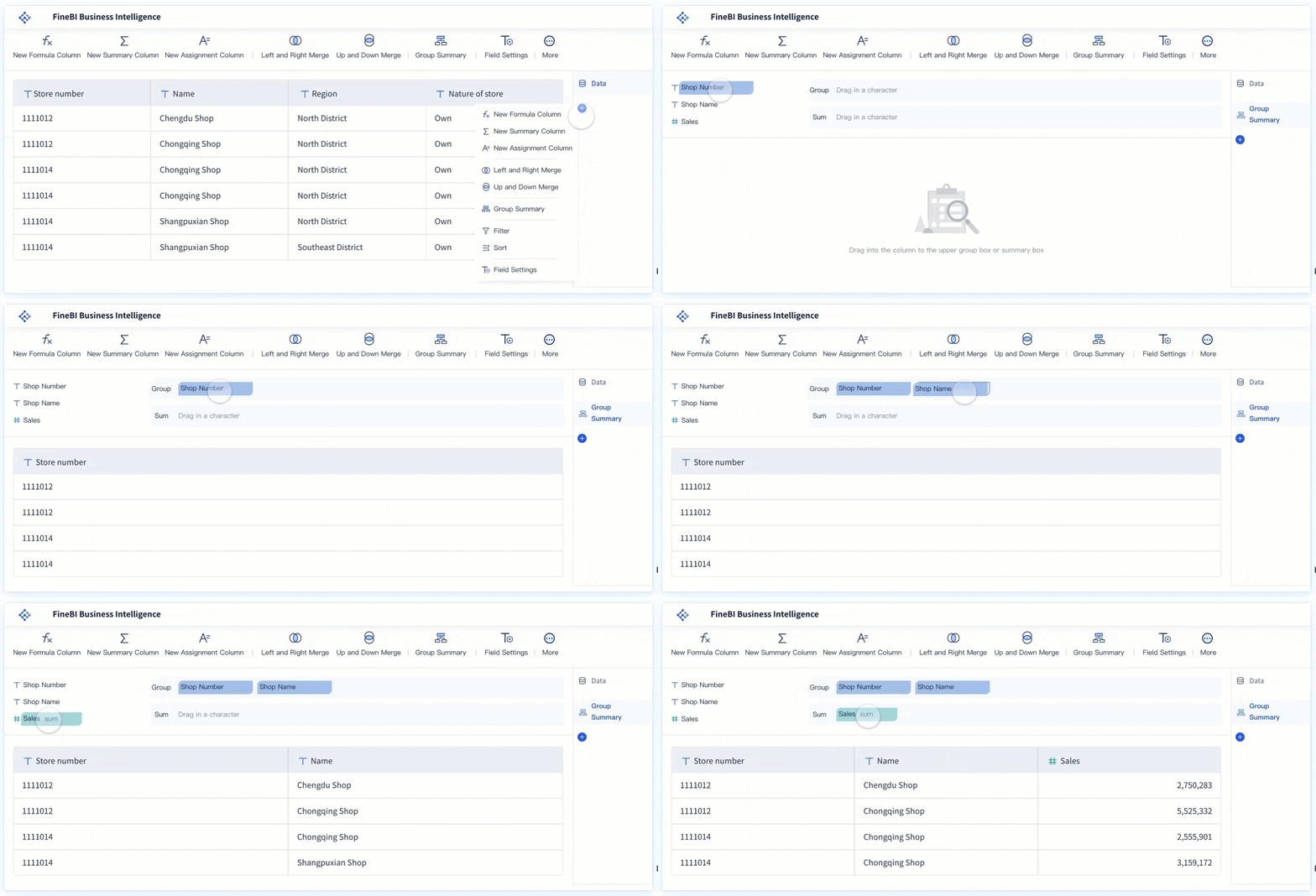
You can begin apm in FineBI by following a few steps. First, connect your data sources. FineBI lets you link databases, APIs, and files. This gives you the data you need for apm. Next, pick the metrics you want to watch. You might track response time, error rates, or resource usage. Drag these metrics onto your dashboard.
When you set up apm dashboards, you might run into some problems. You could have lots of data or tricky layouts. FineBI helps you fix these issues. Look at this table to see how you can handle them:
Challenge
Solution
Data Volume and Complexity
Use data aggregation techniques, caching, and efficient storage solutions.
Dashboard Design and Layout
Implement minimalism, responsive designs, efficient visuals, and logical organization.
Query Performance
Utilize indexes, optimized SQL, data partitioning, and caching mechanisms.
Backend Infrastructure
Minimize network latency, maintain database performance, and ensure server capacity.
Integration with Other Tools
Ensure data synchronization, API efficiency, and tool compatibility.
You can use FineBI to set up alerts for apm. These alerts tell you when something is wrong. You do not have to watch the dashboard all day. The system will let you know if a metric goes past a limit.
Customization and Collaboration
You can change your apm dashboards in FineBI. Pick from many chart types to show your data. Change colors, sizes, and labels to make your dashboard easy to read. Move things around to fit your screen or device. Here are some ways you can make your dashboard your own:
Customization Feature
Description
Chart Types
Users can select from various chart types to visualize data effectively.
Visual Effects Customization
Options to customize color, size, tooltips, labels, and granularity for enhanced analysis.
Dashboard Management
Users can drag components to create dashboards that adapt to screen sizes and resolutions.
You can also work with your team. Share dashboards and let others add their own ideas. Everyone can see the same apm data. This helps your team fix problems faster. You can set who can change the dashboard so only the right people do.
You use apm dashboards to check your apps and keep them healthy. Customization lets you change your dashboard to fit your needs. Interactivity helps you look at data and make better choices. Real-time data gives you updates right away for monitoring. You can see dashboards on any device, so you never miss important info. Benchmarks and targets help you compare results and make your app better. FineBI makes apm monitoring simple with drag-and-drop tools and easy analytics. You can start monitoring now and see how apm dashboards help your team do a better job.
Product Trial
FineReport
Pixel-perfect reports · Interactive dashboards · Easy data entry · Digital twins
Access a wealth of case studies, industry insights, and solution guides to accelerate digital transformation.
FAQ
What is an Application Performance Monitoring (APM) dashboard?
An APM dashboard helps you see how your app works. You track important numbers like speed, errors, and user experience. You find problems early and fix them fast.
Can I use FineBI for real-time monitoring?
Yes, you can. FineBI lets you connect to live data sources. You see updates as they happen. This helps you react quickly to changes in your app’s performance.
How do alerts work in APM dashboards?
You set limits for key numbers. When a number goes above or below your limit, you get a message. This helps you act before users notice problems.
Who should use APM dashboards?
You should use APM dashboards if you want to keep your app healthy. Developers, IT teams, and business users all benefit. You get clear data to help you make smart choices.