Employee data management is no longer just an HR administration task. For HR leaders, it is the foundation for reliable workforce reporting, compliance readiness, and confident decision-making. If employee records are fragmented across HRIS platforms, payroll systems, spreadsheets, document folders, and manager-owned files, every dashboard becomes harder to trust.
A modern HR reporting approach must do two things well: organize core employee records and turn them into governed, role-based reporting views. With FineReport + Dora, teams can ask for a report summary in chat, generate structured narratives from trusted report assets, receive scheduled briefings, and push exceptions to the right owner.
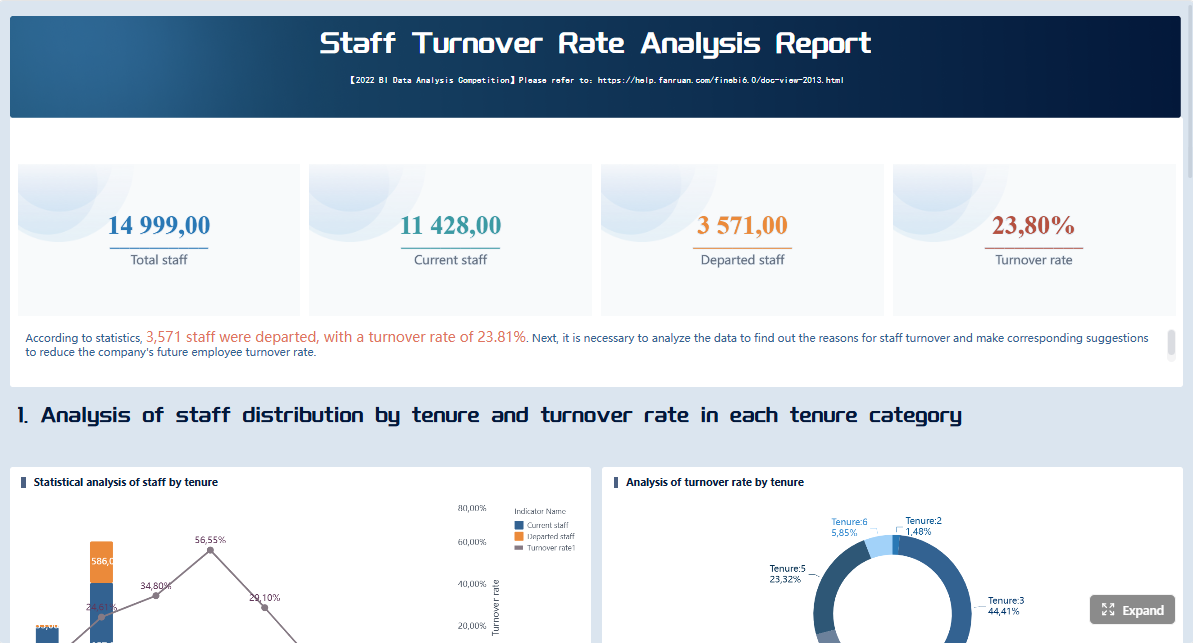 Click To Try The Dashboard
All reports in this article are built with FineReport
What employee data management means for HR leaders
In practical HR terms, employee data management is the process of collecting, validating, storing, governing, updating, reporting on, and retaining workforce information across the employee lifecycle. It starts with candidate-to-hire data and continues through onboarding, employment changes, compensation updates, leave tracking, performance history, training records, and offboarding documentation.
For HR leaders, this is not only about where data is stored. It is about whether the organization can answer critical questions with confidence:
- How many active employees do we really have today?
- Which employees have missing compliance documents?
- Where are turnover rates rising?
- Which teams have overdue training or certification renewals?
- Are compensation and leave reports aligned across HR, payroll, and finance?
This is why data quality, governance, and access control matter. Poor-quality employee data can create payroll errors, reporting disputes, audit findings, and employee trust issues. Weak permissions can expose sensitive records to users who should never see them. Inconsistent definitions can make two HR leaders look at the same metric and reach different conclusions.
It is also important to separate storing employee information from building a reliable reporting framework. Storage alone means records exist somewhere. A reporting framework means those records are standardized, governed, mapped to business rules, and transformed into dashboards and reports that stakeholders can actually use.
In other words, employee data management becomes strategic when HR moves from “we have the records” to “we can trust the numbers, explain the metrics, and act on exceptions.”
The business value of a governed employee data foundation
A governed employee data foundation helps HR operate with greater control and less friction. When records are accurate, centralized, and consistently defined, organizations gain three immediate benefits:
- Stronger compliance readiness
- Better workforce planning
- Higher operational efficiency
For compliance, governed employee data helps teams retain required records, track sensitive documents, apply retention rules, and prove that access is controlled. For workforce planning, it supports reliable headcount, turnover, internal mobility, leave, and training analysis. For operations, it reduces duplicate work, manual reconciliation, and report disputes between departments.
Who should be involved
Employee data management is not owned by HR alone. It requires coordination across several roles:
- HR leaders: set reporting priorities, governance expectations, and decision-use cases.
- HR operations: manage record accuracy, process execution, and policy adherence.
- IT: supports integration, data architecture, permissions, identity controls, and system reliability.
- Legal and compliance: define retention, privacy, and audit requirements.
- Payroll and finance: align compensation, employment status, and workforce cost records.
- People managers: update approved workforce changes and consume role-based dashboards.
This cross-functional model matters because many HR reporting issues are not reporting-tool problems. They are ownership, process, and definition problems.
The end-to-end process from collection to retention
A governed employee data process typically follows this path:
- Data collection: gather workforce data through recruiting, onboarding, self-service forms, HR operations, payroll inputs, and manager workflows.
- Validation: check required fields, approved values, date formats, document completeness, and source-of-record consistency.
- Storage and synchronization: maintain employee data across core HR systems, integrated tools, and governed document repositories.
- Reporting preparation: standardize definitions, map metrics, and align dashboard logic.
- Consumption and action: deliver dashboards, management reports, exception lists, and compliance views to the right stakeholders.
- Retention and deletion: apply record retention schedules, archive rules, and privacy controls.
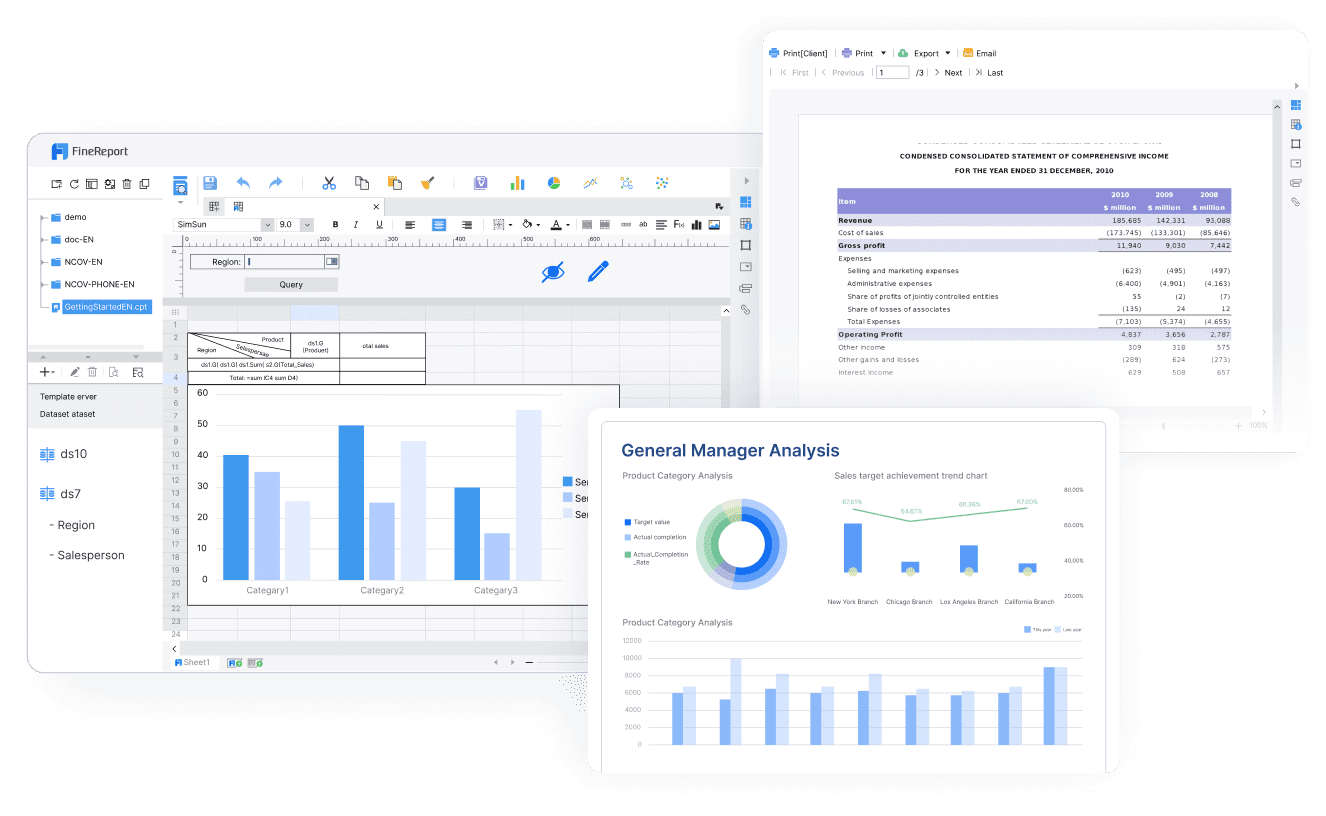
This is where FineReport becomes valuable as the reporting foundation. It helps teams turn operational HR data into formatted reports, compliance dashboards, management reports, and workflow-linked reporting outputs. Then Dora adds the AI assistant layer, helping HR teams consume those reports faster through summaries, chat-based answers, scheduled briefings, exception pushes, and follow-up workflows.
Core records: what belongs in an employee database
An employee database is the centralized and governed collection of employee-related records used to support HR operations, reporting, compliance, and workforce decisions. It may pull data from multiple systems, but from a reporting perspective it should behave like a single source of truth.
A strong employee database does not need to store every possible field in one place physically. But it does need clear ownership, consistent definitions, and trusted reporting logic across systems.
Main data types in employee data management
Below are the core record categories HR leaders should govern.
-
Personal details: Name, employee ID, contact details, address, date of birth, emergency contacts, and work eligibility fields.
Business value: Supports identity accuracy, communication, legal documentation, and employee administration.
AI use: Dora can summarize record completeness, identify missing required fields, and include profile-quality exceptions in a scheduled HR operations briefing. -
Employment and job history: Start date, department, legal entity, manager, location, job title, grade, contract type, transfer history, and termination details.
Business value: Powers headcount, movement, org structure, and turnover reporting.
AI use: Dora can explain headcount changes, summarize internal transfers, and answer natural-language questions about movement trends using trusted FineReport assets. -
Compensation data: Base salary, pay band, bonus eligibility, compensation changes, allowances, and cost-center alignment.
Business value: Supports payroll reconciliation, budgeting, pay review governance, and workforce cost analysis.
AI use: Dora can create a structured compensation change summary for leadership and highlight out-of-policy or incomplete update patterns. -
Benefits records: Enrollment status, benefit elections, eligibility, and key plan participation data.
Business value: Helps ensure accurate benefits administration and employee support.
AI use: Dora can flag incomplete enrollment-related records and summarize benefit participation trends for HR leaders. -
Time and leave data: Attendance status, leave balances, approved leave, absence history, overtime, and schedule-linked workforce availability records.
Business value: Supports operational staffing, compliance, leave administration, and absence trend analysis.
AI use: Dora can highlight unusual leave spikes, summarize absence trends by team, and push alerts for threshold breaches. -
Performance and talent data: Goals, review history, ratings, feedback cycles, promotion readiness, and development plans.
Business value: Supports talent decisions, succession visibility, and workforce development planning.
AI use: Dora can prepare role-based summaries for HR leaders before talent review meetings using approved report templates. -
Training and certification records: Completed learning, mandatory training, certification status, expiration dates, and overdue items.
Business value: Essential for compliance, workforce capability tracking, and audit preparation.
AI use: Dora can act as a Risk Alert Officer, surfacing overdue certifications, summarizing non-compliance by department, and pushing alerts to responsible owners. -
Compliance and legal records: Policy acknowledgments, tax forms, work authorization, disciplinary records where applicable, regulated industry documentation, and retention-linked files.
Business value: Supports audit readiness, regulatory reporting, and legal defensibility.
AI use: Dora can generate a compliance dashboard summary, explain exceptions, and produce a periodic briefing for HR and legal stakeholders.
Common employee data issues to fix early
Many HR reporting problems come from a short list of recurring data issues:
- Duplicate employee records across systems
- Outdated fields after role, location, or manager changes
- Inconsistent formats for dates, departments, or job titles
- Missing ownership for corrections and approvals
- Undefined source-of-record rules
- Sensitive information mixed into broad-access reporting views
- Dashboard metrics built with inconsistent business logic
These problems are manageable, but only if HR treats employee data management as a governed operating model rather than a one-time clean-up project.
How to build a governed reporting framework
A governed reporting framework connects HR records to consistent dashboards, permissions, and repeatable reporting processes. This is the point where employee data management becomes visible to the business.
Standardize your data model and definitions
Start by defining the structure of your employee reporting model. That includes:
- Standard field names
- Clear definitions for each field
- Required vs optional fields
- Approved value lists
- Source-of-record rules
- Metric calculation logic
- Naming conventions for reports and dashboards
For example, if “active employee” is defined differently in HR, payroll, and finance, every headcount report becomes a debate. HR leaders should document what counts as active, what date determines status, and how contractors, interns, leave cases, or pending terminations are handled.
FineReport supports this standardization by turning governed logic into repeatable reports and management dashboards. Instead of rebuilding HR metrics manually every month, teams can reuse trusted templates and approved calculations.
Dora then builds on that foundation. Once KPI definitions, report templates, and business terms are governed, Dora can interpret and explain them in natural language without relying on unstable prompt-only behavior.
Set governance, access, and quality controls
A reliable employee data management program needs clear control mechanisms.
Recommended governance controls
- Assign data owners for each major record domain
- Create approval workflows for updates and corrections
- Separate sensitive records from broad-access reporting views
- Apply role-based access to dashboards and reports
- Maintain audit trails for changes
- Define retention and archival schedules
- Use validation checks for completeness and formatting
- Establish privacy rules for personally identifiable and protected information
This matters because not every stakeholder needs the same view. HR operations may need person-level correction workflows. Executives may need aggregated headcount and turnover dashboards. Managers may need team-level views without access to compensation or protected data.
FineReport helps teams design role-based dashboards and formatted reports that reflect these boundaries. Dora should also operate within those same FineReport permissions and semantic rules, so AI outputs remain governed and enterprise-appropriate.
Design dashboards for compliance and decision support
HR dashboards should not try to answer every question at once. Start with high-value views that directly support oversight and action.
Priority dashboard types
- Headcount dashboard: active employees, org changes, vacancies, movement, and workforce distribution
- Turnover dashboard: voluntary/involuntary exits, trends, hotspots, tenure patterns, and exit reasons
- Leave dashboard: leave balances, pending approvals, absence spikes, and return-to-work tracking
- Compensation dashboard: salary distribution, pay changes, budget alignment, and approval exceptions
- Training dashboard: completion rates, overdue items, expiring certifications, and department compliance
- Regulatory reporting dashboard: required records, filing status, document completeness, and risk indicators
Each dashboard should be designed for a specific audience. Executives need summary views. HR operations needs detailed exception lists. Compliance teams need auditability. Managers need actionable but limited views.
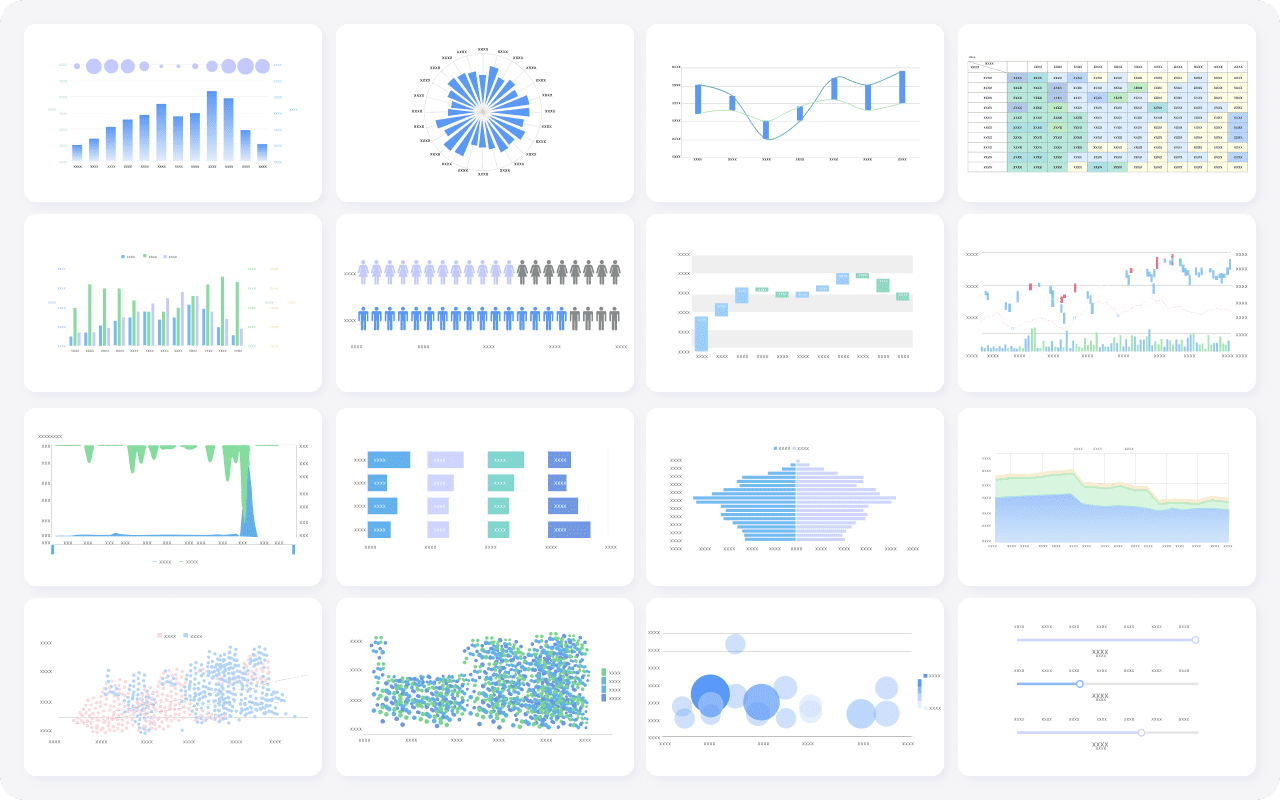
With FineReport, these dashboards can include formatted tables, exception lists, charts, status indicators, and management-report layouts. That is especially useful in HR, where operational detail and executive presentation often need to coexist.
Start with a phased rollout
Trying to fix all employee data and automate all HR reporting at once usually slows progress. A phased rollout is more practical.
A strong first phase often includes:
- One governed employee master report
- One headcount dashboard
- One compliance or training exception dashboard
- One turnover management report
- A small set of data ownership rules
- User training for data entry and correction processes
Then expand into compensation, leave, mobility, workforce planning, and scheduled briefings.
This staged approach also creates the right conditions for AI adoption. Dora works best when it sits on top of trusted report assets, approved definitions, and stable workflows. Starting with a narrow, high-value scope gives HR teams a realistic path to landed AI use cases instead of broad AI experimentation.
How an AI Data Agent Automates Report Consumption
Once HR has governed employee data and built trusted reports, the next bottleneck appears: people still spend too much time reading dashboards, summarizing updates, chasing anomalies, and preparing recurring briefings.
This is where Dora, FanRuan’s enterprise Data Agent platform, adds value.
Dora is not a replacement for FineReport. FineReport remains the trusted reporting and operational cockpit foundation. Dora turns that foundation into a scenario-specific AI assistant or AI digital employee that helps HR users query, summarize, push, alert, and follow up on workforce reporting tasks.
For this HR scenario, the most relevant Dora digital employees are:
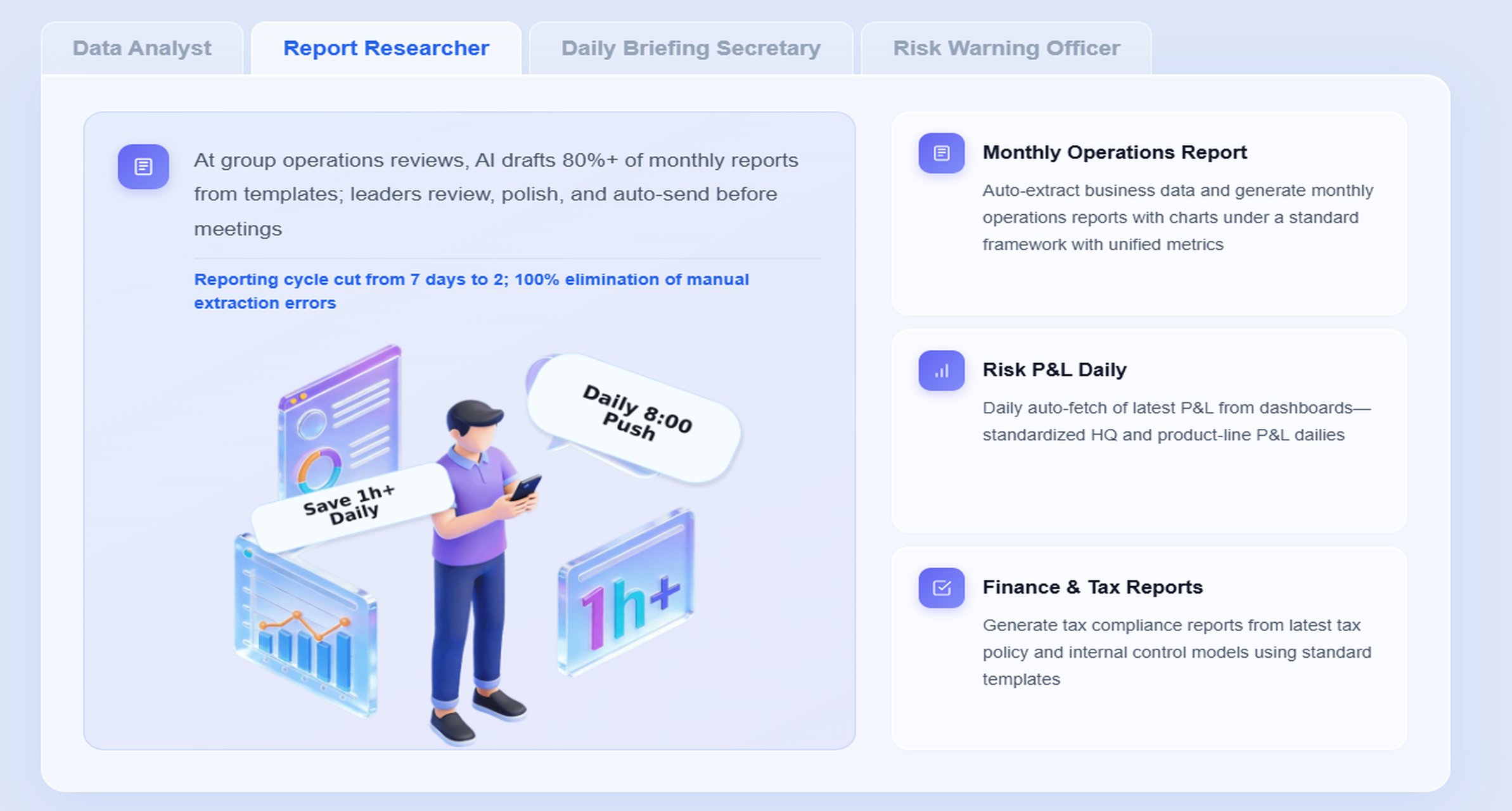
- Daily Briefing Secretary for recurring HR report summaries and meeting preparation
- Report Researcher for structured report explanations from dashboards and formatted reports
- Risk Alert Officer for overdue compliance items, missing records, and exception pushes
- Data Analyst digital employee for natural-language metric explanation and follow-up analysis
A practical HR chat example
An HR leader might ask:
“Summarize this week’s employee data management dashboard, highlight missing compliance records, show turnover changes by department, and list the managers who need follow-up.”
This is a high-value reporting scenario because it combines summary, exception detection, and owner follow-up in one workflow.
A 6-step Dora workflow for HR reporting
-
Retrieve trusted FineReport assets
Dora accesses the approved FineReport HR dashboard, management report, or compliance cockpit rather than relying on unmanaged raw files. -
Apply semantic and governance rules
Dora interprets KPI definitions, report templates, department mappings, status rules, and access permissions so terms like “active employee,” “missing record,” or “overdue training” are used correctly. -
Generate a structured report summary
Dora creates a concise narrative that explains headcount shifts, turnover movements, compliance gaps, and other workforce indicators in business language. -
Detect exceptions and risk items
As a Risk Alert Officer, Dora highlights abnormal changes, overdue documents, threshold breaches, or departments with worsening data completeness. -
Push alerts and follow-up items
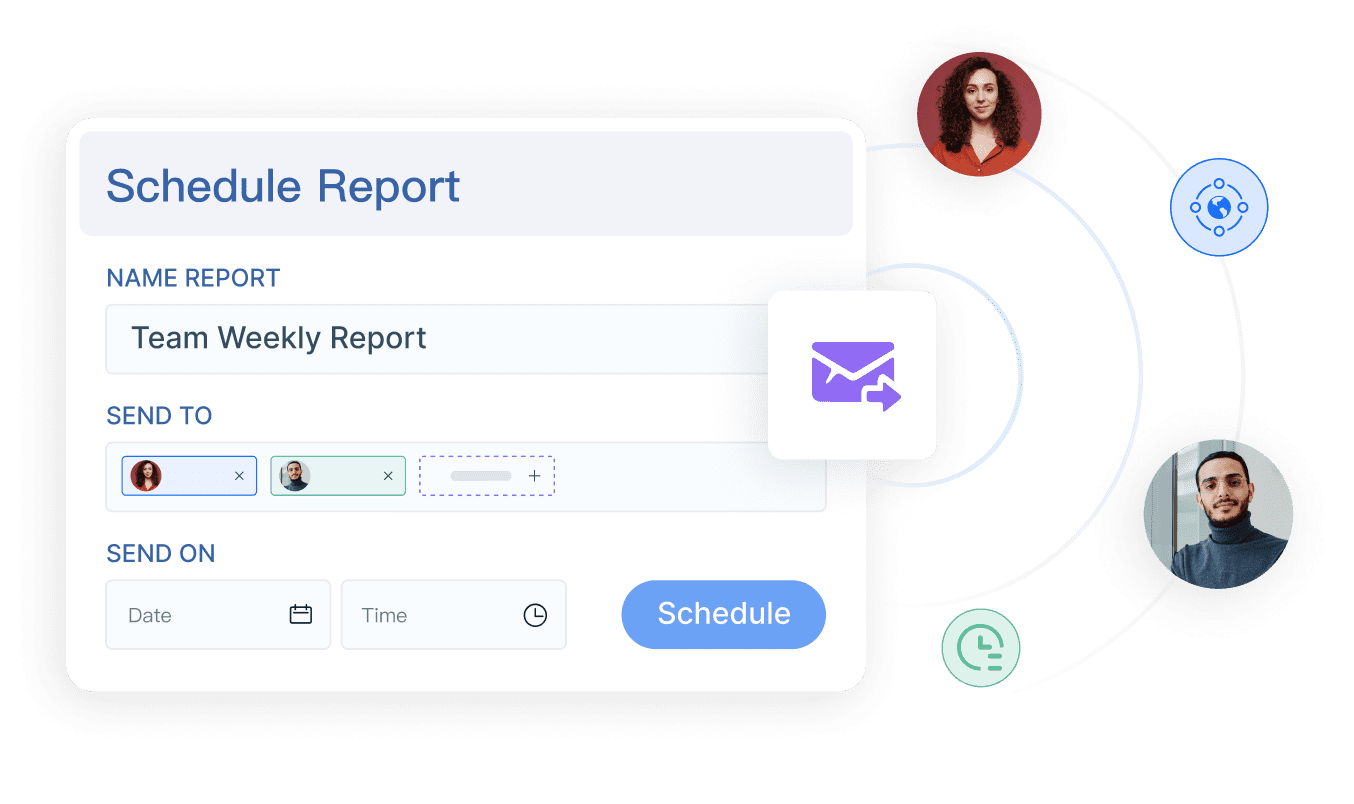
Dora can send scheduled summaries, periodic briefings, or exception notifications to HR operations leaders, compliance owners, or managers who need to act. -
Record follow-up context for review
Dora helps create a repeatable review trail through daily or weekly summaries, making it easier for HR leaders to track whether identified issues were addressed.
Why this works in a real enterprise
Many AI reporting ideas fail because the AI has no governed context. It may not know which report is trusted, how headcount is defined, which metric version is approved, or what a manager is allowed to see.
FineReport solves that first. It provides:
- Trusted report templates
- Governed metrics
- Operational dashboards
- Role-based permissions
- Structured management reports
- Workflow-linked reporting assets
Dora then builds on that environment as a fourth-generation Agentic BI layer:
- Natural-language request
- Trusted semantic layer
- Governed query or Skill execution
- Report summary, answer, exception push, action, and follow-up
This is why Dora has better landing capability than feature-only agent comparisons. It is designed for controlled enterprise execution, not just generic conversation. Its Skills-based approach helps improve auditability and workflow stability while reducing the waste and unpredictability that often come with raw prompt-only agents.
What HR teams gain from AI report consumption
With FineReport + Dora, HR teams do not need to search across dashboards, manually draft briefing notes, or wait for analysts to interpret every change. They can get:
- Natural-language query over trusted reporting assets
- Chat-based AI assistant support for report consumption
- Retrieval of reports, metrics, cockpits, and exceptions from FineReport assets
- Structured report summaries and chart explanations
- Scheduled daily or weekly briefings
- Exception alerts and push notifications
- Repeatable digital employees for recurring reporting workflows
For executives, this means clearer scenario ROI: Dora is not an AI experiment. It is a landed digital employee for recurring reporting work such as workforce summaries, compliance readiness reports, turnover briefings, training exception alerts, and manager follow-up.
For IT teams, the value is also practical: IT moves from manually supporting every reporting request to strengthening enterprise data connections, semantic layers, quality controls, permissions, report templates, and reusable agent Skills.
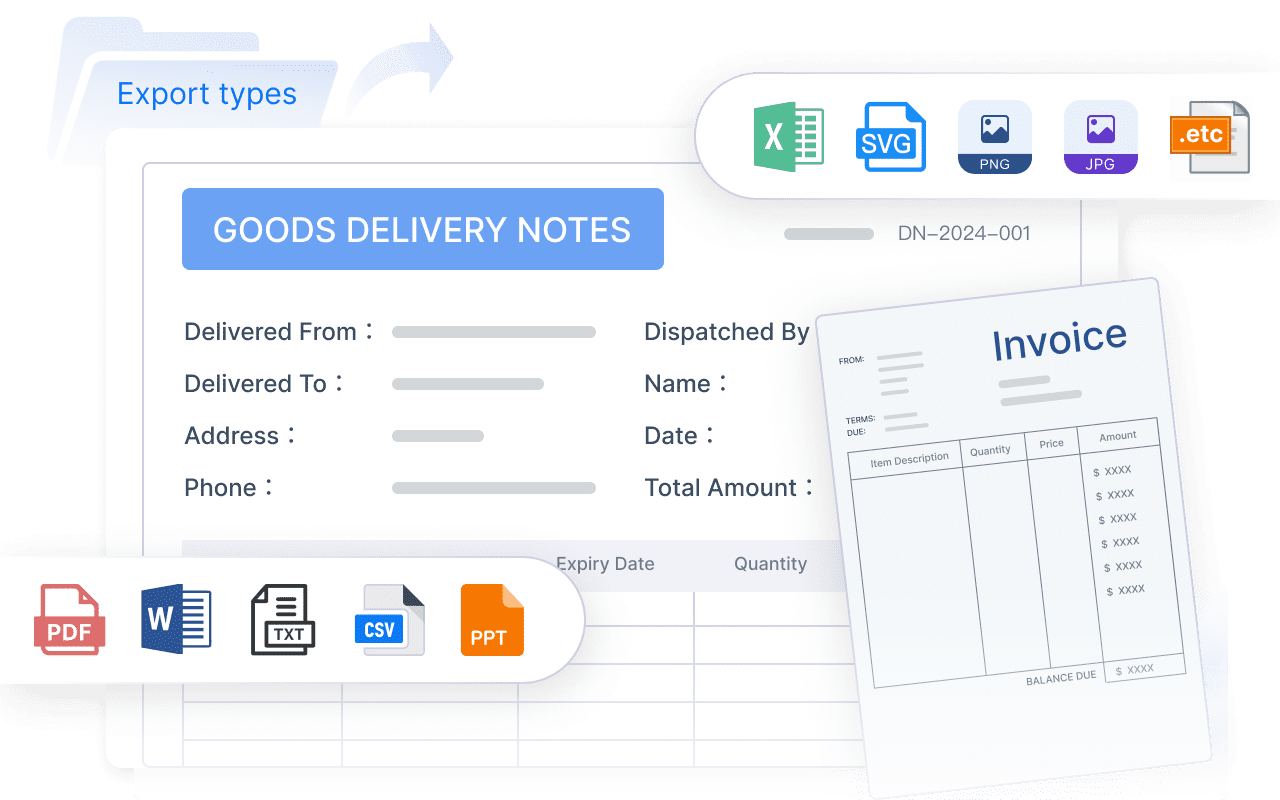
For business users and managers, the benefit is lower friction: they receive timely report summaries, chart-based answers, scheduled briefings, and role-appropriate exception pushes without chasing HR analysts.
Best practices and tools that support scale
Strong employee data management depends on both operating discipline and the right tooling choices. As HR reporting grows, teams need practices that keep data accurate, secure, maintainable, and usable.
Best practices for scaling employee data management
1. Standardize templates, definitions, and business terms
Use common field definitions, dashboard logic, and naming rules across HR reports. This is essential for both reporting consistency and Dora’s ability to deliver reliable structured report summaries.
2. Treat data quality as part of reporting and AI implementation
Do not separate data quality from analytics or AI. If employee status, department codes, or manager relationships are wrong, dashboards and AI explanations will both be wrong. Validation checks and periodic audits should be part of the reporting program.
3. Start with high-value recurring reports
Do not automate every report at once. Begin with recurring HR scenarios such as weekly headcount summaries, monthly turnover reviews, training compliance tracking, or leave exception monitoring. These repeatable use cases are ideal for Dora digital employees.
4. Preserve permission governance end to end
FineReport dashboards, report exports, and Dora outputs should all respect the same role-based access boundaries. This is especially critical in HR, where compensation, medical, disciplinary, and protected-category data must be tightly controlled.
5. Use human review for AI-generated narratives at the start
Dora can produce structured summaries, chart explanations, and management narratives quickly, but HR should review outputs during early rollout. As semantic rules, templates, and Skills mature, the workflow can expand safely.
What to look for in employee data management tools
When HR teams evaluate tools, they should look beyond record storage alone. Important capabilities include:
- Integration with HRIS, payroll, attendance, and document systems
- Flexible permissions and role-based views
- Strong reporting and dashboard design
- Auditability and change tracking
- Workflow support for corrections and approvals
- Manageable administration for HR and IT teams
- Support for governed AI workflow on top of trusted assets
This is where the combination of FineReport + Dora is differentiated. FineReport is the reporting and cockpit layer that turns HR data into trusted operational and management outputs. Dora is the enterprise Data Agent layer that makes those outputs easier to consume, explain, push, and follow up.
When HR teams may need dedicated employee database software
Some organizations can manage early-stage workforce records in a basic HR system, but complexity grows quickly with scale, multiple regions, regulated processes, or fragmented tech stacks. HR teams may need dedicated employee database or broader HR platform support when they face:
- Multiple disconnected systems with conflicting employee records
- Frequent audit requests or retention obligations
- Rising manual reporting effort
- Sensitive access-control requirements
- Repeated disputes over headcount or turnover numbers
- More demand for dashboards, compliance tracking, and executive reporting
The key evaluation question is not just “where will we store employee data?” It is “how will we govern, report, secure, explain, and act on it?”
A practical roadmap to get started
For most HR leaders, the right starting point is not a full transformation program. It is a focused reporting and governance initiative with measurable outcomes.
1. Assess your current employee data landscape
Document where employee data lives today:
- HRIS
- Payroll
- Time and leave systems
- Learning systems
- Benefits platforms
- Spreadsheets
- Shared folders
- Manager-maintained files
Then identify the biggest reporting pain points, such as inconsistent headcount, missing training records, or slow compliance reporting.
2. Prioritize the highest-value use cases
Choose a small number of reporting scenarios where better employee data management will produce visible business value. Good starting points include:
- Headcount visibility
- Turnover analysis
- Training and certification compliance
- Leave and attendance exceptions
- Compensation change reporting
These are also strong entry points for Dora because they are repeatable, time-sensitive, and summary-heavy.
3. Define governance and ownership
Set the minimum viable governance structure:
- Data owners by domain
- Source-of-record rules
- Required fields
- Access rules
- Correction workflows
- Audit requirements
- Retention expectations
Without this step, no dashboard or AI assistant will remain reliable for long.
4. Launch baseline dashboards and briefings
Build foundational FineReport assets first:
- Employee master report
- HR operations exception list
- Executive headcount dashboard
- Compliance dashboard
- Periodic management report
Then add Dora to improve report consumption through chat-based answers, structured summaries, scheduled briefings, and follow-up pushes.
Recommended success metrics
To measure progress, track a mix of operational and governance indicators:
- Record completeness rate
- Reporting accuracy rate
- Number of duplicate or inconsistent employee records
- Access compliance and permission exceptions
- Time saved preparing recurring HR reports
- Time to identify and follow up on compliance exceptions
- Adoption of standardized dashboards and AI briefings
These metrics help HR leaders show that employee data management is improving readiness, insight, and trust, not just cleaning up files.
FineReport + Dora solution pitch
Building this manually is complex. FineReport helps teams standardize trusted reports, operational cockpits, templates, and reporting workflows. Dora turns those assets into an AI assistant that can answer report questions in chat, generate structured summaries, push scheduled briefings, monitor exceptions, and follow up with responsible owners.
For employee data management, this means HR leaders can move from disconnected records and manual report preparation to a governed reporting framework with AI-assisted consumption. FineReport provides the foundation for:
- HR management reports
- Compliance dashboards
- Headcount and turnover views
- Operational exception lists
- Role-based report distribution
- Reporting workflow automation
Dora then activates those assets as enterprise-ready Agentic BI workflows:
- Natural-language query over trusted reporting assets
- Structured report summary generation
- Chart-based explanation for management review
- Scheduled daily or weekly briefings
- Exception alerts and push notifications
- Follow-up support for responsible owners
FineReport + Dora is not only a reporting upgrade; it is a practical fourth-generation Agentic BI path. FineReport provides governed reports and operational cockpits. Dora provides the AI assistant layer for scenario execution, with more controlled Skills, lower token waste, faster execution paths, and more stable workflows than prompt-only agents.

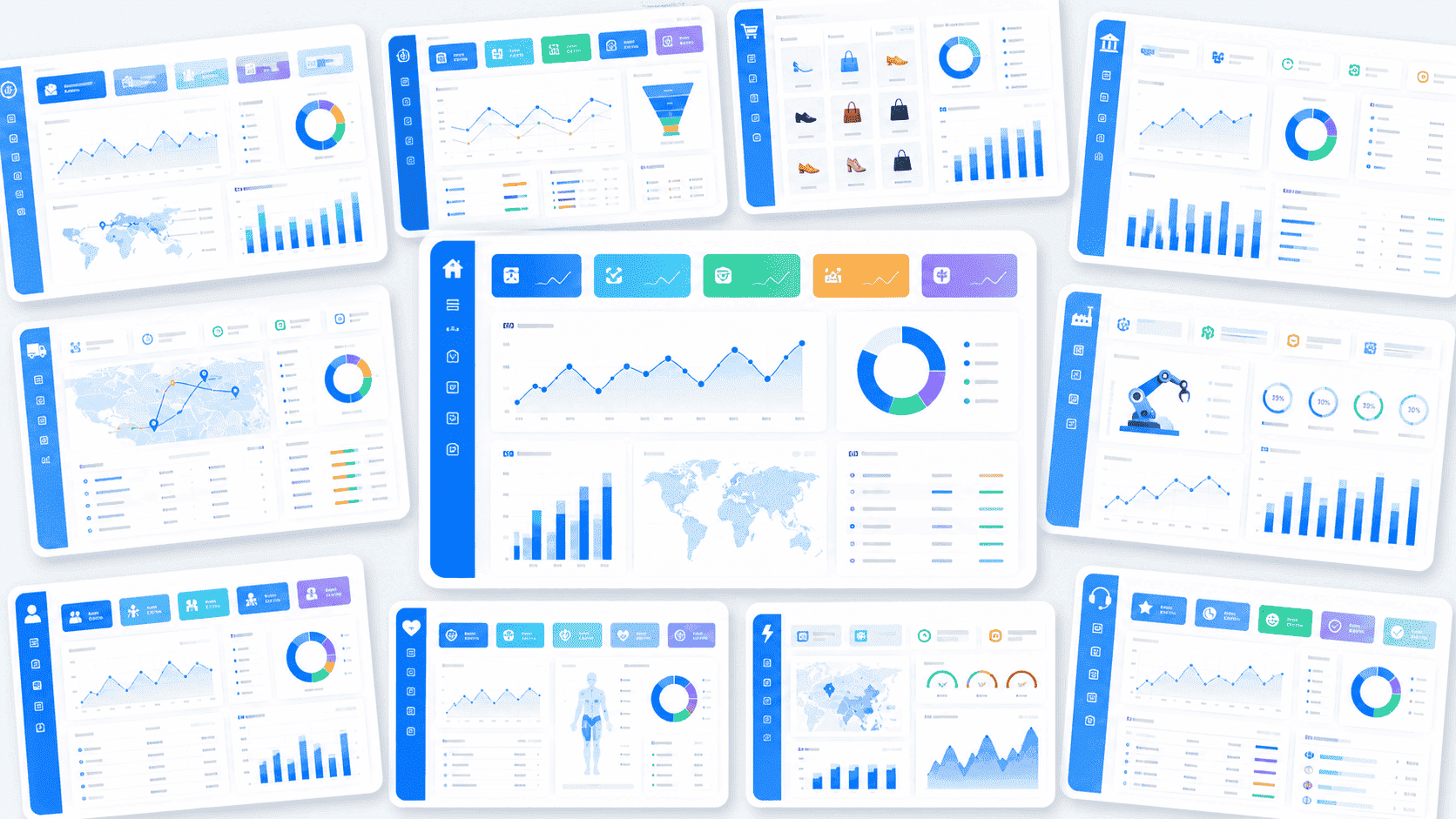
Get Ready-to-Use Dashboard Templates in Fine Gallery
The strongest Dora pitch is scenario + product + service: FineReport provides the trusted reporting foundation, Dora provides the AI digital employee, and implementation service connects data, governance, semantic setup, Skills, report templates, permissions, and rollout.
For HR leaders, that is the practical path forward. Strong employee data management is not just about better records. It is about building a governed reporting system that improves compliance readiness, workforce insight, operating efficiency, and stakeholder trust.
FAQs
Employee data management is the process of collecting, validating, storing, updating, governing, and retaining workforce information across the employee lifecycle. For HR leaders, it also means turning those records into trusted reports and dashboards for decision-making.