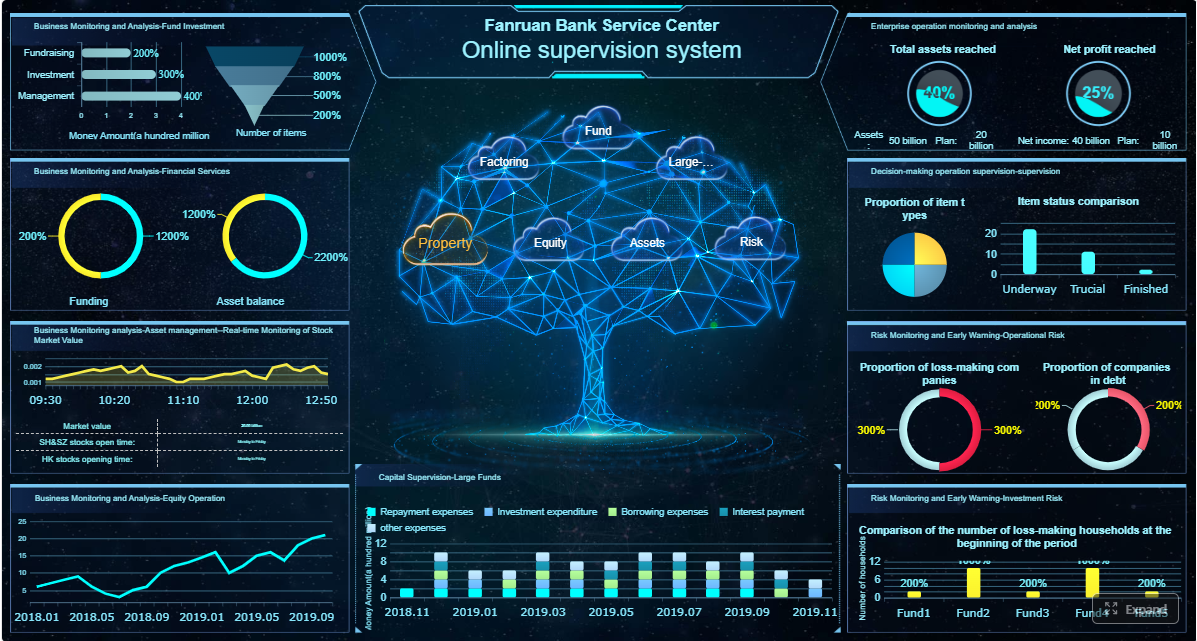
Monthly management packs are too important to depend on late spreadsheets, manual commentary, and version confusion. Finance leaders need trusted reporting for executive review, board communication, and performance tracking. They also increasingly need an AI assistant upgrade that helps stakeholders consume reports faster, understand variances, and follow up on exceptions without waiting on finance every time.
With FineReport + Dora, teams can ask for a report summary in chat, generate structured narratives from trusted report assets, receive scheduled briefings, and push exceptions to the right owner. That makes automated financial reports more than a formatting exercise. It turns the monthly pack into a governed reporting workflow and an AI-assisted management process.
Click To Try The Dashboard
All reports in this article are built with FineReport
Why automated financial reports matter for monthly management packs
Monthly management packs sit at the center of financial decision-making. They help executives assess performance, identify risks, compare actuals to budget, and decide where action is needed before the next reporting cycle. For boards and senior leadership, the pack is often the most consistent view of enterprise financial health.
When the process is manual, finance teams spend too much time collecting files, reconciling numbers, reformatting tables, and rewriting recurring commentary. That slows decision-making and increases the chance of avoidable mistakes. A single broken spreadsheet link or outdated file version can undermine trust in the entire pack.
Automated financial reports reduce those issues by connecting source systems, applying standardized logic, refreshing templates on schedule, and delivering a consistent output every month. Instead of rebuilding the report pack, finance teams maintain the logic and review the result.
This matters even more in organizations with:
multiple legal entities
several ERPs or accounting systems
distributed business units
matrix reporting requirements
recurring board or investor reporting deadlines
For a growing company, automation helps the finance team scale without adding the same amount of manual work each month. For a multi-entity group, it improves consistency across subsidiaries while preserving local accountability. For CFOs, it shortens the path from close to insight.
What financial reporting automation looks like in practice
Core components of an automated reporting workflow
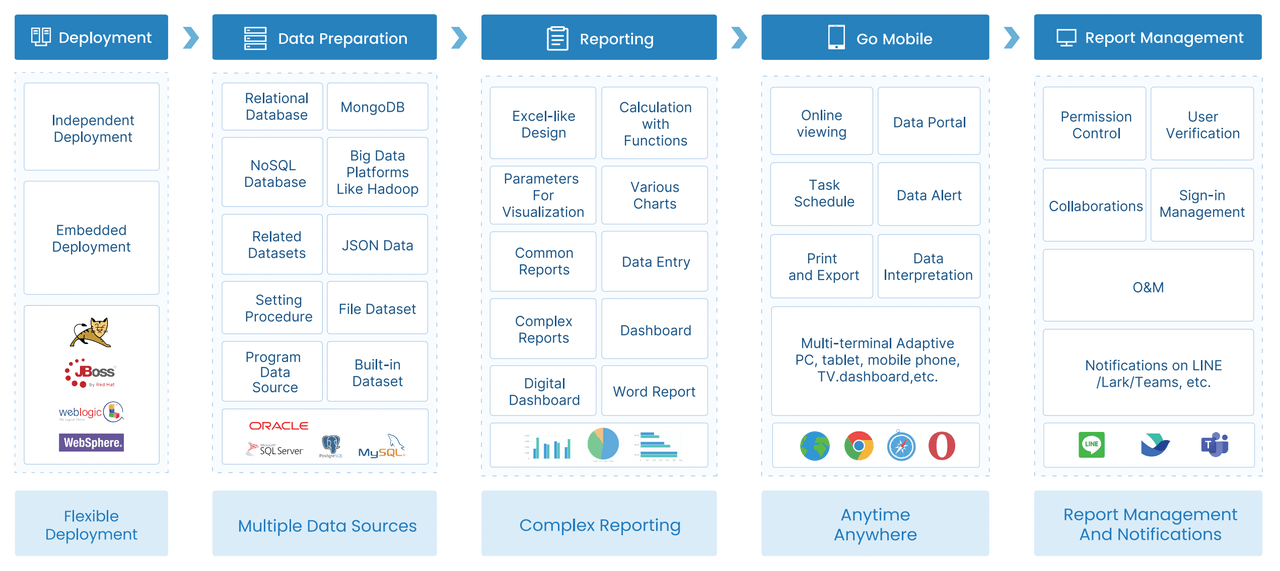
In practice, financial reporting automation is not just one scheduled export. It is a connected workflow with several controlled steps:
Data collection from ERP, accounting, budgeting, treasury, and operational systems
Validation to check completeness, balance rules, reconciliations, and exceptions
Transformation to map accounts, entities, periods, and reporting hierarchies
Template-based reporting to populate standard management pack layouts
Scheduled distribution with permissions, version control, and stakeholder access
In spreadsheet-heavy processes, these steps are often fragmented. Data is copied manually, logic sits in personal files, and commentary depends on whoever has time to write it. That creates bottlenecks, inconsistent definitions, and low auditability.
A connected reporting system works differently. The reporting logic is centralized. Templates are reusable. Permissions are controlled. Report outputs are refreshed from trusted data sources. This creates a stable foundation for both finance operations and AI-assisted report consumption.
Common goals for finance and accounting teams
Most finance teams pursue automation for a small number of practical reasons:
shorten the close-to-report cycle
improve consistency month after month
increase trust in reported numbers
reduce repetitive manual formatting and commentary work
support multiple stakeholders from the same source of truth
Different roles still need different views. Controllers need detailed schedules and reconciliation confidence. CFOs need material variance summaries and performance signals. Department heads need clear business unit views. IT and finance systems teams need governed logic, security, and maintainability.
The strongest automation approach supports all of them from one reporting foundation rather than separate manual outputs.
How to build automated financial reports with FineReport + Dora
Connect source data and define reporting logic
The first step is identifying what actually feeds the monthly management pack. In many organizations, that includes more than the general ledger.
Common source systems include:
ERP and general ledger platforms
accounts payable and accounts receivable systems
consolidation tools
budgeting and forecasting platforms
payroll systems
operational systems that explain revenue, cost, or utilization movements
The goal is not just data access. It is agreement on reporting logic. Finance teams need to define:
chart of accounts mapping
entity and business unit structures
reporting calendars
currency and consolidation rules
KPI definitions
variance calculation methods
materiality thresholds
exception rules
With FineReport, teams can connect these data sources and build governed reporting logic into formatted reports, complex reports, and management reporting workflows. This creates a trusted reporting layer that finance, executives, and auditors can understand.
From an IT perspective, this is where the role shifts in the AI era. IT no longer has to manually create every one-off report request. Instead, the team focuses on data connectivity, semantic consistency, permission governance, template design, and reusable AI Skills that Dora can execute safely.
Design monthly management pack templates
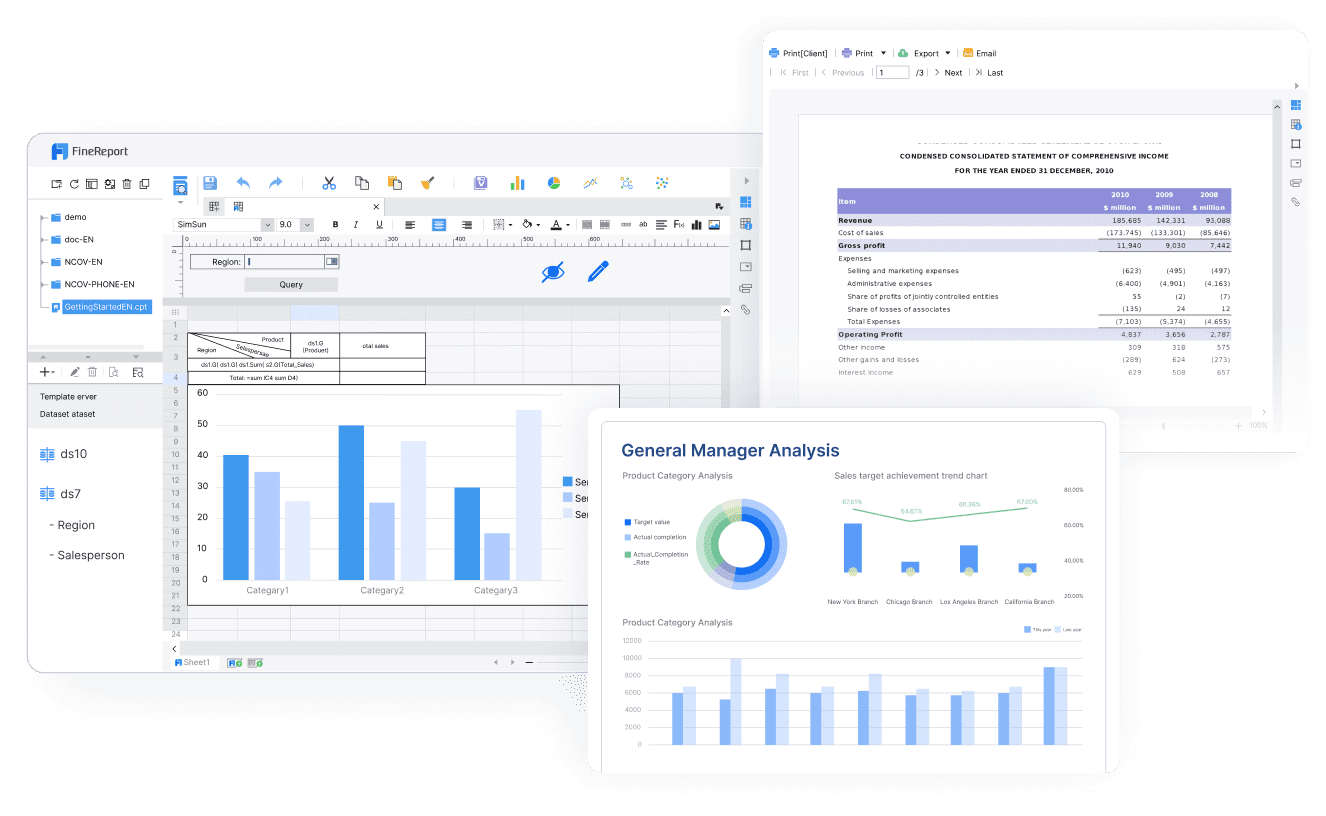
A strong monthly management pack should be reusable, not reinvented every month. FineReport is especially valuable here because formatted reporting matters in finance. Management packs usually need a fixed structure, board-ready layout, and controlled presentation style.
Typical sections include:
Executive summary
Definition: A high-level overview of performance, major variances, risks, and priorities.
Business value: Gives executives a fast view of what changed and what needs attention.
AI use:Dora can generate a structured report summary, highlight material changes, and draft a first-pass narrative for finance review.
Profit and loss statement
Definition: Revenue, cost, gross margin, operating expense, and profit performance by period, entity, or business unit.
Business value: Core view of profitability and operational execution.
AI use:Dora can explain large variances, summarize margin trends, and answer chart-based questions in chat.
Balance sheet
Definition: Assets, liabilities, and equity position at period end.
Business value: Supports liquidity, leverage, and working capital oversight.
AI use:Dora can summarize notable balance movements and flag unusual account shifts for review.
Cash flow statement
Definition: Cash generated and used across operating, investing, and financing activities.
Business value: Helps leadership evaluate liquidity strength and funding requirements.
AI use:Dora can produce cash-focused management commentary and point out cash conversion concerns.
Variance analysis
Definition: Comparison of actuals versus budget, forecast, prior month, or prior year.
Business value: Directs attention to the most material changes.
AI use:Dora can rank variances by materiality, explain likely drivers based on report context, and include them in scheduled briefings.
Definition: Segment-level reporting for departments, products, regions, or subsidiaries.
Business value: Improves accountability and management follow-up.
AI use:Dora can push business-unit-specific summaries to the right owners and preserve access boundaries by role.
The key is to create reusable layouts that refresh each month with new data rather than rebuilding charts and tables from scratch. FineReport supports this reporting foundation through standardized templates, operational cockpits, and automated report generation.
Add AI-assisted commentary and review workflows
Finance teams often know that commentary is valuable, but writing it is time-consuming. Month after month, analysts and managers repeat similar tasks:
explain major variances
summarize business drivers
identify exceptions
prepare management wording
answer follow-up questions from executives
This is where Dora adds practical value as an enterprise Data Agent layered on top of FineReport. Dora does not replace finance judgment. It helps finance teams reduce repetitive explanation work and improve reporting timeliness.
Finance remains in control through approval steps. Teams can review, edit, and approve AI-generated commentary before the management pack is released. That is critical for audit-friendliness, technical accounting alignment, and executive trust.
Once the report pack and review process are stable, the final step is distribution. Automation here should cover both timing and control.
Finance teams typically need to define:
distribution schedules by audience
secure export formats
role-based access permissions
version naming and retention
board versus internal management variants
notification and acknowledgment workflows
With FineReport, report generation and scheduled delivery can be standardized across roles and entities. With Dora, distribution becomes more intelligent. Instead of only sending a static file, Dora can also provide:
scheduled executive summaries
chat-based report Q&A
exception pushes to responsible owners
weekly or monthly briefing messages
follow-up prompts when anomalies remain unresolved
This helps business leaders consume financial information with less friction. They do not need to search through folders or wait for analysts to interpret every chart. They receive timely, governed summaries based on trusted report assets.
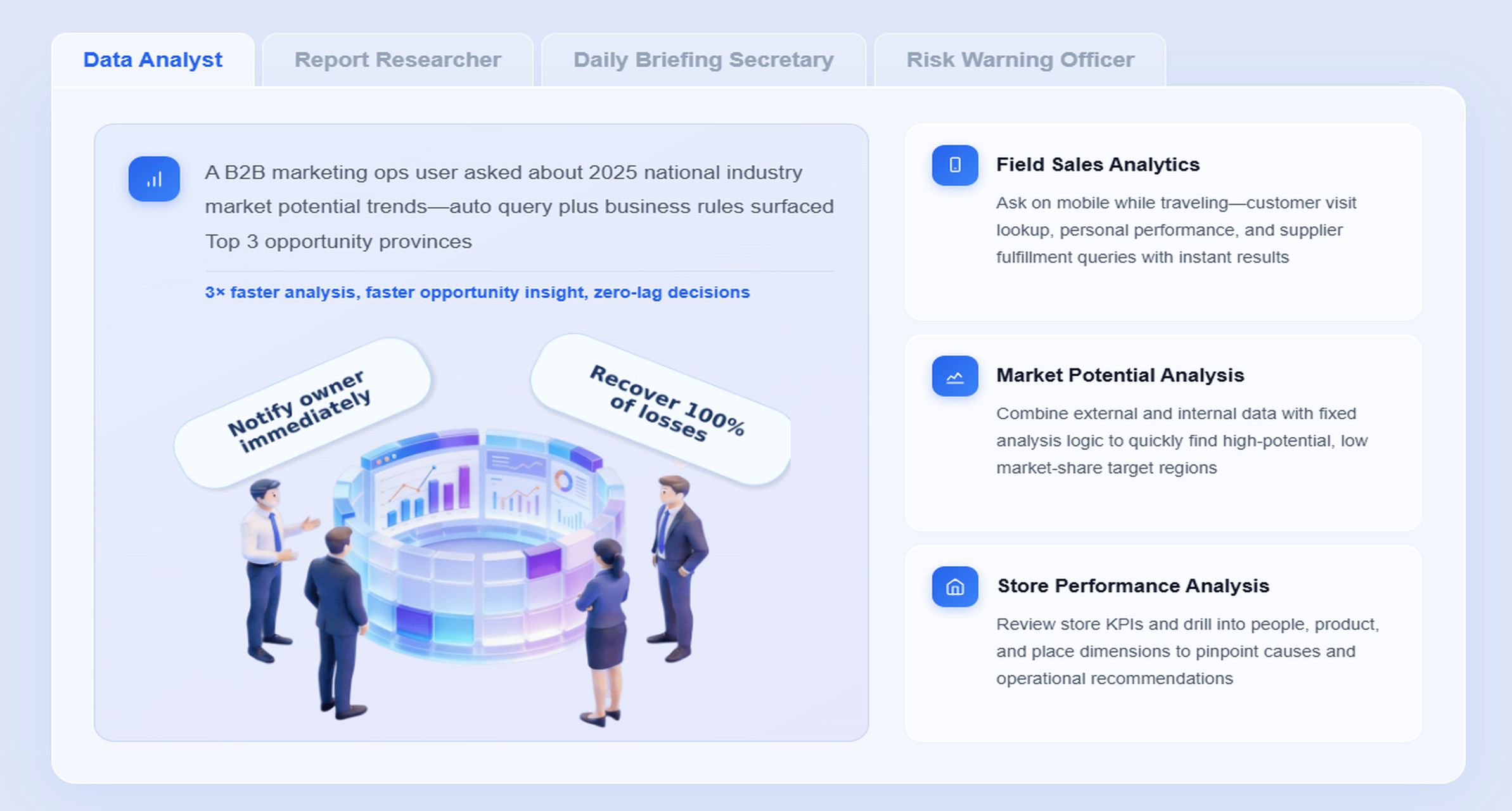
For monthly management packs, the most relevant Dora digital employees are usually the Daily Briefing Secretary, Report Researcher, and Risk Alert Officer.
The business problem is simple: even after a finance team builds automated financial reports, stakeholders still spend too much time reading, asking, clarifying, and following up. Automation of report production alone does not solve automation of report consumption.
Dora solves that next step through Agentic BI. Users ask questions in natural language. Dora works on top of the trusted FineReport reporting and semantic foundation. It retrieves governed reports, interprets KPI definitions and templates, generates structured summaries, highlights exceptions, and pushes follow-up items to the right people.
Scenario-specific chat example:
“Summarize this month’s management pack, highlight material variances in revenue, gross margin, and operating expenses, and list the business units that need CFO follow-up.”
A practical Dora workflow for monthly management packs looks like this:
Retrieve trusted FineReport report assets Dora accesses the approved monthly management pack, supporting schedules, and financial cockpit built in FineReport.
Understand financial semantics and governance rules Dora reads KPI definitions, account mappings, variance logic, materiality thresholds, report filters, and permission rules defined in the reporting layer.
Generate a structured report summary through chat Dora produces an executive-ready narrative for the period, such as topline performance, margin movement, cash position, and notable exceptions.
Detect exceptions and abnormal changes Dora identifies material variances, threshold breaches, overdue reconciliations, or unusual account movements relevant to finance review.
Push summaries and alerts to responsible users
The Daily Briefing Secretary can send scheduled summaries to executives, while the Risk Alert Officer can notify business unit owners about exceptions requiring action.
Create follow-up records for review Dora can help capture outstanding issues, suggested action points, and next-step reminders for finance or business owners.
This is where FineReport and Dora work together in an enterprise-ready way:
FineReport provides the trusted reporting foundation: formatted management packs, report templates, semantic consistency, permissions, and governed data presentation.
Dora provides the AI assistant layer: natural-language query, report summary generation, chart explanation, exception push, and follow-up support.
That combination is stronger than a prompt-only agent approach. Dora is designed for governed AI workflow execution with reusable Skills, which improves enterprise landing capability. It helps reduce token waste, improve response speed, and increase workflow stability compared with raw prompt-only agents, while still keeping finance logic anchored in trusted reports and KPI governance.
For executives, the value is concrete: Dora is not an AI experiment. It is a landed digital employee for recurring reporting work such as monthly management packs, variance summaries, finance risk alerts, and owner follow-up.
For business users, the value is speed and convenience: timely report summaries, chat-based answers, and scheduled briefings without waiting for analysts to interpret every number.
For IT and finance systems teams, the value is control: permissions, semantic rules, report templates, reusable Skills, and auditable workflows.
Best practices for accuracy, governance, and adoption
Strengthen controls and technical accounting alignment
Before automating distribution, define the checkpoints that must happen before release. Monthly packs should not bypass finance controls just because report generation is easier.
Best practices include:
establish reconciliation steps before final publication
define approval checkpoints for controllers and finance leadership
document exception handling rules
align report outputs with accounting policies and technical judgments
preserve audit-friendly change tracking and version control
AI-generated commentary should also be reviewed within these controls. Dora can draft structured report summaries, but finance should approve material explanations before they are shared externally or used in board-level discussion.
Make reports useful for CFOs and business leaders
A monthly pack should help leaders decide, not just read. That means focusing attention on what matters:
core KPIs
material variances
drivers behind change
liquidity and cash considerations
forecast implications
drill-down paths for deeper review
Executives usually want concise summary views first. Finance teams often need detailed schedules behind them. FineReport supports both layers well: executive-facing management reports and deeper report detail for analyst investigation.
Dora then improves the user experience by converting those trusted report assets into chat-based answers, structured summaries, and periodic briefing pushes. A CFO can ask a direct question about margin decline and receive a chart-based answer grounded in the governed reporting layer.
Many automation projects struggle for predictable reasons:
over-customized report logic that only one person understands
unclear ownership between finance and IT
weak KPI definitions
inconsistent source data
too many reports automated at once
no change management for end users
A better path is to start with one high-impact monthly management pack, stabilize the reporting logic, validate outputs, and only then expand to other recurring finance reports.
Standardize semantics before scaling AI
This is one of the most important AI-specific practices. Dora works best when the enterprise already has trusted report templates, KPI definitions, business terms, and access rules.
Before scaling AI-assisted report consumption:
standardize financial definitions
document materiality thresholds
define variance logic clearly
align business term usage across finance and operations
map which reports and metrics Dora can access by role
This makes Dora’s summaries and answers more controllable and auditable.
Use governed AI rollout, not fully open-ended automation
Another AI-specific best practice is to start with repeatable workflows instead of broad free-form automation. Monthly management packs are ideal because they are recurring, structured, and high value.
Good starting use cases include:
monthly executive summary drafting
scheduled CFO briefing pushes
variance explanation assistance
exception alerts for business unit owners
follow-up reminders for unresolved finance issues
Use human review early, then gradually expand Dora Skills as confidence and governance mature.
Choosing the right tools and planning your rollout
What to evaluate in financial reporting software
When evaluating platforms for automated financial reports, finance leaders should look beyond basic exports. The right platform should support both accountant workflows and executive-facing reporting.
Key evaluation areas include:
Integration depth: Can it connect to ERP, accounting, budgeting, and operational systems?
Template capability: Can it produce formatted, board-ready monthly packs?
Scheduling: Can reports refresh and distribute on controlled schedules?
Security and permissions: Can access be restricted by role, entity, or section?
Auditability: Can teams trace data logic, versions, and workflow steps?
Collaboration: Can finance review, approve, and refine outputs efficiently?
Customization with control: Can reports adapt without becoming unmaintainable?
AI workflow fit: Can AI operate on trusted report assets with permissions and semantic rules?
This last point is increasingly important. Many teams compare AI features at the surface level. A better question is whether the platform supports a governed reporting foundation and controllable AI execution path. That is where FineReport + Dora has better landing capability than feature-only agent comparisons.
validate financial outputs against current process
document controls and approvals
Phase 2: Standardize distribution and access
set schedules
define recipient groups
apply permission governance
establish version controls
reduce manual file handling
Phase 3: Add Dora for AI-assisted report consumption
launch chat-based Q&A on approved reports
enable structured report summary generation
start scheduled briefing use cases
configure exception alerts and follow-up rules
Phase 4: Expand to multi-entity and broader reporting
extend templates across subsidiaries
add entity-specific views
automate more recurring finance packs
refine Dora Skills for role-specific reporting workflows
This phased approach keeps risk manageable and improves adoption because users see value early.
How to measure success after launch
Post-launch measurement should be practical and finance-oriented. Common success metrics include:
time saved in report preparation
reduction in recurring reporting errors
shorter close-to-report turnaround
fewer manual consolidation steps
higher user adoption among executives and managers
improved timeliness of variance follow-up
stronger consistency across entities or departments
You should also assess AI-specific outcomes, such as:
executive usage of chat-based report queries
frequency of scheduled briefing consumption
quality and edit rate of AI-generated first drafts
exception follow-up completion rates
Success is not just faster report generation. It is better decision support from trusted, governed reporting assets.
FineReport + Dora Solution Pitch
Building this manually is complex. FineReport helps teams standardize trusted reports, operational cockpits, templates, and reporting workflows. Dora turns those assets into an AI assistant that can answer report questions in chat, generate structured summaries, push scheduled briefings, monitor exceptions, and follow up with responsible owners.
For monthly management packs, this matters because finance needs both precision and usability. FineReport handles the reporting foundation: formatted reports, complex reports, management packs, data entry workflows, and enterprise reporting automation. Dora adds the execution layer for report consumption: natural-language query over trusted reporting assets, chart explanation, management narrative generation, scheduled summaries, and exception push.
FineReport + Dora is not only a reporting upgrade; it is a practical fourth-generation Agentic BI path. FineReport provides governed reports and operational cockpits. Dora provides the AI assistant layer for scenario execution, with more controlled Skills, lower token waste, faster execution paths, and more stable workflows than prompt-only agents.
Get Ready-to-Use Dashboard Templates in Fine Gallery
The strongest Dora pitch is scenario + product + service: FineReport provides the trusted reporting foundation, Dora provides the AI digital employee, and implementation service connects data, governance, semantic setup, Skills, report templates, permissions, and rollout.
If your finance team wants to move from manually preparing monthly packs to AI-assisted, governed report delivery and consumption, FineReport + Dora is a practical enterprise path.
Automated financial reports are scheduled, template-based reports that pull data from connected finance systems, apply consistent logic, and generate monthly management packs with less manual effort. They help finance teams deliver faster, more accurate reporting for executives, boards, and business leaders.
FineReport provides the governed reporting layer for data connections, report templates, and controlled distribution, while Dora adds AI-assisted summaries, narratives, and follow-up support. Together, they help teams move from manual pack creation to a more scalable reporting workflow.
Most teams use ERP or general ledger data along with budgeting, consolidation, payroll, treasury, and operational systems. The exact mix depends on which metrics, entities, and variance explanations need to appear in the pack.
Accuracy depends on centralized reporting logic, validation rules, reconciliations, permissions, and version control. A governed setup also creates clearer auditability and reduces the risk of spreadsheet errors or outdated files.
Yes, AI can generate concise summaries, highlight unusual movements, and surface exceptions for review based on trusted report outputs. It speeds up interpretation, but finance teams should still review material commentary and decisions before distribution.
Product Trial
FineReport
Pixel-perfect reports · Interactive dashboards · Easy data entry · Digital twins