Enterprise reporting decisions are no longer just about whether a tool can generate charts or export PDFs. The real question is whether your teams can produce trusted operational reports, management dashboards, and recurring executive updates fast enough to support the business without losing governance.
A modern drag and drop report builder helps business teams assemble reports visually, reduce formatting bottlenecks, and respond faster to changing requests. Traditional report builder software still has a place, especially when reporting logic is deeply customized or tightly controlled. But for many enterprises, the reporting conversation has evolved again: beyond report creation, teams now want AI assistance for report consumption, summarization, exception monitoring, and follow-up.
With FineReport + Dora, teams can ask for a report summary in chat, generate structured narratives from trusted report assets, receive scheduled briefings, and push exceptions to the right owner. That means the reporting platform is not only easier to build in, but also easier to use at scale across operations, finance, sales, and leadership teams.
Click To Try The Dashboard
All reports in this article are built with FineReport
Drag and Drop Report Builder vs Traditional Report Builder Software at a Glance
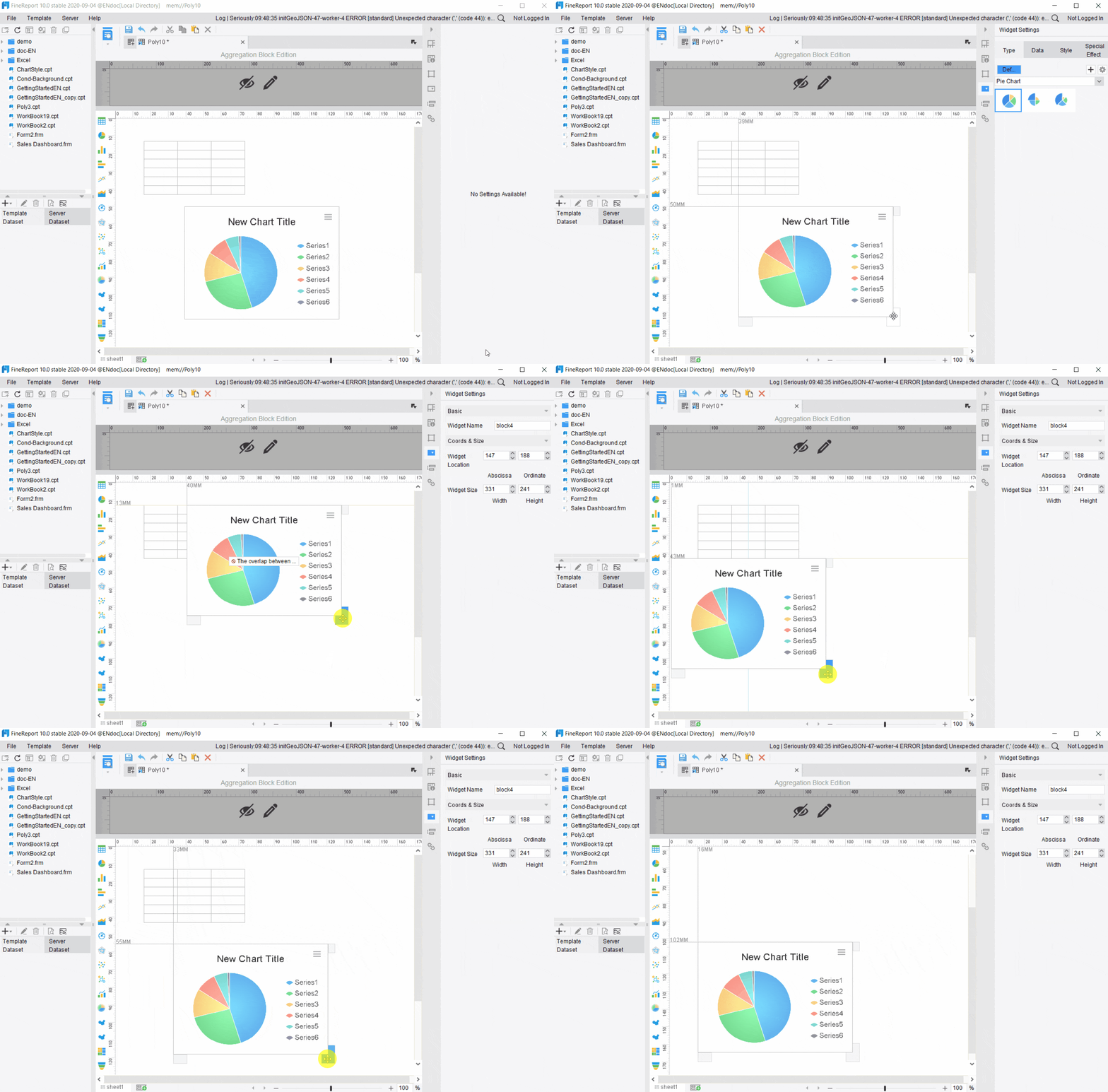
A drag and drop report builder lets users design reports visually by placing tables, charts, KPIs, filters, and layout components onto a canvas. Traditional report builder software usually relies more heavily on developer-led design, scripted logic, SQL knowledge, or technical configuration.
For enterprise teams, the difference is not simply “easy versus hard.” It is really about how speed, control, usability, and governance are balanced.
Core differences enterprises should understand
Setup and implementation model
A drag and drop report builder is usually faster for report layout design, template reuse, and iterative business changes. It is well suited for environments where report requests change often and non-technical users need more independence.
Traditional report builder software often requires more technical setup for report logic, data preparation, and layout rules. That can be appropriate when teams want stricter development discipline or highly specialized reporting behavior.
Visual builders are designed for broader adoption. Finance managers, operations leads, analysts, and reporting developers can work in the same environment with less handoff.
Traditional tools are often better aligned with highly technical reporting teams that are comfortable working through code-based logic, more rigid data models, or specialized reporting frameworks.
Speed of change
When business users need a new filter, a revised KPI block, a weekly summary format, or a regional breakdown, a drag and drop report builder typically reduces turnaround time dramatically.
Traditional report builder software may still deliver the result, but often through a request queue that slows report iteration.
Governance and enterprise control
This is where many enterprise buyers hesitate. They assume visual reporting means weak control. That does not need to be true.
A strong enterprise platform should support:
permissions
template governance
scheduling
version control
workflow approvals
data-source controls
auditability
reusable semantic definitions
This is why the platform matters more than the interface alone. A consumer-style drag-and-drop experience without governance is risky. An enterprise-grade visual platform, however, can combine self-service with control.
Which model fits which environment?
A drag and drop report builder is usually a better fit when:
business users need faster report creation
recurring reports change frequently
adoption across departments is a priority
report developers need reusable templates
leaders want faster access to operational insights
Before selecting a reporting platform, enterprises should assess:
who creates reports today
how often reports change
how many departments need access
whether dashboards and formatted reports are both required
what governance rules must be preserved
whether AI-assisted report consumption is part of the future roadmap
That last point matters more than ever. Report-building efficiency is important, but the next productivity gain comes from helping people consume reports faster through an enterprise Data Agent layered on trusted reporting assets.
Why Enterprises Are Moving Toward a Drag and Drop Report Builder
Enterprises are moving toward visual reporting because the old reporting operating model is too slow for modern business demands. Leaders do not want to wait days for a revised dashboard section. Operations teams do not want to chase analysts for recurring filters. Finance does not want to rebuild spreadsheet packs every month.
A drag and drop report builder reduces that friction by making report assembly more visual, repeatable, and accessible.
Common pain points with traditional reporting workflows
Long turnaround times for report changes
In many organizations, even small report adjustments require tickets, analyst support, or developer intervention. That creates delays for routine tasks such as:
adding a business unit filter
changing date ranges
updating layout sections
revising KPI labels
splitting one summary into multiple stakeholder views
This slows executive reporting and weakens operational responsiveness.
Heavy reliance on SQL, developers, or BI specialists
Traditional report builder software often concentrates reporting power in a small technical group. That may keep standards high, but it also creates bottlenecks.
The result is familiar:
business users wait in line
analysts spend time on formatting requests instead of insights
IT gets pulled into low-value report changes
departments create spreadsheet workarounds
Higher friction when iterating on dashboards and recurring reports
Recurring reporting is rarely static. Monthly management packs, service reviews, sales pipeline reports, and operations summaries change over time.
When layout edits, visual changes, or stakeholder-specific variants are difficult, teams stop improving reports. Eventually they work around the system rather than with it.
Why visual report creation is gaining traction
A drag and drop report builder helps address those problems by allowing users to work more directly with report components. They can:
reuse templates
assemble sections faster
align layouts with business needs
create clearer formatted outputs
support both dashboards and printable reports
For enterprises, the value is not just convenience. It is operating speed.
Faster report assembly supports faster decisions
A visual builder shortens the cycle from question to answer. When a regional director asks for a revised service-level view, or when a CFO wants a different cost breakdown before a review meeting, the reporting team can respond more quickly.
Ease of use increases adoption across business functions
The best enterprise reporting platforms are not designed only for report developers. They allow broader participation from:
finance teams
operations managers
sales leaders
customer success teams
compliance and audit stakeholders
That wider adoption matters because reporting quality depends not only on data, but also on how many teams can use the platform consistently.
Where traditional report builder software still makes sense
Despite the momentum behind visual tools, traditional report builder software remains relevant in several cases.
Highly customized reporting logic with complex data modeling requirements
If your environment includes dense logic, custom scripting, unusual report rules, or highly technical report generation behavior, a more traditional approach may still be appropriate.
Regulated environments that need stricter development controls
Some industries require tightly governed development, formal testing stages, and carefully controlled release management. In those cases, a traditional reporting workflow may align better with internal standards.
Teams with established BI resources and slower change cycles
If report requirements are stable and a mature BI team already handles requests efficiently, the need for a drag and drop report builder may be less urgent.
Still, even in those environments, enterprises should ask a second question: how will users consume those trusted reports more efficiently? That is where AI assistant capabilities become strategically important.
How to Choose the Right Solution for Enterprise Reporting Workflows
The right reporting platform should support both business agility and enterprise discipline. A drag and drop report builder is only valuable if it also fits your architecture, security model, and reporting processes.
Assess support for both dashboards and operational reports
Many tools are strong at dashboards but weak at pixel-perfect operational reporting. Others support exports but are poor at interactive analysis.
Enterprises should look for one environment that can handle:
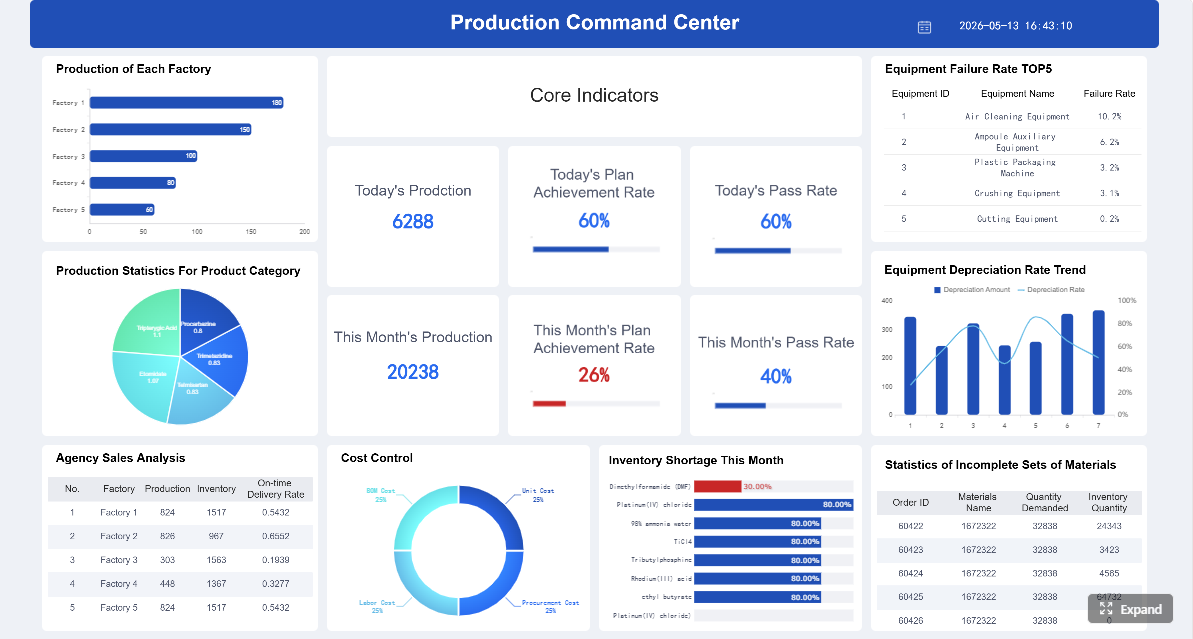
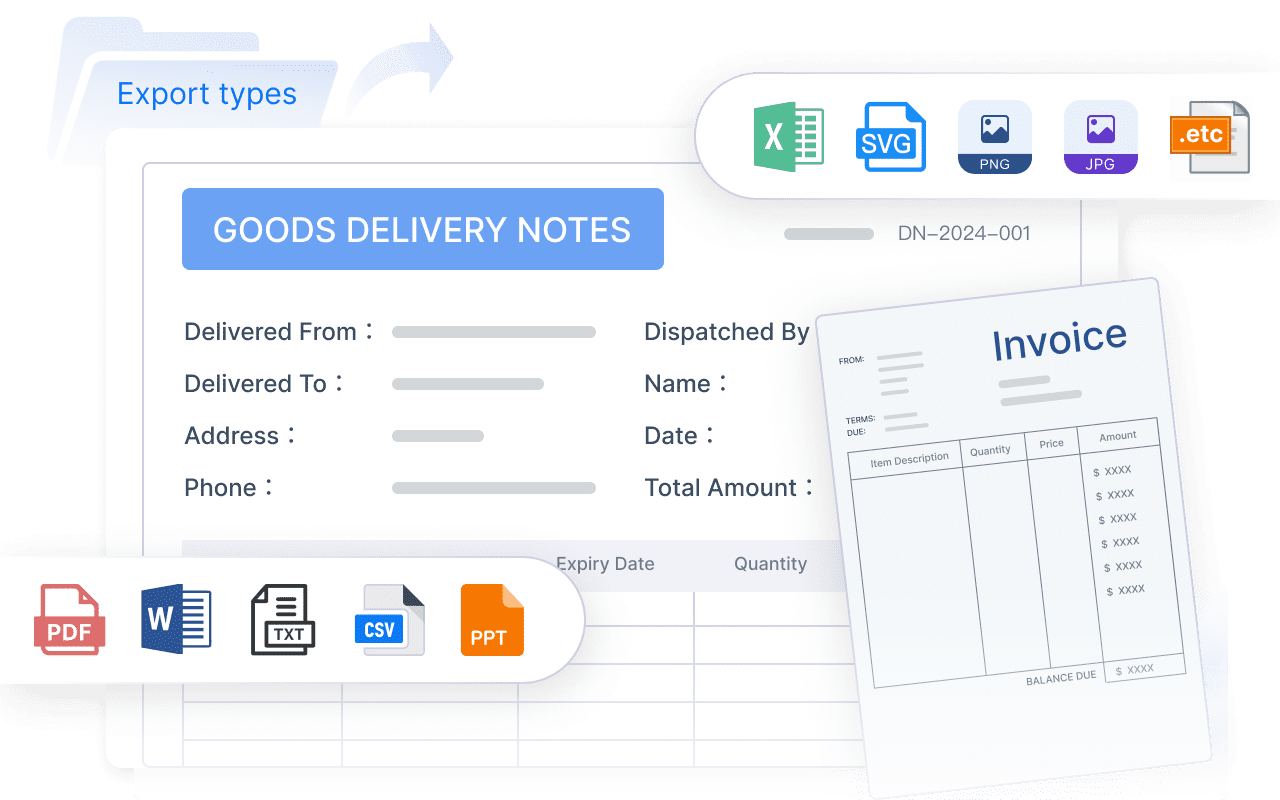
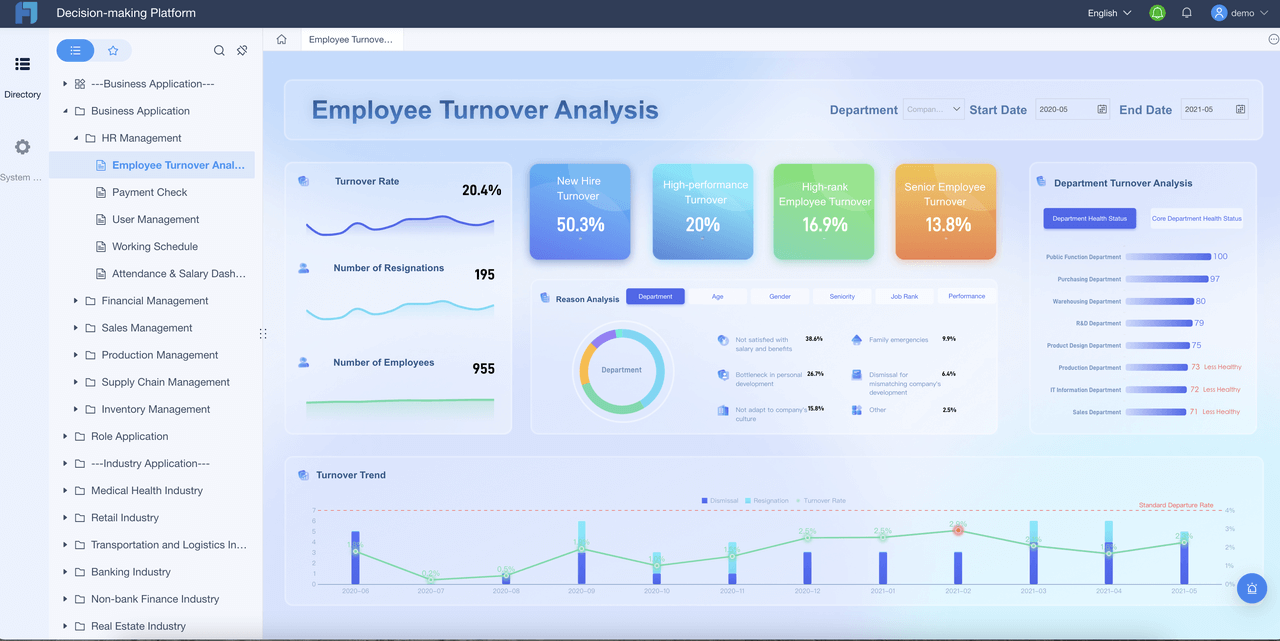
This is an area where FineReport is particularly important as the foundation. It supports formatted reports, complex reports, operational cockpits, management reports, and enterprise reporting automation in one governed reporting layer.
Evaluate governance features carefully
Self-service without governance usually creates report sprawl. During evaluation, review whether the platform supports:
role-based permissions
approval workflows
audit trails
scheduling controls
version management
template standardization
data-source governance
access boundaries by department or role
The strongest platforms help enterprises scale reporting access without losing trust.
Review integration options across enterprise data sources
A reporting platform should connect to the systems your teams actually use, including:
cloud applications
ERP and CRM platforms
data warehouses
spreadsheets
internal databases
line-of-business systems
Integration quality affects not just reporting, but also the reliability of any future AI assistant layered on top.
Do not evaluate reporting software only on a departmental use case. Consider:
user growth across regions and functions
report volume expansion
complexity of report scheduling
concurrent access patterns
long-term template maintenance
governance administration effort
Key usability features to prioritize
Intuitive layout editing and reusable templates
A strong drag and drop report builder should allow fast composition of common sections, reusable designs, and consistent report outputs.
Flexible filters, drill-downs, and scheduling options
Users should be able to move from high-level summaries to detailed views, while also automating recurring report delivery.
Collaboration tools for comments, sharing, and review cycles
Enterprise reporting is rarely a solo activity. Teams often need to review drafts, share findings, and confirm follow-up actions.
Questions to ask during vendor evaluation
How quickly can non-technical teams create reports without assistance?
This reveals whether the platform truly supports self-service or simply markets itself that way.
What training is required for administrators, analysts, and business users?
Ease of adoption affects rollout speed and long-term usage.
How well does the platform balance self-service with enterprise control?
This is the core enterprise question. A useful visual builder must still respect governance, permissions, and reporting standards.
What Teams Can Build and Improve with Modern Reporting Tools
A modern drag and drop report builder should do more than help users place charts on a page. It should improve the quality, consistency, and usefulness of enterprise reporting workflows.
Standardize recurring executive, departmental, and client-facing reports
Templates and reusable layouts help teams build recurring reports more efficiently while preserving consistency.
Reduce manual spreadsheet work and improve consistency
Modern reporting tools reduce copy-paste cycles and manual formatting effort. That improves consistency in KPI definitions, layout structure, and delivery timing.
Support faster experimentation with new KPIs and stakeholder views
As business priorities shift, teams need to test new metrics, reorganize summaries, or create role-specific views without rebuilding the entire reporting process.
Typical enterprise use cases
Board and leadership reporting
Executives need concise, trusted, and timely reporting views. Standardized reports with clear narratives improve meeting quality and decision speed.
Sales pipeline and revenue performance tracking
Sales teams need regional, rep-level, and segment-based views that can be adjusted quickly as priorities change.
Operations, support, and service-level reporting
Operational teams often require both dashboard monitoring and formatted summaries for daily or weekly review cycles.
Compliance, finance, and audit-ready reporting
These use cases need stronger consistency, traceability, and governance, which makes platform-level control essential.
What successful adoption looks like
Successful reporting transformation is visible in day-to-day work.
Business users create reports with less back-and-forth
Analysts spend more time on insights instead of formatting requests
Stakeholders get timely reports that are easier to understand and act on
To make that success sustainable, enterprises increasingly need AI support for report consumption, not just report creation.
How an AI Data Agent Automates Report Consumption
Once an enterprise has a trusted reporting foundation, the next challenge is not building every report faster. It is helping people use reports faster.
This is where Dora, FanRuan’s enterprise Data Agent platform, adds value. Dora acts as an AI assistant and AI digital employee layer on top of FineReport and existing enterprise report assets. It is not a replacement for FineReport. FineReport builds the trusted reports, templates, operational cockpits, and semantic structure. Dora turns those assets into a practical Agentic BI workflow for report consumption, summarization, alerts, and follow-up.
Why AI matters in a drag and drop reporting environment
A drag and drop report builder improves report creation. Dora improves how users consume and act on those reports.
That matters because many enterprise delays happen after the report is built:
managers do not know which page matters
leaders need a structured summary before meetings
teams miss exceptions hidden in large reports
stakeholders ask analysts to explain charts repeatedly
follow-up owners are not notified in time
Dora addresses those bottlenecks through chat-based AI assistance, governed report retrieval, structured summaries, scheduled briefings, and exception push workflows.
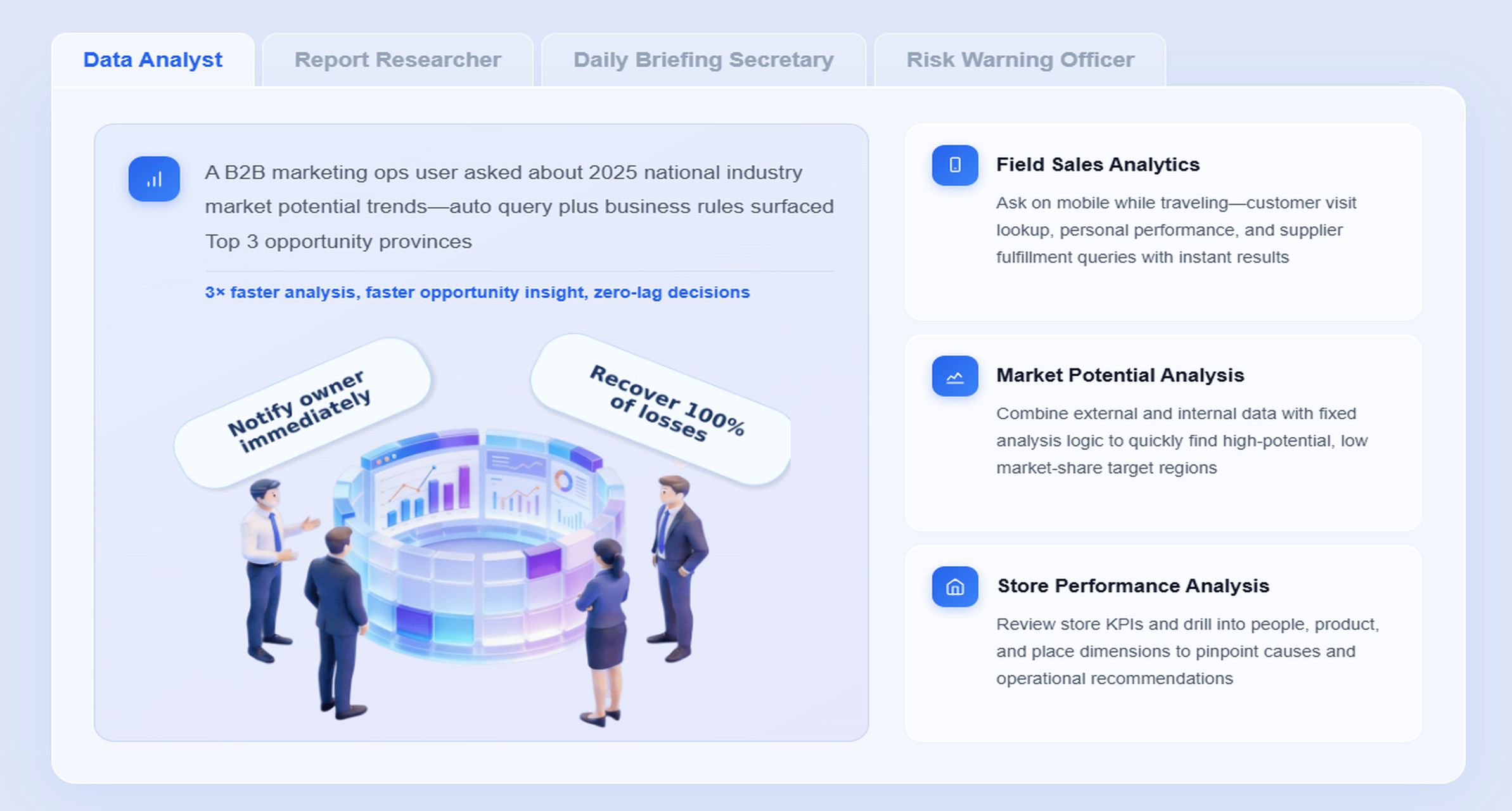
Risk Alert Officer for exception monitoring, anomaly detection, root-cause review support, owner notification, and suggested action push
Scenario-specific chat example
Imagine an operations director reviewing a weekly service performance cockpit built in FineReport. Instead of opening multiple tabs and manually summarizing charts, they ask Dora:
“Summarize this week’s operations report, highlight SLA exceptions by region, explain the biggest backlog increase, and list the teams that need follow-up.”
That request is more than a search query. It is a governed AI workflow grounded in trusted report assets.
A 6-step Dora AI workflow
Retrieve trusted FineReport report or operational cockpit data Dora accesses the relevant FineReport dashboard, formatted report, metrics, and exception list based on user permissions.
Understand KPI definitions, report templates, filters, and business terms Dora uses the trusted semantic layer behind the report to interpret SLA, backlog, overdue items, regional ownership, and threshold rules correctly.
Generate a structured report summary through chat Dora returns a management-ready summary with key findings, chart explanations, notable changes, and clear language suitable for business review.
Detect exceptions and abnormal changes Dora identifies threshold breaches, unusual trends, overdue issues, or large week-over-week changes that require attention.
Push alerts and follow-up items to responsible users
Through governed AI workflow and Skills-based execution, Dora can notify the appropriate owners with the right level of detail instead of forcing users to search manually.
Produce follow-up records or periodic briefings Dora can support daily or weekly summary outputs for review, helping managers maintain continuity and accountability.
How FineReport provides the trusted reporting foundation
Dora works well in enterprise reporting because it is grounded in governed assets rather than raw prompts alone.
That foundation is critical. Without strong reporting governance, AI summaries risk becoming inconsistent or misleading. With FineReport, Dora can operate on a more reliable semantic and reporting layer.
Dora helps move reporting from passive viewing to guided action.
Chat-based AI assistant for report consumption
Users can ask natural-language questions against trusted reporting assets instead of searching through many report tabs.
Structured report summaries and chart explanations
Dora can create structured report summaries, explain chart movements, and produce management narratives that save analysts time.
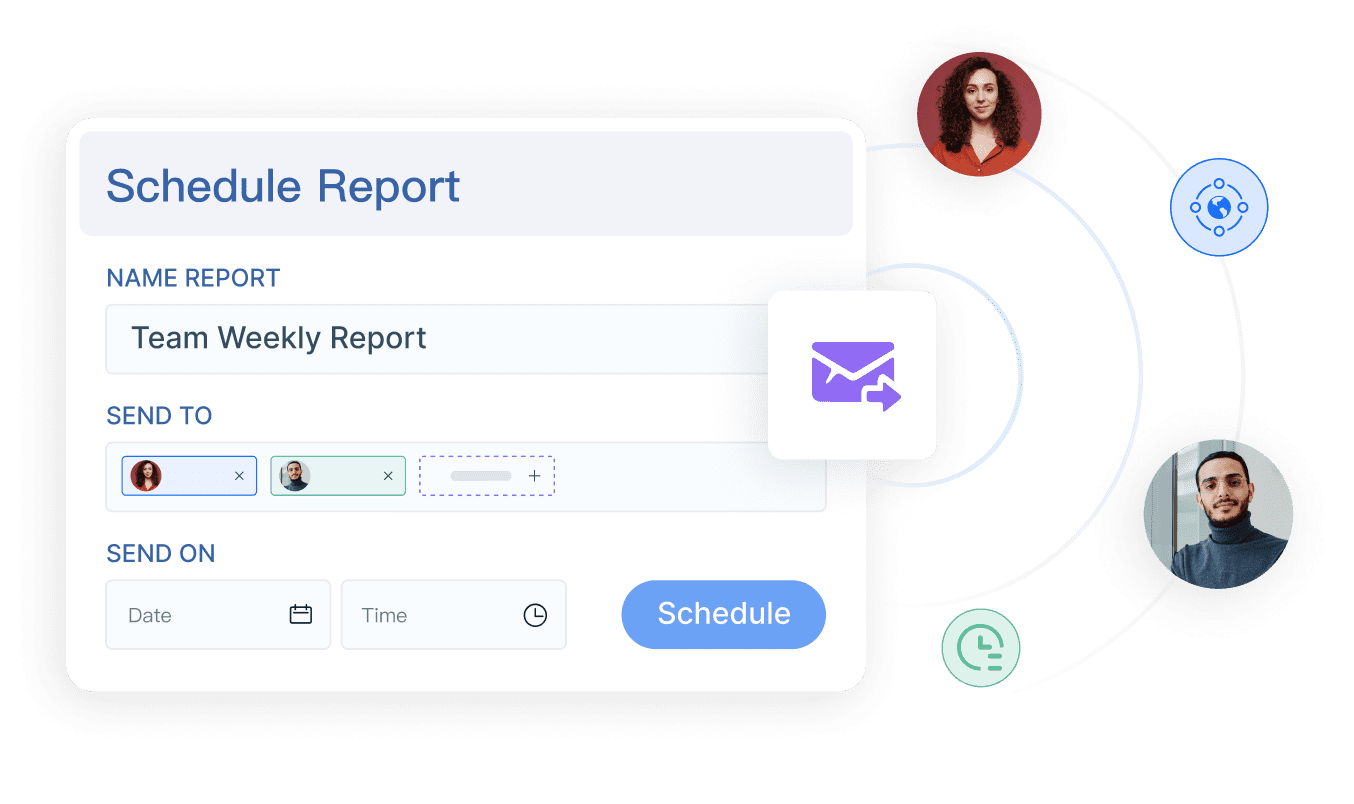
Scheduled summaries and daily or weekly briefings
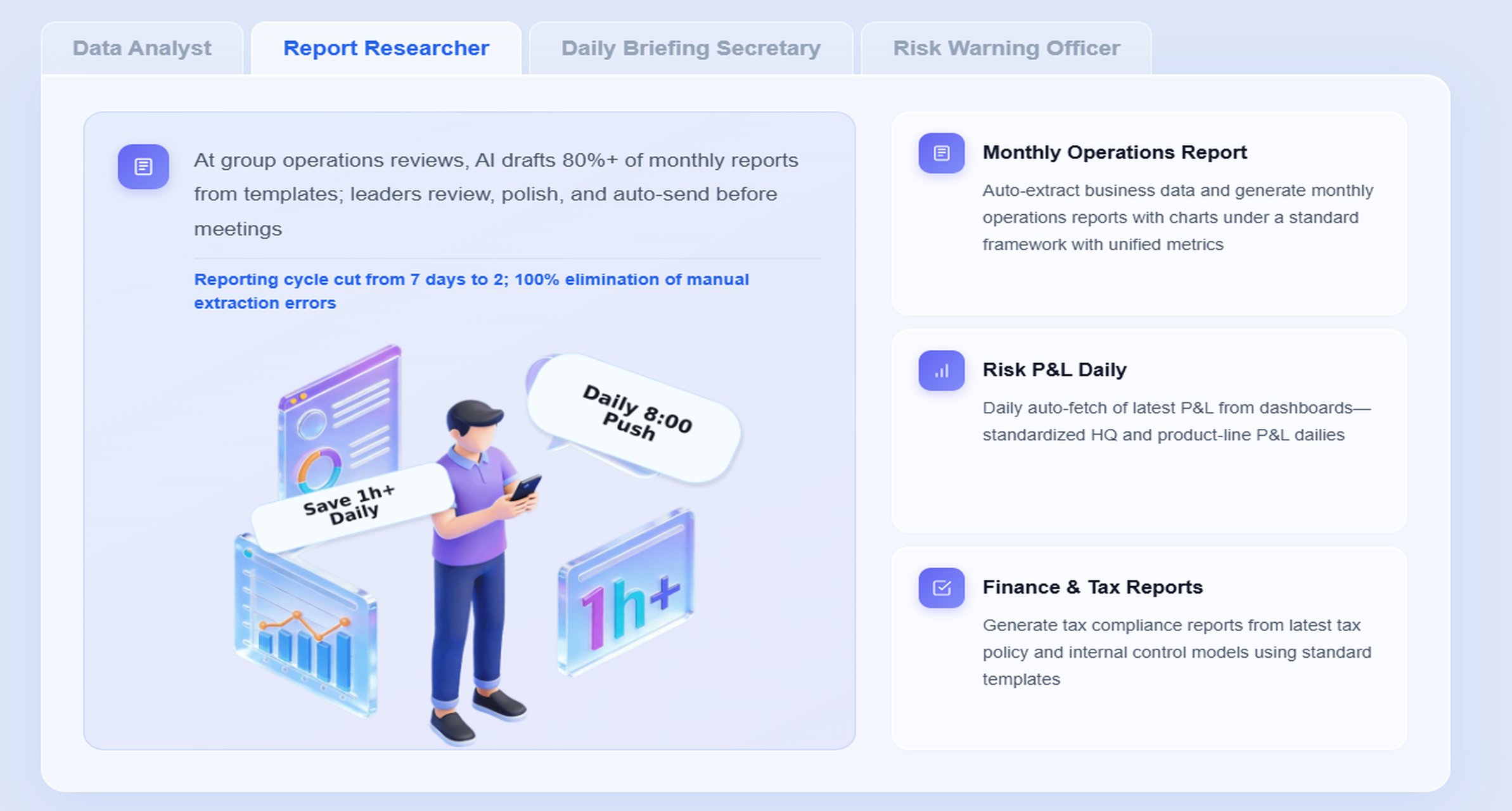
The Daily Briefing Secretarydigital employee can distribute recurring summaries to leaders and department heads on a scheduled basis.
Exception alerts and owner notification
The Risk Alert Officer can monitor key reports, identify abnormal changes, and push targeted notifications to responsible teams.
Follow-up support for repeatable workflows
Dora is designed for repeatable enterprise workflows, not just one-off prompting. With Skills-based execution, organizations get more controllable and auditable AI processes.
Why this is more practical than prompt-only AI
Many enterprises have experimented with generic AI tools for data questions. The problem is landing them in a controlled reporting workflow.
Dora offers stronger enterprise fit because it is designed around:
permissions
semantic rules
KPI governance
report templates
data quality controls
governed query and Skill execution
That makes it a more practical fourth-generation Agentic BI path. It also supports better landing capability than feature-only agent comparisons because it is connected to real reporting scenarios, real assets, and real operating processes.
For executives, this means Dora is not an AI experiment. It is a landed digital employee for recurring reporting work such as management summaries, operational briefings, finance risk reviews, and exception follow-up.
For IT teams, the shift is also clear: instead of manually building every answer, IT can focus on data connections, semantic layers, permissions, quality rules, report templates, and reusable agent Skills.
For business users, the experience becomes far simpler: timely report summaries, chat-based answers, scheduled briefings, and exception pushes without waiting for analysts to interpret every chart.
Comparing Cost, Control, and Long-Term Value
A drag and drop report builder often looks attractive because it reduces report development friction. But enterprises should evaluate total value across cost, control, and long-term operating impact.
Compare licensing and implementation effort
Traditional report builder software may create lower visible software costs in some cases, but that does not always mean lower total cost. Enterprises should consider:
implementation complexity
dependence on scarce technical resources
training burden
report maintenance effort
template standardization work
future AI-readiness
Weigh productivity gains against governance needs
A visual builder creates short-term productivity gains through faster report creation. The key question is whether those gains can scale without weakening governance.
The best enterprise platforms support both:
faster self-service for business teams
central control for IT and data governance teams
Hidden costs enterprises often underestimate
The biggest reporting costs are often indirect:
slow report delivery
fragmented tools
inconsistent KPI definitions
duplicated report logic
spreadsheet-based workarounds
low user adoption
excessive analyst time spent on formatting or explanation
A platform that reduces those hidden costs often delivers more value than a tool judged only by licensing price.
How to estimate ROI
Time saved on report creation and revisions
Measure how long it takes to build, revise, and distribute recurring reports today versus with a visual reporting workflow.
Faster access to trusted information for decision-making
Consider the business value of shorter turnaround time for executive, operational, and departmental reporting.
Lower dependence on technical teams for routine reporting updates
When business users can manage more of the reporting workflow themselves, technical specialists can focus on higher-value data work.
Additional AI ROI from report consumption automation
Do not stop at report creation ROI. With Dora, enterprises can also reduce the time spent on:
reading large reports
manually summarizing results
preparing management briefings
identifying exceptions
notifying owners
following up on recurring issues
That additional layer of efficiency is where many enterprises now see the next wave of reporting value.
Actionable Best Practices
Choosing a drag and drop report builder is only the first step. To make reporting scalable and AI-ready, enterprises need the right implementation approach.
1. Standardize report templates, KPI definitions, and business terms
If every team defines metrics differently, neither reporting nor AI assistance will be trusted. Build common templates, naming rules, KPI definitions, and report structures first.
Why it matters for Dora:Dora can generate more reliable structured report summaries and chart explanations when the semantic layer is consistent.
2. Build a semantic layer inside the reporting workflow
A drag and drop report builder should not become a free-form design surface with no shared meaning. Define metric logic, filter rules, dimensions, and business terminology in a governed way.
Why it matters for Dora:Dora relies on trusted semantic context to answer report questions, explain KPI changes, and perform governed query workflows accurately.
3. Start with high-value recurring reports
Do not try to automate every reporting process at once. Begin with recurring executive reports, weekly operations summaries, finance review packs, or exception-heavy dashboards.
Why it matters for Dora: These are the best scenarios for the Report Researcher, Daily Briefing Secretary, or Risk Alert Officer because the workflow repeats and the business value is easy to validate.
4. Define alert thresholds, ownership rules, and escalation paths
Exception workflows only work when responsibilities are clear. Decide which KPI changes should trigger alerts, who should receive them, and what follow-up is expected.
Why it matters for Dora:Dora can push summaries and exception notifications more effectively when ownership and escalation logic are already defined.
5. Preserve permission governance and use human review where needed
AI outputs should respect the same access boundaries as the reporting platform. For sensitive or high-stakes reporting, use human review for AI-generated narratives and expand AI Skills gradually.
Why it matters for Dora: Controlled rollout improves trust, auditability, and adoption.
a cross-functional review process with multiple stakeholders
A proof of concept should evaluate not only report building speed, but also governance, adoption, and report consumption efficiency.
Next steps for selection and rollout
Define must-have reporting workflows and governance requirements
Be clear about which reports matter most, who owns them, and what controls must be preserved.
Shortlist vendors based on enterprise scale, usability, and integration fit
Do not evaluate only on interface polish. Review platform depth, reporting breadth, and future AI-readiness.
Run a proof of concept with real user groups
Include business users, analysts, IT, and reporting owners. Test both report creation and AI-assisted report consumption.
FineReport + Dora Solution Pitch
Building this manually is complex. FineReport helps teams standardize trusted reports, operational cockpits, templates, and reporting workflows. Dora turns those assets into an AI assistant that can answer report questions in chat, generate structured summaries, push scheduled briefings, monitor exceptions, and follow up with responsible owners.
FineReport provides the reporting foundation for formatted reports, complex reports, management reports, operational cockpits, and workflow-based reporting
Dora adds the enterprise Data Agent layer for natural-language access, report summary generation, exception monitoring, and governed AI workflow execution
FineReport + Dora is not only a reporting upgrade; it is a practical fourth-generation Agentic BI path. FineReport provides governed reports and operational cockpits. Dora provides the AI assistant layer for scenario execution, with more controlled Skills, lower token waste, faster execution paths, and more stable workflows than prompt-only agents.
Get Ready-to-Use Dashboard Templates in Fine Gallery
The strongest Dora pitch is scenario + product + service: FineReport provides the trusted reporting foundation, Dora provides the AI digital employee, and implementation service connects data, governance, semantic setup, Skills, report templates, permissions, and rollout.
A drag and drop report builder uses a visual interface so users can assemble reports faster with less technical effort. Traditional report builder software usually depends more on developers, scripting, or SQL-based configuration.
Enterprises should choose a drag and drop report builder when report requests change often, multiple departments need access, and business users want more self-service. It is especially useful when speed and template reuse matter.
Yes, if the platform includes enterprise features like permissions, scheduling, version control, and data-source governance. The interface can be simple without sacrificing oversight.
Yes, traditional tools can be a better fit when reporting logic is highly customized, change processes are strict, or technical BI teams already manage a stable reporting environment. They are often preferred where formal development controls are a priority.
FineReport helps teams build reports visually, while Dora adds AI-assisted consumption through summaries, scheduled briefings, and exception follow-up. Together they help users not only create reports faster but also act on insights more efficiently.
Product Trial
FineReport
Pixel-perfect reports · Interactive dashboards · Easy data entry · Digital twins